
- NewspaperFlex Block Builder and Flex Loop Builder
- NewspaperHow to use the Flex Blocks cache option
- NewspaperHow to edit modules for Flex Block X
- NewspaperHow to insert a block inside the content of a post
- NewspaperFlex Block Settings Guide
- NewspaperMeta Info on Modules and Blocks
- NewspaperTheme modules and blocks
- NewspaperThumbnails – Fix strange looking images on blocks
- NewspaperBlock settings tutorial
- NewspaperCategory Tag on Modules/blocks
- NewspaperWP Rocket and Newspaper Theme: Optimization Guide
- NewspaperSearch setup for custom post type
- NewspapertagDiv Opt-In Builder – Emails
- NewspaperBookmark – Save For Later
- NewspaperModules Builder in Newspaper Theme
- NewspaperFilters and sorting for taxonomies
- NewspaperUser review system
- NewspaperWooCommerce: Happy “Add to Favorites!”
- NewspaperLockers
- NewspaperLeads
 Bogdan B.
 Hi,
If you want to change let’s say a big grid 1 title to red, you would use this code:
.td_block_big_grid_1 .td-module-title a{

color:red!important;

}
This code will affect all of the block 1’s you add on your site though. if you want to target just 1 element in particular and not affect all elements of the same type, you will have to add the custom class as I have shows in my previous reply
Thanks.
Bogdan B. Hello,
Thanks for sharing this. I have checked into this and there seems to be an issue causing this. I added it to our list for future updates.
As a quick fix, you can add this code in the theme panel-> custom css box:
.td_block_slide .td_module_slide, .td_block_slide .td-slider{

width:100%!important

}
Thank you!
 juliusuk
I’m using Style 7 of the newspaper theme and want to have the header in “Always sticky”-mode and using Smart sidebars (no top bar).
After using these settings, there is a minor visual bug. The Smart sidebar sticks so that the block title of the first block sits some pixels under the sticky header. See this picture:

The problem seems to be the value of “top” in the style=”” part. When inserting e.g. the value top: 88px: the smart sidebar is correctly positioned and flows well when the page is scrolled.
Image when changing top-value to 88px: 
These values seem to be inserted with some script while user scrolls through page. Where can i change this to show correctly?
I’m still working on localhost so i cant provide the link yet.
– Julius
 iamkingsleyf
 Hello;
Is this code wrong?
<?php echo do_shortcode('[td_block_ad_box spot_id="custom_ad_2"]');?>
 Edward
 problem solved
@alicjusia, please tell how the problem was solved.
Reading the forum a lot of people and may be your information will be useful to someone.
 mmeida
 Thanks, Simion. It works fine! But is it possible to fill the space between margins with color (white)? I’m not already sure that I want a full white background in all the page, but I’m sure that I want all the header block in white.
Thanks!
-
This reply was modified 9 years by
mmeida.
 Catalin
 Hello d2inspire,
Please keep in mind that the block buttons are made them with some custom rule. Also, please notice that the main element is WP Custom menu from Visual Composer, this have a custom class named .td-menu-blocks-custom Also, you have to make your own desired menu from Appearance->Menu from WP panel and then you have to use this visual Composer element with this custom class to get the Custom CSS design, like this -> http://screencast.com/t/i834fsDw -> http://screencast.com/t/Th9oEVLMM -> http://screencast.com/t/WWt2yabWiMv and as an example result -> http://screencast.com/t/7Mtx3fdFGNRd
Thanks for the message!
 trungnx
Hi,
I would like to use Visual Composer to create a new page with a catchy design.
I did it in the contact page. But got problem that every page in the right side always show the block as link http://prntscr.com/dx3g76
This is a default setting in widget check this image http://prntscr.com/dx3gxb
I know all the page, post will show this block, but can we create the page without it. I would like to have a page will full page as home. So that we can use Visual Composer to create a custom page design.
Thanks,
 d2inspire
Hi,
Sorry if this has been asked before.
I need a page same look as the demo. I need some of categories and pages on top as a buttons like this page. http://demo.tagdiv.com/newspaper/block-3/#
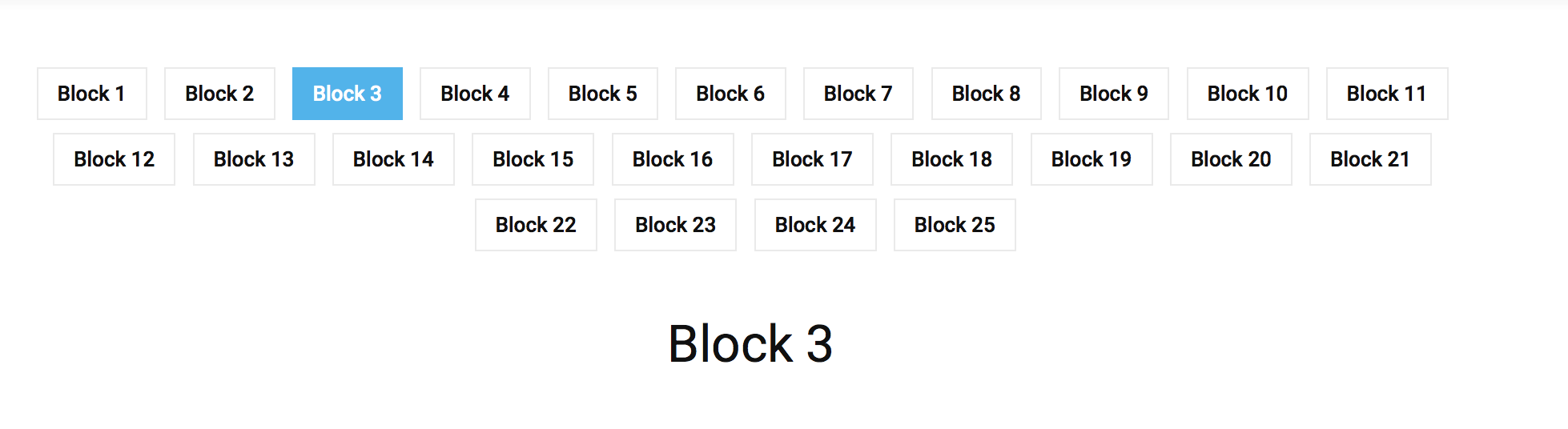
So once I click the button ‘Section 1’ (on the demo it’s Block 1) it displays on the bottom. So basically I need my 20 sections to be visible as 20 buttons on a page like Block 1 to Block 25. Please help me to create a page same as this (http://demo.tagdiv.com/newspaper/block-3/#)
Thanks
Haneef
 oguerin
 How did I miss that…Thank you very much
By the way, block 23 uses mmodule 18 😉
Cheers,
Bogdan B. Hi,
You can change the block title line height from the fonts section: https://www.screencast.com/t/CZmzlgtOFDdQ
block 23 uses module 19
Thanks
Catalin Hello nasaboy,
I have inspected your sidebar on post page, and the Random Article is simply a Block 15 -> https://www.screencast.com/t/II2S2ggzS which can be customized from panel, Widgets section like this -> https://www.screencast.com/t/wb25UIPAa
Hope this helps!
Thanks for your understanding!
 MattiaVe
 Thanks Catalin, but unfortunately it does not work.
I checked 100 times the settings as recommended but runs only the first block up …
Catalin Hello newsmaguser,
Please keep in mind that the yellow color which is present in Scandal Magazine Demo is the main theme color which is available for the entire theme. So, if you want to change this color for your above-presented section, you should use the code below and place it in Theme panel->Custom CSS Area.
The code is ->
.td-scandal .td-post-template-4 header {

background-color: red!important;

}

blockquote p {

color:red!important;

}
The result is -> https://www.screencast.com/t/LsGbaNKeb5QN
Also, if you want many changes for this demo version, you should try to check the style.css core file for this demo and you should do it yourself all of them because we cannot provide customization services at the moment, sorry! -> https://www.screencast.com/t/125CQ8zI
Thanks for your understanding!
iamkingsleyf here http://www.awesomescreenshot.com/image/2070258/d9102c27f3fb9b9a031ee8e932c1f3e6 that is how i added it and then i place this <?php echo do_shortcode('[td_block_ad_box spot_id="custom_ad_2"]');?> in single-loop.php
 newsmaguser
 Thanks for getting back to me. Unfortunately, that’s not the area — I was referring to the main article text and its font size and links that uses a yellow color as standard that’s unreadable (See image below).
The blockquote text has the same color.

oguerin thanks, it’s perfect !
As for my second question, I’m trying to add more space between the text lines in title of block 23.
Please see http://genres.centrelgbtparis.org/wp-content/uploads/2017/01/Capture-d%E2%80%99%C3%A9cran-29.png
I’d like to add some more space where the arrow is.
Let me know if it’s still unclear…
Thank you very much
Catalin Hello nasaboy,
Do you are referring to the Block sorting? If you want to do this, you should consult our documentation here -> https://forum.tagdiv.com/block-settings-guide/ if is not what you mean, please provide more details so I will be able to provide a more accurate response.
Thanks for your understanding!
 Simion C.
 Hi,
You can set a post limit in the Slide settings like this – https://www.screencast.com/t/lwlXtOmkekw resulting in a single post displayed in the slide. To hide the left/right arrow in the slide use this code, enter it in Theme panel->Custom Css
.td_block_slide .td-icon-left,

.td_block_slide .td-icon-right {

display: none;

}
Thanks
Simion C. Hi,
Those settings are for the single post page – https://www.screencast.com/t/7DgQtH0a To remove the author name and date on blocks and modules go to Theme panel->Block settings and disable them there – https://www.screencast.com/t/vLewqY4efdgF
Thanks
Catalin Hello tamam,
The simplest way to do this is to use a block which is sorted by latest articles and then, using the do_shoercode method you have to edit the file corresponding to post template used by you. For example, if you are using the post template style 1 you should edit the loop-single-1.php -> https://www.screencast.com/t/hzIXdkGPs54 -> https://www.screencast.com/t/MBVFnZOWvKRa
The code is -> <?php echo do_shortcode('[td_block_1 tdc_css=""]');?>
Thanks for your understanding!
Bogdan B. Hello,
You most likely have the thumbs disabled and your site loads the full image.s We see this happen lots of times. Please make sure the thumbs you use are active in this section: https://www.screencast.com/t/nXYukFGaNha and after that regenerate your thumbs using this guide: https://forum.tagdiv.com/thumbnails-fix-strange-looking-images-on-blocks/
For page speed in general, please use this guide: https://forum.tagdiv.com/how-to-make-the-site-faster/
Thank you!
 Bikerznet
I am trying to use the block slide on my home page, but have noticed that even though I only want to show 1 slide, it will only show if I have more than one post in the category chosen to show in the slider.
Is there a way to get this to work with only one post in the category?
Secondly how do I remove the left and right arrows when showing only one slide?
Simion C. Hi,
You can achieve this using do_shorcode for the slide and news ticker elements – https://www.screencast.com/t/r69O5yQOw – https://www.screencast.com/t/IevYmognHVo8
Add this code in index.php file – https://www.screencast.com/t/gcBlf2JX so it looks like this – https://www.screencast.com/t/KExUJ75ghT
This is the code for the News ticker and the Slide element
<?php echo do_shortcode('[vc_row][vc_column][td_block_trending_now tdc_css=""][/vc_column][/vc_row][vc_row][vc_column][td_block_slide tdc_css=""][/vc_column][/vc_row]');?>
To hide the “blog” in the breadcrumbs so it displays just “Home” use this code, just enter it in Theme panel->Custom Css
.home .td-bred-no-url-last {
display: none;
}
Result – https://www.screencast.com/t/bTp8TAq7X
Please let me know if this does not work for you or you have further questions
Thanks
Catalin Hello elcid,
If you want to add the “Custom Ad 1”, you should use the do_shortcode method and place it in theme core file corresponding to post template used by you. For example, if you are using the post template style 1, you should use the following steps in order to achieve as you wish. This is the code – make sure you have an ad code placed in Theme panel->Ads->Custom ad 1 – https://www.screencast.com/t/Mw29z93l9 and then using this snippet of the code
<?php echo do_shortcode('[td_block_ad_box spot_id="custom_ad_1"]');?> you should add it in loop-single-1.php, where exactly you want to display the add, like this -> https://www.screencast.com/t/eyu4sGgDh
Hope this helps!
Thanks for the message!

