
- NewspaperFlex Block Builder and Flex Loop Builder
- NewspaperHow to use the Flex Blocks cache option
- NewspaperHow to edit modules for Flex Block X
- NewspaperHow to insert a block inside the content of a post
- NewspaperFlex Block Settings Guide
- NewspaperMeta Info on Modules and Blocks
- NewspaperTheme modules and blocks
- NewspaperThumbnails – Fix strange looking images on blocks
- NewspaperBlock settings tutorial
- NewspaperCategory Tag on Modules/blocks
- NewspaperWP Rocket and Newspaper Theme: Optimization Guide
- NewspaperSearch setup for custom post type
- NewspapertagDiv Opt-In Builder – Emails
- NewspaperBookmark – Save For Later
- NewspaperModules Builder in Newspaper Theme
- NewspaperFilters and sorting for taxonomies
- NewspaperUser review system
- NewspaperWooCommerce: Happy “Add to Favorites!”
- NewspaperLockers
- NewspaperLeads
 adi_mitran
Hello,
Can you tell me how to increase the contrast for the titles on Block 14?
http://www.good-life.ro/shopper (password goodlife!23)
in the bottom of the page i have block 14 but the titles on the pictures have no contrast.
 Alin [tagDiv]
 Hi,
Please uncomment this line in td_module_6.php file(module 6 is used to create block 7) – http://screencast.com/t/gQPrKTAMj – http://screencast.com/t/B8iCJlZI
Thanks!
 Bogdan B.
 Hello,
It can be done with custom CSS but it will maybe create other problems along the way. It was not meant do be styled like that.
Use this custom CSS:
.td_block_slide .td_module_slide{

height:350px!important

}

.td_block_slide .td-theme-slider{

height:350px!important;

}
Add the code in the theme panel ->custom css box
Result: http://screencast.com/t/K0fD1T2Mzoj
Thanks.
Alin [tagDiv] Hi,
The theme uses the add_image_size() function and the featured image is cropped to different sizes, for each image are created thumbnails to be used on module. Here you can find all the thumb sizes – http://screencast.com/t/aWvLdtvDghW2 You enable the thumbs only for blocks/modules you use.
Thanks!
-
This reply was modified 10 years by Alin [tagDiv].
 Andrei L.
 Hi
You can customize the tag page from theme panel > template settings > tag template: http://screencast.com/t/xPrmMPUUQy The theme allow you to change the module used for the tag page, the sidebar position and which sidebar will be used for the tag page can be controlled from there.
The theme wasn’t designed to display blocks on tag page, but you can use do_shortcode() function to achieve that, like in this example: http://screencast.com/t/ASDXrbTpjTLM
<?php echo do_shortcode('[td_block_big_grid category_id="63"]');?>
To get the shortcode create a blank page, add the block which you want to display on tag page: http://screencast.com/t/6rMkvdLh then switch in backend editor, copy this code: http://screencast.com/t/zQKx94rg1 and paste it inside the function.
The result should be like here: http://screencast.com/t/GakHkD6yTT
Let me know how it goes.
Thanks!
-
This reply was modified 10 years by Andrei L..
Alin [tagDiv] Hi,
You can add a custom ad for the post template that you use, just edit the file and use do_shortcode function – http://screencast.com/t/txPjkFaS
<?php echo do_shortcode('[td_block_ad_box spot_id="custom_ad_1"]');?>
There are many topic about how to add a custom ad, as reference:
https://forum.tagdiv.com/topic/move-the-bottom-article-ad-spot-below-the-share-bar/
https://forum.tagdiv.com/topic/move-bottom-article-ad/
Thanks!
-
This reply was modified 10 years by Alin [tagDiv].
 AilyRoot
 added
.ie11 .col1 cell, .ie10 .col1 cell, .ie9 .col1 cell, .ie8 .col1 cell {
display:block;
}
to theme panel ‘s custom CSS, still not working
Bogdan B. Hello,
Unfortunately there is no option to change the header style on a different viewport.
You can use this custom CSS to display the small logo on the mobile version of your site:
@media (max-width: 767px){

.td-header-style-10 .td-main-menu-logo {

    display: block!important;}}
Now your logo should show up as expected.
Thank you.
Bogdan B. Hello,
Use this custom CSS to tweak it for Internet Explorer:
.ie11 .col1 cell, .ie10 .col1 cell, .ie9 .col1 cell, .ie8 .col1 cell {
display:block;
}
I also added the other versions of internet explorer to the code, but i haven’t tested it on all versions. If there will be problems on a specific version, you can remove it from the code.
Thank you!
Bogdan B. Hello,
The sidebar block can be edited to filter posts by category, by tag, and post sorting option: http://screencast.com/t/zm4oTg6kKcn7. You can change these settings and get different results.
As for the footer, it depends if you use one of the styles with predefined content. The predefined content cannot be edited. You will have to chose a different footer style and use the footer 1, 2 and 3 widgets in the widget area to add blocks to the footer which have options available.
If you mean the related articles on the bottom of the posts, this cannot be edited from the theme panel, it can only be done by altering the core files of the theme.
Thank you!
 Catalin
 Hi @Andy,
You can increase the length of the Newsticker block within Theme panel like that: http://screencast.com/t/7f8xTtDJ7NJ
http://screencast.com/t/n0Dk2OZBn.
Thanks.
 Baboo
BabooIs there any way to remove Excerpt from all blocks aside from adding .td-excerpt {display:none !important;} in Custom CSS?
How do I specify SegoeUI as main font for all blocks, titles and posts, as it’s not listed in Theme Fonts? The only solution is to change styles.css?
 croboy
 I figured it out. I used visual composer to add block and then switched to classic mode and g otcode.
🙂
<?php echo do_shortcode('[vc_row][vc_column][td_block_16 custom_title="Name of block title" category_id="XYZ" limit="5"][/vc_column][/vc_row]'); ?>
Tnx anyway
-
This reply was modified 10 years by
croboy.
croboy Hi,
This is exactly what I need. Just one more question about this and I hope it is not out of the scope of support.
Is it possible to define block settings in this way?
I saw this https://forum.tagdiv.com/practical-example-how-to-add-a-new-block-and-module/
but I don’t know PHP. I hope it is possible to define number of articles and category.
Anyway thank you a lot for your help. I hope this will help other customers beacuse it is really great to have blocks beneath article.
 derdiedasjp
Hello,
I’m trying to set up a top page with different grids.
While doing so, I stumbled upon a few design issues – they are visible here:
The page starts off with one block containing a title and then with Big Grid 1, followed by Big Grid 5.
So far, I noticed the following:
1) The right tiles in Big Grid 1 (the one at the top) are shown below the large grid on the left – I solved that by setting padding to 0 left and right
2) There was a grey thick border right of the images – I solved this (for now) by stretching the image to 100%
3) Big Grid 1 is now (maybe because of the measure to solve issue 1)) short then Big Grid 5
4) The two slides further below have a grey border on the right.
Can you point me to what I’m doing wrong here — for example why Big Grid 1 breaks, but also how to make them the same length?
Thanks in advance
Tabibito
 vladica79
 Code is changed but still same, block title with link have diferent look.
Update:
My mistake, this part work very good!
-
This reply was modified 10 years by
vladica79.
 akopein
Hi
I would like to show the number of comments each post received at home page for block 7. I noticed only few other blocks have this feature. Is there anyway i can implement it for block7. Also it would be great if i can show number of facebook likes along with it (in block7). We have that feature for each post we click. I tried lot of stuff . If there is any piece of code i can put it the theme to achieve this, please do let me know
 bicks
bicksHi,
I´d like to resize de slide block from 168x580px to 1068x350px. How can i do that?
Thanks
 Andy
AndyHi,
Please take a look at my website(http://www.newsmug.in/).I am currently using my native language in this website.If you view the contents of Newsticker,few characters are being cut off.How do I increase the length of the Newsticker block so that all the contents fit in inside the block
Please take a look at my screenshot here
http://www.screencast.com/t/y7oyxYTB
Thanks,
Anand
 Yannik97
 Works fine on vc blocks!
And also with fontawesome. 🙂
Thanks!
Only problem is that it does not work on wordpress widgets like recent comments.
.td_block_13 .block-title span::before {
content: "\f0f6";
margin-right: 10px;
font-family: FontAwesome;
}Hi @byothe,
First custom CSS is for color of the boxes (“REVIEW OVERVIEW” & SUMMARY”): http://screencast.com/t/xHInUkfh645X
.td-review-header .block-title {

background-color: blue;

}

.td-review-summary .block-title {

background-color: red;

}
and the second custom CSS is for color of the review stars displayed in modules and block: http://screencast.com/t/pfRROghA
.td-icon-star, .td-icon-star-empty, .td-icon-star-half {

color:red;

}
Thanks.
Catalin Hi @Yannik97,
If you want to use a different symbol for every block used in visual composer, in CSS code you need to add a speccific class for each block: (.td_block_1 or .td_block_2 or .td_block_3 … or .td_block_18).
For my example, the CSS code look like that:
.td_block_1 .block-title span::before {

content: '\';

margin-right: 10px;

}
Thanks and let me how it goes!
Andrei L. Hi
Replace the above css with this one: http://screencast.com/t/pUEqb7CbVUe
.block-title span, .block-title > a {

background-color: transparent !important;

position: relative;

border-radius: 0;

padding: 3px 70px 3px 20px;

}

.block-title span:before, .block-title > a:before {

content: '';

background-color: red;

width: 100%;

height: 100%;

position: absolute;

top: 0;

left: 0;

z-index: -1;

-webkit-transform: skew(-15deg);

-moz-transform: skew(-15deg);

-o-transform: skew(-15deg);

-ms-transform: skew(-15deg);

transform: skew(-15deg);

border-radius: 3px;

}
Basically you need to add this selectors to the css code: .block-title > a, .block-title > a:before
Thanks!
 byothe
 Hi Catalin
Thank you for your answer
That was exactly that for the stars ! Great !
But I was not meaning the color of the text but the color of the boxes (“REVIEW OVERVIEW” & SUMMARY”)
Thanks
And is it possible to change the color of the stars in the menus or when the article appears in a block (they are still black)
-
This reply was modified 11 years by
byothe.
Yannik97 Thanks for your reply.
When I add the .block-title class in custom css every title on my homepage have this icon. I have to add a class name on the blocks in visual composer. But then all titles in the visual composer block have this icon.
-> 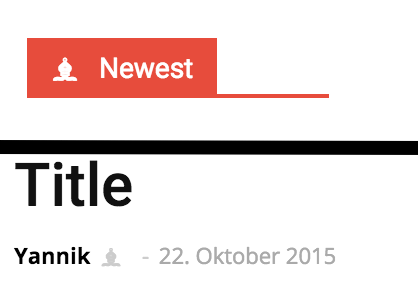
I have to reach only the main title of an area.
.newest span::before {
content: '\265D';
margin-right: 10px;
}-
This reply was modified 11 years by
Yannik97.
