- NewspaperFlex Block Builder and Flex Loop Builder
- NewspaperHow to use the Flex Blocks cache option
- NewspaperHow to edit modules for Flex Block X
- NewspaperHow to insert a block inside the content of a post
- NewspaperFlex Block Settings Guide
- NewspaperMeta Info on Modules and Blocks
- NewspaperTheme modules and blocks
- NewspaperThumbnails – Fix strange looking images on blocks
- NewspaperBlock settings tutorial
- NewspaperCategory Tag on Modules/blocks
- NewspaperWP Rocket and Newspaper Theme: Optimization Guide
- NewspaperSearch setup for custom post type
- NewspapertagDiv Opt-In Builder – Emails
- NewspaperBookmark – Save For Later
- NewspaperModules Builder in Newspaper Theme
- NewspaperFilters and sorting for taxonomies
- NewspaperUser review system
- NewspaperWooCommerce: Happy “Add to Favorites!”
- NewspaperLockers
- NewspaperLeads
 cosmacelf
 Alternatively, is there a way to use or move different modules into different blocks? It seems that I like the look of Module 17 which is only available in Block 22. Can I use Model 17 in any other blocks?
cosmacelfBlock22 is a single column format. Is there any way to get it to work as a 2 column format, or get the styling of block22 into a column 22 format? For example, if I create two 1/3 width columns, each with a block22 in them, it looks like this:

Which is fine, but then the ordering or articles is off. You end up with all recent articles all in the first column, and then later articles in the second column if you use the offset feature. Ideally, you’d like an order of:
1 2
3 4
5 6
Which is what you get when you use a 2 column block. Any ideas/pointers to get the block22 styling as shown above (meaning picture, author, date on top of picture, and then excerpt below), but in a proper 2 column format?
 angelgallegos
 Same problem here with the “infinite loading” posts for blocks.
 Mick Pacholli
 Thanks for the response Simeon, I use Newspaper 9 and have relied on the awesomeness of the block builder in the Virtual Composer. It appears it was a conflict between the editor and the Events calendar plugin
I have built a citizen journalism newspaper site, a budding platform of sorts, especially in the entertainment and local arts
I have been using Advanced Post Manager for their 11 pre set templates, especially the video option to replace Feature Pic and WP Edit Pro for advanced WYSIWYG functionality.
This has worked well for some years…now Gutenberg got thrown in…needless to say it is disabled.
I installed TagDiv Composer and it killed my WYSYWIG set up and broke the WPBakery layouts, so I deleted it.
I need to understand do I need those 2 plugins? Does Visual Composer have those extra WYSIWYG capabilities?
I’m trying to stay composed but site has been plaaying up
 llucson
I already sent you some comments about the problems that your models in the cloud are giving, but you did not know how to fix it. The 3 blocks on this page that are from your library in the cloud, take a long time to load (Proyectos, laboratorio de Periodismo and Colaboradores). Can you tell me, please, what’s the problem?
Thanks in advance
 willkar
Hello.
I want to know, which code i use to change the color of the text, in td_quote_box td_box_center.
Thanks in advance.
 garyjones
 Hi Calin
Thanks for getting back to me. I would indeed prefer to use Flex Blocks.
If you go here now, https://www.infowebpublishing.com/ you will see where I have got to with the Block 9/Module 8 combination but I can’t work out where to place the above custom php/CSS into a Flex Block. I think Flex 4 is the best option.
Any help would be appreciated. Happy to give you Admin access.
Have a good International Workers Day.
Best wishes
Gary
 getfreshtoast
Hello,
We are attempting to add hyperlinks to photo credits in our Featured Image captions by using simple HTML for a hyperlink. Typically, WordPress is able to display a hyperlink in the caption using this method however the Newspaper theme is not allowing us to click on the hyperlink. Below is a link showing the issue. You can see we gave credit to the illustrator of our Featured Image however we are unable to click on her name.
https://thefreshtoast.com/cannabis/i-used-nuggmd-to-get-my-med-card-and-this-is-what-happened/
Any information on how to solve this is greatly appreciated. Thank you.
Matthew Blockus
Systems Administrator
The Fresh Toast
 angel-friend
 P.S.
Actually my question is about block 12. ericseabra’s question was about block 11. So it is not the exactly the same question though…
angel-friend Hi,
thank you for your advice.
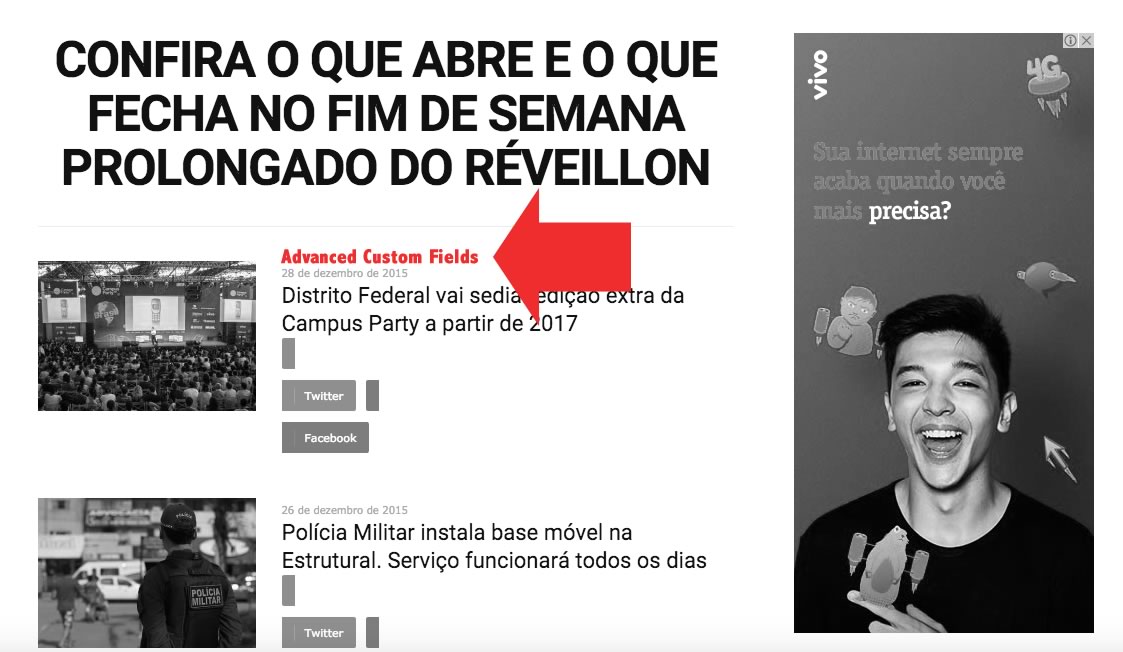
I found the same question on the comment on themeforest and he(user name:ericseabra) said “to bring up Advanced Custom Fields in Block 11 ( http://www.notibras.com/addCustomFields.jpg ) on the home site?” .
And the answer was as follows…
Module 10 is used to design block 11 so you can add there your custom fields – http://screencast.com/t/1GF915UC Also I have suggested to provide a link for the other issue(css for share buttons) so if you have more questions please write them in that email.
However this topic is about 3 years ago and the Newspaper version is different now. So I couldn’t find the code which I should change.
I just wanted to know where I should change the code.
Is that possible to realize to add Custom Fields element by changing module file? And if so could you tell me where I can find the module.
Thank you.
 Calin
Calin Hi,
Most of the theme files were moved into the tagdiv composer plugin as per the requirements of envato: https://help.author.envato.com/hc/en-us/articles/360000472383-WordPress-Theme-Requirements.
We wrote an article on the subject here: https://tagdiv.com/updating-the-core-of-tagdiv-themes/
Moving forward with such requirements, a child theme will only work with functions.php, and style.css as there are very few files left in the main theme as envato requires all functionality to be added through plugins.
What you can do is to make pages using flex blocks in this way you can achieve what you make in child theme (
and is no more need to use child theme ), because flex blocks have more options and customization.
Sorry for the inconvenience and thank you for understanding.
Calin Hi,
Unfortunately our theme do not have such on option, sorry!
Please check our documentation for block settings filters -> https://forum.tagdiv.com/block-settings-guide/
Unique articles -> https://forum.tagdiv.com/unique-articles/
Thank you!
Calin Hi,
Please provide me a link were I can inspect this blocks, in this way I will be able to tall you if these are widest, settings from theme panel or if those are set with tagDiv Composer.
Thank you!
 diegoaerostato
In our site we have five categories of articles.
In the Homepage top area we show 5 articles (3 + 2)
that are the latest published in the category.
In the bottom area (under the calendar) we would like to show
ALL the articles from the categories EXCLUDING the latest article.
Is this possible? we have done it by using single category block and offset,
but it would be better to have all categories in a unique block.
Please see: http://wp10.aerostatonet.it/
If you need access to site please let us know.
Thank you
Calin Hi,
Unfortunately I’m can not see your screenshot -> https://www.screencast.com/t/qurH8oRm9i5
The mobile theme is a plugin that provide you a better speed then responsive version of theme, but in order to achieve that speed you’ll need to create a new content for pages because in the most of cases those were made with builders ( tagDiv Composer, WPBakery ) and you need to use only the mobile editor ( you need to set the content for pages in mobile editor and this content will be display on mobile theme)
-> https://www.screencast.com/t/ebUIzt4se
If you want the responsive version and amp you should use this opinion -> https://www.screencast.com/t/jZct5ueBqOrb but if you have amp activate on pages you’ll need to create in Mobile editor a content for AMP version of page.
Also please check our documentation for Mobile Theme: Automatic Optimization for Mobile with Newspaper Theme -> https://tagdiv.com/mobile-theme-automatic-optimization-for-mobile-newspaper-theme/
I think that you are referring to those 3 blocks, for those you’ll need to have set seam feature posts (that have set feature category) -> https://forum.tagdiv.com/featured-posts-2/ -> https://www.screencast.com/t/QsJ6ppY4
You’ll need to add some post in feature category -> https://forum.tagdiv.com/featured-posts-2/ if you do not have this category you can create it, just make sure that you set the category name to be
Featured
Let me know if you have more questions!
Thank you!
Calin Hi,
The mobile theme is a plugin that provide you a better speed then responsive version of theme, but in order to achieve that speed you’ll need to create a new content for pages because in the most of cases those were made with builders ( tagDiv Composer, WPBakery ) and you need to use only the mobile editor ( you need to set the content for pages in mobile editor and this content will be display on mobile theme)
-> https://www.screencast.com/t/ebUIzt4se
If you want the responsive version and amp you should use this opinion -> https://www.screencast.com/t/jZct5ueBqOrb but if you have amp activate on pages you’ll need to create in Mobile editor a content for AMP version of page.
Also please check our documentation for Mobile Theme: Automatic Optimization for Mobile with Newspaper Theme -> https://tagdiv.com/mobile-theme-automatic-optimization-for-mobile-newspaper-theme/
I think that you are referring to those 3 blocks, for those you’ll need to have set seam feature posts (that have set feature category) -> https://forum.tagdiv.com/featured-posts-2/ -> https://www.screencast.com/t/QsJ6ppY4
You’ll need to add some post in feature category -> https://forum.tagdiv.com/featured-posts-2/ if you do not have this category you can create it, just make sure that you set the category name to be
Featured
Let me know if you have more questions!
Thank you!
 Catalin
 Hi,
I suppose that you have automatically updated the theme via Envato Market plugin, right? In our latest update, all of the required plugins will come offline and you need to manually enable them from the Theme panel because this is the main mandatory requirements imposed by Envato Market Policy.
The Newspaper theme update brings a change for the customers that use WP Bakery Page Builder with our Theme. When you’ll be updating to the Newspaper 9.7.2 version, you’ll need to activate the tagDiv Composer to keep the Newspaper theme functionality you’ve previously used. Otherwise, you will have basic WordPress functionality, complying with Envato WordPress Requirements – https://help.author.envato.com/hc/en-us/articles/360000472383-WordPress-Theme-Requirements
Please note that activating the tagDiv Composer doesn’t mean that you are required to use our custom page builder on your website. You can use the WP Bakery page builder as you did before the update.
We recommended you to do not use the tagDiv Composer and WP Bakery page builders on the same page, because you cannot edit with WP Baker blocks and shortcodes created with tagDiv Composer or vice-versa.
Please make a backup for your website before updating. If you need help, please don’t hesitate to send us an email with all the details at contact@tagdiv.com.
Thank you for understanding!
 Simion C.
 Hi,
That would depend on the filtering and sorting the blocks use. Content will be displayed according to these factors. Each block can be configured to show the posts you want
– https://forum.tagdiv.com/block-settings-guide/
If it is necessary to use the same filtering and sorting, you can use the offset option
– https://forum.tagdiv.com/offset-feature/
So the second block can pick up where the first ends. In case I misunderstand let me know.
garyjonesI am confused about the new Envato-compliant version of Newspaper 9.7.2 and the use of child themes.
I have modified module 8 and the corresponding CSS in the version prior to you releasing this update. Where does my modified module now sit in terms if a child theme, as the related block/module includes has moved to a “legacy” folder within wp-content>plugins etc.
This seems to me that I cannot create a child and my customised block will be overwritten each time there is an update.
Is this the case? If so, how do you recommend getting around this?
Thanks
Best
Gary
Catalin Hi,
If you want to change the logo on mobile, you need to do it from Theme panel -> https://www.screencast.com/t/CAiK99YB
Please note that due to the previous warnings regarding the support period we will no longer to help you with your support request. Please understand our position and extend your support or we will be required to block your access to this forum.
Thank you!
Simion C. Seems not to work indeed, a stronger code is needed
.td-big-grid-slide.td_block_wrap {

perspective:unset!important;

}
I have tested it on my end, seems to work now. You could give it a try and then check the grid again.
I believe that the “/9” is meant for older versions of IE
– https://stackoverflow.com/questions/8004765/css-9-in-width-property
At the moment I can’t say exactly what and how will change in future theme updates, regarding the legacy functionality. We will improve on the current state or make further modifications. Sorry for any inconvenience.
Let me know if you have more questions.
Catalin Hi,
Please try to regenerate your images with Force Regenerate or Thumbnail Regenerate plugin according to our documentation from here -> https://forum.tagdiv.com/thumbnails-fix-strange-looking-images-on-blocks/
Thank you!
Catalin Hi,
Thank you for your question. The Newsmag theme update brings a change for the customers that use WP Bakery Page Builder with our Theme:
When you’ll be updating to the Newsmag 4.8 version, you’ll need to activate the tagDiv Composer to keep the Newsmag theme functionality you’ve previously used. Otherwise, you will have basic WordPress functionality, complying with Envato WordPress Requirements – https://help.author.envato.com/hc/en-us/articles/360000472383-WordPress-Theme-Requirements
Please note that activating the tagDiv Composer doesn’t mean that you are required to use our custom page builder on your website. You can use the WP Bakery page builder as you did before the update. We recommended you to do not use the tagDiv Composer and WP Bakery page builders on the same page, because you cannot edit with WP Baker blocks and shortcodes created with tagDiv Composer or vice-versa.
Hope this helps and let us know how it goes!
Thank you for understanding!
Catalin Hi,
Unfortunately, I do not exactly understand what you mean and what you want to achieve. You need to provide more details about this so I will be able to provide a more accurate response. If you are using the Old Fashioned demo, notice that at the top of the homepage is used the Block 24 as you can see here -> https://www.screencast.com/t/lHynvu851O Also, if you want, notice that you can change it to another one from here -> https://demo.tagdiv.com/newspaper/block-1/ If is not what you mean, provide more details.
Thank you!
Calin Hi,
You can reduce the padding in two ways, one is to edit the page with tagDiv Composer -> https://www.screencast.com/t/GdJFyVLIBHI or you can use a custom css -> https://www.screencast.com/t/ulDjUnO64
.td_block_trending_now{

  margin-top: -80px;

  margin-bottom: 15px;

}
Is possible to be need to change the values for margins, also the code need to be set in Theme panel>Custom code>Custom css
Thank you!