
- NewspaperFlex Block Builder and Flex Loop Builder
- NewspaperHow to use the Flex Blocks cache option
- NewspaperHow to edit modules for Flex Block X
- NewspaperHow to insert a block inside the content of a post
- NewspaperFlex Block Settings Guide
- NewspaperMeta Info on Modules and Blocks
- NewspaperTheme modules and blocks
- NewspaperThumbnails – Fix strange looking images on blocks
- NewspaperBlock settings tutorial
- NewspaperCategory Tag on Modules/blocks
- NewspaperWP Rocket and Newspaper Theme: Optimization Guide
- NewspaperSearch setup for custom post type
- NewspapertagDiv Opt-In Builder – Emails
- NewspaperBookmark – Save For Later
- NewspaperModules Builder in Newspaper Theme
- NewspaperFilters and sorting for taxonomies
- NewspaperUser review system
- NewspaperWooCommerce: Happy “Add to Favorites!”
- NewspaperLockers
- NewspaperLeads
 marcomediastudio
So when I have a block on the home page for a category and it is say Grid 4 or what have you, how can I have feature stories show up first before other articles? I have no featured category, and I see no option in a story to mark it as featured? Thanks
 chuckr
Hi,
Let’s say I want to make my homepage look like “Block 2”. Newspaper automatically pulls ‘posts’ to populate Block 2. On this particular website, all the important pieces are on ‘pages’ and not ‘posts’. Is there anyway I can get Block 2 to populate with pages instead of posts?
Thanks!
Chuck
 Catalin
 Hello roberto722,
Sorry for this inconvenient but please notice that we do not recommend to edit our modules/blocks because you can simply damage the theme layout, sorry! Notice that once you’ve made changes to these locations you will need other adjustments for bringing best theme’s results after your changes which involve such a custom work which cannot provide this, at the moment, sorry! If you are not an advanced user, I’ll recommend you using the blocks/modules in the default state, because we have a big list of modules/blocks, as you can see here -> https://forum.tagdiv.com/theme-blocks-modules/ Also, if you do not like these, you should create it as you want and if you are not aware of the steps which are needed to take in this case, please consider hiring a freelancer/developer to help you because we cannot provide this type of services at the moment, sorry!
Thanks for your understanding!
 Bogdan B.
 Hi,
Please add this code in the theme panel-> custom css box:
.td-pb-span4 .td-g-rec-id-sidebar .adsbygoogle, .td-pb-span4 .widget{

margin-bottom:20px;

}

.td-pb-span4 .td_block_text_with_title{

margin-bottom:20px;

}
Thank you!
Bogdan B. Hello,
I quote:
You are licensed to use the Item to create one single End Product for yourself or for one client (a “single application”), and the End Product can be distributed for Free.
I think it’s self explanatory.
1 site 1 purchase.
2 sites 2 purchases.
etc.
Thank you!
 Simion C.
 Hi,
The Latest articles pagination cannot be changed. You could disable this section, by selecting a different page template
– https://forum.tagdiv.com/page-templates-2/
Then place a block at the bottom of the page with the composer, and configure it with infinite loading. Blocks have this pagination available.
These are all the available blocks (use selection on the right to switch blocks)
– https://demo.tagdiv.com/newspaper/block-1/
And these are all the block options and settings
– https://forum.tagdiv.com/block-settings-guide/
Thanks
Bogdan B. Hello,
Please read this guide to learn how you can use the block settings:
https://forum.tagdiv.com/block-settings-guide/
Thank you!
 pml2017
Hey, is there a way to override the “GLOBAL BLOCK HEADER TEMPLATE” in specific areas of post templates?
I like the block header template I have selected in the theme settings for most of the site (block header 12),
However I would like to use block header 4 on posts for the RELATED ARTICLES & MORE FROM AUTHOR plus the COMMENTS part of the post templates. Is there a way to change out 12 for 4 in td-related-title & td-comments-title?
Thanks
Catalin Hello awoodhams,
Try to use the code below and place it in Theme panel -> custom CSS area.
The code is ->
@media (max-width: 767px){

.td-header-top-menu {

display: block;

}

}

@media (max-width: 767px){

.td-header-top-menu-full {

display: block!important;

}

}

@media (max-width: 767px){

.td-header-sp-top-menu {

display: block !important;

}

}

@media (max-width: 767px){

.td-header-top-menu-full {

display: block!important;

}

}
Thanks for the message!
 Akhmatovich
 I found this code in td_block.php:
case 'load_more':

	            //if ($this->td_query->found_posts > $limit) {

	            if ($this->td_query->found_posts - $offset > $limit) {

		            $buffy .= '<div class="td-load-more-wrap">';

                    $buffy .= 'block_uid . '" data-td_block_id="' . $this->block_uid . '">' . __td('Load more', TD_THEME_NAME);

		            $buffy .= '<i class="td-icon-font td-icon-menu-down"></i>';

		            $buffy .= '';

		            $buffy .= '</div>';

	            }

                break;
How do I know what changes to URL it’s doing behind the scenes?
How do I get those changes to show up in URL bar of the browser?
Simion C. Hi,
The author name on blocks and modules can be deactivated in the theme panel
– https://www.screencast.com/t/zEv491dD
The author box is displayed on the post page, you probably deactivated that
– https://www.screencast.com/t/4ay88pwmhL
On posts the setting is this one
– https://www.screencast.com/t/EEQvI8THgiOw
Thanks
Simion C. Hi,
Some footer styles come with predefined content, some are empty templates
– https://forum.tagdiv.com/footer-templates/
The Editor picks and Popular posts are simple Block 7 widgets, one displaying featured posts and the other popular posts. More about block settings and options here
– https://forum.tagdiv.com/block-settings-guide/
The Popular categories is a widget as well
– https://www.screencast.com/t/sTSePEuR4s
The footer sections can be customized in Appearance->Widgets
– https://www.screencast.com/t/GdenPDHHO
Thanks
AkhmatovichI’m using Block 11 to list latest posts on my homepage. As a pagination, I’ve chosen the “Load more button”. When I click load more button next x number of posts are shown, but the url is not changed.
I want the load more button to change the url as /page=2, /page=3, /page=4, etc. everytime it’s clicked.
This feature is neccessary because I want users to land on the same loaded part of posts when they hit “Back” button on their browsers.
 Hansi
HansiDear TagDiv,
i have a seriously Problem with the “Newsletter” Theme from you.
On our Website (http://www.labelpack.de/) the image-Urls from our Partners does’t work, but
they are filled in the Adminarea with content. (watch img)

Can somebody help me to find out why are they doesn’t shown and working anymore?
Kind Regards
Hansi
 iisnet
Using the new TagDiv Composer we find that adding background color to a text block makes the text vanish, it happens if we add the text before or after the background color is added. This didn’t happen with Visual Composer, so how to fix please?
 mattemkadia
 Hi Bogdan, after much experimentation I managed to figure out what was causing the issue.
I simply had to move the position at which the new modules and blocks were being defined in the td-config.php file, I had all custom definitions at the top of the file which was working fine apart from the params for widgets and blocks, all sorted now however and I’ve moved them to the relevant sections within the config file.
Matt
mattemkadia Hi Simion, after much experimentation I managed to figure out what was causing the issue.
I simply had to move the position at which the new modules and blocks were being defined in the td-config.php file, I had all custom definitions at the top of the file which was working fine apart from the params for widgets and blocks, all sorted now however and I’ve moved them to the relevant sections within the config file.
Matt
 lazdim
 Dear Simion,
I managed to fix most of my requests. Here are my solutions for your record and for anyone who may need them:
1.I need to show the post’s published time in module 8, prior to the post’s title.
Open file -> Newspaper/includes/modules/td_module_8.php.
Replace the code with the following:
<?php

class td_module_8 extends td_module {

    function __construct($post) {
        //run the parrent constructor
        parent::__construct($post);
    }

    function render() {
        ob_start();
        ?>

        <div class="<?php echo $this->get_module_classes();?>">

            <div class="item-details td-module-meta-info">
                <span class="show-the-time"><?php echo get_the_time('H:i | ', $this->post->ID);?></span>
                <span><?php echo $this->get_title();?></span>

                <div class="td-module-meta-info">
                    <?php if (td_util::get_option('tds_category_module_8') == 'yes') { echo $this->get_category(); }?>
                    <?php echo $this->get_author();?>
                  <!--<?php //echo $this->get_date();?>-->
                    <?php echo $this->get_comments();?>
                </div>
            </div>

            <?php echo $this->get_quotes_on_blocks();?>

        </div>

        <?php return ob_get_clean();
    }
}2.I would like to change the categories tabs on hover, not on click.
Open files -> themes/Newspaper/js/tag_div.js and tag_div_min.js
Find this line of code: jQuery('.td-subcat-item a').click( function(event) { and change it to jQuery('.td-subcat-item a').hover( function(event) {
Now, the categories will change on hover and not on click event.
Thank you for your support and don’t hesitate to ask for further information if needed.
 Catalin
 Hi all,
Should use the code below and place it in Theme panel -> Custom CSS area.
The code is ->
@media (max-width: 767px){

.td-header-style-8 .td-header-top-menu {

display: block;

}

}

@media (max-width: 767px){

.td-header-top-menu-full {

display: block!important;

}

}

@media (max-width: 767px){

.td-header-sp-top-menu {

display: block !important;

}

}

@media (max-width: 767px){

.td-header-top-menu-full {

display: block!important;

}

}
After using this code notice that you will need to make some adjustments to a better design.
Hope this helps!
Thanks for the message!
Simion C. Hi,
If you would like to change the article title heading on blocks, this is where you will have to make the modification
– https://www.screencast.com/t/YzlU6RIw6Tl
Thanks
Simion C. Hi,
All the blocks can be previewed in the theme live demo
– https://demo.tagdiv.com/newspaper/block-1/
Use the selection to change between blocks, and see how they look in different layouts (1, 2 or 3 columns)
Thanks
 dennisjpitocco
Looked everywhere and can’t seem to discover how to eliminate the white space on our Home Page between the following two Sections:
THRIVE • WONDER • WELL BEING
and
TRENDING THIS WEEK
Site is https://www.bizcatalyst360.com/
 roberto722
Hello,
i just bought the theme and i made a bit of changes on the block 5. I set it to display the left post on the 65% of the column and the second image on the 35%. The title resized really good and also the second image is responsive to the new layout but the image of the first post doesn’t enlarge even if it is a picture like 3000px x 3000px. How can i enlarge it to make it of the right size ?
Here a preview: 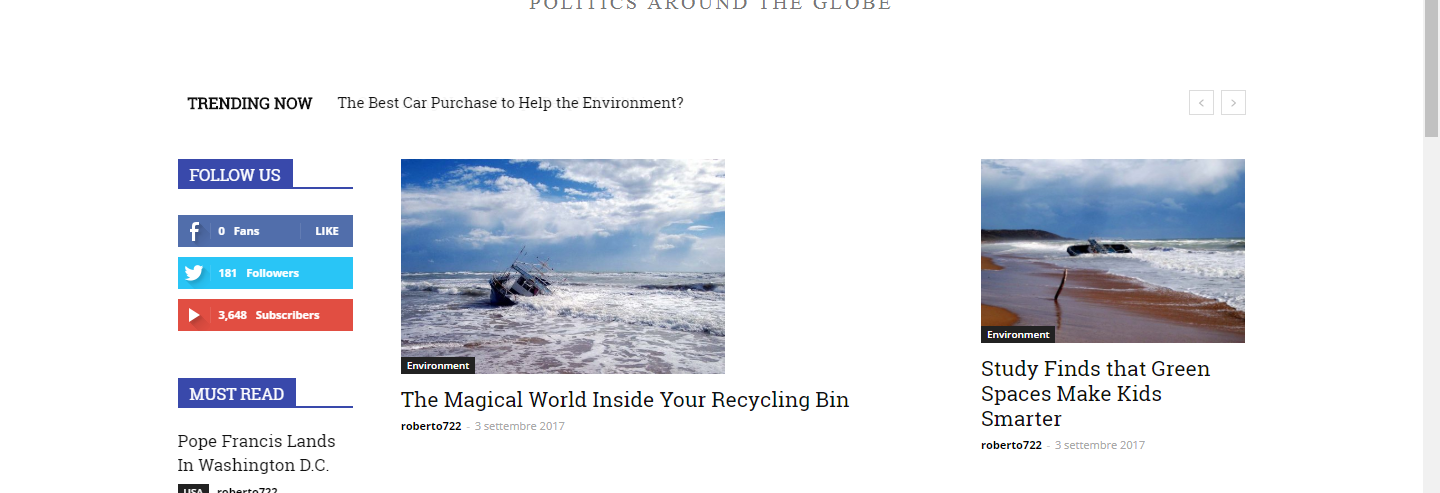
 vikasnain
Hi, I want to change the/limit the categories of block 1(don’t miss) block 2(general health block 15(house design) block 1(tech &gadgets). for example in block 1 I want to showcase a,b,c category & not the category d,e,f. Please tell me how to do it.
 Afterglow
 This is my Custom css, which never changes:
.td-header-style-1 .td-header-top-menu {
top: 0;
}
.td-header-top-menu{
padding-left: 12px!important;
}
.td-header-sp-top-menu{ float:left!important; }
@media(min-width:1021px){.td-header-style-1 .td-header-row {
width: 1023px;
margin-left: auto;
margin-right: auto;
}
}
@media(min-width:1021px){.td-header-style-1 .td-header-row {
width: 1023px;
margin-left: auto;
margin-right: auto;
}
}
.td-header-menu-wrap {
background-color: #28B775;
min-height: 48px;
}
.td-header-style-1 .td-header-row {
width: 1030px;
margin-left: auto;
margin-right: auto;
}
.td-header-sp-logo {
width: 460px;
float: left;
position: relative;
margin-left: 0;
margin-bottom: 8px;
margin-top: 8px;
}
.td-header-sp-rec {
float: right;
margin-bottom: 8px;
margin-top: 8px;
width: 468px;
position: relative;
}
@media (min-width: 768px) {
#td-top-search {
position: absolute!important;
top: 10%;
}
}
.td-header-container {
width: 100%;
}
@media(min-width: 768px) {
#td-top-search {
margin-top: 0!important;
position: inherit;
display: inline-block}
}
.td-header-menu-wrap:before {
background-color: #000000;
content: “”;
display: block;
height: 4px;
}
.td-header-border:before {
height: 0;
}
.td-trending-now-wrapper {
background-color: #FFFF00;
height: auto!important;
}
.td-container-border > .td-pb-row:first-child .wpb_wrapper .td_block_wrap:nth-of-type(1) {
background-color: #FFFFFF;
}
@media(max-width: 768px){
.td-header-sp-rec,
.td-header-style-1 .td-header-row {
width: 100%!important;
}
.td-main-menu-logo img{
width: 75%;
}
}
@media (max-width: 768px){
.td-main-menu-logo img {
width: initial!important;
}
}
.td-header-style-1 .td-header-main-menu.td-affix {
width: auto;
border-top: 4px solid #000000 ;
}
@media(min-width: 1024px){
.td-header-style-1 .td-affix #td-header-menu {
width: 1030px;
margin: 0 auto;
}
}
@media(min-width:768px)and (max-width: 1023px){
.td-header-style-1 .td-affix #td-header-menu {
width: 756px;
margin: 0 auto;
}
}
