- NewspaperWP Rocket and Newspaper Theme: Optimization Guide
- TutorialsWhat is Ajax preloading?
 Calin
Calin Hi,
For me your website is look like it is deliver the mobile version on desktop -> https://i.imgur.com/5qJ6nBR.jpg -> https://i.imgur.com/arB2T75.jpg so please clear all cache and check again.
What method did you use to update the theme? Did you checked our guide ?
If only the theme panel settings were removed, after you installed the theme plugins, did you loaded a theme panel backup?
Do you use child theme? Maybe you have set in it some custom changes that interfere or it can be an extra plugin that is interfering during the theme update.
The most safe option to update the theme in my opinion is still the manually theme update and is not hard to do it, all you need is FTP or cPanel access, you delete the old theme and you set the new one, after that you need to go in Newspaper > welcome and update the plugins (in case that those are not update automatically form welcome section, update them one by one from Newspaper> plugins). Using this method the chance to lost your settings will be minuscule.
Thank you!
 Anamaria
 Hello,
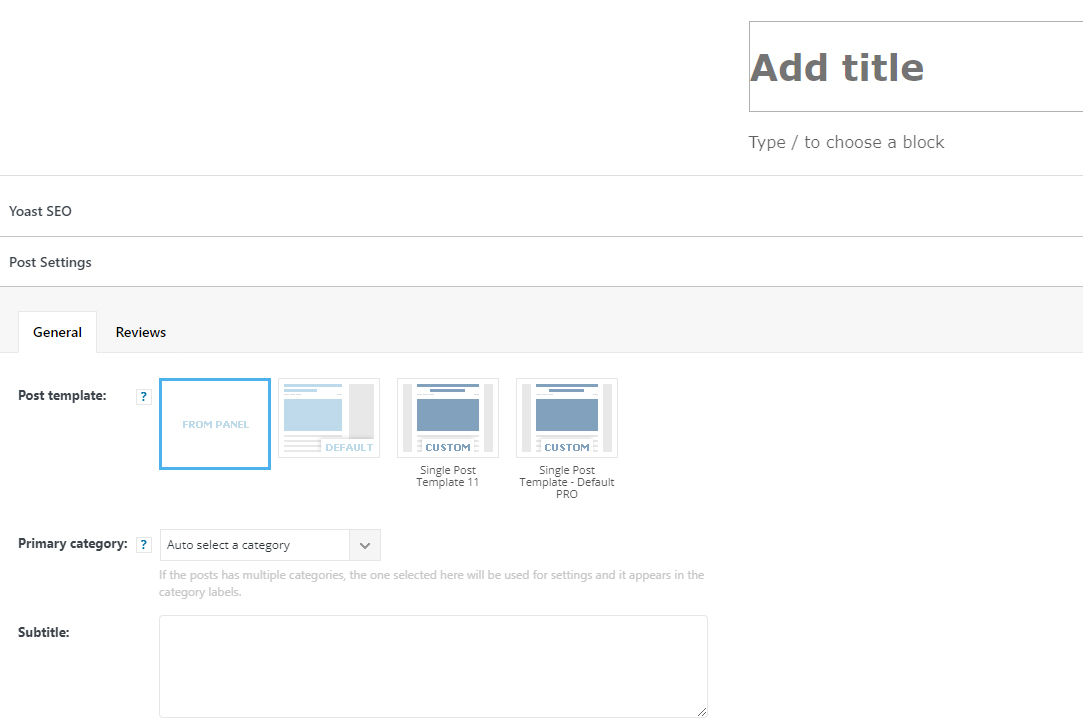
You can import single templates from tagDiv Cloud Library, and after import, this will be added in the post template section in the post editor, but if you want to have also, the post template from Theme Panel, and you have the tagDiv Standard Pack plugin activate and the cache cleared and these are not displayed, then we need to investigate what the problem might be.
For this please make a full backup and contact us via email at contact@tagdiv.com and provide wp-admin access and include the link of this topic in email.
Thank you!
 ludyma
 Hello, I already did everything that says and more. As I told you, deactivate everything and clear cache and temps and nothing does not save, I do not know how to do I need a solution please.
Anamaria Hello,
The CSS ANALYZER creates files for critical CSS which can be deleted only manually (FTP/cPanel).
Those files can be find in this path wp-content/td_cache/td_analyze/css
Thank you!
 pisac_1
 Hello,
I deleted the cache, but unfortunately, the problem is still there …
Calin Hi limitlessv,
We tested only the WP Super Cache plugin. Now we can not say that this is the beset and you can not use other cache plugin, but for this one we can provide the settings that need to be done to work properly.
Also, for pagespeed you can use our guide from here -> https://forum.tagdiv.com/how-to-make-the-site-faster/
Thank you!
Anamaria Hello Jett,
This is quite strange, but I found some topics with the same issue and seems to solve it to check the option in the cache plugin to “Don’t cache pages for logged in users”
-> https://domainpromo.com/blog/admin-bar-showing-up-logged-out-cache/
-> https://www.thewebmaster.com/dev/2015/may/6/wordpress-admin-bar-shows-logged-out/
Hope this helps you!
Thank you!
Anamaria Anamaria Hello,
For the problem with the author links, maybe the author archives are disabled in the Yoast plugin, if they are author links will be redirected to the homepage. Check if that is the case: http://prntscr.com/mbwwuk -> https://forum.tagdiv.com/general-options-may-interfere-newspaper-theme/ after that clear all cache, purge CDN(if you are using) and check the results.
Let me know the results!
Thank you!
 umarfarooq195
I have optimized the whole website but still, I am not getting the 100/100-page speed on mobile.
I am using WP super cache and Autoptimize and my page speed is 60 on mobile and 95 on desktop.
I am getting these errors on google page speed insights https://prnt.sc/26cbmqt
Please let me know how i can solve these and get 100 page speed on mobile
 Anh Tuan Trinh
Hi,
I want optimize image after upload for speed up my site. But i use some plugin as: Smush Pro, LiteSpeed Cache,…and some plugin but they are conflict with Newspaper and create some error with image, logo,… Please recommend me a plugin or solution for optimize my image.
 limitlessv
What is the best cache plugin that works with the Newsletter theme? and what the configurations are.
One that has been tested and approved by tagDiv
 palicali
 Hi Calin – Thanks for your response. My phone is now displaying the mobile view, so it’s possible it was a cache issue.
FYI, I do find the documentation to be missing a step of explaining how a mobile page relates to the regular page – eg do you end up with two pages of the front page and every category page, or what. It says you “can” add pages but doesn’t explain exactly why and how they relate and exactly how to get started from baby Step 1. That would be really helpful if you could add. I am still confused about it. However, both my desktop and mobile look absolutely gorgeous now, so maybe I don’t need to know and I can just enjoy how great they look, LOL. 🙂
I will be back in touch if I still have any issues with AMP, TBD.
Thank you so much for the beautiful theme. I love it.
Calin Hi,
If you are using the theme lazyload option, then there are no options to disable it for a specific image, but if this option is from an extra plugin, maybe a cache plugin, the it is possible to have a specific option for explain the option from some images/elements.
Thank you for your understanding.
Calin Hi palicali,
First we need to identify what can be the problem with the mobile version, did you checked if this is display when you are logged? If yes, then this problem is related to the cache plugin that you are using, this do not have a mobile cache (or is not enabled).
Now if you are using the mobile theme plugin, then is no need to make new posts, but, you need to make pages using only the mobile theme editor -> https://forum.tagdiv.com/mobile-theme-introduction/ or if you are using mobile page, then this can be edited using tagDiv Composer
About the amp problem, did you set some code in amp settings? Also, this problem persists if you use only tagDiv plugins and amp?
Thank you!
Calin Hi,
If the problem is only when you are not logged, then it is from a cache that is still delivered, is possible that you or your host to use some plugin that is cached the homepage -> https://i.imgur.com/X4D2px0.png, so if the changes are visible after one day, that means that after one day that cache is cleared.
Thank you!
 33ParkMedia
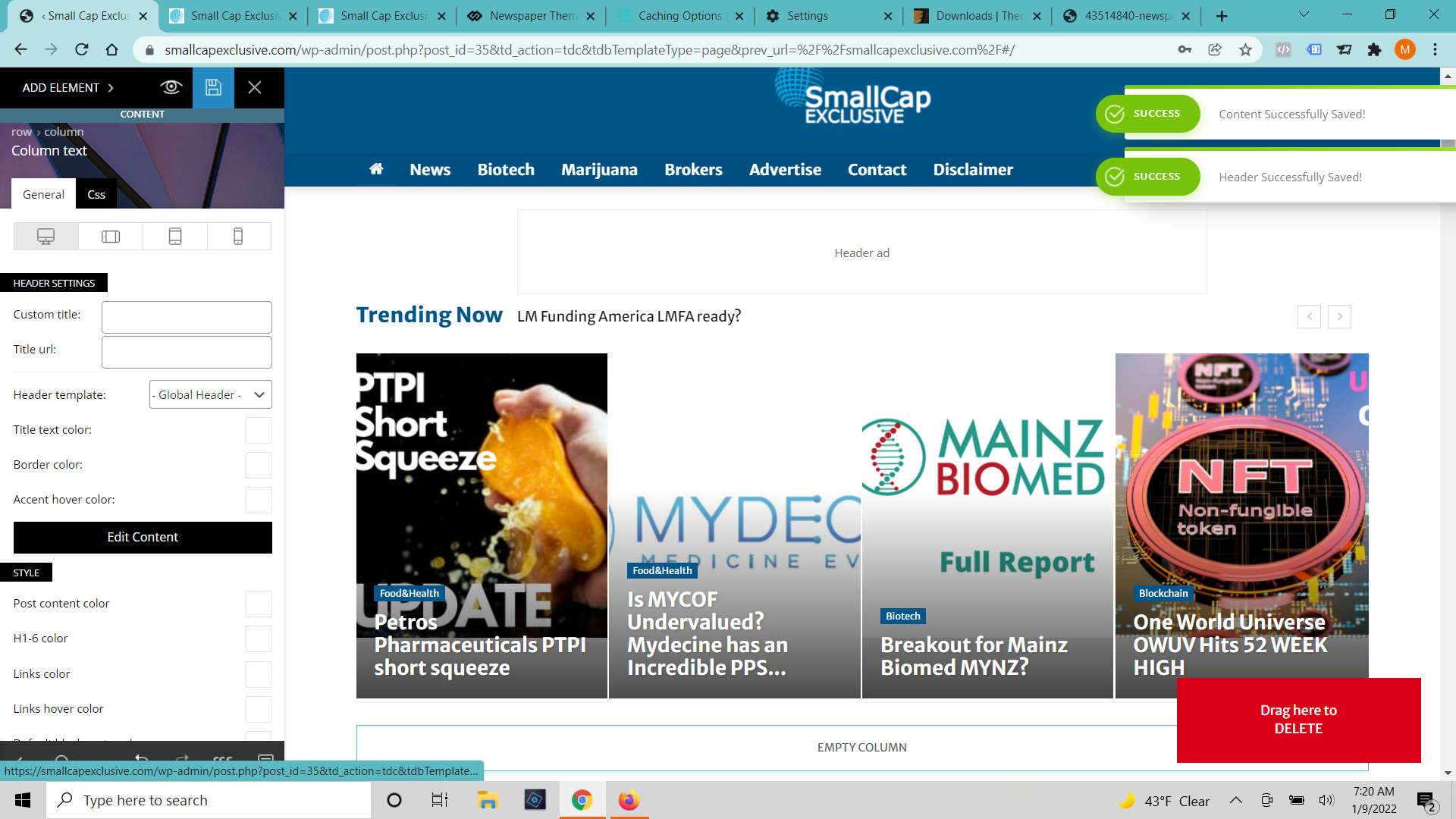
https://smallcapexclusive.com/
A few days ago our homepage started showing up out of sorts (built with tag div composer). I have edited it and got it looking correctly again (6 or 7 times). When I press save it says that the changes were successfully made but none of the changes show up. I’ve cleared cache on the browser and server. I’ve tried incognito windows and different browsers. I’ve waited 12 hours. (https://smallcapexclusive.com/wp-content/uploads/2022/01/Tag-Div-Saved-Changes.png)
When I click on the page to edit with TD Composer again It shows the old version of the page and gives an error message that the model doesn’t match the content and to press the undo button. (https://smallcapexclusive.com/wp-content/uploads/2022/01/Tag-Div-Saved-Changes.png) When I press the undo button it fixes the margins a bit but not any of the content and it still won’t save.
palicaliHi – I installed and activated the mobile plugin but my phone is displaying the desktop version of the site, not the mobile version.
I cleared my iPhone/Safari cache and still see desktop. Briefly, earlier today, the mobile version DID display, but now it is not displaying. My developer changed the settings to show 50 latest articles and that’s about when the mobile version stopped displaying but I wouldn’t think that would affect it…
Do we need to proactively create mobile versions of page, post, category page ourselves? Or do those get automatically created by the plugin? If we need to create, could you please direct me to instructions?
Also, when AMP was activated, then I was unable to save changes to the mobile settings in the theme. It just kept spinning and not saving. Once I deactivated the AMP plugin, then I could save the mobile settings. Any tips on how to fix this?
Thanks!
 LPH
LPHHi
After visiting pagespeed, and the site getting a dismal score of 38 …
I installed WP Super Cache, set according to your docs, then installed JetPack according to WP Super Cache recommendations.
AMP is no longer showing as an option to the left.
How can I get acceptable performance, not lose AMP?
Is there a guide on how to get things so that a 38 isn’t returned?
Calin Hi Atithya,
This is happing when the cache plugin that you are using is not set or do not have an option for mobile cache, for example we recommend the wp super cache and we have a guide with the settings that need to be set -> https://forum.tagdiv.com/cache-plugin-install-and-configure/ this cache plugin is one of those that support mobile devices -> https://i.imgur.com/JduLqkR.png
Thank you!
 angarali86
When im working on a page, save and publish it. It doesn’t get visible immediately, it takes often 1 day before i see the changes from the ‘outside’.
I’ve already tried to clear cache to see if that makes any difference with no succes.
Anamaria Hello,
Seems you have the mobile theme plugin activated, please deactivate it, clear all cache and check after the mobile version.
Also, please check this topic where I explained each mobile version -> https://forum.tagdiv.com/topic/mobile-version-not-working-properly-2/ and choose what mobile version you want.
Hope this helps you!
Thank you!
 gasthis
 Hi Calin!
Thanks for the reply 🙂 I disabled AMP for now because all my AMP pages were showing missing photos.
You can just go to Google and search for “guitar repair manila 2022”. My site shows up (loa.ph) and you’ll get served the AMP page cached by Google.
 roberto.srelz
Hello, the site with the problem is goriziaoggi.news. We suddenly have an issue with tagDiv Composer. Composer was working fine, also after update to latest version (we successfully edited and saved the modified pages), but now, without apparent reason and without any error message, it doesn’t save any changes anymore. We tested also creating new pages, with different browser version, and also completely cleared our caches – no success, if we add any element or try to modify an existing one, it loops forever without saving the change. We already tried to disable all other plugins. We have other sites, with the identical Newspaper version, and they are working fine. Could you please help? (we can provide full access).
Calin Hi,
I thin that the message you gat is do to others plugins -> https://i.imgur.com/Y5kNvx6.png -> https://i.imgur.com/q2dNVNd.png
The theme is using shortcode to build pages and cloud templates, and that it is way the ads are set in the page “code”, but is no need to delete them like you did, you need to edit the page using tagDiv Composer, and use the right click to delete an element -> https://i.imgur.com/qrwv64j.png also the ad box can be configurate using the tagDiv Composer -> https://forum.tagdiv.com/ads-adsense-overview/ so if you do like this, the ads will disappear from that page/templates.
If you tied like this and the ads were not displayed in composer can be because of some cache (this was the most case that we saw). I also just checked again on my install and for me everything is working normally and the ads are display in tagDiv Composer -> https://i.imgur.com/BlttnFl.jpg -> https://i.imgur.com/aStpTb9.jpg so maybe, if is not a cache it can be a browser extension or from an extra plugin. Please try it only with tagDiv plugins enabled. From what I can see here you use some extra plugins https://www.screencast.com/t/wnMUVFYR44 and some of them are even change the default WordPress.
To remove the ads from the pre-build website that you have installed, you’ll need to check each cloud template and page that was added when you install the pre-build website -> https://i.imgur.com/KYiGTic.png
If the problem persist, we can take a look at it, for this please send us an email at contact@tagdiv.com provide wp-admin access and include the link of this topic. We’ll check it as soon as possible.
Thank you!