- NewspaperCreate Custom Code with the browser’s Inspector or the Live CSS Box
- NewspaperScroll Animation
- NewspaperWP Rocket and Newspaper Theme: Optimization Guide
- NewspaperHow to setup Twitch for Social Counter
- NewspaperModal Popup
- NewspaperFlex Block Settings Guide
- NewspaperAutoptimize Plugin – install and configuration
- NewspaperAdding Multiple Authors to Your Articles
- NewspaperDesign your Post Pages using the Cloud Library Templates
- NewspaperBig Grid Flex Settings
- NewsmagtagDiv Composer Tutorial
- TutorialsFrom WPBakery to tagDiv Composer
- NewspapertagDiv Composer Tutorial
- NewspaperTheme modules and blocks
- TutorialsDefault Block Settings Guide
- NewspaperThe Mobile Theme
- NewspaperCompare theme files – Winmerge tutorial
- NewsmagBlock settings tutorial
- NewsmagLogo & Favicon
- NewsmagFooter templates
 Calin
Calin Hi,
1. If you are using a pro demo that was just installed, then you can disable the standard pack without problems. Pro demos contain only elements from tagDiv Composer and tagDiv Cloud Library.
2. Unfortunately in tagDiv Cloud library the standard blocs do no longer has the same “name”, for example this one is is related to block 11 -> https://i.imgur.com/MMDDXxX.png and a similar block for 22 are those -> https://i.imgur.com/AcyRTDg.png also those flex blocks can be edited using tagDiv composer and has a lot of options.
3. On that list are the elements that can be use when tagDiv Standard pack is enable, if you disable the plugin these will no longer be available, but most of theme can be replace using tagdiv Composer and tagDiv Cloud Library, not all but most of them.
4. If you want to build a site with out standard pack the simple way is to disable the plugin from start and use the elements that remains, but if you want to change an old website with standard pack in cloud templates (pro) it will be some work to do to make it the same.
5. The objective is to can edit the entire website using the frontend editor, there will still be some settings that need to be done from theme panel, but in this way you’ll be able to do almost anything, just select the element and edit it how you want.
6. Usually we recommend to set the css in theme panel> custom code there are two sections, css per device or global -> https://i.imgur.com/74zB1XV.png also you can use the live css -> https://i.imgur.com/2JRDhN8.png the css tab from tagDiv Composer -> https://i.imgur.com/8YULOVL.jpg or the css element from tagDiv Composer that can be set in page / cloud templates -> https://i.imgur.com/e1bxYnZ.jpg
Hope this will help you!
If there is something that you do not understand or you need help, just let me know!
Also let me know the rest of question one by one!
Thank you!
Calin Hi,
If you want you can try this custom css as a quick fix -> https://i.imgur.com/aWe2fgb.png
.home .td-footer-template-wrap .td_block_wrap.td_block_list_menu #menu-left-list-menu {

    margin-top: 14px;

} .td-footer-template-wrap .td_block_wrap.td_block_list_menu #menu-left-list-menu {

    margin-top: -8px;

}
Hope this will help you!
Thank you!
Calin Hi,
Indeed the page https://www.ircatoday.com/business-directory/ is loading quite slow because the page is so big -> https://i.imgur.com/LGrcCu2.png and is take some time for mobile devices to load it. Now you have one page with all services, to get a better preformats, you can set a page fore each services in part, in this way the page will be load faster on desktop and mobile.
Also is look that the elements from mobile menu are not all listed because there is set a max-height, for this you can use this custom css -> https://i.imgur.com/vNUqy8w.png
.td-mobile-content .td-sub-menu-open > ul {

    max-height: 20000px;

}
Thank you!
Calin Hi,
Yes, there is a warning because in that code is use an element that is select all elements * not only individual elements.
Please try this custom css -> https://i.imgur.com/FNdkIgj.png
.widget .wpdiscuz-widgets-content a {

    color: unset;

}
For the problem with default fonts to be white -> https://i.imgur.com/aJtyWUO.jpg now you are using a standard post template then you can use only theme panel settings -> https://i.imgur.com/1V8EaKQ.png or custom css -> https://i.imgur.com/PMyj1gb.png
.single .wp-caption-text, .wp-caption-dd, .single .td-post-author-name, .single .td-post-date{

color: #fff;

}
if you choose to use a single poste template from tagDiv cloud library, you can edit it with tagDiv composer and you can adjust all the colors.
Hope this will help you!
 Vlad S
 Hello !
That can be done using css as you can see here: https://www.screencast.com/t/2YivqcdAOjKP Also you can take a look at our example here: https://www.youtube.com/watch?v=fa7GenCHcBU&t=1s
I hope this was helpful !
Thank you !
Calin I think that this one is ok https://i.imgur.com/zbo6H0w.jpg and the problem is only for these -> https://i.imgur.com/kH5npNX.jpg for this please try this custom css -> https://i.imgur.com/2PE9fu7.png
.td_category_template_disable .td-category-container {

    margin-top: 0px;

}
Also this -> https://i.imgur.com/G5Of5tE.png login is from theme, is look that you disable this option from theme panel -> https://i.imgur.com/U20RPEs.png and is take few milliseconds until the theme get the settings from theme panel (read the options that are made) and until then the this is visible. Now this can be solved if you can improve your pages speed and then the code will no longer be display because will be very fast or if you remove this code from theme files (this is not so recommended).
We have a small guide for how you can increase your page speed -> https://tagdiv.com/how-to-increase-page-loading-speed/
Hope this will help you!
Let me know the results!
Calin Hi ediwebroma, first of all I made a test using only these plugins -> https://i.imgur.com/ADRNHMN.png and I do not have this extra code -> https://i.imgur.com/5yGLDPF.png -> https://i.imgur.com/QiWVQvA.png like you have -> https://i.imgur.com/ZlJih7t.png after that I checked it the code source and this is on this file path -> wp-content/plugins/td-composer/legacy/Newsmag/includes/td_css_generator.php -> https://i.imgur.com/bykCQGD.png
Hope this will help you to remove the extra css. Also you can make first a text since this is not displaying for my, it can be something with the theme version you have, what you can do is to disable and delete tagDiv Composer, then reinstall it from Newsmag> plugins if the code is still there then you need to remove it from theme files.
Let me know the results!
 kewalsmulti
Hi,
I don’t understand how I can create a homepage, for example, using your cloud templates.
1) The PRO versions have pre-made style presets – can these be deleted? I don’t understand why we would want all those fonts if the goal is to trim the fat for performance.
2) You say you have recreated everything in the cloud templates, but I can’t find Block 11 that matches the Block 11 from the earlier versions. Same for Block 22.
3) I don’t understand this statement: “The complete list of templates influenced by the Standard Pack plugin:” – Influenced how? Does it mean you can’t turn the Standard plugin off if you are using those items?
4) Can we only build with items marked “PRO” in order to get rid of dependencies?
5) Is the objective to stop using the theme panel altogether?
6) Where is the best place to paste custom css?
I have a lot more questions, but I’ll leave it there for now. Thanks!
Calin Hi,
Is look that the css is not strong enough, please try this one -> https://i.imgur.com/N0HpL4q.png
header .td-post-author-name a {

pointer-events: none;

}
This one should do the trick.
Let me know the results!
Calin Hi goudafm,
If you are using Newspaper v10.3.7 then you can achieve what you need using the new option for mobile pages -> https://tagdiv.com/newspaper-10-3-7-update-brings-customizable-and-fast-mobile-pages/ in this way you can adjust the mobile layout in the way you want, also you can display a different content if you want and all these can be done using tagDiv Composer, using this method you don’t affect the desktop version.
Also I think that is possible to use a custom css only for mobile, if you want I can take a look to see if I can make a code for this, just provide me a link to your website.
Hope this will help you!
Thank you!
Calin Hi,
I think that you are referring that some of information from your footer is not visible -> https://i.imgur.com/0fiQd7k.png this is because that information is set with white and the background color from footer is also white. This can be solve using tagDiv Composer -> http://prntscr.com/v82dgw go to footer select the row and in css tab change the background color -> https://i.imgur.com/sbHJ7R3.png
Hope this will help, if not, please provide me a link to your website!
Let me know the results!
Calin Hi,
The problem from mobile was solved by setting the css per each device -> https://i.imgur.com/2oI3zGH.png
Please check the menu and let me know if this is alright!
Thank you!
 be2name
 Hello @nhowarth
I also tested a lot of caching-plugins, but WPRockt is the best although you have to pay for it.
But it’s very important to check the features, if they really optimize the Newspaper plugin. For example the setting “Optimize CSS delivery” does not work with Newspaper, because in my case it results in layout shifts (CLS).
Vlad S Hello !
Please use this css code: .td_block_template_9 .td-related-title .td-cur-simple-item {
color:orange!important;
}
The code must be inserted here: https://www.screencast.com/t/J1Nxw5s5
Thank you !
 Jose
Jose Hello @Calin,
Thanks for reply. I have tried this code but it does not work. So I have inserted it in “custom css” too, but it doesn’t work either.
Is it possible that I need a different code?


Example of a url: https://soyungato.com/alzheimer-en-gatos/
Thanks
Calin Hi,
1. Yes, the ads for header has the same dimension for all header styles. Normal this is 728x90px.
Now there are only two ways to do this:
a. You can use an extra plugin, most of users do this.
20+ Best Ad Management WordPress Plugins 2020
b. You need to edit the theme files, this method is not recommended if you do not have the proper skills in programing.
2. This can be done using some custom css, I can help you with this, just provide a link to your website and I will provide the css that will remove the elements you do not want to use.
3. If you want to have something like this ->https://i.imgur.com/fYHdYdy.jpg then you can use a custom css:
.td-header-container {

    background: #111;

}
If this is not what you mean, please let me know!
4. I think that you are referring to mega menu, this can be set using our guide from here -> https://forum.tagdiv.com/mega-menu/
If there is still a problem, or is something that I do not understand correctly, please let me know!
Thank you!
Vlad S Hello !
Please try this css code: .td_block_fancy_text .tdm-fancy-title {
line-height:1;
}
The code must be inserted here: https://www.screencast.com/t/ExHKqdjpF
Thank you !
Calin Hi,
Yes, you can do that using this custom css -> https://i.imgur.com/FjlkULp.png
.td_block_image_box .td-custom-title {

pointer-events: auto;

}
Also if you are using the extra class the code will be like this:
.imgC.td_block_image_box .td-custom-title {

pointer-events: auto;

}
Let me know the results!
Thank you!
Calin Hi,
Please try this custom css:
.postid-9059 .td-a-rec-id-content_bottom{

display: none;

}
Hope this will help you!
Let me know the results!
 steve@tvstrategies.com
 Thank you – I will try that.
You gave me CSS to hide in-line ads on selected post pages (above):
.postid-(post number) .td-post-content .td-a-rec-id-content_inline {
display: none;
}
What is the CSS to hide the bottom ad on selected Post pages? I tried
.postid-9059 .td-post-content .td-a-rec-id-content_bottom {
display: none;
}
…but that did not work.
What it is now: https://imgbb.com/b2PX7tc
What I want: https://ibb.co/HFfx9MK
Calin Hi Jose,
Yes, you can do this using the css for pointer-events, for example if you are using a single post template -> https://i.imgur.com/BPb6czU.png
.tdb-author-name-wrap a {

pointer-events: none;

}
For standard post style use this code:
.td-post-author-name a {

pointer-events: none;

}
Hope this will help you!
Calin Hi,
1. Normal these forums should be editable using the settings from BBpress with BuddyPress.
Please check this guide -> How to customize and enhance your bbPress forum easily
2. That search is not set from our theme, it is set from bbpress plugin -> https://i.imgur.com/Ei21QKg.png
Hope this will help you!
Let me know the results!
Thank you!
Calin Hi,
For the conversation section, you can use this custom css -> https://i.imgur.com/HBPcKDQ.png
.wpdiscuz-widgets-content> * {

color: #fff!important;

}
Also for social you can use this code -> https://i.imgur.com/3jdu6F3.png
.td-post-sharing-visible .td-social-mail .td-social-but-text{

color: gray;

}

.td-ps-icon-bg .td-social-mail .td-social-but-icon{

background: gray;

{
Hope this will help you!
Thank you!
 providencebusiness
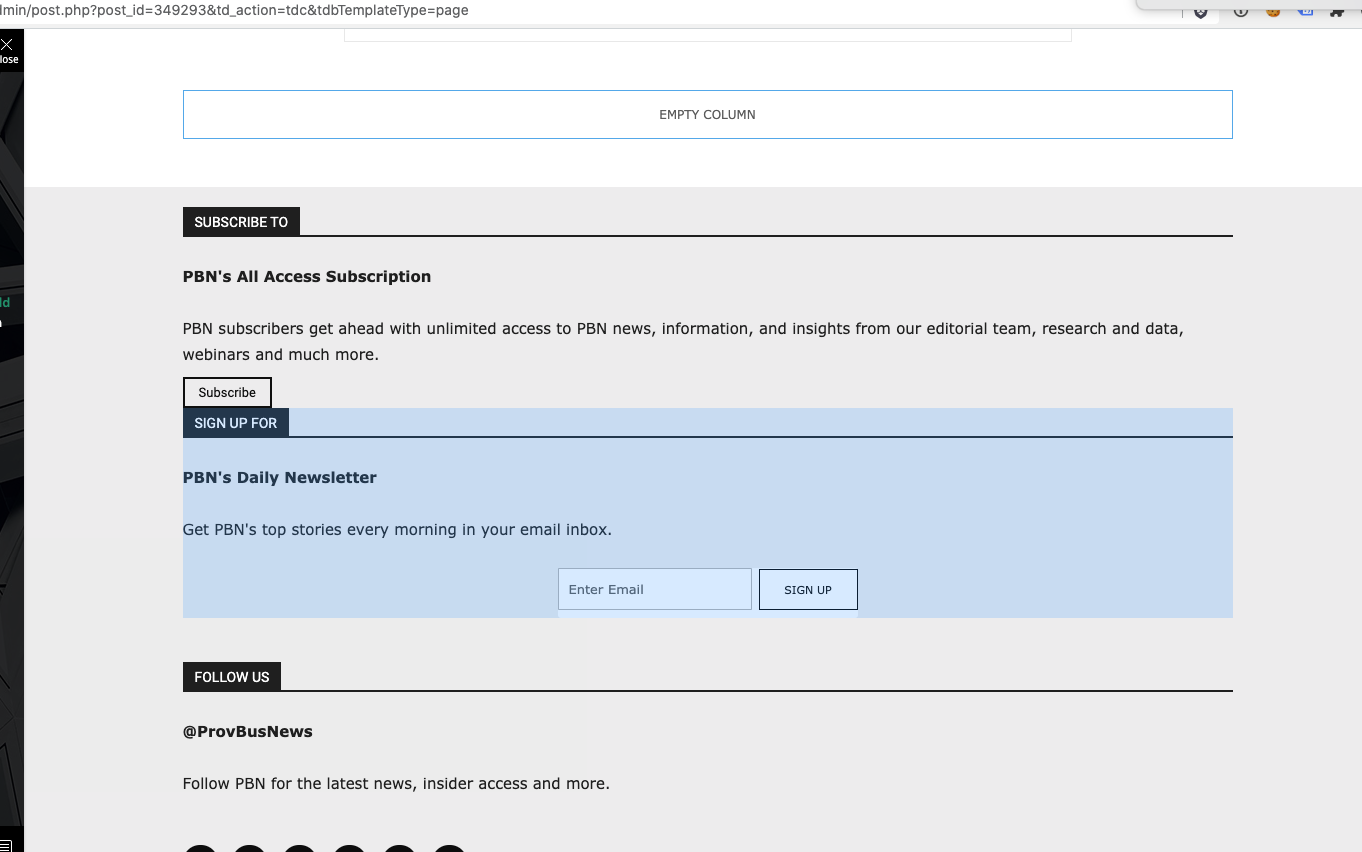
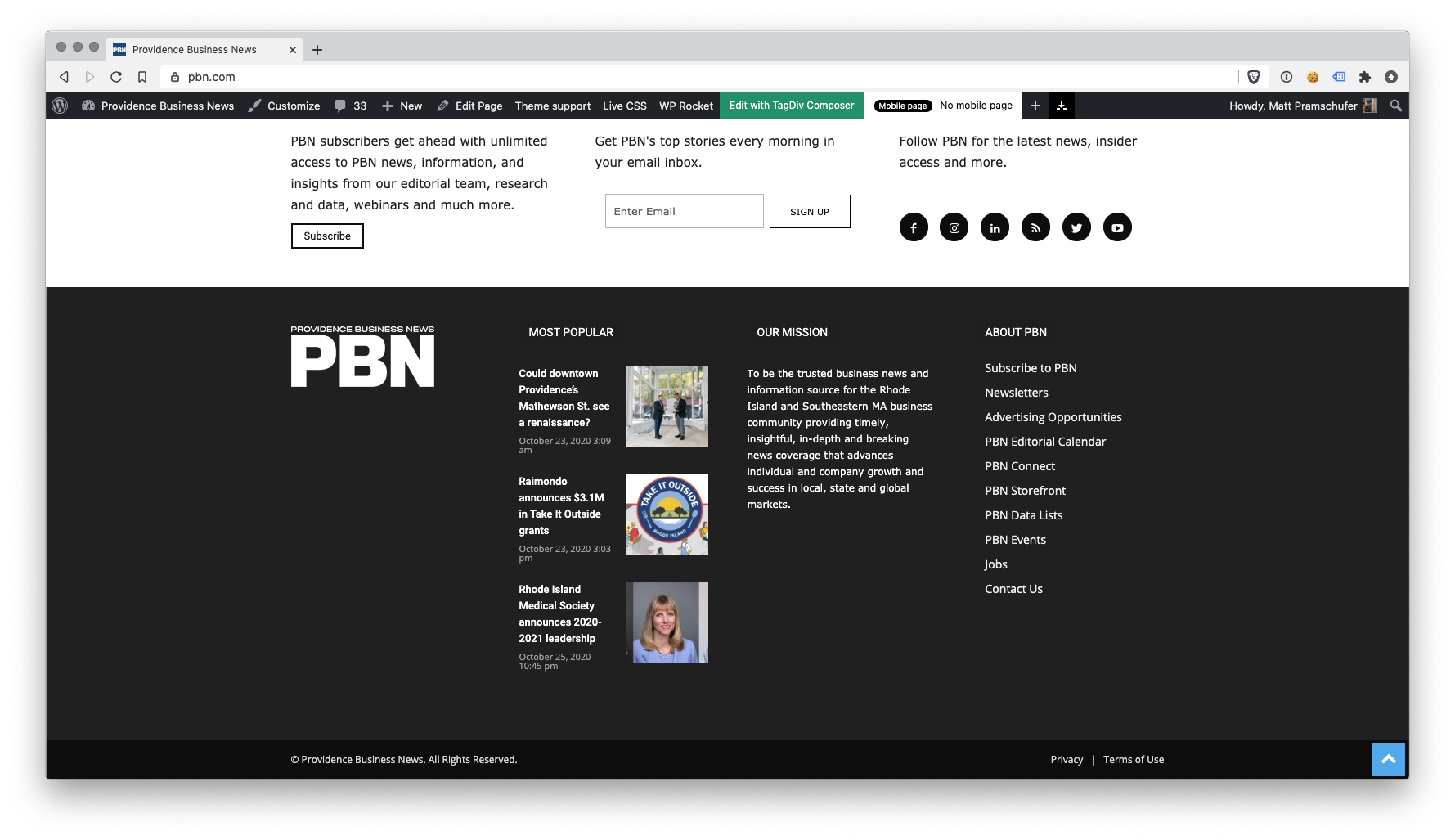
I have the latest version of the Newspaper theme, we are using a child theme with the Standard Pack plugin. I went and created a new footer template from a blank footer. In TD composer the column styles do not get injected on the live edit. See https://s3.amazonaws.com/pramadillo/_Providence_Business_News__WordPress_2020-10-26_11-41-42.png
When I save the footer and assign it globally in Theme Panel, the footer column styles only appear on pages in which we build with Visual Composer.
Homepage Built with Visual Composer – https://s3.amazonaws.com/pramadillo/Providence_Business_News_2020-10-26_11-45-48.png
Individual Post Page without Visual Composer – https://s3.amazonaws.com/pramadillo/Could_downtown_Providences_Mathewson_St._see_a_renaissance_-_Providence_Business_News_2020-10-26_11-46-45.png
I have cleared cache and double checked everything and to no avail the css does not get included.
 Soundqubed
Support,
Was wanting to know if NewsPaper has a way to globally change a blocks title border color or do I have to do this individually or with custom CSS.
Here is the block I’m referencing.
https://imgur.com/nWGxbKc
Here is the Custom CSS I can use.
/* Default blue bar under title to green */
.td_block_template_9 .td-block-title:after {
background-color: #88b239 !important;
}
The default background-color seems to be blue , but want it green. I can change each block’s title border individually in the composer or use custom CSS to do it globally. Is their a way to do it globally with the composer?