
- NewspaperCreate Custom Code with the browser’s Inspector or the Live CSS Box
- NewspaperScroll Animation
- NewspaperWP Rocket and Newspaper Theme: Optimization Guide
- NewspaperHow to setup Twitch for Social Counter
- NewspaperModal Popup
- NewspaperFlex Block Settings Guide
- NewspaperAutoptimize Plugin – install and configuration
- NewspaperAdding Multiple Authors to Your Articles
- NewspaperDesign your Post Pages using the Cloud Library Templates
- NewspaperBig Grid Flex Settings
- NewsmagtagDiv Composer Tutorial
- TutorialsFrom WPBakery to tagDiv Composer
- NewspapertagDiv Composer Tutorial
- NewspaperTheme modules and blocks
- TutorialsDefault Block Settings Guide
- NewspaperThe Mobile Theme
- NewspaperCompare theme files – Winmerge tutorial
- NewsmagBlock settings tutorial
- NewsmagLogo & Favicon
- NewsmagFooter templates
 Calin
Calin Hi,
The number of products can be changed like this
– https://docs.woocommerce.com/document/change-number-of-products-displayed-per-page/
Modify the number as needed – http://prntscr.com/nxu4po
For woocommerce fonts there aren’t many settings – http://prntscr.com/nxu5ep
Maybe it can be done with some CSS. Mention which fonts you would like to change and how.
I made a quick test with this plugin – https://wordpress.org/plugins/infinite-ajax-scrolling-for-woocommerce/
Free version seems to work with the product category pages, although it loads the products in a weird number, sometimes only one is loaded it seems
– https://www.screencast.com/t/GZo3NgLxyd7e
I only changed the next selector in it’s default configuration, seems to work
– http://prntscr.com/mn5i7b
Thanks
Calin Hi,
Please try this quick fix for the problem wit IE
html[class*='ie'] [class*='tdb_single_related'] .td-module-container {

      display: block;

    }

 html[class*='ie'] [class*='tdb_single_related'] .td-image-container {

      height: auto;

      flex: initial;

    }
The code need to be set in theme panel> custom code> custom css.
Hope this will help you!
Thank you!
Calin Hi,
For this you need to use in css the id of the post/article and the code should look like this -> https://i.imgur.com/w3TtVRo.png the post id can be get from inside the article -> https://i.imgur.com/FzWEg9F.png
The code need to be set in theme panel > custom code> custom css and for mobile theme in theme panel> mobile theme> custom code> css.
If the code is not working you can send us an email at contact@tagdiv.com and provide a link to the post where you want to remove this button and include a link to this topic in the email.
Thank you!
 Mark Gilbert
 I mean the grey subtitle you see here: https://jazzjournal.co.uk/2020/04/16/obituary-wallace-roney/
“The generalisation that the trumpeter sounded too much like his teacher Miles Davis doesn’t stand up to scrutiny”
Font can be changed but is there any parameter to change subtitle colour?
If not, any CSS?
Thanks
Mark Gilbert You haven’t answered 2) Where is “set the width to auto or 100%”? I can’t see any option to set width in Single Post Content/Ads
Do you mean in the CSS tab?
Or do you mean add “auto” or “100%” to the ad code? If so, where?
Please be explicit.
For a moment one of my ads appeared in Single Post Content but mostly they don’t. Why? Here is an example – div tags are correct, yes?
<div style=”width:320px”>
<script async src=”https://pagead2.googlesyndication.com/pagead/js/adsbygoogle.js”></script>
<!– JJ display 1 –>
<ins class=”adsbygoogle”
style=”display:block”
data-ad-client=”ca-pub-7426344127145001″
data-ad-slot=”3267840445″
data-ad-format=”auto”
data-full-width-responsive=”true”></ins>
<script>
(adsbygoogle = window.adsbygoogle || []).push({});
</script>
</div>
 mrsky28
Hello.
So with the new update, there is a new item on the WP admin bar more cramped.
You have these items currently:
“Theme Panel”
“Theme Support” — which I don’t get why it should be placed in a prominent position.
“Edit with TD Composer / Cloud Template editor”
“Live CSS”
What you can do:
Consolidate them under one head menu and the rest are under it. Name it as “TagDiv” or something.
We have other admin menu items too so you guys taking 4 menu items is really annoying.
Please fix this.
 davor-virtualoffice
Hello everyone!
Is there a way I can change the color on the moobile home page of the category tags from black to colors chosen on the theme panel?
The colors are shown in the post page but not on the mobile home page, they are all black with white fonts.
Thank you!
Davor
 Anonymous
Hi Team,
I am facing issues with BBPress & BuddyPress plugin compatibility where some fonts are visible and some are not on the page where it is basically the CSS issue looks like can you please help here on what all CSS can be used to fix it or how can this be fixed? or how we can forcibly use theme css in this plugin ?
below is the link please see and help here
https://techweu.com/forums/forum/best-smartphone-under-20000/
 grvag
grvag Hello Calin
Now I want to share something with you, I hope you better understand me.
Let’s get to the point:
When we search on google “techigtv” we see the amp link as you see in picture 1.
when I click on the first link, I know its open amp page but when we go into the menu you can also see in picture 2 the menu with subheading like apple > iPhone > MacBook
don’t show drop-down class it automatically shows all the menus because amp pages are reducing CSS.
But when I clicked on any page from the menu my website is no longer stay at amp you can check the picture 3 menu class are back…
Why this is happening why amp link changes to non-amp pages when I click on any page from the menu?
Note*:- When we click on amp page from google search and if we did not click on any page from the menu and if we click any post from the home page my website stays amp.
And
Google Search console only detect my one valid amp page.
Check the image
Thank you
Gaurav Verma
techigtv
 bstaff
Hi there I am using td-black-pro single_template_7 as the default post template for my site.
My issue is that there is no way to edit one of the default templates that come with the theme in TagDiv Composer.
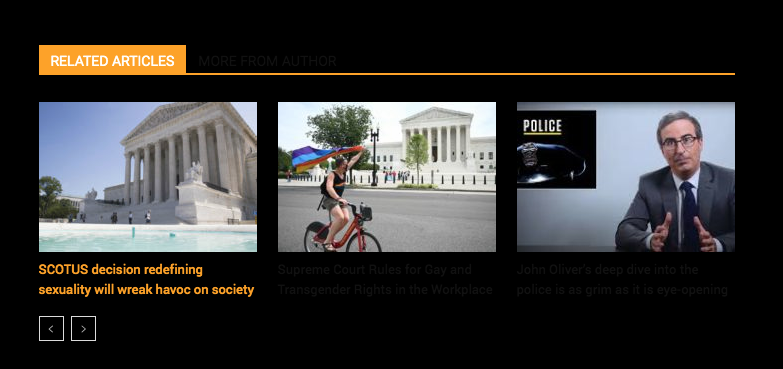
Currently, the text for the title in Related Posts is black and the background is black and you can not see the text. If you hover the text you see it in Orange (which is correct.)
I need to change the default text color in the Related Posts module in Template 7 to White.
Could you provide the custom CSS code to enter in Custom CSS field in the theme panel to make this text white. Please see below images one and two.
Thanks
Brent
 imagpt
 Can you tell us exact the CSS code
Calin Hi,
I think that you are referring to this image that is loading with a transaction -> https://i.imgur.com/VMJE5K9.jpg you can make it to appear aster by using a custom css
<style>

.td-element-style-before {

    transition: opacity 0s ease 0s;

}

</style>
This code need to be set here -> https://i.imgur.com/ftYVDci.png
Thank you!
Calin Hi ppbub,
Yes you can, you need to set a background image or color and set this option in theme panel -> https://i.imgur.com/DYEbqz1.png after that you need to edit the cloud header using tagDiv Composer click on menu and click on header menu in tagDiv Composer, in css tab set margin right and left auto and set the width that you want to have -> https://prnt.sc/t2nuxt
Hope this will help you!
Calin Hi,
Please provide me a link where I can inspect this problem.
The Sticky Menu in mobile theme is set using minify jQuery to add inline css to some elements -> https://i.imgur.com/znS6pRA.png unfortunatly this is quite hard to find the right place where the changes need to be done, also these will be lost when you’ll make a theme update.
Thank you!
Calin Hi,
For this you can use a custom css, if you want I can help you with this, just provide a link to the post that you want to remove the FB like button.
Thank you!
Calin Hi,
Unfortunately for this moment this can be achieve only with custom css -> https://i.imgur.com/KeEMCVQ.jpg
.td-module-image a[href$="/music/"],
.td-meta-info-container a[href$="/music/"],
.td-module-container a[href$="/music/"],
.single .td-category a[href$="/music/"],
.tdb_single_categories a[href$="/music/"]
{
background-color: green;
}
.td-module-image a[href$="/architecture/"],
.td-meta-info-container a[href$="/architecture/"],
.td-module-container a[href$="/architecture/"],
.single .td-category a[href$="/architecture/"],
.tdb_single_categories a[href$="/architecture/"]
{
background-color: red;
}
All you need to do is to change the category in code and the background color will apply on that category.
Set the custom css in Newspaper>Theme panel>Custom code>Custom css
Thank you!
Calin Hi,
The most faster and easy way is to use a custom css ->
.single .tagdiv-type p {

    text-align: justify;

}
This code need to be set in theme panel> custom code> custom css.
Hope this will help you!
Thank you!
Calin Hi,
Unfortunately for the moment the smart list can not be display like this
— Title
– 50% of Text content
— Image
— the other 50 % of Text content
Using this custom css https://i.imgur.com/2bPM2z3.png the margin left from style 2 will be remove.
.td-sml-current-item-nr {

  display: none;

}

.td_smart_list_2 .td-sml-current-item-title{

padding: 0;

}
Thank you for your understanding!
 Vlad S
 Hello !
You can use this CSS code here: .td-theme-wrap .sf-menu ul .td-menu-item>a {
color:white;
background-color:#1ac117;
}
.td-theme-wrap .sf-menu ul .td-menu-item>a:hover {
color:white;
background-color:#ff6d00;
}
The code must be inserted here: https://www.screencast.com/t/J1Nxw5s5
Thank you !
 indochine
I’m having issue with the mobile header for pages. I’ve been changing the settings to make the height smaller but it won’t save on actual page. It loads a weird css that I can’t find where it’s coming from. We don’t have this issue on our pre-production site.
Anonymous Also I tried adding this to fix it but it did not helped 🙁
<FilesMatch “.(eot|ttf|otf|woff)”>
Header set Access-Control-Allow-Origin “*”
</FilesMatch>
below is my .htaccess current configuration to save your time
# BEGIN WP Hide & Security Enhancer
<IfModule mod_rewrite.c>
RewriteEngine On
RewriteBase /
#WriteCheckString:1585922522_44124
RewriteRule .* – [E=HTTP_MOD_REWRITE:On]
RewriteRule ^java/main.css /wp-content/themes/Newspaper/style.css [L,QSA]
RewriteRule ^java/(.+) /wp-content/themes/Newspaper/$1 [L,QSA]
RewriteRule ^php_includes/(.+) /wp-includes/$1 [L,QSA]
RewriteRule ^mediaupload/(.+) /wp-content/uploads/$1 [L,QSA]
RewriteRule ^my-xml-rpc.php /xmlrpc.php [L,QSA]
RewriteCond %{ENV:REDIRECT_STATUS} ^$
RewriteRule ^readme.html /index.php?wph-throw-404 [L]
RewriteCond %{ENV:REDIRECT_STATUS} ^$
RewriteRule ^license.txt /index.php?wph-throw-404 [L]
RewriteCond %{ENV:REDIRECT_STATUS} ^$
RewriteRule ^wp-signup.php /index.php?wph-throw-404 [L]
RewriteCond %{ENV:REDIRECT_STATUS} ^$
RewriteRule ^wp-register.php /index.php?wph-throw-404 [L]
RewriteRule ^user-input.php /wp-comments-post.php [L,QSA]
RewriteRule ^php_assests/(.+) /wp-content/$1 [L,QSA]
RewriteCond %{REQUEST_URI} /techweu8574897004$
RewriteRule ^(.*)$ /techweu8574897004/ [R=301,L]
RewriteRule ^techweu8574897004(.*) /wp-admin$1 [L,QSA]
RewriteCond %{ENV:REDIRECT_STATUS} ^$
RewriteRule ^wp-admin(.+) /index.php?wph-throw-404 [L]
</IfModule>
# END WP Hide & Security Enhancer
## EXPIRES CACHING ##
<IfModule mod_expires.c>
ExpiresActive On
ExpiresByType image/jpg “access 1 year”
ExpiresByType image/jpeg “access 1 year”
ExpiresByType image/gif “access 1 year”
ExpiresByType image/png “access 1 year”
ExpiresByType text/css “access 1 month”
ExpiresByType application/pdf “access 1 month”
ExpiresByType application/javascript “access 1 month”
ExpiresByType application/x-javascript “access 1 month”
ExpiresByType application/x-shockwave-flash “access 1 month”
ExpiresByType image/x-icon “access 1 year”
ExpiresDefault “access 2 days”
</IfModule>
## EXPIRES CACHING ##
#header security
Header set X-XSS-Protection “1; mode=block”
Header set Strict-Transport-Security “max-age=31536000; includeSubDomains; preload”
#Header always append X-Frame-Options DENY
Header always set X-Frame-Options “SAMEORIGIN”
Header set X-Content-Type-Options nosniff
Header set Referrer-Policy “no-referrer”
#end
# BEGIN WordPress
# The directives (lines) between BEGIN WordPress and END WordPress are
# dynamically generated, and should only be modified via WordPress filters.
# Any changes to the directives between these markers will be overwritten.
<IfModule mod_rewrite.c>
RewriteEngine On
RewriteBase /
RewriteRule ^index\.php$ – [L]
RewriteCond %{REQUEST_FILENAME} !-f
RewriteCond %{REQUEST_FILENAME} !-d
RewriteRule . /index.php [L]
</IfModule>
# END WordPress
# Wordfence WAF
<Files “.user.ini”>
<IfModule mod_authz_core.c>
Require all denied
</IfModule>
<IfModule !mod_authz_core.c>
Order deny,allow
Deny from all
</IfModule>
</Files>
# END Wordfence WAF
 marcnyc
I am seeing the following PHP errors:
Notice (Suppressed)	Undefined index: tdbTemplateType	1	+
wp-content/plugins/td-cloud-library/includes/tdb_functions.php:1964
Plugin: td-cloud-library
Notice (Suppressed) Undefined index: post_type 1 +
wp-content/plugins/td-cloud-library/includes/tdb_functions.php:1965
Plugin: td-cloud-libraryNotice (Suppressed) Undefined index: td_action 1 +
wp-content/plugins/td-composer/css-live/css-live.php:30
Plugin: td-composerAlso the JavaScript console shows these errors:
[Error] The source list for Content Security Policy directive 'script-src' contains an invalid source: ''strict-dynamic''. It will be ignored.
[Error] The source list for Content Security Policy directive 'script-src' contains an invalid source: ''strict-dynamic''. It will be ignored. (x4)
Is there a way to get these corrected?
Calin Hi,
Usually this problem is when you are using a slow host and the css style is not load in time to get the nice layout for your website.
To make a test you can use only theme plugin and check if the problem is like before or is appearing less often.
Thank you!
Calin Hi,
For this you need to use a code for button, if you want to set a link on that button -> https://i.imgur.com/YEjpCO8.png you can get the code from here -> https://pastebin.com/TBpTXxS6 also the css style need to be set in theme panel> custom code> custom css and the a href code need to be set in customs ad.
Hope this will help you!
Thank you!
Calin Hi KC,
Unfortunately for mobile theme there is no option to disable the snap menu, sorry! this can be achieve only for responsive version.
What you can do for mobile theme is to use a custom css like this one :
.td-header-wrap {

    position: unset!important;

}
The code need to be set in theme panel> mobile theme> custom code> css
Hope this will help you!
Thank you!



