
No search results were found in Documentation!
 Simion C.
 Hi,
If possible I suggest building the website with the theme you want to use from the start. Because if you switch the themes, you will have to do it all over again. It will be like using a different theme.
But if its not possible, it will however be relatively easy to switch themes if you plan on using theme demos. For example you start with Newsmag, then at some point you switch to Newspaper and install a Newspaper demo. Customizing it will take some time, but not that long. The rest of the pages built with Newsmag may need adjustments, because while some blocks are compatible between themes, the others are not and will have to be replaced.
Bottom-line, it would be better/easier to start with Newspaper directly if this is the theme you plan to use on the website. This way you can avoid reworking the website after you switch themes.
Please let me know if you have any questions.
Thank you!
 hamvand
https://demo.tagdiv.com/newspaper_river_news_pro/
I have installed this template and have been trying for two weeks to be able to write in it with Persian font from right to left. But this is not possible at all. However, in the advertisements and in the link above, the right-to-left display works correctly.
Our site is a Persian site and if we cannot have right-to-left capability, this template will practically not work for us.
Can you explain how the problem is solved?
 Cloud Hosting
 In the demo video for designing from scratch, at the 2:00:05 timestamp, there is thin line use to check alignment of the elements. Where is that option and how to use it?
How do we send the screenshot for your reference?
 terzhenel
 I restored everything from your files and demo pages. I installed everything that was needed. Test it yourself first, then advise) Topic Video news. If you select all topics, this is the penultimate one
terzhenelUpdate the theme. Half of the files are missing HEADER, SING PAGES, FOOTER, etc. They are not even in the library!
 pavel_t
Hi, I’m little bit confused – I want to do smooth scrolling from main menu to anchor on homepage effect, like you present on demo https://demo.tagdiv.com/newspaper_dentist_pro/ Service / Team menu items.
But I can’t find such options in Newspaper Theme panel or in menu creation section. I found in online documentation that there was such effect but you deprecated it since Newspaper version 7? https://forum.tagdiv.com/smooth-scroll/
So how is a situation? Is Dentist Pro demo outdated or is still a way how to do such smooth scrolling? If it is – how?
 Bettina
 Hello!
Unfortunately, we have documentation about the general features, but there is no documentation for a specific demo.
Check the documentation:
– https://forum.tagdiv.com/introduction-cpt-acf-newspaper-theme/
– https://forum.tagdiv.com/custom-post-type-support/
– https://forum.tagdiv.com/create-frontend-submission-form/
– https://forum.tagdiv.com/filters-sorting-taxonomies/
Please provide more information if you have any issues so I can help you efficiently.
A solution for sending a screenshot/video is this:
Download, capture, and send: https://www.techsmith.com/jing-tool.html
After making the screenshot, you will have a link; paste it here.
Thank you!
 stringbenderb5
 Hi Bettina,
I tested the Popular Sort feature. Can you please watch this short video demonstrating the questions I have? There seems to be some inconsistency.
Video Here: https://youtu.be/k2qM-LxMXks
 anonymouscanadian
 System status is all green marked still facing the front end page builder is unable to add element in the web page.
WordPress and plugins
WP Home URL i https://anonymouscanadian.com
WP Site URL i https://anonymouscanadian.com
WP version i 6.7.2
WP multisite enabled i No
WP Language i en
WP Memory Limit 256 MB/request
WP_DEBUG False
Caching plugin WP super cache – for best performance please check the plugin configuration guide here.
PHP extensions
mbstring available
GD library available
php.ini configuration
Server software i Apache
PHP Version i 8.2.27
post_max_size i 128M – You cannot upload images, themes and plugins that have a size bigger than this value. To see how you can change this please check our guide here.
max_execution_time 500
max_input_vars 5000
SUHOSIN installed false
Theme config
Registration key i 0e75bf30 – **** – **** – **** – d0a18e04165c Reset key
Theme name i Newspaper
Theme version i 12.7
Theme database version i 12.7
HTTP channel test wordpress
Installed demo i UrbanEdge – demo ID: urbanedge | install type: full
I have added the .htaccess code from you
<IfModule mod_substitute.c>
SubstituteMaxLineLength 10M
</IfModule>
-
This reply was modified 1 year by
anonymouscanadian.
Bettina Hello!
This site https://dev.webacersoftware.com is unavailable, and I can’t see it anymore.
You seem to use the Momentum demo, so please note that this demo used raw CSS code.
Try to use this plugin: https://duplicator.com/how-to-migrate-wordpress-site/
Thank you!
Bettina Hello Amit!
A good example is this one: https://demo.tagdiv.com/newspaper_pc_forge_pro/completed-builds/
If two main taxonomies work great, you can add the others of a CPT. You have multiple lines to add the name of your taxonomies, choose the filter type, and select the multi option.
Please make sure that you go to ACF -> Taxonomies, copy-paste the name of your taxonomy correctly, and add it there in the shortcode.
I checked the form by adding a listing on your website. You applied a limit there; maybe that’s why you cannot complete all the options/fields.
Please edit this form with the tagdiv Composer and check the Post your Hotel link button. Please note that there was an issue with that button in the previous version of the theme 12.6.9.
Thank you!
 jrucker
Hello I have been experimenting with using a different header on the https://demo.tagdiv.com/newspaper_influencer/
I changed the header but I cannot eliminate the space between the new header and the flexbox that I added t the page. Here is a screenshot and a short video to further explain – https://www.awesomescreenshot.com/image/53677813?key=e129091734380fc01c73e871df92eb62
Here is a shot video. In the video I cannot access the space while using the editor – https://www.awesomescreenshot.com/video/38227715?key=e4fa661adb8a4c773753675d301fecf2
Thanks for your help
 ppoteau
 I’m not sure if this issue is related to the latest update, but after updating the demo content, the changes aren’t showing when I try to view them. Can you help troubleshoot this?
I am using NewsPapers 12
-
This reply was modified 1 year by
ppoteau.
Bettina Hello!
The NFT PRO demo works as it should work. The default demo has an option on the other rows than the one with posts loop shortcode from the homepage enabled: https://app.screencast.com/42cV7N2wOWAQh
The rows will be hidden when you use the pagination.
Thank you!
 lpecchiproper
 Also my reply with e-mail was also rejected by your server… However, I had replied as follows
Hi Anamaria
thanks, solved, I removed custom post type in element search form in header but not in the same element of search cloud template body.
I started developing that site from Doctor PRO demo, and don’t be offended, it doesn’t seem so obvious to me that the cloud template is set by default to filter searches in two different places.
By the way, I would suggest adding options to define define search parameters in the theme panel.
Thanks again and best regards, Luca
jruckerHello , by the way this is a great theme. The problem that I am having is that on the home page of the theme NFT PRO News – https://demo.tagdiv.com/newspaper_nft_pro/. I noticed that when I scroll down to the bottom of the page under More NFT News and click to see a more post the page URL changes but all of the same content from the home page load also. I made a video to better explain – https://www.awesomescreenshot.com/video/38113713?key=a5498d7accbf010b711279f3891a2c11
I went to test this same option on 1 of your other theme designs the Default NEWSPAPERPRO and when you click on a page number to see more post the page loads with only the post. I made a video to further explain – https://www.awesomescreenshot.com/video/38113801?key=116ef6db091ef0673e3f93f69b5f7eee. Is there a setting I can change in the NFT design to stop all of the home page content from loading on these pages or is this feature tied to thei particular design ?
Thanks
Simion C. Hi,
It looks like those images are linked to our live demo. Please check them in the theme panel here -> https://prnt.sc/t7dTNQgRAOai If there are images set there which link to our demo website, please remove them or replace them with your own images.
Thank you!
 Amarie
Hi There.
I am trying to customize the town talk template; however, on the prebuilt homepage on the right-hand side of the main image on top, there is a section with recommended articles and latest articles. I tried adding the page IDs and page title after the demo installation, but nothing shows up. The bookmarks page ( accessible from the header bookmark element) also takes me to an error 404 page when I click it. At one point, I completely removed the tabbed content section on the home page. So I’m wondering if this caused an issue. The question I now have is 1. Is it possible to completely remove/disable bookmarks from the theme so that the tabs do not appear anywhere, and 2. Why have I not been able to add the pages using the tags as per the documentation? Does this feature not work in staging sites, or is the issue something else? Please advise how I should be setting this up and where the right bookmark page should be accessed.
Thank you.
Bettina Hello!
1. Unfortunately, the shortcode works only with 2 options that are still available now.
You can try to use a raw HTML shortcode, add the code and style it via CSS.
2. Unfortunately, you can not achieve this with our theme. You can only export the emails and use an external service.
3. Which one you want to use? For example, check these demos: https://demo.tagdiv.com/newspaper_real_estate_pro/
https://demo.tagdiv.com/newspaper_app_find_pro/
Thank you!
Cloud Hosting Thank you Bettina.
We are going through the links that you have shared. Meanwhile,
1) What if we want to connect to some other email service provider? It has only 3 options. Can we add other providers?
2) What if we just want to collect emails and then implement or send newsletter later? These email capture must be verified, means the visitor must verify their email address.
3) The Review implementation is still not clear. Is there any demo or detailed guide?
 bluedot
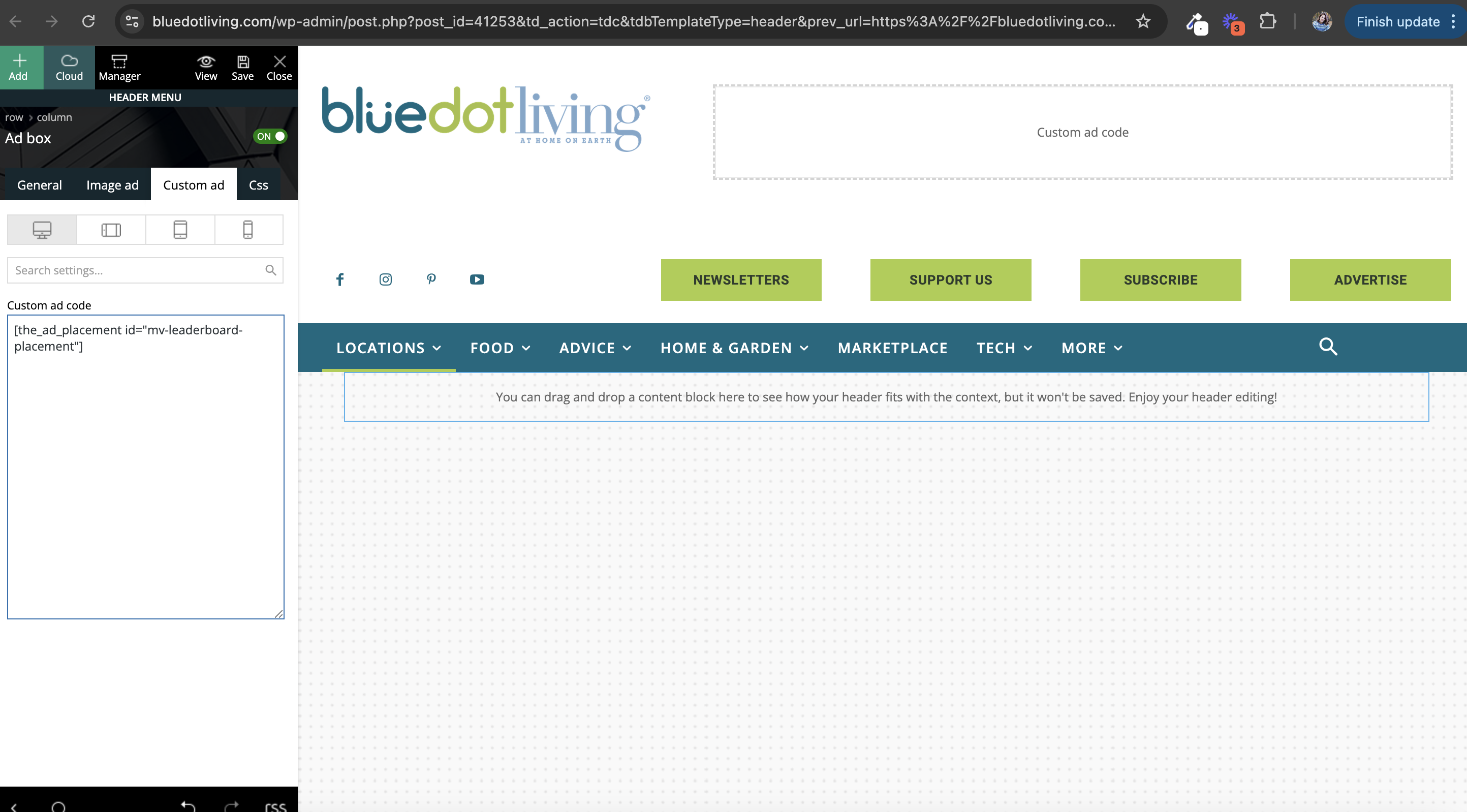
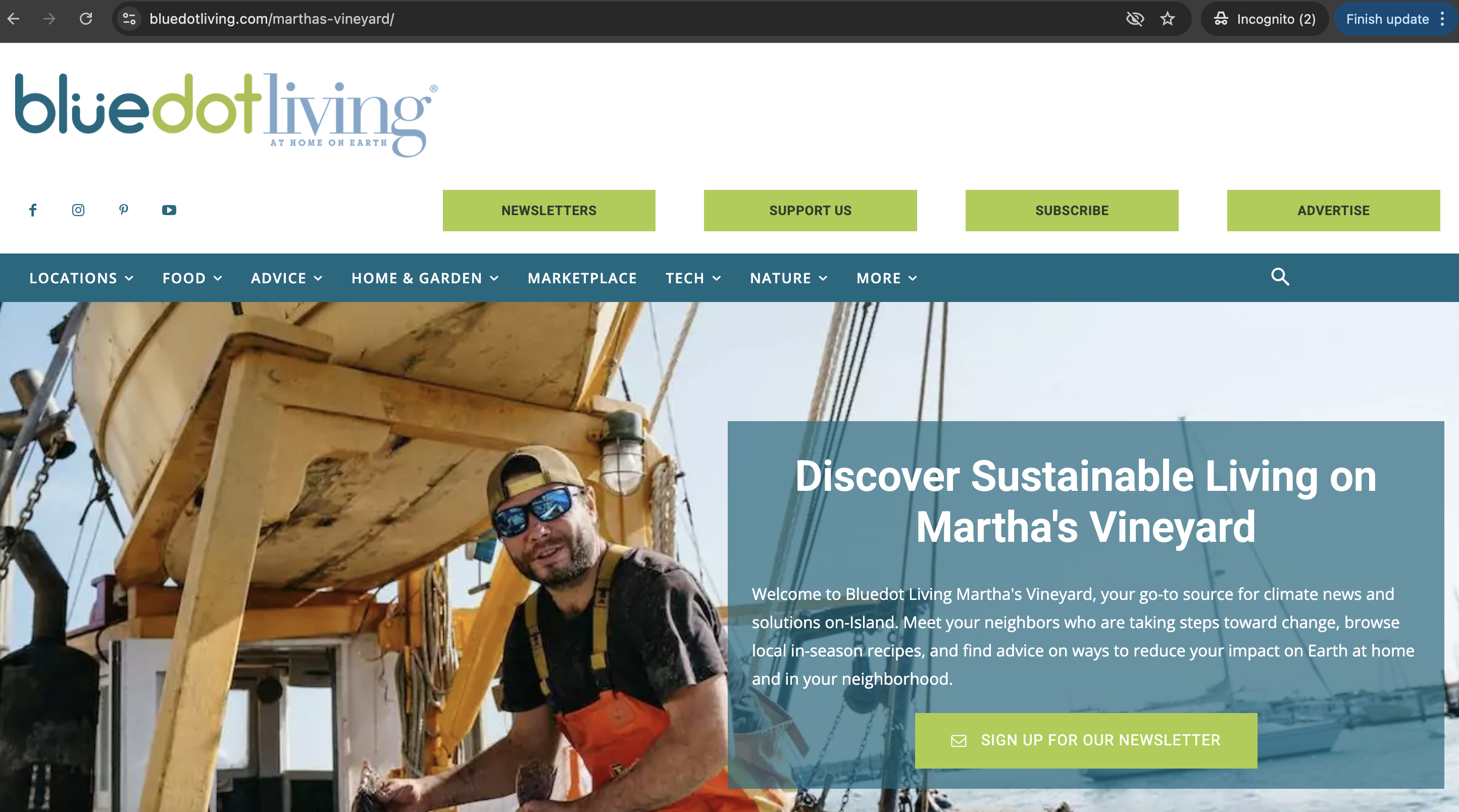
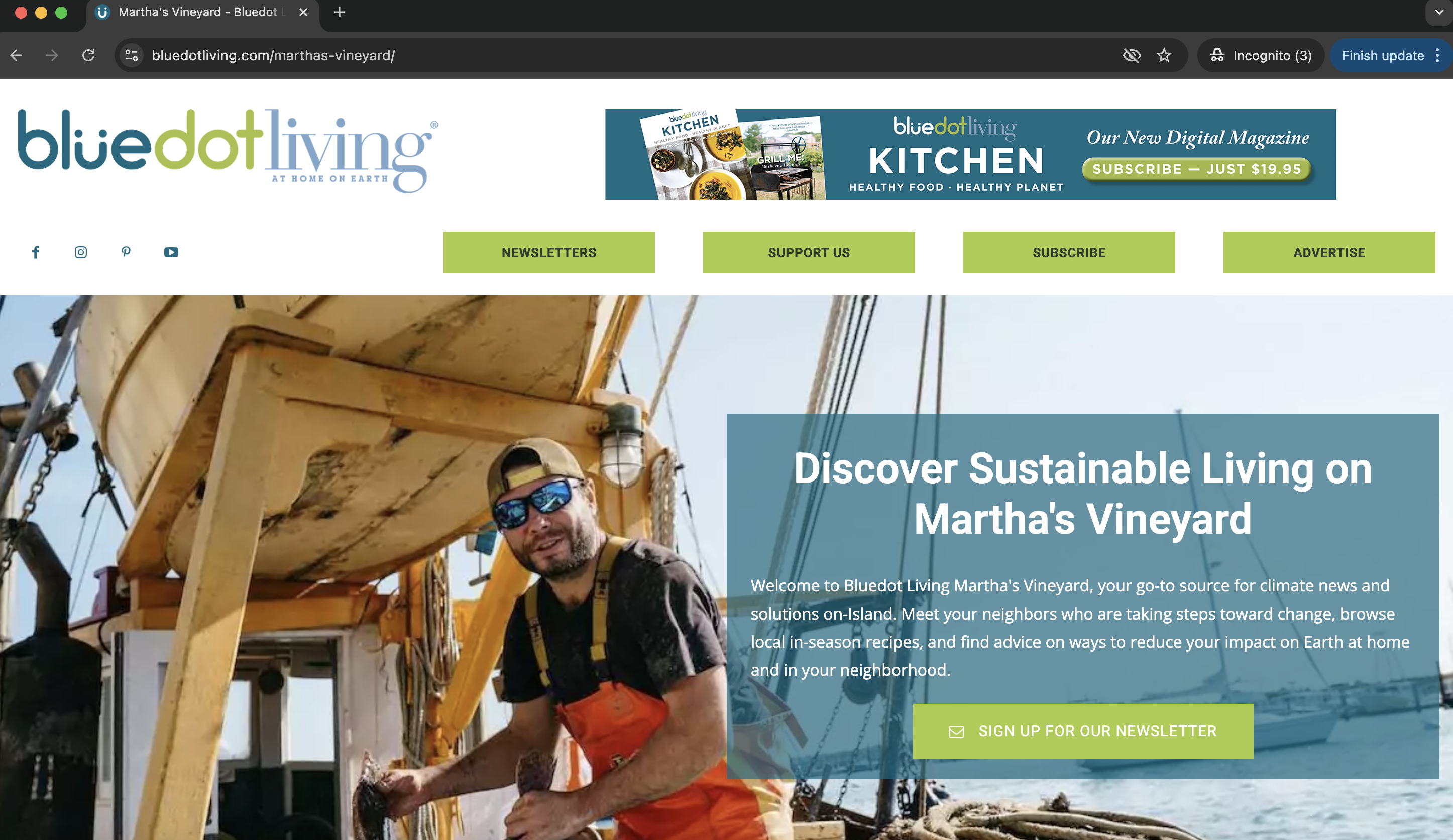
 Hello! This issue had previously resolved on its own but now it has resurfaced. We are using a custom ad placement through Advanced Ads. However, the same thing happens to the menu when we add or remove one of the green buttons in the row of four. Here are some screenshots to demonstrate.
Bettina Hello!
1. The only one video that can help you is this one: https://www.youtube.com/watch?v=SoGQ0d5kIBg
Let me know if you encounter any issues so I can help you.
2. You can install the demo without content so that it won’t come with images and content and will apply to your content. A helpful guide on how to install a prebuilt website is here: https://forum.tagdiv.com/installing-demos/
3. Follow this guide: https://forum.tagdiv.com/weather-widget/
4. Here is the cost info for the theme: https://themeforest.net/item/newspaper/5489609#
Thank you!
 Anamaria
 Hello,
Please provide the link to your website so we can check the issue. This should work like here https://demo.tagdiv.com/newspaper_pro/
Thank you!
Cloud Hosting Hello Bettina,
1) Do you have any video demo for creating a blog or website using Newspaper theme for different prebuilt designs like Newspaper Pro, Newspaper Urban Observer Pro, Newspaper Week Pro, and any Magazine design?
2) If we install any prebuilt design then won’t it upload unnecessary images and other data which won’t be used once we make changes to the contents? Can we delete these unwanted sample data?
 learntosurvive
I just purchased the Newsmag and installed with demo contents, during modification, I got error on Widget as shown in photos
https://drive.google.com/file/d/1GJQ-evTsgqPp9IuS179MS_mMFBm3vhLk/view?usp=sharing
Could you please help!
