- NewspaperModules Builder in Newspaper Theme
- NewspaperIntroduction to CPT and ACF with Newspaper Theme
- NewspaperHow to edit modules for Flex Block X
- NewspaperStripe Setup
- NewspaperPayPal Setup
- NewspaperAdd Cryptocurrency Price Ticker Widget
- NewspapertagDiv Shop
- NewspaperDesign your post pages using the Default Templates
- NewspaperTheme modules and blocks
- NewspaperUsing the Theme Translations with WPML
- NewspaperHow to Set the Image Avatar
- NewspaperNewspaper theme documentation
- NewsmagInstalling pre-built websites
- NewsmagIntroduction
- NewsmagSmart Lists
- NewsmagTheme thumbs
- NewspaperSmart Sidebar
- NewspaperBreadcrumbs
- NewspaperFooter Builder
- NewspaperMain Menu
 ataylor
Hi TagDiv Support,
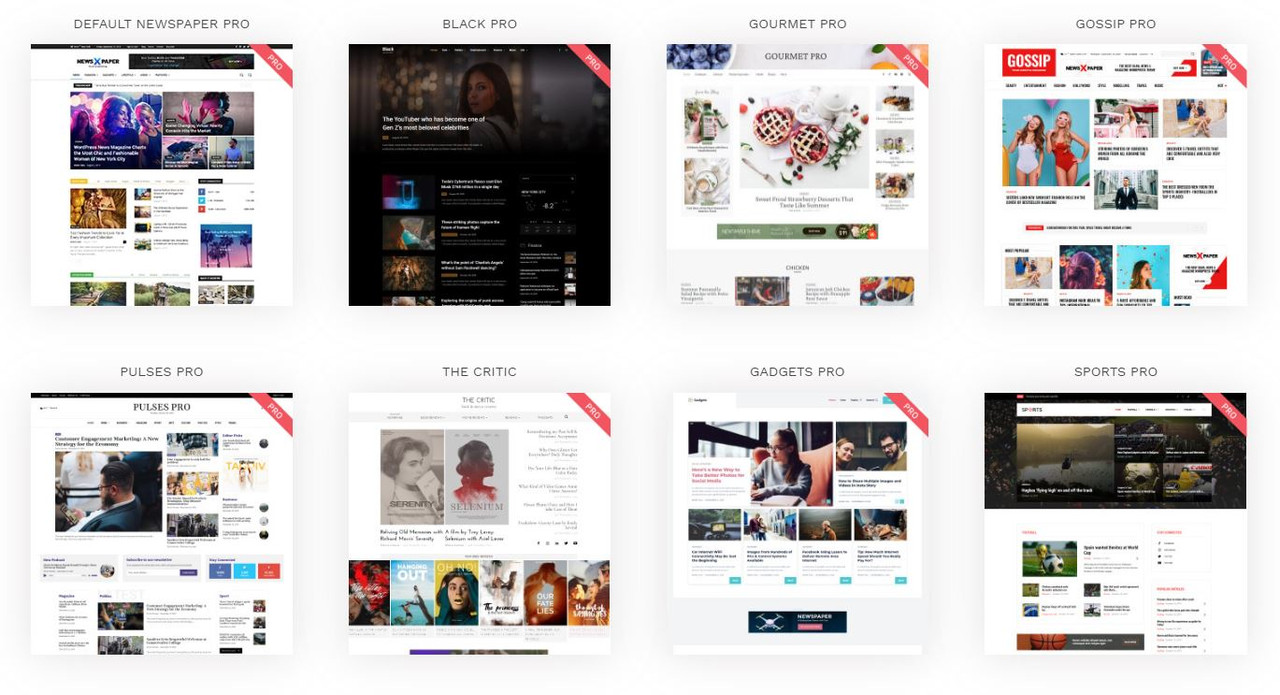
I am trying to install the Gossip Pro and Gourmet Pro on my sites, and have updated to the latest Newspaper theme available on ThemeForest, and updated all the plugins, but they are not listed as options to install.
How do I install them?
 nradigan
I’m using the Bookclub demo, and I cannot for the life of me find where to edit this social media box under my profile. I would prefer to delete it all together, but at least need to put in my own links. Any ideas?
http://www.8StoryLovers.com
 faraz1990
my website not load as per your demo
website link is https://quickreview.pk/
 Calin
Calin Hi,
The problems seems to be the YouTube playlist from the demos, all demos that have a video playlist -> https://demo.tagdiv.com/newspaper_racing/ will provide that error, to fix the problem you need to make sure that you have Newspaper 10.3 and the YouTube api key is set in theme panel as in our documentation from here -> https://forum.tagdiv.com/youtube-api-key/
Thank you!
Calin Hi,
If the demo you installed have a video playlist, please make sure that you set the api key in theme panel -> https://forum.tagdiv.com/youtube-api-key/ and there should be no problems. If the YouTube api key field is not display in theme panel, please make sure that you have Newspaper v10.3 installed if the problem persists, deactivate tagDiv Composer, delete it and install again the plugin from Newspaper > Plugins -> https://imgur.com/iVuqltC
Thank you!
 Vlad S
 Hello !
No, activating the theme will not affect your settings. If you have firstly installed a demo then you have activated the theme this happens. You don’t need to worry because activating it will not affect your theme.
Thank you !
 Sebastian Escobar
 Thank you very much. I only have a doubt. In demo >https://demo.tagdiv.com/newspaper_history/ the subscribe module is in a position I can’t set under search/login module. I know the subscribe module are not good because are too big, but maybe I can control it by css. Is only the position, because search/login module is in a float row. How can I positioning a new one? Thank you very much for your help.
-
This reply was modified 6 years by
Sebastian Escobar. Reason: orthography
Calin Hi,
I just checked that demo and for me is working -> https://i.imgur.com/2D8fBav.jpg -> https://i.imgur.com/wFJ08Iu.jpg please make sure that you do not set empty space after the work and you set a number for space.
Thank you!
 iKMl1
iKMl1Hi, i have been trying to change the color of a Title underline color from yellow to black but i coud’nt get the option to change it in the theme panel option. please help out.
 lbinternet1
Trying to set the home page like your demo Romanian News but struggling as the new updates is confusing.
Can you help pls?
 zorancar
When I make mega menu sub-categories are lined all in the middle one over the other or something like that
https://imgur.com/a/ZlTOjqC
https://imgur.com/a/bokSWIC
I tried many options but neather one seems to work to get the look like the some of the demos
https://imgur.com/a/gJmwFVf
And when I click on author to show all his posts it redirects me to the main page
https://imgur.com/a/EOYNtaa
 damixx91
 I have same problem. Fresh install, demo import then cant import new elements, save header not working.
Calin Hi,
That is way your homepage is not the same as in our demo, if you want you can import a homepage from tagDiv Cloud Library -> https://i.imgur.com/l3vUwmZ.png -> https://i.imgur.com/LvoxrBK.jpg or you can create it using tagDiv Composer.
Also you mast change the latest post from here -> https://i.imgur.com/h1kgbYa.png on static page -> https://i.imgur.com/vckiGun.png
If you choose to import the demos with the content you’ll have imported the homepage too -> https://tagdiv.com/newspaper-theme-installing-demos/
Hope this will help you!
Thank you!
Calin Hi,
I’m not sure, but I think that you are referring to top bar -> https://i.imgur.com/dJYSiqe.png if yes, then for the l’historie demo you need to add it because this demo do not have the top bar, for this you’ll need to edit the cloud header from tagDiv Cloud Library using tagDiv Composer -> https://i.imgur.com/CYHrIbk.png -> add anew row where you want to have the top bar -> https://i.imgur.com/BBXsGtV.png and set the elements you want in it https://i.imgur.com/j6d4daG.png -> https://i.imgur.com/93NTY1N.png ->
Thank you!
 vampireprincess
I installed a fresh copy of the Newspaper template
only with the 4 TagDIV plugins, NOTHING else
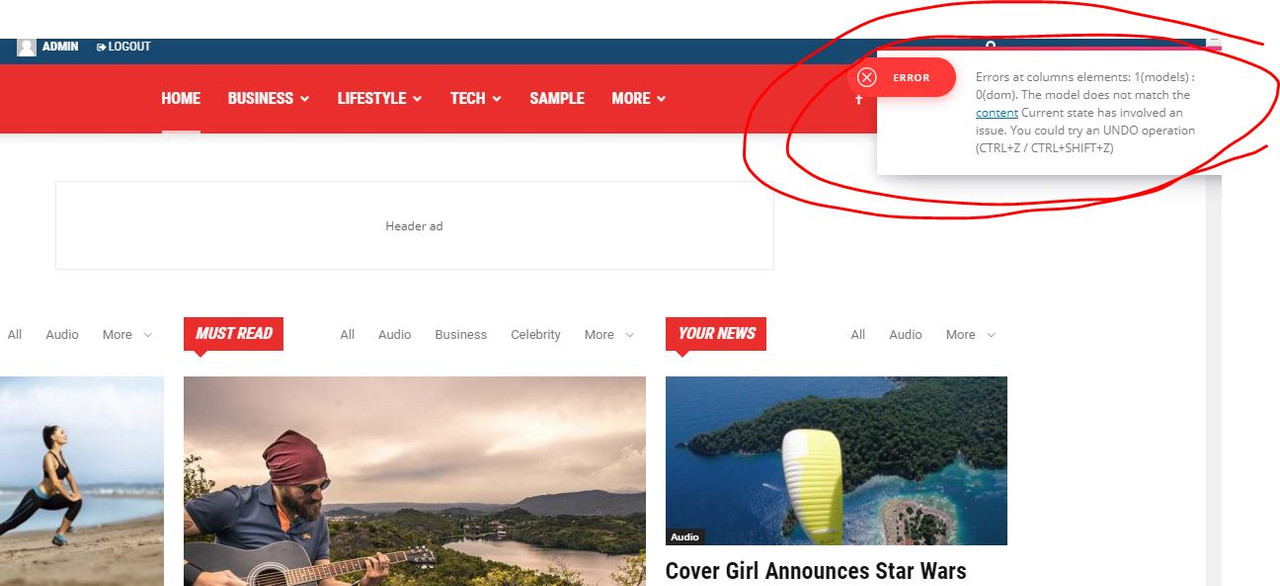
installed a demo City News … try to edit it with TD Composer => Error
https://i.postimg.cc/0QyFM5VG/3.jpg
Sebastian EscobarHi, I want to have the simple post design of the demo style of l’history layout, with sidebar, but my posts don’t have a sidebar, although I can see the in Cloud Templates, the Single cloud template (for posts) with a sidebar. But in front this is not noticeable. I don’t know why this happens.
In addition, when “uploading” in the post (with scroll or mouse) a module (tb-module-meta-info, in black square) is suddenly shown with the title of another post, which covers the entire height of the page, no metadata, no image. It’s very strange.
Sebastian EscobarHello, I activated the layout of l’historie in the theme of my newspaper, but this does not have the subscription module bar as the demonstration shows in the header space, next to the logo and I cannot find it in the modules list. What kind of module is this? and I think it should be customizable, is that so?
Thanks!
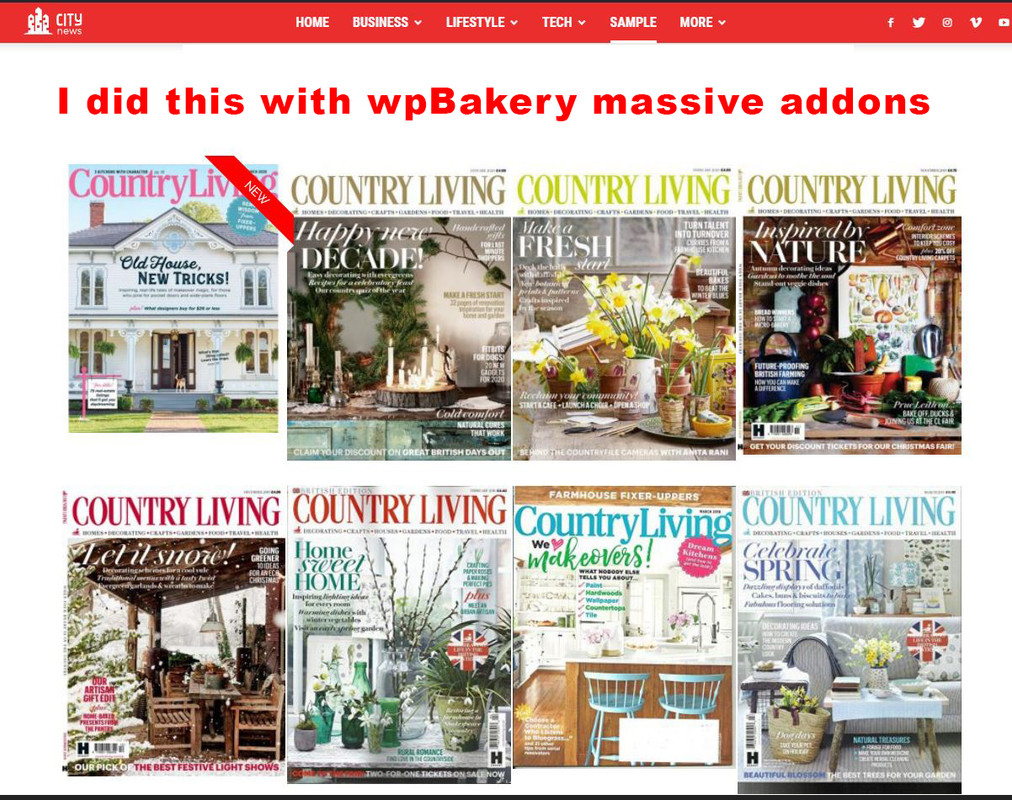
vampireprincessI wish to achieve the same effect for my magazine editions as you achieved on your demo page.
I want that each image direct me to a page or category where are located 30-35 articles only from that issue.
I wish to have on some editions a ribbon, a Title and some hover over effect.
Did you achieved all with the TdComposer, or it was done through wpBakery?
Because I cant get nothing similar with any of the Td codeblocks for images, for images I found a very limited options.
I installed a “massive addons” for wpBakery and I got similar effect but
now I cant edit anyomore the pages which was done with TdComposer it gives me some error.
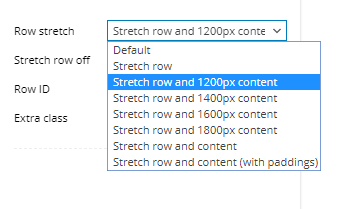
Finally in WpBakery how can I get the stretch row and 1200px content, that is exist in TD?
https://i.postimg.cc/zXVKfm5s/1.jpg
https://i.postimg.cc/SsSVTZ8m/2.jpg
https://i.postimg.cc/0QyFM5VG/3.jpg
https://i.postimg.cc/G23t4Y0M/5.png
Calin Hi,
I’ll add your suggestion on our list, and maybe in the coming updates our designer will create a demo with this functionality.
Thank you for your suggestion!
Calin Hi,
For me the demo is look the same as in our live demo -> https://i.imgur.com/JtBkT4v.jpg
Just make sure that you have set a page as homepage and not he latest articles/blog -> https://i.imgur.com/wAi9F3b.png
Thank you!
 renatols
I just install the global medicine template, but I can’t find the same options as I see in:
https://demo.tagdiv.com/newspaper_medicine/
For example:
Trending now below the header
Popular today before the posts
How can I do that?
Regards.
 barbitania
 Hi Vlad!
Thank you for your answer.
Ive checked the photos of the below block (“M2” from the Category layouts) and the horizontal images are bigger than 800x600px so they should be enough… still they are cut weirdly to uneven sizes. How can we solve it?
Also if we use vertical images than they will not crop perfectly to the same size as other images?
(Or…am I understanding right?: to achieve a seamless look like on your demo pages ALL the featured images would need to have same width-and-height ratio because they are NOT being cropped to a specific block grid size?)
Also there is an other problem: if you check the upper block (which is “Big Grid 12”) our problem is that the images are showing up too big. (Only the top parts of the heads are visible even though the images have a lot more content than that)
You can find a screenshot here to be sure we are looking at the same view: https://www.dropbox.com/s/e5m8nseqkfcn2v8/Screen%20Shot%202020-02-26%20at%2022.31.27.png?dl=0
Can you tell me if these problems have solutions?
Thank you,
Anna
 RoyB
RoyB Update: I couldn’t get the date removed on the classy magazine demo so I switched to a different demo and the button was still not working. I added a plugin which now removes the date but it would be great if the actual button would work.
 monsef10
 Thank you for time, here is a screenshot link: http://prnt.sc/r7w1rb
I am using tech news demo.
 localemotion
 Hello @Calin,
thank you for the quick reply.
Well, the editor shows an empty page for the footer, which means that the content of the demo cannot be interpreted correctly. This also means that I cannot edit the content provided by the demo, which I think is definitely a problem.
I don’t understand the other part of the answer. If I want a central footer, are the “cloud templates” the right function for it or not? If I import a template from the “tagDiv Cloud Library” (eg “Footer Default PRO” from the demo), I have the same problem. The template can then no longer be edited with the editor.
So again my question: can the “cloud templates” still be used and if so, how do we fix this error? If not, what should we use instead. And finally: why is this problem with the primary demo?
Thank you for the support so far.