- NewspaperFlex Block Builder and Flex Loop Builder
- NewspaperHow to use the Flex Blocks cache option
- NewspaperHow to edit modules for Flex Block X
- NewspaperFlex Block Settings Guide
- NewspaperBig Grid Flex Settings
- NewspaperSingle Post Excerpt
- NewspaperWP Rocket and Newspaper Theme: Optimization Guide
- NewspaperSearch setup for custom post type
- NewspaperBookmark – Save For Later
- NewspaperModules Builder in Newspaper Theme
- NewspaperFilters and sorting for taxonomies
- NewspaperHow to insert a block inside the content of a post
- NewspaperCustom Post Type Support
- NewspaperMeta Info on Modules and Blocks
- NewspapertagDiv Composer Tutorial
- NewspaperSocial Counter Styles on Newspaper
- NewspaperCloudflare (CDN)
- NewspaperPage templates
- NewspaperFeatured Posts
- NewspaperTheme Colors Introduction
 Partha0000
 <div class=”fixed-buttons”>
<button id=”whatsapp-button”>
<i class=”fab fa-whatsapp fa-3x”></i>
</button>
<button id=”phone-call-button”>
<i class=”fas fa-phone fa-3x”></i>
</button>
</div>
<style>
.fixed-buttons {
position: fixed;
bottom: 20px; /* Adjust the distance from the bottom as needed */
left: 50%; /* Center the buttons horizontally */
transform: translateX(-50%);
z-index: 9999;
text-align: center;
}
.fixed-buttons button {
padding: 10px; /* Adjust the button size as needed */
margin: 5px; /* Adjust the button spacing as needed */
background-color: #FF0000; /* Adjust the button’s background color */
color: black; /* Adjust the button’s text color */
border: none;
cursor: pointer;
}
.fixed-buttons button i {
margin-right: 5px; /* Add spacing between the icon and text */
}
.fixed-buttons button:hover {
background-color: red; /* Adjust the button’s background color on hover */
}
@media (max-width: 768px) {
.fixed-buttons {
left: 20px; /* Adjust the left distance for mobile and tablet screens */
bottom: 5%; /* Center the buttons vertically */
transform: translateY(-50%);
display: flex;
flex-direction: column;
}
.fixed-buttons button {
padding: 15px; /* Make the buttons smaller for mobile and tablet screens */
margin: 10px 0; /* Add spacing between the buttons */
}
.fixed-buttons button i {
font-size: 24px; /* Increase the icon size for mobile and tablet screens */
}
}
</style>
Also Get it : https://docs.google.com/document/d/13B9ddhW1dFju-dquhE1RibvnNvL6dMek52X5Q2kgF54/edit?usp=sharing
 Anamaria
 Hi,
Take a look here in this video for example where I build 6 columns: https://www.screencast.com/t/mZ2c5XamTFN You can play the layout options -> https://tagdiv.com/flexibility-rows-columns-newspaper-theme/ -> https://tagdiv.com/how-to-add-delete-and-duplicate-row-newspaper-theme/
Thank you!
 Bettina
 Hello!
This option : https://prnt.sc/_oxUZmsKKwLl is available in the tagdiv Composer only for the flex blocks.
For the block 24, we have an option in the Newspaper -> Theme Panel -> Block Settings -> https://prnt.sc/kOIbK8V8ICTd
Thank you!
 bobwei
Hi Support,
I had just buy a new license from envato, anda the cloud theme has crashed, I need urgent help to fixed that, the template is the WEEK PRO and my site link is https://china.org.br
the first block, flexbox1 is crashed. but its working when editing, but now its not work at all.
 thegreekherald
Can you please check at line #58895 in wp-content/plugins/td-cloud-library/includes/tdb_config.php
Just because of the repeated CSS settings array, we have double CSS options in the Flex Loop Builder block.
 Quaren
 Ok, so, after some research and some help with chatGPT – there is in fact a way to do this by editing the category_top_post_style php file that you have set for your category pages. It will take some tinkering though.
So, your expert response of “This is possible only if you use cloud templates using a flex block.” is flat out wrong. In fact it was this response that annoyed me enough to actually find out how to do what I wanted on my own (thank god for AI.)
After consideration neither option is really worth the time and effort just to get some posts stickied to the top_post block when I can just remove that block and sticky the posts normally to achieve a more or less similar effect. You’ll need a plugin called “Category Sticky Post” to allow you to sticky different posts to different category pages, though, just in case anyone else finds this issue.
 mariospavlou
 The sort it’s not included in that script.
I found tdb_state_loader.php which includes sorting options but the ones for the flex loop are not there.
Can you please point me the correct script which includes the sort parameters for flex loop?
 Calin
Calin Hi,
Unfortunately, using that block is not possible, what you can do is to try the flex block 1, this has a few option that allow you to adjust the image using the tagDiv Composer – https://i.imgur.com/HME42Up.png – https://i.imgur.com/Zw11GFa.jpg
Thank you!
Bettina Hello @mariospavlou !
Here you have: td-cloud-library/shortcodes/common/tdb_flex_loop_builder.php
Thank you!
mariospavlou ok, at least can you tell me which script is responsible flex loop?
the path of the script
Bettina Hello @Quaren !
This is possible only if you use cloud templates using a flex block. Read more about it here: https://forum.tagdiv.com/flex-block-settings-guide/
For each category, you have a special filter for the current category, which displays the posts from that category dynamically in each category.
Or, you can specify the post ID’s that will display in the flex block. In order to have different posts on each category page, you need to duplicate the category template, give it another name, and assign it to the correct category page. You can have a global template but also individual templates for each category.
We recommend using cloud/PRO templates in order to have the possibility to edit them with the TagDiv Composer, which contains a lot of functions and features. Please check out our tutorial here: https://forum.tagdiv.com/tagdiv-composer-tutorial/
More documentation about the cloud templates is here:
– https://forum.tagdiv.com/cloud-library-templates/
– https://forum.tagdiv.com/design-post-pages-using-cloud-library-templates/
– https://forum.tagdiv.com/cloud-library-category-templates/
Thank you!
mariospavlouHi, I am using Flex Loop with Modified date selected for Sort order.
I would like to display the posts in Descending order.
I can’t see any options for ASC or DESC order.
How I can achieve that?
any hook available?
Bettina Hello Paolo!
If you updated the theme to the latest version, then you need to activate the Standard Pack plugin in order to have all the default templates available.
We recommend using cloud/PRO templates in order to have the possibility to edit them with the TagDiv Composer, which contains a lot of functions and features. Please check out our tutorial here: https://forum.tagdiv.com/tagdiv-composer-tutorial/
More documentation about the cloud templates is here:
– https://forum.tagdiv.com/cloud-library-templates/
– https://forum.tagdiv.com/design-post-pages-using-cloud-library-templates/
– https://forum.tagdiv.com/cloud-library-category-templates/
You can redesign the website using the tagdiv Composer, or import the cloud template you like from the Cloud Library, or install an entire demo (without content) with design only.
You can reproduce this block as well using Flex Block 1 for example: https://prnt.sc/CKfblif2FWAJ
Thank you!
Anamaria Hello,
You can change the layout of the row -> https://i.imgur.com/sKembsA.png You can find more details here -> https://tagdiv.com/flexibility-rows-columns-newspaper-theme/
You can not delete the empty column, only the row that contains empty columns.
If you want to delete a row, you can delete a row with the empty column using the right click on the row icon -> http://prntscr.com/owlyuw -> http://prntscr.com/owlynq or using the drag and drop -> http://prntscr.com/owlz2r or you can simply click on the row and press the delete button from your keyboard -> https://www.screencast.com/t/Mai7iyEG The same steps are to delete the elements.
Thank you!
Anamaria Hello,
You can change the layout of the row -> https://i.imgur.com/sKembsA.png You can find more details here -> https://tagdiv.com/flexibility-rows-columns-newspaper-theme/
You can not delete the empty column, only the row that contains empty columns.
If you want to delete a row, you can delete a row with the empty column using the right click on the row icon -> http://prntscr.com/owlyuw -> http://prntscr.com/owlynq or using the drag and drop -> http://prntscr.com/owlz2r or you can simply click on the row and press the delete button from your keyboard -> https://www.screencast.com/t/Mai7iyEG The same steps are to delete the elements.
Thank you!
Anamaria Hi,
You can use also, flex block but with the filter “Category -Current category”
Thank you!
Anamaria Hi,
You can customize the category template. For the category template, please use posts loop; if you have set a posts loop then will display all posts in this category or you can use Flex Block/Big Grid Flex and set the filter to “Category -Current category” => https://i.imgur.com/7P99qx0.png and this is why the block will display posts for each category. So, please check the settings.
Thank you!
 Bavarde
Hi there,
I’m so happy with the Newspaper theme and I am about to complete my website https://wanderinparadise.com/, but I do have a few issues left to deal with. One of them is the category pages. Except for the header, they are all the same.
When I want to add on top a flex block showing all articles for the “category accommodations” it appears on top of all category pages instead of only this one.
Accommodation:
https://wanderinparadise.com/category/blog/accommodation-bora-bora/
Culture:
https://wanderinparadise.com/category/blog/bora-bora-culture/
How can I make sure that a category page shows only the articles of the category the page is made for?
Thanks in advance 🙂
Anamaria Hello,
You can apply the filter only on the Flex Block and Big Grid Flex -> https://imgur.com/Nnt3zGX
The Posts Loops settings are divided into 5 tabs: General, Layout, Style, ADS and CSS. The Posts loop is a special block and doesn’t have filtering options.
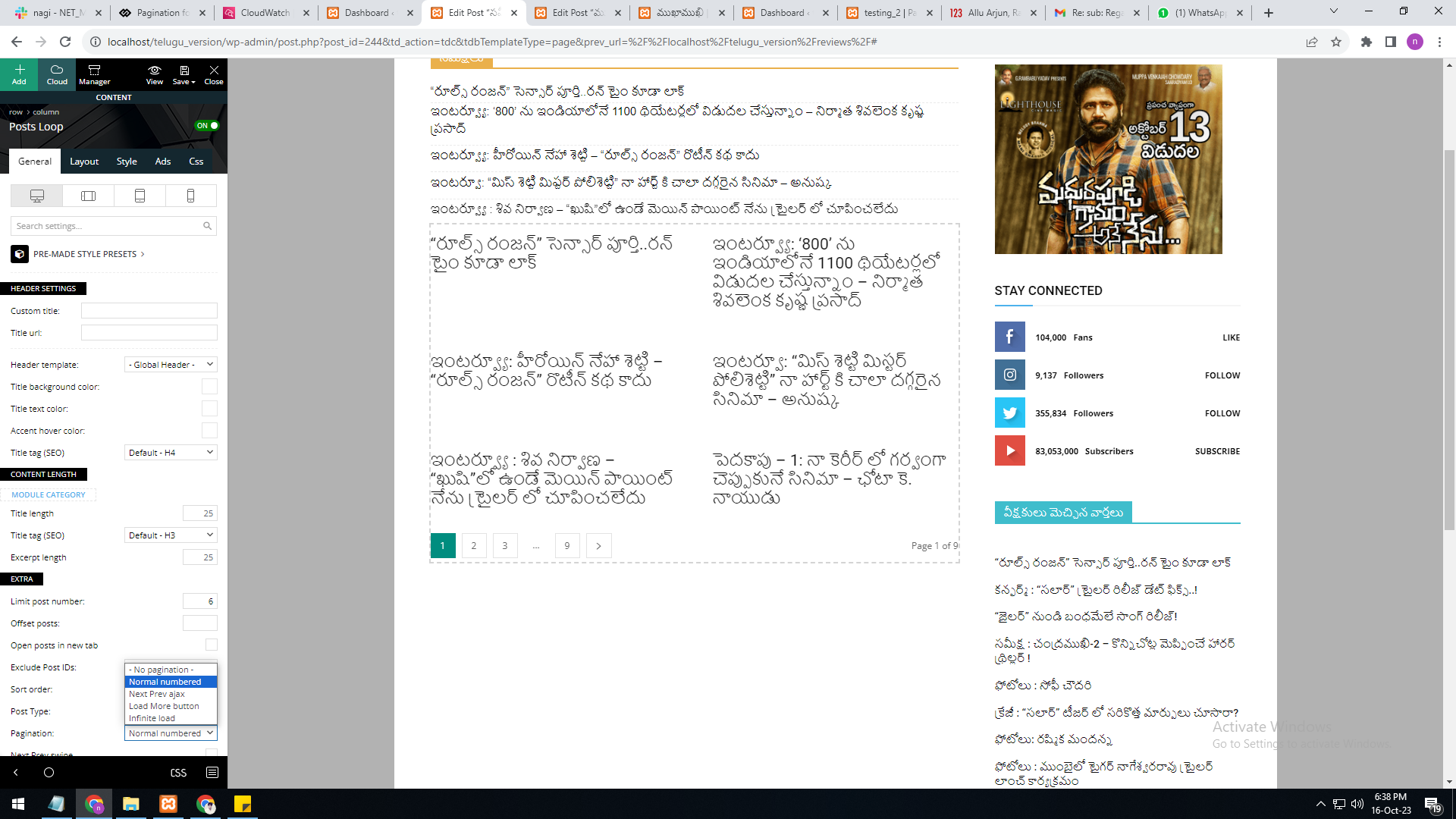
Also, one of the options for pagination of the Posts Loop has the option for normal numbered and the flex blocks do not have this option.
The Posts Loop is automatically filtering the posts depending on the cloud template you set (for example on the category page there will be posted posts from that category).
Thank you!
 nagi
nagiRespected Sir/Mam,
I am a developer at Mallemaala Entertainments, located in Hyderabad. We have a few requirements for our movie review website, 123telugu.com. I am hereby mentioning our requirements.
As per your reply, the numbering pagination is available in the loop concept. But we are not able to select the category option in it. The category filter option is not available in the loop concept.
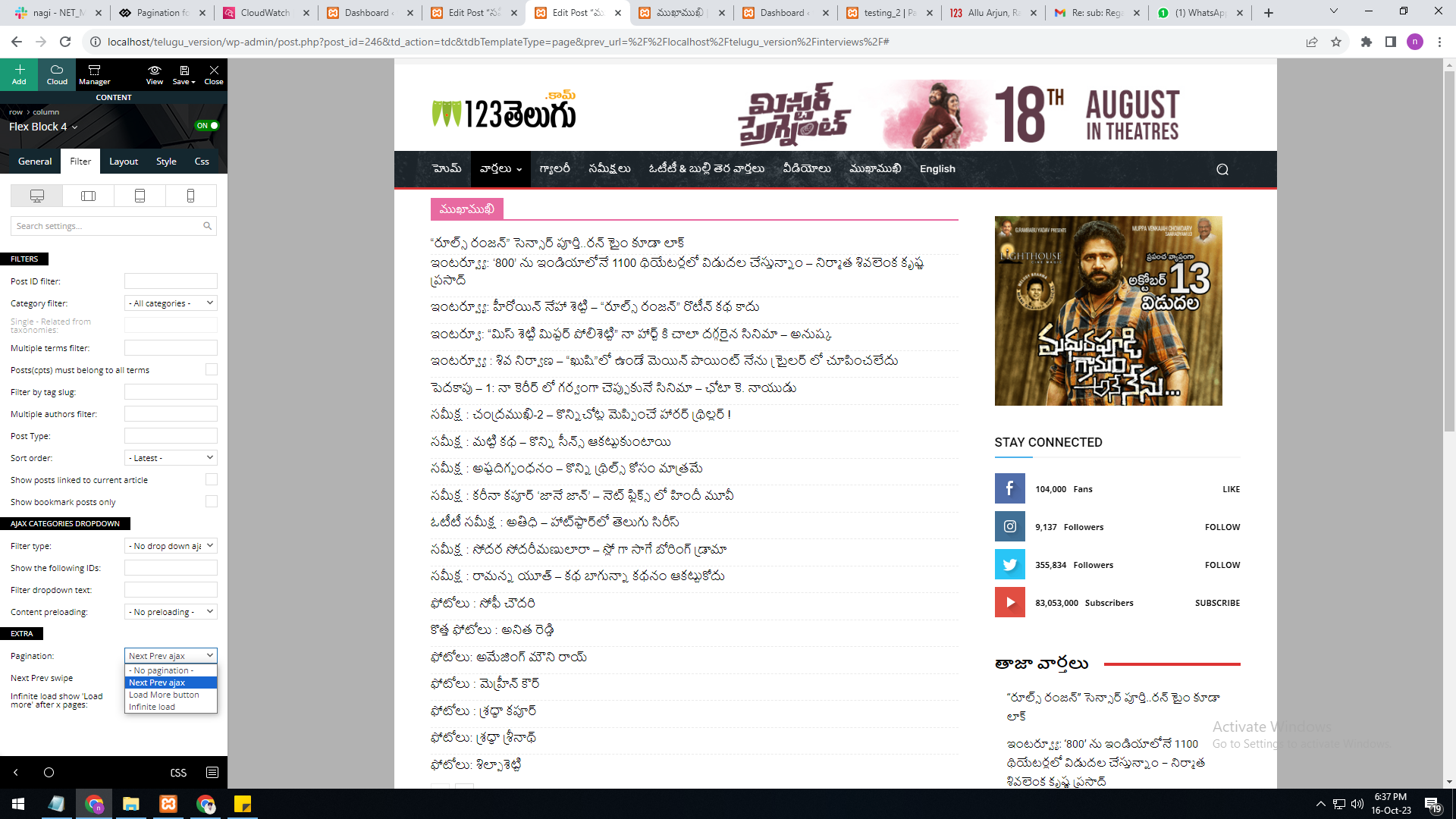
In single page, flex block 4, the category filter option is available, but the pagination currently has the options “next prev,” “more,” and “infinite load. But we need numbering pagination.
present my theme options
———————
https://gallery.123telugu.com/images/theme_test/Pagination_1.png
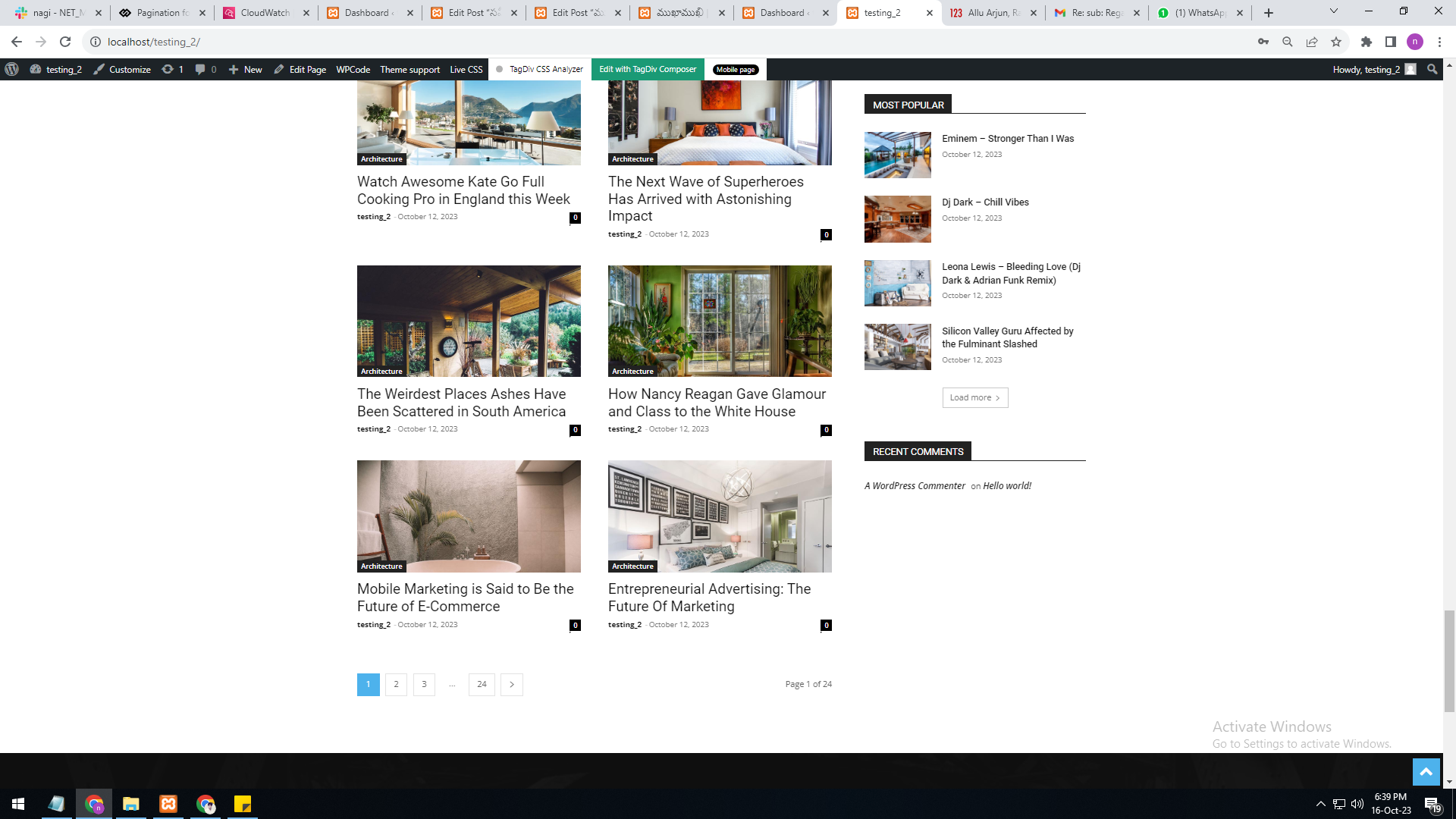
I want like this URLS link
————————
https://gallery.123telugu.com/images/theme_test/Pagination_2.png
https://gallery.123telugu.com/images/theme_test/Pagination_3.png
nagi As per your reply, the numbering pagination is available in the loop concept. But we are not able to select the category option in it. The category filter option is not available in the loop concept.
In single page, flex block 4, the category filter option is available, but the pagination currently has the options “next prev,” “more,” and “infinite load.” But we need numbering pagination.
Anamaria Hello,
The Big Grid Flex blocks don’t have the option for pagination.
Thank you!
 DocDigit
Hello team,
Can you tell me how I can display the Next and Previous buttons in Big Grid Flex 10 (just like as in Flex Box 1)? Thank you.
 Ryu234
In the latest version 12.6.1, Offset posts of FlexBlock1 does not work.
I had 12.4, so I reverted it and it worked normally.
Please tell me the solution.
Calin Hi,
Normally, it should also be applied to the frontend, but that option is for additional text and custom text from filed, it will not adjust the elements and text inside the custom filed.
What I can suggest is this custom css – https://i.imgur.com/v1CN30D.png
.single .tdb-sacff-txt {

  flex-direction: row;

  justify-content: flex-start;

  align-items: center;

  display: flex;

}

.single .tdb-sacff-txt img{

margin-right: 6px

}
I hope this will help you!