- NewsmagInstall via FTP
- NewspaperHow to Install Newspaper via FTP
- NewspaperNewspaper theme documentation
- NewsmagNewsmag documentation
- NewsmagInstall via WordPress
- NewsmagHow to update the theme
- NewspaperHow to Update the Newspaper Theme
 Catalin
 Hello scalpelli,
Our recommended way for theme installing is to do via FTP way because this is the surest method in this case. Please check the steps from our useful tutorial here -> https://forum.tagdiv.com/install-via-ftp/
Thanks for the message!
Catalin Hello sfnews,
Please keep in mind that the latest theme version is Newspaper 8.1 and it can be downloaded from Theme Forest. Notice that is not required to hire somebody to upgrade your theme because you can do it yourself if you will follow the steps from our useful tutorial here -> https://forum.tagdiv.com/install-via-ftp/ Now depends on from which version you want to update the theme? If your theme is too old, (older than version 7) notice that you will have to spend a quite a bit of time until to adjust all of your elements to the new version of the theme. The 8’th theme version is practically another theme with new features. In this case, to be safe for your data, you should make a full backup to your database before each theme update or WordPress install.
Hope this helps!
Thanks for your understanding!
 Bogdan B.
 Hello,
I can confirm that in the latest update there is no bbpress code unless you activate the plugin.
Please use either the wordpress or ftp method to update: https://forum.tagdiv.com/how-to-update-the-theme-2/
Thank you!
Bogdan B. Hello,
This is a strange issue as a theme update should not change the likes. The iamges in the theme panel do not say newspaper 7. I have double checked every image in the theme panel and they are all newspaper 8 images. Pleas update your theme again using this guide as it was probably a faulty update: https://forum.tagdiv.com/how-to-update-the-theme-2/
Do not pickj the automatic update. Pick the WP or FTP method. but make sure you download the theme again from envato as there were a few fixes implemented into the theme package on 8 Aug.
Thanks.
Catalin Hello birchoff,
Sorry for this! You should contact us at contact@tagdiv.com and there you will provide your Item Purchase Code. How do you have restored your theme? Do you have made a clean install with the latest theme version via FTP, right?
Thanks for your understanding!
 simchris
 Are you trying to install on wordpress.com or a self hosted wordpress.org install of WP on a hosting account?
Basically, you need to unzip the single newspaper.zip file, which is either downloadable by itself, or inside the Newspaper-tf ‘all files’ folder. Don’t try to upload the tf folder, won’t ever work. Ever.
Unzip the Newspaper.zip folder, on your PC/Mac, inside a project folder where you plan to keep backups, work copies, modifications; notes to self, etc.
then FTP up the Newspaper folder *only* to your website
siteroot/wp-content/themes/[goes here]
Or, if your hosting account (not on wordpress.com) has enough resources and correct permissions, you can upload the single newspaper.zip file (*not* the tf folder!!!!) via the WordPress install theme panel.
You may also find the WordPress docs (codex) helpful:
https://codex.wordpress.org/Using_Themes
-
This reply was modified 9 years by
simchris.
 scalpelli
 So I tried via ftp and server now:
1st try: I only unzipped the mainfolder, left the newspaper.zip untouched
>result: error came up and didn’t show up in wordpress.
2nd try: Unzipped the newspaper.zip too but left all the other zips in other subfolders untouches
>result: no error at upload and shows up in wordpress, BUT: does not unzipping the other zip-folders affect the full functionality of the theme, since usually all folders have to be unzipped in ftp?
Very important if you could help! Thx in advance!
simchris The Envato plugin doesn’t work very well.
You should use the FTP method as you can also do backup of working site at same time in case you have problems 🙂
 Pierreto
 I make update with evanto plugin, and i think it’s pherap’s for that.
Perhaps i need to make update by FTP, but before do that, if someone can tell me if they have bbpress code again or not after update ?
Some people think google like clean code, and aslo it can be good for speed.
And like you can see here :
view-source:https://demo.tagdiv.com/newspaper/
No BBpress code…
 reunionssecretes
 Sorry. I found just 1 minutes after, i maid an FTP update of the TG plugins and now it works. Sorry 😉
 MediaServicesTagDiv
 I also cannot use Visual Composer – trying to Add and element does nothing, and Choose Layout Option just gives me a spinning ajax loading graphic which I’ve waited for over 2 minutes. On our Newspaper system status page everything is okay (green or gray) except Caching (which we don’t want) and Speed Booster (which disabled itself v4.1 – Disabled – incompatible plugin detected: all-in-one-event-calendar-extended-views/all-in-one-event-calendar-extended-views.php).
We are using Newspaper on 2 websites now and I’m on a 3rd website with WordPress 4.8 installed just today, I’ve uploaded the Newspaper 8 theme by FTP and all plugins are active except for WP User Avatar which I turned off and deleted – after I was alredy having problems.
Any assistance getting me back up and running would be appreciated.
-
This reply was modified 9 years by
MediaServicesTagDiv.
 Camy
Camy Sorted. Applied a new theme – deleted the Nespaper folder – then FTP’d it up again and Activated it… and it seems to be working now? Huzzah
 solaris
 Hi Catalin,
If i download and upload a fresh copy of the theme, will it delete all the pages i created?
Like i make 7-8 pages using visual composer and i added content to it as well . Made all settings. And added plugins etc. My site is complete and running with content.
Will all of them be gone if i upload a new copy through FTP ?
Camy Hi – I’ve deleted & reinstalled woocommerce – rebuilt pages FTP’d up the theme again – switch off the child theme etc. etc. So – I applied a different theme and it shows the cart as ‘normal’ – which to my mind would point the problem to be within Newspaper itself?
Catalin Hello 21newsjoy,
Sorry for this but please notice that the recommended way of theme installing is to do it via FTP way because this is the surest method in this case. Do it according to our documentation here -> https://forum.tagdiv.com/install-via-ftp/
Thanks for the message!
 Simion C.
 Hi,
@balipuspanewscom Please send us an email at contact@tagdiv.com and provide admin login information and FTP access, so we can take a look. Also paste a link to this topic in your email.
Thanks
Simion C. Hi,
The problem was with the file name path in the functions file of the mobile theme. It should have been like this
– https://www.screencast.com/t/xZvkiDah0
If you still have problems using the mobile theme, please send us an email at contact@tagdiv.com and provide admin login information and FTP access as well, so we can take a look. Also paste a link to this topic in your email.
Thanks
Simion C. Hi,
Maybe the theme did not update properly. Please try and reinstall the theme by FTP
– https://forum.tagdiv.com/install-via-ftp/
Then deactivate all plugins except theme plugins. If a child theme is used, switch to the main theme. Do not add any custom code to the theme files, or modify it in any way. Then check if the post settings work properly.
If the problem is still there please send us an email at contact@tagdiv.com and provide admin login information so we can take a look.
Also paste a link to this topic in your email.
Thanks
Simion C. Hi,
Make a backup to your database just to be safe. Please update the theme by FTP like this
– https://forum.tagdiv.com/install-via-ftp/
Update the included plugins as well. Please note that much has changed from that version in the theme and Visual composer. In Newspaper 8 the tagDiv composer as introduced as well.
I believe it would be best to try and recreate the pages with the new tagDiv composer if possible after the update
– https://forum.tagdiv.com/tagdiv-composer-tutorial/
Custom codes or the same modifications may not work in the new theme. The child theme too, if there is one. Deactivate all plugins except theme plugins except theme plugins to rule out any conflicts.
Check the theme system status and make modifications to the parameters mentioned in this guide if necessary
– https://forum.tagdiv.com/system-status-parameters-guide/
Thanks
Catalin Hello bokitchan,
Try to make a new clean install from scratch via FTP way and install only the plugins that come bundled with the theme core files and check the results. Before this, try making a full backup to your database.
Hope this helps and let us know how it goes!
Thanks for your understanding!
Catalin Hello mitsus,
First of all, ensure that you have installed the latest theme version and make sure if you are using only the tested and required plugins which come bundled with the theme core files. If the problem is still there, you should make a new clean install from scratch via FTP way according to our documentation here -> https://forum.tagdiv.com/newsmag-install-via-ftp/
Hope this helps and let us know how it goes!
Thanks for your understanding!
Catalin Hello najarfermin,
The simplest way, in this case, is trying to make a new fresh install from scratch via FTP way after you made a full backup to your database and check the results.
Thanks for your message!
Simion C. Hi,
Try deactivating all your plugins and then install the theme by FTP again
– https://forum.tagdiv.com/install-via-ftp/
These are some possible causes and solutions for the white screen
– http://www.wpbeginner.com/wp-tutorials/how-to-fix-the-wordpress-white-screen-of-death/
Increase the WordPress and server parameters mentioned in this guide, if needed
– https://forum.tagdiv.com/system-status-parameters-guide/
It should work properly, it is like simply installing a different theme.
Thanks
Simion C. Hi,
Maybe your install got infected somehow. You could try a theme reinstall by FTP
– https://forum.tagdiv.com/install-via-ftp/
And activate only the plugins that are provided with the theme. Then scan with the tool again and see if it still detects malware.
This is an extensive security tutorial that may be useful as well
– https://forum.tagdiv.com/topic/tutorial-good-basic-security-practices/
However you should consider updating the theme and plugins to the latest version, if possible
– https://forum.tagdiv.com/how-to-update-the-theme-2/
Thanks
 steve83
Apologies for starting a new thread on this. I’m not getting anywhere with my previous thread and need to summarise everything in hope of a solution.
5 days ago I upgraded Newspaper theme to 8.1. All my pages were created with visual composer.
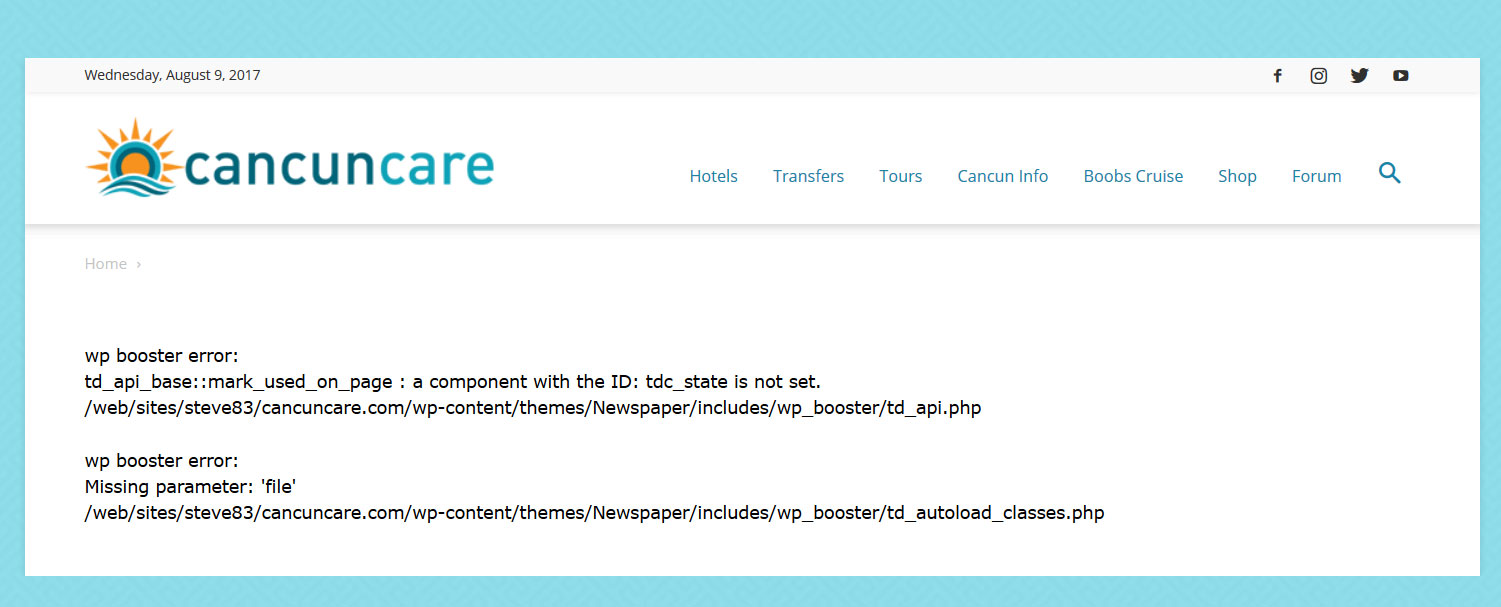
With tagdiv composer deactivated and visual composer activated my pages give the following error.
wp booster error:
td_api_base::mark_used_on_page : a component with the ID: tdc_state is not set.
/web/sites/steve83/cancuncare.com/wp-content/themes/Newspaper/includes/wp_booster/td_api.php

wp booster error:
Missing parameter: 'file'
/web/sites/steve83/cancuncare.com/wp-content/themes/Newspaper/includes/wp_booster/td_autoload_classes.php
(screenshot http://www.cancuncare.com/screenshot/homepage-with-vc.jpg)
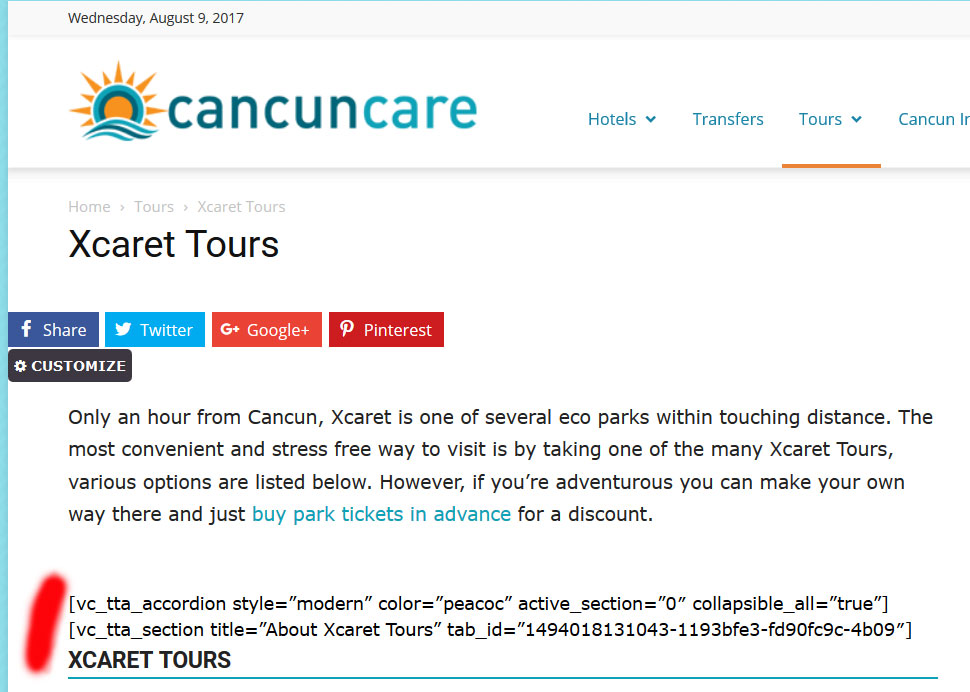
With tagdiv composer activated and visual composer deactivated many elements do not show at all, instead displaying the visual composer code.
(screenshot http://www.cancuncare.com/screenshot/page-with-tc.jpg)
The only way I have found to get the pages to show somewhat correctly is to install and activate both tagdiv composer and visual composer, which when I do so results in some page elements rendering incorrectly (images showing at an incorrect size and sidebars appearing below content). Re-making these pages from scratch results in the exact same problems. I understand having both tagdiv and visual composer enabled is not good. But disabling tagdiv results in the wp-booster error, and disabling visual composer results in elements not displaying.
I have been going round in circles for the last 5 days and am no further on than when I started. I really need a proper solution to this, the latest Newspaper update (8.1) broke my site and I need to get it fixed.
I am happy to provide wordpress login and ftp details if you could advise me on a secure way to do this.