- NewspaperHomepage – How to build and set it
- NewspaperHow to edit modules for Flex Block X
- NewspaperGeneral Options that May Interfere with the Newspaper Theme
- NewspaperThe Newspaper Mobile Theme: Introduction
- NewspaperHow to Add a Logo in Newspaper
- NewspapertagDiv Shop
- NewspaperHow to Use tagDiv Cloud Library
- NewspaperDesign your Post Pages using the Cloud Library Templates
- NewspaperHeader Builder
- NewspapertagDiv Cloud Library Plugin
- NewspapertagDiv Composer Tutorial
- NewspaperNewspaper theme documentation
- NewspaperThe Mobile Theme
- NewspaperPage templates
- NewspaperTheme Colors Introduction
- NewspaperFooter Builder
- NewspaperMain Menu
- NewspaperPre-built Websites: Introduction
 Calin
Calin Hi,
TagDiv Composer (theme builder) can edit only pages, therefore you can edit the homepage and the rest of the page that you have.
Also the theme has global ads settings only in them panel -> https://forum.tagdiv.com/newsmag-header-ads/
If this can not help you to archived what you need, you can try some ads plugins:
-> https://www.wpexplorer.com/best-ad-plugins-wordpress/
Thank you!
 Smartegy
Hello,
I Have a homepage where I use Flex Block 1 to display CPT.
I would like to display CPT name instead of category tag , is that possible?
 regio-online
Site: https://regioonline.nl
Hi there,
I’m working on our newssite with cloud templates, so tagdiv Standard Pack is disabled. That works fine. Our homepage has a Fast News header template with a main menu for regional news with one menuitem linking to a sport page. I use this sport page with a duplicate of the header cloud template Fast news and called it Fast news sport. I added a different logo to the header and a different main menu. All other sport sections will have this header. So far so good. But there are a few things not working fine:
Using manager in composer mode I can’t edit the mobile view. Do I need the special Mobile pages plugin for this to work?
When editing an page in composer mode I only get the desktop view and not the tablet, laptop and mobile view. They all show desktop view. Before this worked fine, but with cloud templates it looks like an issue. Any ideas about this?
Finaly: the two different logo’s a showing fine in desktop mode, but when viewing on my mobile I get the logo set in Theme Panel Header. When I delete this image, I see no logo at all in mobile view on the sport page(s).
Can you give me some hints on how to handle this? The answer in the manual doesn’t work as discribed.
Thanks a lot!
 INDRAPURNAMA.ID
The above page is getting displayed in desktop version with theme covid italy pro. When I enable mobile version+AMP of the theme, the homepage is not getting displayed covid italy pro.
i followed this tutorial but it doesn’t work
https://tagdiv.com/amp-newspaper-theme/
https://tagdiv.com/mobile-theme-automatic-optimization-for-mobile-newspaper-theme/
Kindly guide me how to enable this in mobile version+AMP also.
Thanks
indra
 Che@1985
 Hello
it is possible that sticky header in Manager is disable for homepage only and the rest are enable? is it possible? if yes, how? because when I off in the homepage, the rest pages is off also. please help
 Vijila
When the homepage (homenaturalcures.com) is opened in desktop, it is opening up with the mobile/AMP version.
How to make it open ONLY in desktop version?
Thanks
 media24 bv
Hello, I love the mobile theme and the speed of it. Would it be possible to include the ‘latest articles’ that appear on the homepage also under a post instead of the related articles that now appear under a post?
 Anamaria
 Hello,
Do you want to remove a blank space? Because when I inspected your website, the mobile theme version displayed => https://www.screencast.com/t/FHARDN53sMx and I couldn’t inspect it, usually this problem is from cache plugins that do not recognize the mobile theme plugin, we recommend using wp super cache.
Also, the homepage that you have it can be edited using tagDiv Composer
If this is not what you mean, please let me know!
Have a nice day!
 madpixel
Hello,
I do not know how to remove the space that is orange in the picture. Is an empty space between header and the first zone of post.

Thank you,
Claudia.
 Bettina
 Hello!
Please set up the “Header logo” element by editing the page with TagDiv Composer. You will find in general tab a setting called “Logo url”. Please fill the field from this setting with your url homepage.
Hope that helps you!
Thank you!
 Tommycreative
 Via this url: https://www.google.it/amp/s/smanettoni.net/%3famp
from mobile browser the homepage is not displayed correctly and with the selected template.
 jacopich31
Hi,
i want the logo in header in the homepage redirect to the homepage.
I setup corretly the link for the redirect, in mobile works, but in desktop version don’t work.
Can you help me?
 codexxx
Hello,
I believe the tagDiv website or blog website is using Newspaper theme, and with that, I like to make a template via tagDiv composer that is the similar result in Desktop view and mobile theme (mobile and AMP version) to the following:
1:) blog homepage template layout (desktop view – from header to footer): https://tagdiv.com/category/blog/
2.) blog homepage template layout (mobile view – from header to footer): https://prnt.sc/wn8ika
3.) blog homepage template layout (AMP view – from header to footer): https://prnt.sc/wn8jk0
Actually I’ve tried making a template via Theme panel setting and tagDiv composer but can’t able to make it the same as yours… See the screenshot below, and how to implement those questions labeled in RED.
Thanks
 Anonymous
 I don’t know what caused the issue, but the only solution was to redo a new homepage for my site; trashed the old one, and redid from scratch.
I lot of time was wasted, but was the only solution, as the support team did nothing to help.
(Also, a side note: I couldn’t add the slide block in the new homepage, as all the times I added it, it broke the new homepage…)
 steinseba
 my homepage: https://gminakornik.pl
Anamaria Hi,
I just asked my teammate from email and he found the email in spam. Our team will take a look and will answer you as soon as possible.
We answer the topics from Latest to Newest, Monday – Friday from 08:00AM to 05:00PM GMT+2.
For removing the space you need to use tagDiv Composer, to edit the Homepage, select the elements from footer and see if in CSS you have set the padding/margin-bottom or select the row to see if you have set space, also you can set margin-bottom to 0 => https://www.screencast.com/t/5O7Dns5Ks
Hope this helps you!
Thank you!
Calin Hi winipnews, if you want to have ads only on homepage, then you can set theme using tagDiv Composer and set the code in an ad box element .
Hope this will help you!
 angelicantunes
Hi!
How do I insert two empty columns in the beginning of the homepage?
I want to put two different categories.
It would appear like this under the menu: https://imgur.com/a/JvZAV9G
Thank you!
angelicantunesHi, community!
How do I insert two empty columns in the beginning of the homepage?
I want to put two different categories.
It would appear like this under the menu: https://imgur.com/a/JvZAV9G
Thank you!
 thegun1986uk
Site: https://www.reviewsfire.com/
Homepage is displayed as mobile site: https://pasteboard.co/JJ4YEbu.png
It should look like this: https://pasteboard.co/JJ4Z4HT.png
Please help.
Thanks,
 dizajn
Hi, maybe you can take a look at domain http://www.notranjskoprimorske.si and check what can be wrong for homepage featured images not showing? Making browser window smaller and back show them. Can you help me?
Thanks
 akiim.deshay@onlymoveforward.com
Text on sidebar block headings is not consistent and I’m having trouble adjusting it.
I have run out of options for adjusting the text on sidebar headings other than using CSS code (I am not good at it) but I am having trouble getting the code right.
Installed Newspaper 9 with the Default Demo initially (2 years ago) but upgraded and converted and no longer using the tagDiv Standard Pack plugin.
On the homepage https://testsite.northdallasgazette.com/
Image: https://testsite.northdallasgazette.com/wp-content/uploads/2021/01/Sidebar-Heading-1.jpg
On another page: https://testsite.northdallasgazette.com/index.php/ndg-live-video/
Image:
https://testsite.northdallasgazette.com/wp-content/uploads/2021/01/Sidebar-Heading-2.jpg
I want them both centered with the font size of the larger one (19px). I followed the instructions for using the browser’s Inspector here and could only come up with the following code but it does not work.
td_block_templete_14 widget .td-block-title a {
font-size: 19px;
text-align: center;
}
Please help.
Che@1985 Hello Ms. Bettina,
my goal is that the homepage will be the one that will have a header, and the other pages like categories page and post should be no header but they have a sticky header.
actually I already did that by choosing no header in manager tagdiv, and then the issue now, how can I put a sticky header??
Website url: https://lastpen.com/
 simplemanscomics
Greetings,
On my site at the bottom of the recent articles there is pagination but when I click on page 2 or beyond that I get an error stating page not found and a button to take me back to the homepage. Here is a link to my site to see what I’m talking about. https://exclusivevariants.com
 Webmamadou
Hello,
sorry to contact you like this.
I created a website for a client with your theme newspaper.
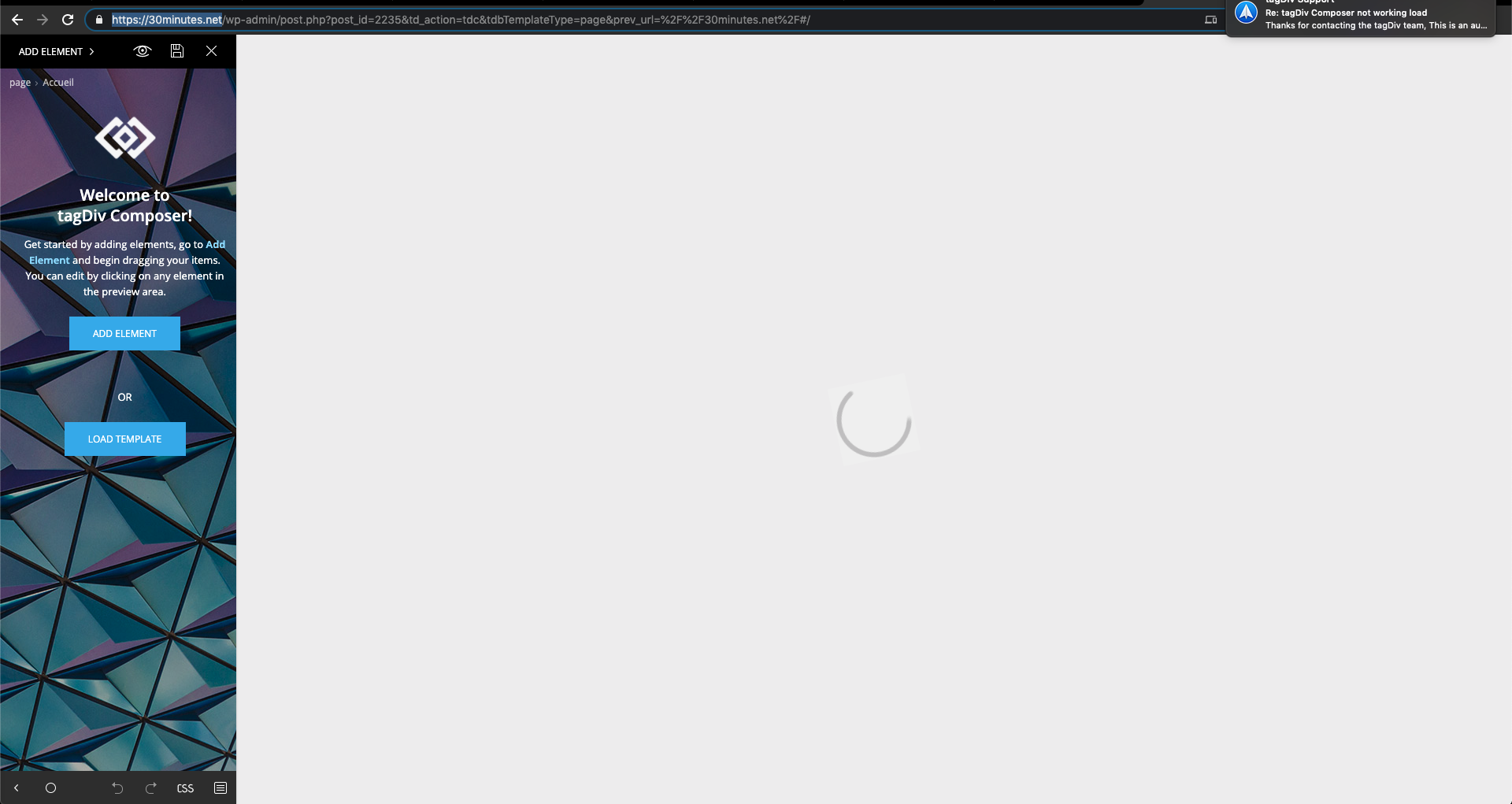
I want to change something in the homepage but the tagDiv Composer editor doesn’t work anymore.
It loads in vain and I’m waiting and waiting. I checked in the forum but I can’t find an answer that solves my problem.
I need your help.
Le lien du site c’est : https://30minutes.net/
I’ll send you a screenshot attached.
thank you and good day to you