
- NewsmagHomepage – How to build and set it
- NewsmagtagDiv Composer Tutorial
- NewsmagNewsmag documentation
- NewsmagMain menu
- NewsmagLogo & Favicon
- NewsmagPage templates
 zcarmichael
Hi, I am wanting to make a homepage to make my site look more professional and less like a blog. I installed the demo for News Magazine and want my site to look near identical but with my own categories and such. How would I go about making my homepage just like it? Would I just have to start from scratch with Visual Composer or is there any easier way? Thanks!
 chalegabe
Hello, I just installed the newspaper theme on my staging site.
The featured images in the Big grid slide on the homepage does not look right.
Some of the images in my blocks also look dis-proportioned. Leaving a blank white space.
How can I contact the developer directly?
 Catalin
 Hello lethow,
Please notice that you can redirect the 404 page to another page from your website, like your homepage for example. For more information about this, you can refer to this topic here -> http://www.wpbeginner.com/wp-tutorials/how-to-redirect-your-404-page-to-the-home-page-in-wordpress/ and if you want to stop the displaying Adsense code you will have to remove the Adsense code from your Ads area or you can use the following code and place it in Theme panel->Custom CSS Area.
.td-g-rec {

display:none;

}
Hope this helps!
Thanks.
 whereislarry
Hello:
I have replaced the camel picture with a different picture, however, my new picture doesn’t go all the way across the screen like the camel picture did, even though it’s centered in the middle and looks perfectly fine. I know the camel picture is 1920 x 815, so I tried using a picture that was the exact same size, but that didn’t seem to help. I have checked everywhere to find this setting — even using the Chrome “Inspect” feature to help me track it down. No luck, So, after 12 hours, I’m politely asking. Where is the setting or CSS code that makes the main homepage picture go across the entire screen? Thank you. — Larry
 hfrevolution
Hi! I followed the steps for updating the page builder because I no longer have access to editing my homepage. It didn’t work! Is there somewhere I’m supposed to download a newer version than the original one that came in my newspaper theme?
Thank you!
Catalin Hello Thomas,
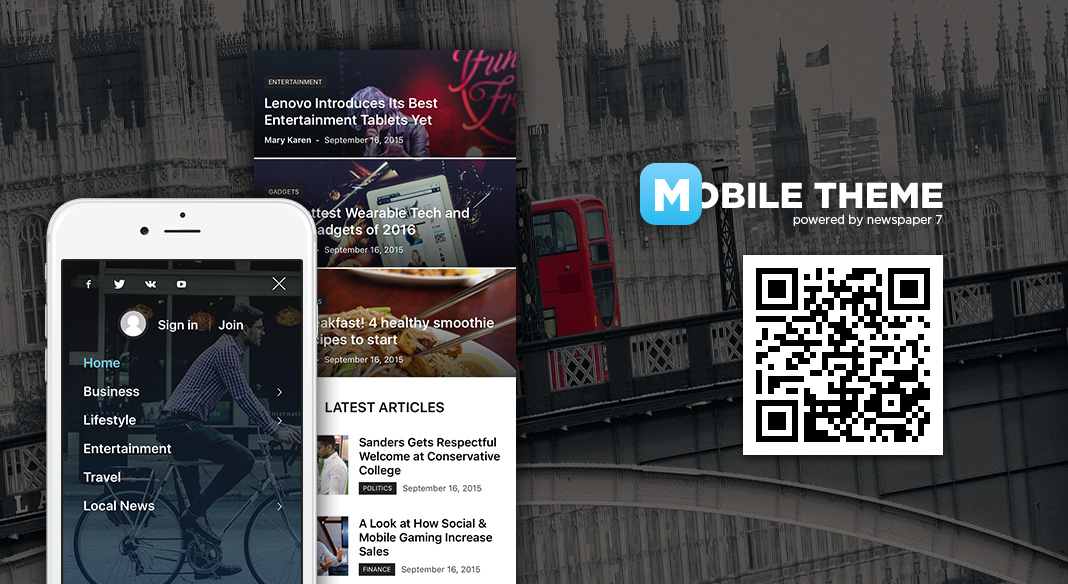
1)Please keep in mind that the Mobile Theme has not been tested with Woocommerce, bb press, Buddy Press.l This concept intends to display only the Big Grid (posts from Featured category), some text which must be written in Mobile Editor and the Latest Articles module in the bottom of the page. If you are unhappy with the mobile version you can turn off the plugin and the theme will be switched to the general mobile responsiveness version. This is not a bug in the theme, this is just the theme behaviour with the mobile plugin. It has been designed to have very basic structure, clear and very easy to use.
2)Please notice that the posts from your Big Grid at the top of your homepage in mobile theme come from your Featured category, for more information about this, please check here -> https://forum.tagdiv.com/the-mobile-theme/
3)The mega menu not working in mobile theme, sorry! If you want to develop more levels in our theme and if you are not aware of the steps in this regard, please consider hiring a freelancer/developer to help you because we cannot provide customization services at the moment, sorry!
Thanks for your understanding!
 Thomas
 Ok thanks for the reply.
I found some strange issues on mobile:
1/ In the list shop section, the products images show on computer but not on mobile:
http://www.virtualmagie.com/boutique
or http://www.virtualmagie.com/categorie-produit/tours/
2/ In quick edit, on 3 articles, I used the featured element checkbox and clean the cache.
But on mobile on the homepage, it is still the 3 last articles published which are on top.
3/ In the menu, I don’t have the sub elements for the articles.
In the URL you give me, we clearly see that it is seems to work for you (see the image).
So I assume, it is a bug.
-
This reply was modified 10 years by
Thomas.
Catalin Hello yupingwu,
Please notice that the layout of the mobile homepage is set it by default, like this -> Big Grid to the top of your page which displays the posts from your Featured category, a simple text which should be added from Mobile editor and the Latest Articles in the bottom of the page. This is the structure of the homepage if you are using the Mobile Theme -> for more information about this concept, please check here -> https://forum.tagdiv.com/the-mobile-theme/ Please notice that the Mobile Theme has been designed to have a very basic structure to be so useful, clear and very fast.
Thanks for your understanding!
 Bogdan B.
 Hi,
Sorry but I cannot see any sliding elements or crooked layouts. Where exactly is this happening? The homepage does not even have any theme blocks on it.
Please try to restore the theme to it;s default code as you may have added some custom css that breaks the layout. Be careful when using visual composer and use this guide: forum.tagdiv.com/how-to-use-visual-composer/
Thank you!
Catalin Hello Gadgetsay,
I have checked your website and I did not saw this. Please notice that you can control this option from Seo Yoast Plugin when you edit your homepage, like this -> http://screencast.com/t/H1s0XmBdYj
Thanks.
 alphaifel
Hi need help,
My website is sumrej.com
I want to have a very big (big grid 4) in my homepage same as this image below.
http://imgur.com/a/vT2tI
I know how to add big gird 4 in my homepage. But i dont understand why it not the same.
Can you tell me how? do i need to add any code?
PS. I dont want to install the demo.
Thank you
ThomasHello
On our site http://www.virtualmagie.com/ when you are on the homepage there are a lot of blocks and menu a sub menus.
When you reduce the windows of the navigator you see the look on mobile… normaly.
But in fact, when you go on the site through a mobile (Android Chrome or FF), the homepage have only a list of the last artices and menu don’t have submenu anumore… except the 3 last ones (which are pages instead articles like the first ones).
Any idea why, solutions ?
Regards
 Andrei L.
 Hi
You can build your page and ass all desired content on it then add it in top menu like this: http://screencast.com/t/HwcXkBCcQh Also make sure that you enable top menu from theme panel > header: http://screencast.com/t/Sg2jEqCF
Please note that td-composer is still a beta version. Also it was mostly tested on Newspaper theme but works good enough with Newsmag too. However we can’t recommend it yet as a page-builder for a live site as there is still a lot of work to do until the plugin will work properly from any point of view. We release the plugin so users can test it and give us back their feedback.
Instead we hardly recommend the usage of Visual Composer plugin which is tested and works fine with our theme. Fore more details about plugin’s usage please check our documentation: https://forum.tagdiv.com/newsmag-how-to-use-visual-composer/ – https://forum.tagdiv.com/newsmag-homepage-how-to-build-and-set-it/ – https://forum.tagdiv.com/newsmag-block-settings-tutorial/
Let us know how it goes and if you need further assistance please provide more details about what you’re trying to do, also some screens pointing the desired result would help.
Thanks!
Andrei L. Hi
You need to edit the page with Visual Composer and delete this block using plugin’s page-builder. Please check our documentation for more details about hoe to setup your homepage and how to use Visual Composer: https://forum.tagdiv.com/how-to-update-the-theme-2/ – https://forum.tagdiv.com/how-to-use-visual-composer/ – https://forum.tagdiv.com/block-settings-tutorial/
Hope this helps.
Thanks!
 kaidensharma
After the recent update, my theme is showing comment counts even after switching it off from the options. can you please help?(please check the homepage… comment count is still there.) my website is http://kaidenworld.com
 Luba news
Now the content is not and html or php code, this is not something i know..
[vc_row el_class="td-grid-what"][vc_column][td_block_big_grid_4 category_id=””][/vc_column][/vc_row][vc_row][vc_column][td_block_trending_now category_id=”” sort=”random_posts”][/vc_column][/vc_row][vc_row][vc_column][td_block_5 custom_title="" sort="random_posts" limit="3"][/vc_column][/vc_row][vc_row][vc_column][td_block_ad_box spot_id="custom_ad_1" spot_title="- Advertisement -"][vc_empty_space height="16px"][/vc_column][/vc_row][vc_row el_class="td-ss-row"][vc_column width="2/3"][td_block_23 custom_title=”” category_id=”” sort=”random_posts” limit=”3″][vc_empty_space height="20px"][td_block_12 custom_title=”” sort=”random_posts”][/vc_column][vc_column width="1/3"][td_block_social_counter custom_title="" style="style5 td-social-boxed" facebook="tagDiv" facebook_app_id="1681822448721994" facebook_security_key="0c9736ad42429693db22e688e7c8f2bc" facebook_access_token="1681822448721994|6bEmHSty2HH0MY5hgco64Jd7m5U" twitter="envato" youtube="tagDiv"][td_block_5 custom_title="" sort="random_posts" limit="3"][/vc_column][/vc_row][vc_row][vc_column][td_block_ad_box spot_id="custom_ad_1" spot_title="- Advertisement -"][vc_empty_space height="16px"][/vc_column][/vc_row]
WTF is this?
thanks 🙂
 egm_ar
Hi!
I’m having an issue that appeared all of the sudden.
I publish a post and it doesn’t show up anywhere, although it is published and I can access it directly.
Things get weirder when after a while the post does show up in the homepage and in the latest post sidebar widget, but, then again after a while, it disappears.
I’ve tried it in differents locations, devices, browsers, and the same happens.
I’m on Newspaper 7.1 and WP 4.5.3.
What could be happening?
Thanks!
 livingtosmile
 Catalin,
I followed these instructions and the issue is not resolved. The Facebook link is still linking back to the homepage. I have updated the version of Newspaper, double-checked the facebook link, and used only the default newspaper plugins- same issue.
 stefan-2
Salut tagdiv,
am preluat un site WP de la un developer, folosim tema Newspaper.
As avea nevoie de ajutor cu urmatorul task : vreau sa modific pagina unei categorii (adica pagina in care se afiseaza posturile din categoria respectiva) si sa adaug acolo un bloc/modul care apare pe homepage.
Cum pot face asta ?
2. Incerc sa adaug intr-o pagina un bloc custom, dar in popup-ul “Block Settings”, tabul Filter, nu gasesc campul “Post IDs”. Nu exista in tema Newspaper oare ?
Ce nu inteleg este de ce in pagina mea se afiseaza alte date decit cele de pe homepage (cu toate ca e acelasi bloc!).
Puteti sa-mi spuneti de unde se ia continutul afisat intr-un bloc daca nu selectez nimic in ‘Block settings’ ?
Multumesc
 AndrewAAE
 Hello Catalin,
Thanks for your reply. Ok, i can see the thumbnail sizes in the theme options, But i still didn’t get it.
1) For example, i can see the thumb size (100×70) is used for: Module 6,7 and Block 1, 2, 7, 8, 16
– What does module 6, 7 refers to? Is it in the prebuilt demos?
2) On my home page, i’m using one of the pre-built demos.. and in the visual composer editor, i can see “Big Grid 7”, as shown here: https://s31.postimg.org/uldmsstwr/Visual_composer.jpg
– Does the Block 7 in the theme options refers to the Big Grid 7 in Visual composer?!
3) The image i’ve uploaded earlier as a featured image was 504 × 544 (which is a large image, however it wasn’t showing right as shown here): https://s32.postimg.org/bdub5yp79/image_resize.jpg
So, my other question is: What is the recommended image size for featured images to show correctly on homepage? without having the need to regenerate thumbnails?
Thanks for your help & patience
 sibinfotech
The homepage is http://192.185.150.175/~bmctest/
We have added a block just below the graph of bmc elections 2012 results
We have added the block which shows 6 sections
However, we have added 6 post ids in that but it is retrieving only 5 of them
Can you advise why is that so?
Andrei L. HI
Try this css in theme panel > custom code > custom css to remove the pagination: http://screencast.com/t/sQ32Lfvw3
.page-nav{

display: none;

}
I’ve checked your site several times but couldn’t find any issues wit homepage’s layout. Also I could’n find theme’s slide block on your homepage, do you refer at this element: http://screencast.com/t/2oHQk0oooKof
If you still have this issue please provide some screens when appears again or more details about how can we duplicate the situation on our end.
Thanks!
 newspapertheme
I wanted to see what a catagory page my client liked would be like as the homepage so I changed the WordPress home address in Settings/Reader Settings from http:druke.co.uk to http://druke.co.uk/category/the-business4society-foundation. Now I can’t access the proper site or access the control panel. So I can’t undo what I did. Help!
Catalin Hello 0046jt,
I think that you do not fully understand our Mobile theme concept. So, please notice the mobile plugin has been designed to have very basic structure, clear and very fast. The mobile theme does not recognize the Visual Composer shortcode and all the pages which are created in Visual Composer will not be rendered in mobile mode. The homepage using this mobile plugin will contain the Big Grid module on the top of the page will display only the posts which belonging to the Featured Category, some text but only if it will be added in Mobile Editor from Visual Composer and at the bottom of the page will appear the Latest Articles which display the latest posts. For more information about this concept, please consult our documentation here -> https://forum.tagdiv.com/the-mobile-theme/
However, if you are unhappy with this feature, please notice that you can simply turn off this plugin because it is an optional one and then the theme will be automatically switched to the general responsiveness mobile mode.
Thanks for your understanding!
 argosmedia
I created a custom sidebar for Woocommerce in the Newspaper admin, enabled it in Template Settings > Woocommerce template, and added some Woocommerce widgets to them. The sidebar shows up on the shop homepage, archives and single product pages, but not on the cart and checkout pages. They are full width. I don’t know how to enable the sidebar on them as well. Do you have any suggestions?


