- NewsmagInstall via WordPress
- NewsmagInstall via FTP
- NewsmagInstalling pre-built websites
- NewsmagUsing the theme translations together with WPML
- NewsmagHow to update a plugin
- NewsmagNewsmag theme support
- NewsmagCustom Post Type Support
- NewsmagImport / Export theme settings
- NewsmagHow to add icons in the menu
- NewsmagRequirements for Newsmag
- NewsmagNewsmag documentation
- NewsmagHow to update the theme
- NewsmagBlock settings tutorial
- NewsmagHow to update the WPBakery plugin
- NewsmagIntroduction
- NewsmagMain menu
- NewsmagFeatured image or video
- NewsmagAuthor card
 Ankush Das
Well, I had 4.4 installed. And I was using a 330×194 pixels png logo. But, when I try to upload the same image on Newspaper 6.3 it gets small in size (provided that while uploading it was- use Full Size(330×194) enabled)
So, Now I had to crop my logo to 272×90. But, it’s not looking good as before.
The original logo can be observed at the footer section of my site.
If you have any doubts you can just save the logo from footer and test it offline, you would observe what I mean to say.
 SaL
SaL I added:
‘tag__not_in’=> ‘6725’,
to
‘category_ids’ => ”,
‘category_id’ => ”,
‘tag_slug’ => ”,
‘sort’ => ”,
‘limit’ => ”, /*’limit’ => 5,*/
‘autors_id’ => ”,
‘installed_post_types’ => ”,
‘posts_per_page’ => ”,
‘offset’ => ”,
‘live_filter’ => ”,
‘live_filter_cur_post_id’ => ”, //this is auto generated by the block render ( add_live_filter_atts ) only when it’s needed – it’s the current post id
‘live_filter_cur_post_author’ => ” //auto generated – author_id of current post
Still no luck with having those expired tagged posts being removed from category.
-
This reply was modified 11 years by
SaL.
 Alin [tagDiv]
 Hi,
I have checked you site and did not found smooth scroll error in the console, but you have another js error – http://screencast.com/t/pxtj8Rw6ZI Did you have activated this feature from Theme Panel?
Please check this without any plugins active except of Visual Composer, clear cache and see if you still have this error, also disable any js/css minifications and deactivate also cloudflare. Like I said there was an issue with smooth scroll but it was fixed in the latest version. Please make sure that you have updated your theme properly, also you can try to do this via FTP to make sure that all the modified files are overwritten – https://forum.tagdiv.com/install-via-ftp/
Thanks!
 Lucian
 Hi,
Not sure what you mean, if you want features present in the latest theme version why don’t you update the theme.
You can read more about the .screen-reader-text class here: http://blog.rrwd.nl/2015/04/04/the-screen-reader-text-class-why-and-how/
Regarding your improvements they can also be done in the latest theme version, on top of that the Visual Composer memory issue was fixed in the VC plugin version included in the latest theme version so you can backup your current theme install, WordPress and database update the theme then implement the changes if needed.
Thanks for the message!
Alin [tagDiv] Hi,
You can deactivate the plugin and delete it via FTP and install the new version provided with the theme, you can find it in the /plugins folder.
Also you can disable and delete the plugin from – http://screencast.com/t/USHpjKLT0 then install it from this section – http://screencast.com/t/ivCcRoFRz
Thanks!
 centennia
 Thank you for your reply. That’s the thing, I wanted the fonts the same way they came in the demo — before I changed them by mistake. If I recall correctly, I saw the Roboto font selected somewhere but I don’t remember where. If I uninstall and then install again the demo, would I lose all of my selections?
Alin [tagDiv] Hi,
What theme version do you use? If you use version 6 of the theme you should have these options for category page – https://forum.tagdiv.com/how-category-settings-work/
If you have version 4 you will have to upgrade to latest version using this guide – https://forum.tagdiv.com/how-to-update-the-theme-2/ Please note that old files customizations and css will not work in version 6, it should be regarded as a new theme and we recommend to do a clean install, don’t forget to make a full backup.
Thanks!
Alin [tagDiv] Alin [tagDiv] Hi,
Please install version 4 on localhost or a test site and import Cafe stack so all fonts and colors are imported. These are color used in Cafe style and only the fonts will have to be changed for version 6 – http://screencast.com/t/6ONT53fI – http://screencast.com/t/p1qveWdzmKC – http://screencast.com/t/vEMfGXQt4uy
It should work version 4 provided with the theme files, you can also send an email at contact@tagdiv.com if you need another version of the theme and we will send it to you, please paste a link to this conversation so we can know who you are.
I did not found any issues changing the fonts for each section of the theme. You can check browser console for errors, leave only Visual Composer active and clear cache.
Thanks!
Alin [tagDiv] Hi,
Do you have demo installed? You can uninstall it and install it again. Not sure what the issue is, but you can also change all fonts on default manually – http://screencast.com/t/hE1ZPEE5yyp7
Thanks!
 Nick
NickHello,
I have installed fashion demo to my blog and I see retina logo size issue that you do not have on your fashion demo here:
http://demo.tagdiv.com/newspaper_fashion/
I have uploaded logo with size 272×90
And I have uploaded retina logo with size 1080×300 (the size not from theme panel, but from your demo).
And now when I loking at my site on retina monitor, my logo is very big, but on your demo your logo is looking good, as with normal size.
Please help me to make my retina (big size) logo looking also in the normal size. I need this to make my logo looking with high quality on retina displays.
Looking forward to hearing from you.
Kind regards,
Nick
 lecker
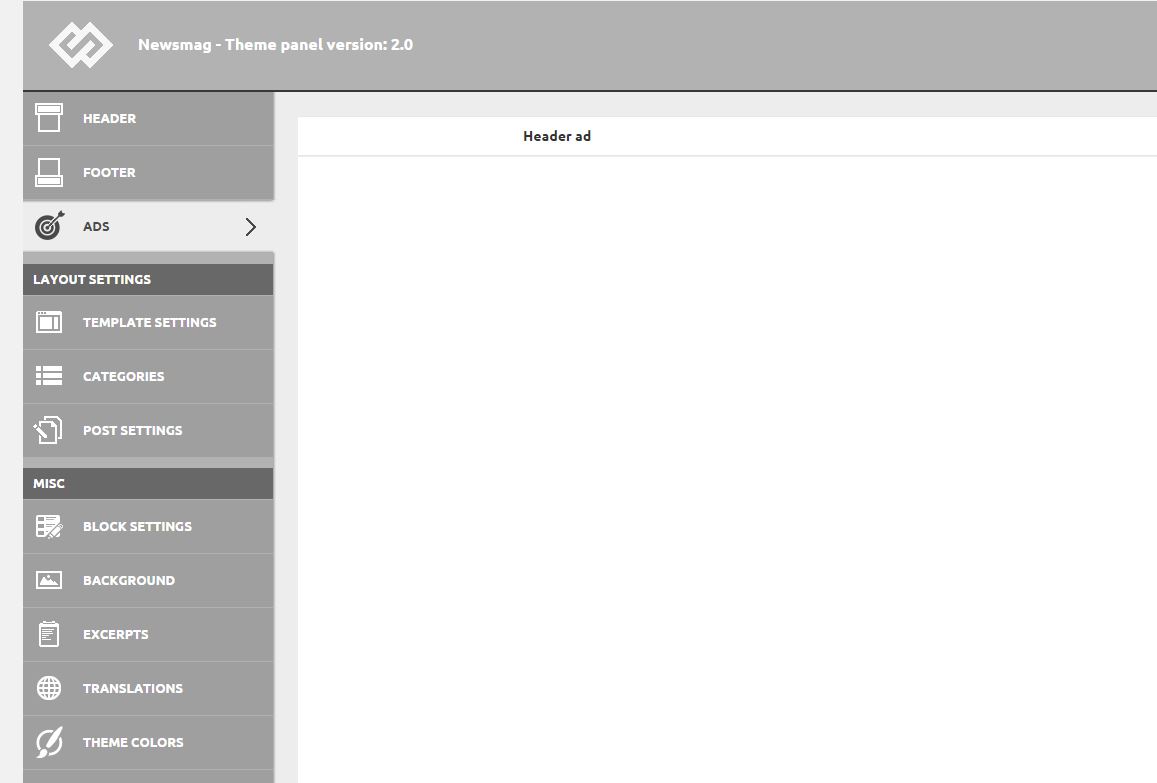
After installing the 2.0 update, I found that the Theme Panel menu is showing some weird css with a lot of white blank stuff. Unfortunately most of the settings aren’t visible because of this, and expanding a sub-menu just shows the option for a fraction of a second, and then it’s blank again.
https://i1.wp.com/www.idevice.ro/wp-content/uploads/2015/07/themepanel.jpg
 Thalisson
 TechRanker
 The theme has several SEO issues:
1. No H1 or H2 tags on the home page
2. No H2 tags on archive pages
3. Many missing alt tags on images
4. One user reports that this setting in WordPress SEO doesn’t work: Titles and Meta > Other > Noindex subpages of archives.
5. If you installed 6.2, your site may have been clobbered by a WordPress SEO incompatibility issue that has since been resolved in the current theme version.
You can manually fix some of these issues but I worry there are SEO issues we haven’t discovered yet.
Of note, many of the top selling Theme Forest themes have similar SEO issues.
I think TagDiv should pay Yoast to review their theme. A Yoast verified theme would be a nice selling point. I love the Newspaper theme so much, I would chip in on the cost of the Yoast review (lol). For now, I’m going back to another theme. :-/
 rajesh
 its not working in iis
but i installed apache server and now its working fine
thanks
 geekasms
Hi. Love the theme, however since installing it I’ve noticed a drastic drop in my site’s traffic. We’re talking a +30% drop. Has anyone else reported or experienced this issue? Not saying its an SEO issue, but when I purchased the theme I was hoping for a boost in my site’s performance, but not a fan of it being at the cost of actually traffic.
 zlato
zlatoHi
I have a Multisite for our use. Now i have thems install in -domain.com can be installed thems on second web sites (in Multisite) domain.com/second. So the domain is the same.
This i do not understand http://themeforest.net/licenses/standard
yes or no? 🙂
Thx
 doucare1971
 I get this “You do not have sufficient permissions to access this page.”, when activating Visual Composer screen and I have to load my website then back to dashboard and then that button is stuck on the dashboard. So something is up with the Visual Composer install. I have tried all different ways to install Visual Composer. FTP the install plugins under appearance and under the Newsmag settings and with the Plugins upload way. That is 4 different ways of installing the plugin and I still get this screen with “You do not have sufficient permissions to access this page.”
After going back to the dashboard it shows active with that open design options button on top.
doucare1971 I just bought the theme yesterday and got the latest installed with the included plugin of visual composer. I have even deactivated the plugins and nothing happened.
I can’t afford the toolkit to install, plus I have done this many times for years on WordPress. Not with this theme but with many themes in the past.
I am going to try to change theme in maintenance mode and uninstall and reinstall and see what happens.
-
This reply was modified 11 years by
doucare1971.
centenniaHello,
How can I restore the fonts of the default demo? I did something silly in the theme panel and now I can’t figure out the exact fonts that your default demo uses. I don’t seem to have an option to restore them, either. I can’t provide you with a link, because I am using a local installation. I have v.6.
Sorry for the inconvenience.
Thank you.
 Andrei L.
 Hi
Try to update the theme at the last version which it’s 2.0 and the visual composer plugin at current version 4.5.3, the plugin it’s included in the file you download from themeforest. Here it’s a guide about how can you update the theme: https://forum.tagdiv.com/how-to-update-theme/ and also delete the old version of visual composer and install the one from the theme.
Thanks!
Alin [tagDiv] Hi,
Do you used version 4 of the theme before and you want to upgrade to version 6?
If you do please make a full backup of your current installation – https://codex.wordpress.org/WordPress_Backups and then do a clean update, meaning that we recommend that you delete the old version of the theme before uploading the new one – https://forum.tagdiv.com/how-to-update-the-theme-2/ update also the theme plugins that come with the theme files from the /plugins folder. In the “how to update” guide is specified that you will have to run the script that will import from database your settings, will change the shortcodes. Unfortunately you will have to re-add your widgets in the sidebars as some of them may not be imported or don’t exist anymore, also they will become inactive.
Thanks!
Alin [tagDiv] Hi,
Did you installed the demo successfully, without any errors? Please make sure that you have updated/installed also the plugins that come with the theme files especially Visual Composer install it from – http://screencast.com/t/M0ZXtbAd9LSc and make sure that you use the latest version – http://screencast.com/t/hJOIbj3hd5
Please check this also without any plugins active, leave just Visual Composer, clear cache and see if you still have this issue also provide a link so we can take a look.
Thanks!
Alin [tagDiv] Hi,
I have checked this with the latest version of the theme 6.3 and seems to work better with Visual Composer row in row option – http://screencast.com/t/N4k5WCcry – http://screencast.com/t/iOVTU7BuXeC I asked the developer about this and we suggest to update to the latest version using this guide(make a full backup of your current theme installation) – https://forum.tagdiv.com/how-to-update-the-theme-2/ and also disable all your plugins before update. After update please make sure that no files from version 4 will remain, to make sure of that you can try to update via ftp – https://forum.tagdiv.com/install-via-ftp/ then update also the theme’s plugins from the /plugin folder, activate it from here – http://screencast.com/t/ZtkWY5ykJgCh and make sure that you use the latest version – http://screencast.com/t/nn2stdsARkr check your site only with Visual Composer active and see if it works.
In the “how to update” guide is specified that you will have to run the script that will import from database your settings, will change the shortcodes. Unfortunately you will have to re-add your widgets in the sidebars as some of them may not be imported or don’t exist anymore, also they will become inactive.
Thanks!
-
This reply was modified 11 years by Alin [tagDiv].
doucare1971Having this show up with button, but when clicking on it says this “You do not have sufficient permissions to access this page.”
It has something to do with visual composer and I uninstalled and reinstalled via dashboard and newspaper plugins and I even done through plugins on dashboard of WordPress. Still shows up. How do I get rid of it?