- NewsmagPage templates
- NewsmagCategory templates
- NewsmagFooter templates
- NewsmagDefault post templates
- NewsmagPost templates
- NewsmagHomepage – How to build and set it
- NewsmagtagDiv Composer Tutorial
- NewsmagCustom Post Type Support
- NewsmagNewsmag documentation
- NewsmagHow to use the Visual Composer plugin
- NewsmagHeader styles
- NewsmagSmart sidebar
- NewsmagCategory grid styles
- NewsmagCategory top post styles
- NewsmagHow category settings work
- NewsmagFeatured images
 Bettina
 Hello!
Anything you add to the global category template is displayed automatically in all your categories. If you want a menu to display differently on each page, you should have different category templates assigned to your categories.
Please follow the steps:
1. Go to the Cloud Templates and duplicate the category template: https://app.screencast.com/BNzUFeC6LowNM
2. Rename the duplicated template with the name of the category you wish to assign. https://app.screencast.com/xYkkdBFTeIF88
3. You can edit with the tagdiv composer each template to change it and add the elements you need for each category: https://app.screencast.com/GBXyRRA5lZMGH
4. You should assign them. So, the simple way is to go to the theme panel settings: https://app.screencast.com/mpuweTKi1QfH2
Thank you!
 richbilt2
Hi, i’m using a cloud category theme – Urban Observer – across my site. It’s set to NOT be global in the theme panel so hopefully this means any change i make to each category page will be only to that category (also set to NOT be global in each category area).
So in one cateogory – called ‘automotive’ i’ve added a menu in the header – also called ‘automotive’ and added it on the top of the page. I’ve then created another menu called ‘tech and gadgets’ and added it only to the ‘tech and gadgets’ category page. both menus contain different entries. But when i add the automotive menu onto only the automotive category page, it appears globally on all category pages. I then add the ‘tech and gadgets’ menu onto the ‘tech and gadets’ category page and all category pages display that menu.
As I say, in the theme panel, both categories have the ‘inherit from global settings’ set to off – so just the name of the category template is showing.
Am I doing something wrong or is the category theme broken?
cheers
Bettina Hello!
I’m not sure what you mean exactly. Do you mean copy content for the mobile pages? https://tagdiv.com/newspaper-10-3-7-update-brings-customizable-and-fast-mobile-pages/
More documentation about the cloud templates is here:
– https://forum.tagdiv.com/cloud-library-templates/
– https://forum.tagdiv.com/design-post-pages-using-cloud-library-templates/
– https://forum.tagdiv.com/cloud-library-category-templates/
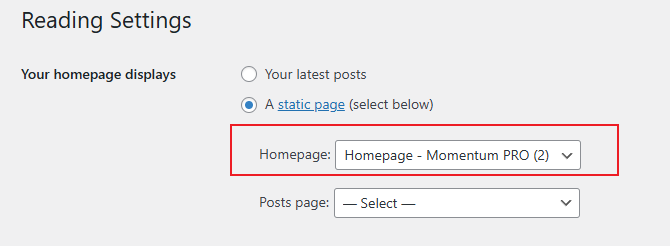
About pages here: https://forum.tagdiv.com/page-templates-2/ -> https://forum.tagdiv.com/homepage-how-to-build-and-set-it/
Check out this video about how to create a website from scratch: https://www.youtube.com/watch?v=SoGQ0d5kIBg
If you want, I can take a look, see exactly the issue, and let you know what you can do there. Please contact us via email at contact@tagdiv.com and provide the following:
– admin url and credentials
– more details about the issue
– a link to this topic in order to identify you
Thank you!
 DavidJackson
 Thanks so much for your help.
with regard to prebuilt, I saw it says make a copy of the page (is it solely pages) or cloud templates too? as there are a lot of documents.
I managed to get the ACF to work on the page. I am however getting pretty stuck with the search, and it returning anything helpful. It doesn’t seem to be putting any information I’ve included in a listing. Is there are more comprehensive search page I’ve not found. I have also changed the filter to show posts of my new category, and it returns nothing at all.
Thanks
D
Bettina Hello!
We have 3 options available for mobile versions that you can use:
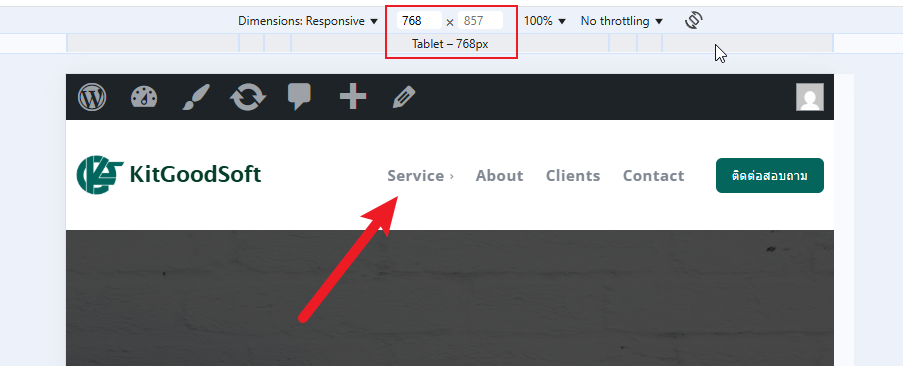
1. Responsive version: A responsive version of your website looks similar to the desktop version. TagDiv Composer is used to edit the page. Click on the mobile viewport: https://www.screencast.com/t/XDQJedlggSB. You can see your mobile version there and edit or adjust the elements to look better.
2. Mobile pages: https://tagdiv.com/newspaper-10-3-7-update-brings-customizable-and-fast-mobile-pages
3. Mobile theme plugin: The Mobile Theme is a performance-optimized theme included in the main Newspaper theme that only loads on mobile devices. It comes with its own templates and designs for pages, posts, categories, etc., so your current templates from the desktop theme will get converted to the mobile theme layout. Please see https://forum.tagdiv.com/the-mobile-theme/ and https://forum.tagdiv.com/mobile-theme-introduction/ for more information.
A full explanation is here: https://www.youtube.com/watch?v=SpGkOnJeNZY
If you need to use mobile version 1 or 2, then you need to uninstall the Mobile Theme plugin and AMP.
Thank you!
Bettina Hello!
Use a single cloud template, so you can edit it with the tagdiv Composer, and there you can drag & drop the elements in any green area.
A useful guide here: https://forum.tagdiv.com/tagdiv-composer-tutorial/
More documentation about the cloud templates is here:
– https://forum.tagdiv.com/cloud-library-templates/
– https://forum.tagdiv.com/design-post-pages-using-cloud-library-templates/
– https://forum.tagdiv.com/cloud-library-category-templates/
About pages here: https://forum.tagdiv.com/page-templates-2/ -> https://forum.tagdiv.com/homepage-how-to-build-and-set-it/
Check out this video about how to create a website from scratch: https://www.youtube.com/watch?v=SoGQ0d5kIBg
Thank you!
Bettina Hello!
Unfortunately, I can’t see your website page because your website is in maintenance mode.
Should the tags be set as tag names, or should they not?
Try to set only the name of your categories(category) and not the name of your CPT. Also, make sure you selected a category for your posts in Gutenberg.
Unfortunately, you can not edit the default templates with the tagdiv Composer. The default templates settings are in the theme panel settings, or you need custom code, which I do not recommend. For example, you can use the templates of the default demo PRO.
Thank you!
Bettina Hello!
You can make the footer row sticky at the bottom only on those pages. Duplicate the footer template and manually assign the sticky footer template only for those pages from the Website Manager: https://forum.tagdiv.com/tagdiv-composer-website-manager/, and set the normal footer as global.
Thank you!
Bettina Hello!
You can not edit and customize the Mobile theme with the tagdiv Composer.
We have 3 options available for mobile versions that you can use:
1. Responsive version: A responsive version of your website looks similar to the desktop version. TagDiv Composer is used to edit the page. Click on the mobile viewport: https://www.screencast.com/t/XDQJedlggSB. You can see your mobile version there and edit or adjust the elements to look better.
2. Mobile pages: https://tagdiv.com/newspaper-10-3-7-update-brings-customizable-and-fast-mobile-pages
3. Mobile theme plugin: The Mobile Theme is a performance-optimized theme included in the main Newspaper theme that only loads on mobile devices. It comes with its own templates and designs for pages, posts, categories, etc., so your current templates from the desktop theme will get converted to the mobile theme layout. Please see https://forum.tagdiv.com/the-mobile-theme/ and https://forum.tagdiv.com/mobile-theme-introduction/ for more information.
A full explanation is here: https://www.youtube.com/watch?v=SpGkOnJeNZY
If you need to use mobile version 1 or 2, then you need to uninstall the Mobile Theme plugin and AMP.
Thank you!
 Anamaria
 Hello,
Yes, you can restore a footer template if you have the reviosn activated. You can use a revision of the page or template -> https://www.wpbeginner.com/beginners-guide/complete-guide-to-wordpress-post-revisions/
Thank you!
 Børnenes Aarhus
Hi tagDiv Support Team,
I’m having an issue where the <h1> tag around the logo isn’t being removed, even after enabling “Disable H1 on logo” in both the frontend (tagDiv Composer) and backend (Theme Panel). I’m running Newspaper version 12, updated from version 8, and working in a test environment to redesign my site. My goal is to fix a “Multiple H1” issue flagged by Screaming Frog, where the logo has an empty <h1> alongside the page title’s <h1>.
Here’s what I’ve tried:
In tagDiv Composer (Frontend):
I imported a new header from Cloud Library.
Edited the “Header Logo” block, found “Disable H1 on logo” (a checkbox), checked it (enabled it), and saved the template.
Assigned the new header to the homepage in Theme Panel > Header > Main Menu.
In Theme Panel (Backend):
Went to Theme Panel > Header > Logo.
Found “Disable H1 on logo” (another checkbox), checked it (enabled it), and saved settings.
Cache Clearing:
Cleared W3 Total Cache (“Empty All Caches”).
Cleared Chrome browser cache and tested in incognito mode.
Despite these steps, the <h1> tag remains in the source code. Here’s an example of what I see when inspecting the page in Chrome:
html
<h1><span class=”tdb-logo-img-wrap”> </span></h1>
This empty <h1> causes a “Multiple H1” issue, as my page titles (e.g., from “Single Post Title”) also use <h1>.
What could be overriding the “Disable H1 on logo” setting? Is this a known issue after updating from version 8 to 12? Could old templates or settings from version 8 be interfering? Any help would be appreciated!
 obit8
obit8When I try to modify the image in the header of the Blockchain Pro template’s home page, all the original image formatting breaks and the image appears on the line below without the possibility of modifying it like the original!
Even modifying the image settings through the TagDiv composer becomes super complicated and I can’t fix this part!
The site is currently only visible if you are logged in as an administrator, but I’ll leave you a screenshot
 mongreanly
 I already assigned the mobile template https://t7516229.p.clickup-attachments.com/t7516229/ff5d9aa2-bdac-41b2-a273-82fb1cc5e1c2/image.png?view=open
and set up homepage https://t7516229.p.clickup-attachments.com/t7516229/e40b838a-92c4-4ee0-9e5d-d498e0ed0404/image.png?view=open
but it not display mobile menu https://t7516229.p.clickup-attachments.com/t7516229/6ca0ca3d-54e2-49de-9f82-ba62d8145826/image.png?view=open
Bettina Hello!
You did not seem to assign the template and the mobile page you’ve built. Mobile pages: https://tagdiv.com/newspaper-10-3-7-update-brings-customizable-and-fast-mobile-pages
Homepage set up: https://forum.tagdiv.com/homepage-how-to-build-and-set-it/
About Cloud Library Templates: https://forum.tagdiv.com/cloud-library-templates/
Thank you!
Bettina Hello!
It helps you to display a custom field in the button URL, for example, but we have the shortcode custom field as well: https://forum.tagdiv.com/custom-fields-support/
You can display a custom field for a post or listing in a block on your homepage. You should use a custom module template displayed with the help of the flex block builder: https://forum.tagdiv.com/modules-builder-newspaper-theme/
Thank you!
Bettina Hello!
For example, page templates are different from the single, category, tag templates.
So, you should edit the pages one by one. But if another template is global, for example, a single cloud template, then you should make the changes once, and they will apply to all your articles.
More documentation about the cloud templates is here:
– https://forum.tagdiv.com/cloud-library-templates/
– https://forum.tagdiv.com/design-post-pages-using-cloud-library-templates/
– https://forum.tagdiv.com/cloud-library-category-templates/
About pages here: https://forum.tagdiv.com/page-templates-2/ -> https://forum.tagdiv.com/homepage-how-to-build-and-set-it/
Check out this video about how to create a website from scratch: https://www.youtube.com/watch?v=SoGQ0d5kIBg
Thank you!
Bettina Hello!
We have 3 options available for mobile versions that you can use:
1. Responsive version: A responsive version of your website looks similar to the desktop version. TagDiv Composer is used to edit the page. Click on the mobile viewport: https://www.screencast.com/t/XDQJedlggSB. You can see your mobile version there and edit or adjust the elements to look better.
2. Mobile pages: https://tagdiv.com/newspaper-10-3-7-update-brings-customizable-and-fast-mobile-pages
3. Mobile theme plugin: The Mobile Theme is a performance-optimized theme included in the main Newspaper theme that only loads on mobile devices. It comes with its own templates and designs for pages, posts, categories, etc., so your current templates from the desktop theme will get converted to the mobile theme layout. Please see https://forum.tagdiv.com/the-mobile-theme/ and https://forum.tagdiv.com/mobile-theme-introduction/ for more information.
A full explanation is here: https://www.youtube.com/watch?v=SpGkOnJeNZY
If you need to use mobile version 1 or 2, then you need to uninstall the Mobile Theme plugin and AMP.
Thank you!
 Babawomba
 Hi,
This is also not about the problem that I described.
Let me define it again in other simpler words:
– The table embed does not work correctly in posts as it expands the post content column width, which it should not
– It works on pages as expected
– for pages and the posts template I use the exact same settings
-> The problem is just about the post content column width, which changes on posts when a table is added via shortcode.
Babawomba Hi,
We have disabled all ads on the sample post which we shared to demonstrate the issue:
https://winbuzzer.com/2020/02/11/microsoft-deepspeed-with-zero-can-train-100-billion-parameter-ai-models-xcxwbn/
Everything works fine on pages where I embed taxopress tables, and ads are no issue there:
https://winbuzzer.com/ai/models/
This is a specific issue that only affects posts/articles. We have set up the post template exactly the same like the page template we are using.
 GusV
GusVHello Support Team,
I am trying to to upload my custom logo onto the Header Template – Magazine PRO which is visable in the Tagdive page editor however when I save it the header does not show on the live browser please see images:
http://greatincomes.com/wp-content/uploads/2025/03/1.jpg
http://greatincomes.com/wp-content/uploads/2025/03/2.jpg
Thanks
Gus
Bettina Hello Vunt!
If you will edit the article with the tagdiv Composer, you can hide or delete it. You can also duplicate the template and have multiple templates that you can set for each article or the articles from a category: https://app.screencast.com/tfQZrcgL1m3ry
You can have different design templates and install different single cloud templates from Cloud Library: https://app.screencast.com/9uKJDKSiUCdyz More info here: https://forum.tagdiv.com/design-post-pages-using-cloud-library-templates/
Thank you!
Bettina Bettina Hello!
This page uses a default template and not a cloud one. Did you assign a cloud template to this page?
Thank you!
 mcneillmedia
Hi, we’re having trouble with the latest Newspaper 12.6.9 update.
Here’s access to our sandbox site:
https://dev.lodgingmagazine.com/
username: sandbox
password: sandbox1234
The home page seems to be okay, but some of the cloud templates aren’t working after the update, example:
https://dev.lodgingmagazine.com/category/food-and-beverage/
Please advise?
Thanks!
Bettina Hello!
Sure. This is possible when using cloud templates. We recommend using cloud/PRO templates to have the possibility to edit them with the TagDiv Composer, which contains a lot of functions and features; please check our tutorial here: https://forum.tagdiv.com/tagdiv-composer-tutorial/
More documentation about the cloud templates is here:
– https://forum.tagdiv.com/cloud-library-templates/
– https://forum.tagdiv.com/design-post-pages-using-cloud-library-templates/
– https://forum.tagdiv.com/cloud-library-category-templates/
About pages here: https://forum.tagdiv.com/page-templates-2/ -> https://forum.tagdiv.com/homepage-how-to-build-and-set-it/
Check out this video about how to create a website from scratch: https://www.youtube.com/watch?v=SoGQ0d5kIBg
Thank you!