
No search results were found in Documentation!
 Calin
Calin Hello !
Usually this happens due to low wp-memory value, try to set it to 256M if possible
– https://tagdiv.com/newspaper-theme-requirements/
Thank you!
Calin Hi,
Please make sure that all the theme status are as in our guide, those should look something like this -> http://prntscr.com/ooxhij > https://forum.tagdiv.com/requirements-for-newspaper/ usually the wp-memory need to be set at list to 256MB after that this should work
Thank you!
 Vlad S
 Hello !
I have reviewed your pages and everything seems to be in order now. Please make sure that the Newspaper theme requirements are all up to date. Check the link here: https://forum.tagdiv.com/requirements-for-newspaper/
Thank you !
Vlad S Hello !
Please make sure that you have followed all the steps of the install wich can be found here: https://forum.tagdiv.com/install-via-wordpress/. Also you must have all the Newspaper Theme Requirements up to date as you can see here: https://forum.tagdiv.com/requirements-for-newspaper/
If you have followed all the steps found there please contact us via email at contact@tagdiv.com and provide admin login, as well as cPanel or FTP if possible. We will take a look. Include a link to this topic in the email.
We will help you install it.
Thank you !
 mrozangir
 Hello,
Theme requirements have been adjusted according to the requirement guide. However, the site crashes shortly after the search.
After searching, the status of the site can be seen in the following screenshot:
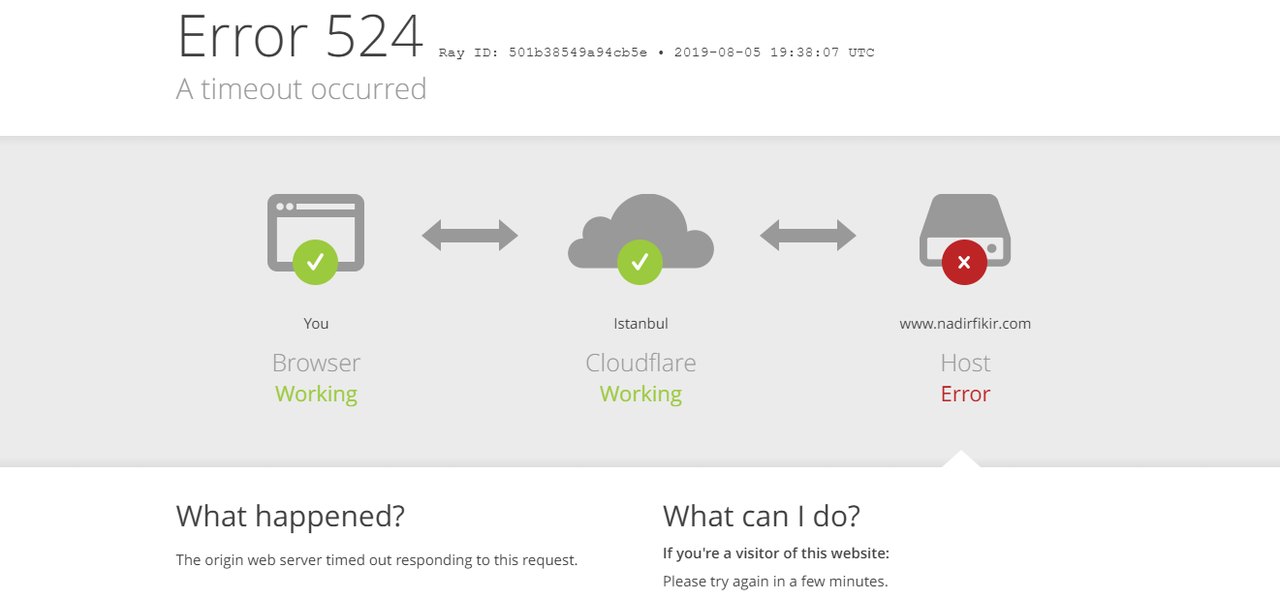
Note:
Site crashes when you search with a live search box

However, there is no problem when searching with the other search box

Both search boxes are currently active on the site. You can try it.

 Stephan Meyer
 Hello, I’ve got the same issue.
I’ve found a “timeout” error in my browser console when trying to access the list of templates, please refer to the screenshot (https://drive.google.com/open?id=10wjBG976DSbY2Nndps7dCupiyHIGsuD7) attached.
(All system parameters are set according to the requirements described in https://forum.tagdiv.com/requirements-for-newspaper/)
Any idea? Does the cloud template server try to connect my web page (which runs with http only)?
Regards
Stephan
-
This reply was modified 7 years by
Stephan Meyer.
 dereklc
 Calin, thank you for your response. I did make some progress.
1). I checked all requirements and most conformed. The only thing I had to do was update the htaccess file and then all requirements were met.
I also deactivated all plugins that I didn’t get with the theme.
In the end, it was the same behavior. When I create a template from the category-nomad template, it works properly and the button on the template page says “create template”. When I try it with the contact-nature love template, the same button says “create PAGE”. So, again, my question is: is that the way it’s designed and you can’t create a template from nature love? Or is it mis-behaving?
2) I was able to change the image using the method you described. So thank you for that one! A supplementary question: if I want to have the image fill the field, what size is best to make the image so I can control better what is being displayed?
3) I had WP-forms lite installed, but noticed that it was Contact 7 that was listed in your tested plugins, so I had changed. Should WP-forms also be listed on your list of tested plugins?
The issue is not so much that I don’t know the process to follow in this case — what happens is that when I click the EDIT CONTENT button, the edit window opens, but it doesn’t load. I only get the circle going round and round and it never loads. I’ve tried this on different browsers and its the same issue. Any suggestions for that?
Thanks,
Derek
P.S. Webjump, thanks for the support 🙂
Calin Hello,
Please make sure that all the settings are like in our requirements, please follow the guide carefully
– https://forum.tagdiv.com/requirements-for-newspaper/
and please increase all requirements that are lower, and follow all steps.
Please make sure that you do not have a plugin conflict with untested plugins, please deactivate all non theme/tested plugins, also if you are using child theme, clear all cache and try again.
Please read this guide for file permissions: https://codex.wordpress.org/Changing_File_Permissions
Thank you!
Calin Hi,
Please make sure that all the settings are like in our requirements, please follow the guide carefully
– https://forum.tagdiv.com/requirements-for-newspaper/
and please increase all requirements that are lower, and follow all steps.
Also please check this topic where you can find all the information you need to increase your website speed.
-> https://forum.tagdiv.com/topic/speed-7/
Hope this will help you!
Thank you!
Calin Hi,
I do not quite understand on witch icons you are referring, on those on menus? http://prntscr.com/ook6q4 -> http://prntscr.com/ook777 or to icons from the tagDiv Composer -> http://prntscr.com/ook7p0 also both are working for me, make sure that you do not have a plugin conflict and all theme requirements are st as in our guide https://forum.tagdiv.com/requirements-for-newspaper/
Thank you!
Calin Hi,
1. There should be import the how contact page like this http://prntscr.com/oojyx6
Please make sure that all the settings are like in our requirements, please follow the guide carefully
– https://forum.tagdiv.com/requirements-for-newspaper/
and please increase all requirements that are lower, and follow all steps.
Please make sure that you do not have a plugin conflict with untested plugins, please deactivate all non theme/tested plugins, also if you are using child theme, clear all cache and try again.
2. If you want to change the background image you’ll need to check on the row, in css tab http://prntscr.com/oojz6k
3. Install WP Forms plugins http://prntscr.com/ook02e create a form copy the code for embed -> http://prntscr.com/ook28i and set it in the contact page http://prntscr.com/ook3gc -> http://prntscr.com/ook3un
Thank you!
Calin Hi,
Please make sure that all the settings are like in our requirements, please follow the guide carefully
– https://forum.tagdiv.com/requirements-for-newspaper/
and please increase all requirements that are lower, and follow all steps.
After you’ve made all the theme requirement try again, the tagDiv Cloud Library should work.
Thank you!
Calin Hello !
First please make sure you are uploading the actual theme zip file, not the whole package
– https://forum.tagdiv.com/whats-included/
Here are the theme install guides, either by FTP or by WordPress
– https://forum.tagdiv.com/install-via-ftp/
– https://forum.tagdiv.com/install-via-wordpress/
That message you are receiving could also be caused by a low max upload size value, like in this similar topic
– https://wordpress.org/support/topic/the-link-you-followed-has-expired/
We recommend these values – https://forum.tagdiv.com/requirements-for-newspaper/
Please let us know if you have more questions.
Thank you !
 Jeremypus
 Hi Vlad,
I have checked the system requirements you specified. The only setting not compliant was PHP that has now been updated to 7.2. All the other requirements are superior to the minimum requirement.
After updating the PHP, the speed dropped even more. According to Google Speed insight, the website went from 38/39 to 36/37. Just a minor difference but not an improvement as well.
I have deactivated more plugins but with no results. It is very strange since with the previous theme and more plugins active my speed never dropped below 90.
For your reference, the website is on Cludflare and I have the following active plugins: Autoptimize, Async JavaScript, Breeze, Webcraftic Clearfy and WP Super Cache.
Any clue if there is some conflict here? Do you have any idea why after installing Newspaper the speed dropped so dramatically?
Thx for your help
Calin Hi,
Please make sure that all the settings are like in our requirements, please follow the guide carefully
– https://forum.tagdiv.com/requirements-for-newspaper/
and please increase all requirements that are lower, and follow all steps.
Please make sure that you do not have a plugin conflict with untested plugins, please deactivate all non theme/tested plugins, also if you are using child theme, clear all cache and try again.
If there is still a problem, you can send us an email at contact@tagdiv.com and provide admin login, as well as cPanel or FTP if possible. We will take a look. Include a link to this topic in the email.
Thank you!
Calin Hello!
Please make sure that all the settings are like in our requirements, please follow the guide carefully
– https://forum.tagdiv.com/requirements-for-newspaper/
and please increase all requirements that are lower, and follow all steps.
Please make sure that you do not have a plugin conflict with untested plugins, please deactivate all non theme/tested plugins, also if you are using child theme, clear all cache and try again.
The Mobile Theme -> https://forum.tagdiv.com/the-mobile-theme/
If there is still a problem, please provide some more details and some screenshots.
Let me know the results!
Thank you!
Calin Hi,
Please notice that is not indicate to edit the demo content because this will be lost, please check our documentation for demos http://prntscr.com/oog5f4 -> https://forum.tagdiv.com/installing-demos/
Also please make sure that all the settings are like in our requirements, please follow the guide carefully
– https://forum.tagdiv.com/requirements-for-newspaper/
and please increase all requirements that are lower, and follow all steps.
When tagDiv Composer is not working ->https://forum.tagdiv.com/tagdiv-composer-not-working/
If the problem is still there, please provide when this error appear, on what page, did that page was edit with other builder before, do you have other builder activate.
Let me know the results!
Thank you!
Calin Hello @sthifer!
Please make sure that all the settings are like in our requirements, please follow the guide carefully
– https://forum.tagdiv.com/requirements-for-newspaper/
and please increase all requirements that are lower, and follow all steps.
Please make sure that you do not have a plugin conflict with untested plugins, please deactivate all non theme/tested plugins, also if you are using child theme, clear all cache and try again.
Let me know the results!
Calin Hi,
Please provide some more details about the “bug” you are facing, some screenshots or a link to your website where I can inspect this problem.
Please make sure that you do not have a plugin conflict with untested plugins, please deactivate all non theme, also if you are using child theme, clear all cache and try again.
Also please make sure that all the settings are like in our requirements, please follow the guide carefully
– https://forum.tagdiv.com/requirements-for-newspaper/
and please increase all requirements that are lower, and follow all steps.
Thank you!
Calin Hi,
Please make sure that you have the last version of the Newspaper theme v9.8 and make sure that you do not have a plugin conflict with untested plugins, please deactivate all non theme ( let only the plugins with tagDiv ), also if you are using child theme, clear all cache and try again.
Please make sure that all the settings are like in our requirements, please follow the guide carefully
– https://forum.tagdiv.com/requirements-for-newspaper/
and please increase all requirements that are lower, and follow all steps.
Thank you!
Calin Hi,
Please make sure that all the theme requirements are set as in our requirement guide -> https://forum.tagdiv.com/requirements-for-newspaper/
If the problem persist please provide some more details some screenshots and what you do when the website crashed.
Thank you!
Calin Hi,
Please make sure that all the settings are like in our requirements, please follow the guide carefully
– https://forum.tagdiv.com/requirements-for-newspaper/
and please increase all requirements that are lower, and follow all steps.
After you’ve made all the theme requirement try again, the tagDiv Cloud Library should work.
Thank you!
Calin Hi,
Please make sure that all the settings are like in our requirements, please follow the guide carefully
– https://forum.tagdiv.com/requirements-for-newspaper/
and please increase all requirements that are lower, and follow all steps.
Please make sure that you do not have a plugin conflict with untested plugins, please deactivate all non theme, also if you are using child theme, clear all cache and try again.
Thank you!
Calin Hi @metooreporter,
Usually there are some plugin conflicts or the theme status is not made as in our theme requirement.
Please make sure that all the settings are like in our requirements, please follow the guide carefully
– https://forum.tagdiv.com/requirements-for-newspaper/
and please increase all requirements that are lower, and follow all steps.
Please make sure that you do not have a plugin conflict with untested plugins, please deactivate all non theme, also if you are using child theme, clear all cache and try again.
Mobile theme plugin documentation https://forum.tagdiv.com/the-mobile-theme/
If there is still a problem, please provide some more details and some screenshots.
Hope this will help you!
Let me know the results!
Thanks.
Vlad S Hello !
Please make sure that you have installed the Newspaper theme correctly and also make sure that all of our system requirements are completed: https://forum.tagdiv.com/requirements-for-newspaper/ If not, follow the steps found in the link in order to meet them.
Also make sure that you have installed the theme properly: https://forum.tagdiv.com/install-via-wordpress/
After installing the theme you should be able to activate the required plugins from the welcome screen with only one click: 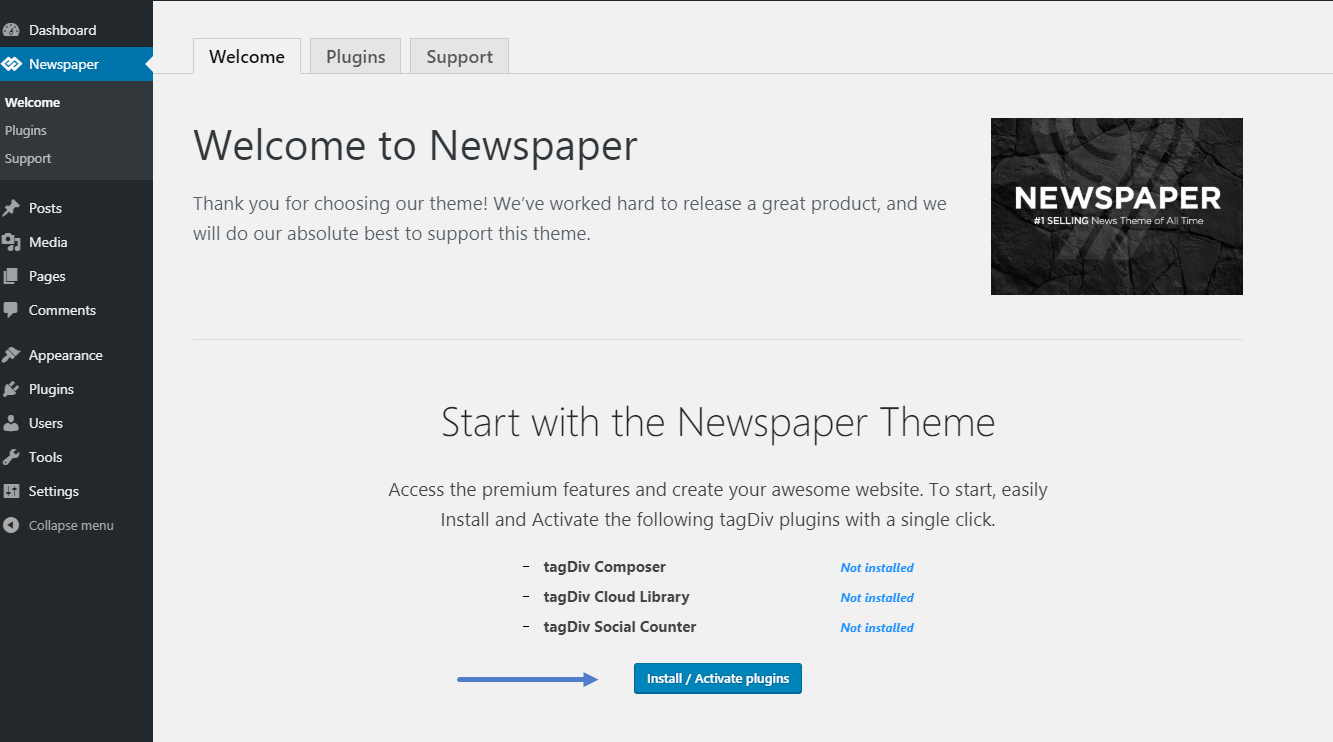
Thank you !
