
- NewsmagReviews
- NewsmagtagDiv Composer Tutorial
- NewsmagCategory templates
- NewsmagHow to add icons in the menu
- NewsmagNewsmag documentation
- NewsmagBlock settings tutorial
- NewsmagInstalling pre-built websites
- NewsmagMain menu
- NewsmagFeatured image or video
 mMedia
Hello,
Problem #1
I just updated the theme, and a lot of blocs on different pages are now corrupted.
Some colors on text blocs disappeared after the update, and when I try to correct it via the tagDiv composer, it’s just full bugged and I can’t even access the blocks.
In the same spirit, some images blocs are now displayed as base64 (I guess) when I’m on edit mode, and I can’t even access the bloc to edit it.
Problem #2
When trying to import the Animals Pro category page (https://demo.tagdiv.com/newspaper_animals_pro/category/animals/), the image space shows on the tagDiv editor, I can set an image as background, which is displayed in preview mode, but is ignored when used in a category, and I can’t find any documentation about that.
 arcadiandev
Hi,
When typing under Embedded Video Links on a new post, a huge space is left between the video and text. It is not like this on the preview. Please see the link below. You’ll see it immediately after the Minecraft youtube video and it continues on. Is there something that I need to do in the draft before publishing?
Any advice would be great!
 erickimani
I have a website that was created using wpbakery yers ago. With the new theme I am using tagdiv composer as advised.
I created a page using tag div but its all broken up on the front end but in the backend when I preview it is ok
This is the page https://constructionreviewonline.com/magazine-archives-2/
What is the problem?
 tip4pc
As i mention. Recently Google emailed me and notice that all of my post in review posting is ‘Item does not support reviews’ – 1 invalid item detected
Invalid items are not eligible for Google Search’s rich results
I didn’t know why, because after use the Newsmag themes, i must modified all of my review post to meet the new themes’s standard (48 posts)
Could you tell me how to fix that so i can resubmit to Google. Thank you
 Calin
Calin Hi,
We have some demos that are full width too, but indeed there are more that are not, there are many users that use laptops or small screens therefore most of our demos have small width.
If you want you can check the demos here -> https://demo.tagdiv.com/select_demo/select_demo_newspaper?utm_source=live_preview&utm_medium=click&utm_campaign=demos&utm_content=demos_button#demos also you can edit the demos using tagDiv Composer if you want to make theme full with, in special PRO demos.
Thank you!
 merquart
Hey,
I’m trying to automatically insert tag_slugs for the flex_block_1, but I’m not sure how to do that.
I’ve got a bunch of like “profile pages” and would like to show a “more about this person” tab, which displays all posts that use the name of that person as a tag_slug.
I tried to do that with a small wordpress plugin, that simply returns the [td_flex_block_1] code with the name of that person. (see Image 1 and the code)
Image 1:

$ausgabe .= "[td_flex_block_1 modules_on_row='eyJhbGwiOiIzMy4zMzMzMzMzMyUiLCJwaG9uZSI6IjEwMCUifQ==' limit='6' hide_audio='yes' modules_gap='1.4%' image_height='65' hide_image='' image_width='' image_floated='' meta_padding='' image_radius='' meta_info_horiz='' modules_category='above' modules_category_margin='' show_cat='' show_author='' show_date='' show_review='none' show_com='none' show_excerpt='' show_btn='none' tag_slug='" . $artistname . "' sort='random_posts' td_ajax_preloading='preload' ajax_pagination='next_prev' meta_info_align='' custom_title='Mehr zum Thema " . $artistname . "' custom_url='https://thisismywebsite.de/tag/" . $artistname . "/' block_template_id='' accent_text_color='#48aba2' header_text_color='#ffffff']";
But on the page the code gets printed out 1:1 (see Image 2)
Image 2:
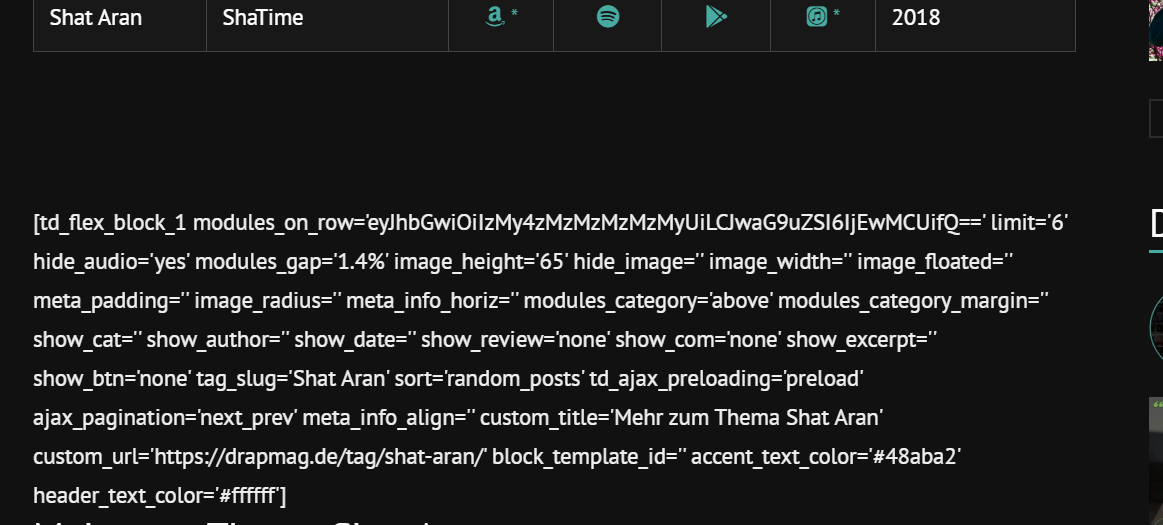
If I copy & paste this code like it is into the post it works (see image 3 & 4)
Image 3:
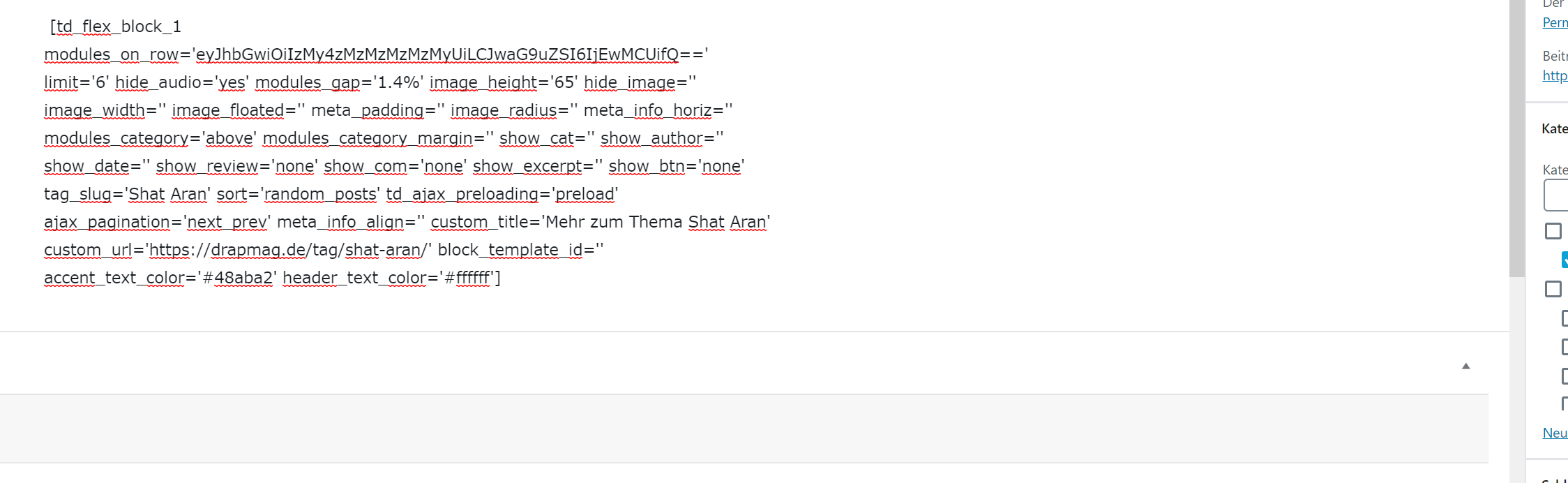
Image 4:

Is there anything I can do to make this work with using wordpress_shortcodes? Why does it get printed out plain when I’m using the method I tried? Or maybe there’s another workaround to use flex_block without manually changing the tag_slug on every page?
Big thanks in advance for your help.
Best regards
 drevio
Hello,
I have invitation website.
And People need to see the preview before download.
USually, they clicked on the image, to see the details.
But, in my web, when they clicked the image, they will pointed to image URL which they need to click “Back” button.
I think, it will be better if when they clicked on the image, the lightbox will come up. without forwarded to Image URL.
Can we do that?
 Amari
AmariGood day,
I was wondering if, similar to other themes, are there any plans to add, at the bottom of the review bars, the option for users to vote?
If not, what is the process to request that in a future update?
Calin Hi,
1. We do not recommend to to use WPBakery (visual composer) on post, only on pages -> https://forum.tagdiv.com/how-to-use-visual-composer/ also do what was the previews version that you use until the update? do you still have a backup ?
2. WPBakery is a bundled plugin and in Newspaper 10.3.1 (last version) the WPBakery version is 6.1 -> https://i.imgur.com/gZzLMk3.png as I can see you are using an old WP Bakery v5.0.1
4. As long the theme updates were made correctly then there should be no problems for pages.
5. Unfortunately our theme do not have this system, the only way to set the code only on a specific page is to set the id of page/post in your code.
If there is something that you do not understand or you have other questions, please let me know!
Thank you!
 Prasanta90
After updating 10.3, when I tried to share my post to any social platform, the major problem is “link preview image not appear.” Neither in Facebook nor in Whatsapp.
My Website link: https://onplaygrounds.com/
 claudia
Hi,
I have a problem with -I think- the generation of the preview image of the articles in the category pages.
If you look here (https://www.iltradate.it/category/il-saronnese/) or click on all the categories in the menu, you can see that the first preview image is ok, but a total of the subsequent images are broken (although all the articles have the featured image correctly).
What could be the problem?
How can I solve it?
Thank you
 Heideweb
Hello
I have problems with the fonts in the newspaper 10.3
I don’t use Google Fonts. Open Sans is set as the default font everywhere.
The fonts are displayed correctly in the composer and in the preview. But not on the live website.
Website: http://www.hundestrand.eu
erickimaniWhen we upload an image there is an extra thumbnail image appearing under the featured image on most posts.
The contributors are using the USP forms to upload their articles and images
See this post as an example.
 mikevic80
Hi there,
We have a heavy traffic website and over the past plus week, our website has been failing and getting a 504 error. We had our server techs review it to see where the issue is and they’re saying the problem appears to be coming from
wp-content/plugins/td-composer/legacy/common/wp_booster/td_wp_booster_functions.php
Here are some of the messages they sent me:
I’m seeing lots of uncached admin ajax requests throwing the action “[action] => td_ajax_update_views” coming from this plugin:
wp-content/plugins/td-composer/legacy/common/wp_booster/td_wp_booster_functions.php
129:add_action(‘wp_ajax_nopriv_td_ajax_update_views’, array(‘td_ajax’, ‘on_ajax_update_views’));
130:add_action(‘wp_ajax_td_ajax_update_views’, array(‘td_ajax’, ‘on_ajax_update_views’));Whatever that plugin is doing is hitting Apache directly without being cached and in mass.
The other message they said:
You got it, at the very minimum, have them troubleshoot why the following function:
wp-content/plugins/td-composer/legacy/common/wp_booster/td_wp_booster_functions.php
Is throwing out all the admin ajax requests “td_ajax_update_views” in an uncached manner
Any help is greatly appreciated – even if we have to disable something in the meantime.
Thank you
 Vlad S
 Hello !
We have reviewed your website and everything looks in order: https://www.screencast.com/t/3JhjpRvsIpOr
Thank you !
 SmartinW
I’m having trouble with the Pulses Pro templates, specifically the Single Page and Categories templates. These templates display correctly in the tagDiv Composer, with all the columns in the right places. But when I view the live site, the columns are all full width. What’s even weirder is that the live preview of the templates works correctly.
For example on the preview/demo of the Single Page template for Pulses Pro, the Must Read column is on the left hand side of the scree, with the page content next to it in the middle of the page, and then a sticky Latest Articles column on the right of the screen.
On my site the stick Latest Articles column on the right works okay, but the Must Read column takes up the rest of the width of the page and the page content appears below it. I haven’t made any changes to the template, and the layout works perfectly in the actual tagDiv Composer!
 Mark Gilbert
Could you see my experience with date no longer showing on posts that include product review and advise how to fix? https://forum.tagdiv.com/topic/posting-date-no-longer-showing-on-posts/
 faraz1990
my website not load as per your demo
website link is https://quickreview.pk/
Mark Gilbert Also, in blocks “SHOW AUTHOR NAME Enable or disable the author name (on blocks and modules)” appears not to work. I have “show date” and “show author name” selected but only date shows – https://jazzjournal.co.uk/category/reviews/audio-reviews/
Mark Gilbert If “no” is selected in response to “Is this a product review?”, the date returns to the top of the post and stars disappear. Can this really be a plugin conflict?
Mark Gilbert I have the same problem since updating from 9.2.2 to 10.3 this weekend.
This post, not using product review – https://jazzjournal.co.uk/2020/03/01/obituary-jon-christensen/ – shows date.
This post, using product review, shows stars (not requested) and no date – https://jazzjournal.co.uk/2020/03/01/maria-mendes-close-to-me/
I hope this can be resolved very quickly – dates are important.
Thanks
Mark Gilbert
 iconshare
Hello,
Why when i want to see a new article in Preview mode can not until public the post, how can i fix this problem?
Thanks
Calin Hi,
Our theme can display only the stars reviews on Google, what you need can be achieve only with custom work.
Thank you for your understanding!
Amari Specifically, any post with “Is this a product review?” being used seems to not show the date.
 anweshak_10
Our reviews are showing up on Google as votes. We want it to show the reviewer’s name instead.
Here’s the screenshot:
https://theenvoyweb.com/wp-content/uploads/2020/02/Screen-Shot-2020-02-28-at-23.56.09.png


