
No search results were found in Documentation!
 Simion C.
 Hi,
If you mean the review system, these are all the theme options
– https://forum.tagdiv.com/reviews-2/
Reviews will have to be set for each post individually. If you require more advanced options, you could try a review plugin which has the options you want.
Thanks
 dmariosblog
how do i remode or edit the texts that is unclickable on my website? they’re on top of everybox on my website, im using newspaper theme with its demo they are WRC RACING,HEALTH & FITNESS, TECH AND GADGETS, PERFORMANCE TRAINING, HOUSE DESIGN, LIFESTYLE NEWS, MAKE IT MODERN, LATEST REVIEWS, HOLIDAY RECIPES, BUSINESS
Simion C. Hi,
I believe the contributor can only edit posts before they are published/approved by the admin, while pending review
– https://www.screencast.com/t/SfUsGKZbPc5
After being approved and published by the admin, the option to edit disappears, the contributor can only view them
– https://www.screencast.com/t/vTsd8VyrVLuN
I will add this on our list, the option to edit should not be displayed on the modules for contributors since they cannot edit posts. Sorry for any inconvenience caused.
Thanks
 Nano
Nano Now, even WordPress is officially promoting ‘Infinite Scrolling’ through Jetpack,

However, we still don’t have it here. Even, the copycat clone of our beloved Newspaper theme, “Newspaper Magazine AMP – Publisher” have this ‘Infinite Scrolling’ feature but in spite of multiple requests here, The TagDiv dev. says that they didn’t find any viable solution for this and hence they don’t have it here yet.
I don’t know why aren’t you looking at this feature seriously. 🙁
Regards.
 AZM
AZM Hi,
Thanks for answer.
1. I can add only text in descpription you have instaled pluing?

2. Yes but i need create 4 different style article description https://forum.tagdiv.com/excerpts-introduction/ this link show me how i can change only general style article description. Any idea how i can do this?
Ps. Why i dont see excerpt box when i edit a post?
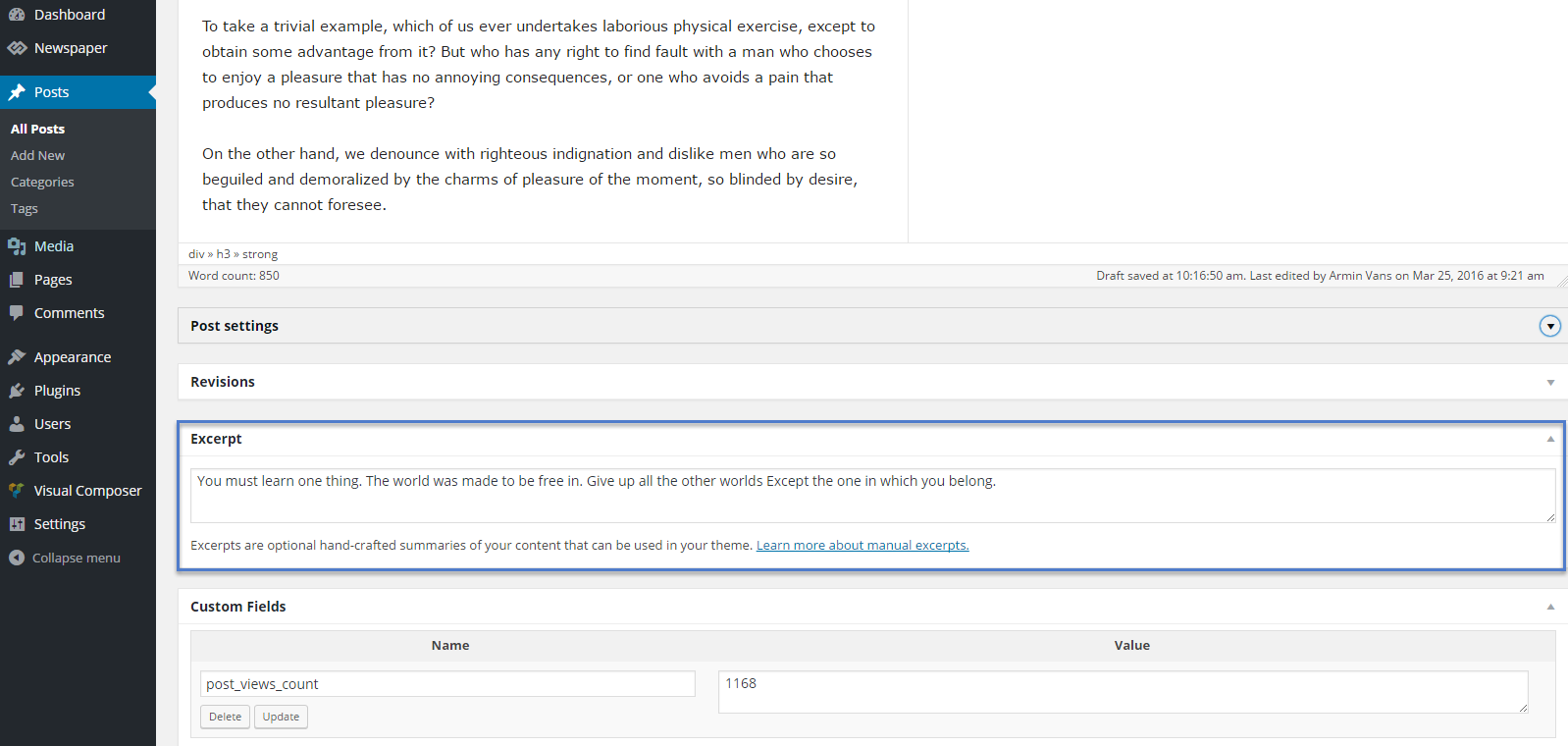
AZMHi. One of the last steps in creating my page is the subpage category.
I want it to look like a wireframe. So I have 2 questions:
1. How can I easily add a my html code with an icon and text to each category? Each category will have a different text and icon.
2. What is the easiest way to get a different number of characters that is shown as an article description?

 nadiasglobe
Hi. I want to get rid of the black color around the custom titles. For example, I don’t want to show red and black for “Popular”. I ONLY want to show red. I have tried all settings, but I don’t seem to understand how to do this, even with documentation. Can anybody please guide me?
The site is https://wellnessoutpost.com
Scroll down and you will see POPULAR, HEALING, and REVIEWS… All have the colors that I want but also this black color that I can’t seem to get rid of. Where do I go to remove it?
 vladimirni
 I found that this happens after installing plugin
Can you help me why this reflect to this theme?
Simion C. Hi,
The tagDiv composer is a required plugin, while Visual composer is considered optional. You should use this composer for the website, because we will add a considerable amount of options only for this page builder
– https://forum.tagdiv.com/tagdiv-composer-tutorial/
You can preview the theme demos here, to see how each looks
– https://demo.tagdiv.com/select_demo/select_demo_newspaper
Choose the one you like and simply install it
– https://forum.tagdiv.com/demos_introduction/
– https://forum.tagdiv.com/installing-demos/
Thanks
 Roger0012
 Wow now I am seeing that one of the benefits of yoast seo premium is the preview on social media.
May be this the reason of my problem? But before it works fine on free version.
It is not fair that they would do that…
 jmedina0107
Is there a way to choose which Categories appear in the Category Header Template? By default I am seeing Blog, Coming Soon, Gaming Reviews… Is there a menu where I can choose which ones are displayed?
Roger0012Hello,
Firstly sorry for my bad english.
My problem is that since I installed Newspaper 8, when I post an URL of a post on facebook, on the social media the post doesn’t show a preview.
I try to use Sharing debugger of facebook but it shows me the following issues:
The 'og:image' property should be explicitly provided, even if a value can be inferred from other tags.
The following required properties are missing: og:url, og:type, og:title, og:image, og:description, fb:app_id
Can you help me?
Thanks
 neoandrej
How can I remove all posts descriptions automatically: http://imghost.io/images/2017/11/06/SNIMOK.png ?
I need only post title in Facebook preview.
Here is an example what I need: https://www.facebook.com/BuzzFeed/posts/10156998065820329
Simion C. Hi,
There is an option to add reviews for posts, like this
– https://forum.tagdiv.com/reviews-2/
Thanks
 deltabh
 I placed the code there but i get a second reject from adsesne. I dont know why. Where did i get wrong?
Your AdSense application status
As mentioned in our welcome email, we conduct a second review of your AdSense application once AdSense code is placed on your site(s).
We did not approve your application for the reasons listed below
Insufficient content: To be approved for AdSense and show relevant ads on your site, your pages need to have enough text on them for our specialists to review and for our crawler to be able to determine what your pages are about.
To resolve this issue, please work through the following suggestions:
Make sure that your pages have sufficient text – websites that contain mostly images, videos or Flash animations will not be approved.
Your content should contain complete sentences and paragraphs, not only headlines.
Ensure that your website is fully built and launched before you apply for AdSense – do not apply while your site’s still in a beta or “under construction” phase or only consists of a website template.
Place the ad code on a live page of your website. It does not have to be the main page, but test pages that are empty except for the AdSense ad code will not be approved.
Provide a clear navigation system for your visitors so that they can easily find all of the sections and pages of your website.
If you’d like to monetize YouTube videos, please apply for the YouTube monetization program. Note that blogs and websites that contain only videos will not be approved.
 athibadin
Can I add a review section on my website?
 Little Nik
 Hi Simion,
Thank you so much for this – I forgot to mention sorry I’m using the baby blog demo which I’m loving – it’s clinical like I wanted.
What I’m struggling to work out how to do (or find which of the elements it actually is) is have it set up how i’m trying to. For instance I’d like my home page for the moment to literally be no header, my logo, the rev slider, then two blocks for the content etc, the instagram below it, then the footer.
I was hoping that when you’re actually looking at the home page, it stays neat and almost at a glance so the two blocks will have their respective images on them with only one short paragraph underneath so the page doesn’t start looking busy or have two much content to scroll down. Once you then click the image/paragraph you’re then ‘taken’ to the content instead of it being on the homepage if that all makes sense?
It’s currently set up using big grid 4 I think so I’d managed to get the two images on there when I placed them from the elements menu, but once I started editing it, when I preview it it’s all on the actual home page rather than behind the image in the block as I’d hoped. Have I selected the wrong element?
I’m sorry for such basic questions! I have to say I’m also struggling to work out where’s the best place to edit the actual posts. It seems that you select the elements and layout from the TagDiv composer and then go into my wordpress admin page to actually edit the content – is this correct please? If in the TD composer page the blocks look how i want them to. If i go into the WP admin page and then save and preview after the text and images are altered it looks entirely different and is all on the home page as i mentioned above?
Simion C. Hi,
The theme is fully responsive and will adapt the website for mobile devices. Elements will change appearance and order, so they will be displayed properly on mobile. There are no options to modify how the website will behave on mobile, it is predefined in the theme by multiple conditions.
When creating pages you can preview how they will look on mobile
– https://www.screencast.com/t/oJ99P7tkroK
There is an optional mobile theme plugin included in the theme package. This ads a different functionality on mobile. More information here
– https://forum.tagdiv.com/the-mobile-theme/
Thanks
 mhoulaha
I put a limit post to 2 for a block on my main page (block 12). When I preview the page, it does not limit to only 2 posts. When I go to tagdiv to edit, it has the limit of 2 and looks how I want. Why isn’t it showing on the live site?
 tagdivci
Hello Guys, I am planning to build a website like TripAdvisor using WordPress (especially your newspaper theme). what would you think about that? Do you think that it is possible using the right plugins with your theme? (rates, reviews, user profiles, search, calendar,currency, price calculation, etc…) also affiliate integration flight, hotel booking, advertisement?
deltabhHello i applied for adsense and i got the code i need to insert before they review the page. Where do I need to insert it?
Do i need to insert it in header.php or in ads section in theme panel?
 alexliu0317
 Hello,
This page has issue too. I won’t make any changes, so you can verify the problem easier.
http://jazko.com/category/travel/page/4/
However, the other pages do not have any issue.
http://jazko.com/category/travel/page/5/
http://jazko.com/category/travel/page/2/
http://jazko.com/category/travel/page/3/
Please review and advise. Thanks.
 yupsumit
how to remove css from footer. check reviewkabaap.com
 ArgBursatil
 Thank you for your answer Catalin. Finally I had to deactivate tagDiv Modal Login and use Normal WordPress login page. I noticed that when deactivating the Modal Login I lost the login menu for mobile. Is there any way to activate a login menu for mobile when I deactivated the modal login? Here you have a preview:
http://i68.tinypic.com/rsvv69.jpg
 Arafat
 check this: https://proreviewblog.com/

