- NewsmagHow to update a plugin
- NewspaperHow to update a plugin
- NewsmagHow to update the theme
- NewsmagHow to update the WPBakery plugin
- NewspaperHow to update the WPBakery Page Builder plugin
- NewspaperHow to Update the Newspaper Theme
- Apitd_api_top_bar_template::update_key
- Apitd_api_top_bar_template::update
- Apitd_api_single_template::update_key
- Apitd_api_single_template::update
- Apitd_api_footer_template::update_key
- Apitd_api_footer_template::update
- Apitd_api_smart_list::update_key
- Apitd_api_smart_list::update
- Apitd_api_thumb::update_key
- Apitd_api_thumb::update
- Apitd_api_category_top_posts_style::update_key
- Apitd_api_category_top_posts_style::update
- Apitd_api_category_template::update_key
- Apitd_api_category_template::update
 Bettina
 Hello!
You can revert to the previous update until we fix the issue.
We’re sorry for this inconvenience!
Bettina Hello!
I’m not sure which version of the theme you are using now, but in the latest theme update, there is a known bug with this shortcode, and I hope we can fix it in the next update.
Thank you for understanding!
 Anamaria
 Hello,
You have the mobile theme version now, so you can disbale the plugins to check the responsive version.
Using our theme, you can choose from 3 mobile versions
-> mobile responsive => https://www.screencast.com/t/oJ2ShOp47
-> mobile theme plugin => https://forum.tagdiv.com/the-mobile-theme/
-> mobile page => https://tagdiv.com/newspaper-10-3-7-update-brings-customizable-and-fast-mobile-pages/ The option that you need to use.
Suppose you created the mobile pages with tagDiv Composer. In that case, when you install the Mobile Theme plugin, your pages will be overwritten by the plugin (the mobile theme comes with its templates for page, post, category, etc, so your current templates from the desktop theme will get converted to the mobile theme layout, the page content is made without builders in mobile editor => https://www.screencast.com/t/xbgZG8kH also, the options that are provided to edit the mobile theme version are limited (this keeps the things simple)).
This is a video about Responsive Newspaper Theme, AMP & Mobile Theme, Mobile Pages & Templates -> https://www.youtube.com/watch?v=SpGkOnJeNZY.
So, the mobile responsive is what you see when that you select the viewport on phone => https://www.screencast.com/t/matV17hH, so some settings may apply for each viewport(where is the border blue), and others are not(where the border is black).
The mobile page has the mobile templates from Cloud Library => https://www.screencast.com/t/YCcZ8rL8
The Mobile responsive version of the theme and the mobile page editor can be edit with tagDiv Composer, the mobile theme plugin cannot.
For example, you can have the mobile theme plugin activated and use the mobile page/mobile responsive version for the homepage/pages, but for the categories pages/404 page, you can’t use the mobile page/mobile responsive version if you have the mobile theme plugin activated.
So, if you want to design the pages with tagDiv Composer, you can use the mobile page or mobile responsive version.
Thank you!
 Atrika
i have installed prebuild website in wordpress but in another browser or device when i access my domain theme can’t update
i have registerd the theme also
Anamaria Hello,
You have the mobile theme version now, so you can disbale the plugins to check the responsive version.
Using our theme, you can choose from 3 mobile versions
-> mobile responsive => https://www.screencast.com/t/oJ2ShOp47
-> mobile theme plugin => https://forum.tagdiv.com/the-mobile-theme/
-> mobile page => https://tagdiv.com/newspaper-10-3-7-update-brings-customizable-and-fast-mobile-pages/ The option that you need to use.
Suppose you created the mobile pages with tagDiv Composer. In that case, when you install the Mobile Theme plugin, your pages will be overwritten by the plugin (the mobile theme comes with its templates for page, post, category, etc, so your current templates from the desktop theme will get converted to the mobile theme layout, the page content is made without builders in mobile editor => https://www.screencast.com/t/xbgZG8kH also, the options that are provided to edit the mobile theme version are limited (this keeps the things simple)).
This is a video about Responsive Newspaper Theme, AMP & Mobile Theme, Mobile Pages & Templates -> https://www.youtube.com/watch?v=SpGkOnJeNZY.
So, the mobile responsive is what you see when that you select the viewport on phone => https://www.screencast.com/t/matV17hH, so some settings may apply for each viewport(where is the border blue), and others are not(where the border is black).
The mobile page has the mobile templates from Cloud Library => https://www.screencast.com/t/YCcZ8rL8
The Mobile responsive version of the theme and the mobile page editor can be edit with tagDiv Composer, the mobile theme plugin cannot.
For example, you can have the mobile theme plugin activated and use the mobile page/mobile responsive version for the homepage/pages, but for the categories pages/404 page, you can’t use the mobile page/mobile responsive version if you have the mobile theme plugin activated.
So, if you want to design the pages with tagDiv Composer, you can use the mobile page or mobile responsive version.
Thank you!
 PIF21
PIF21Hello,
Article images no longer appear when I copy and paste to a Twitter post. Does something need to be updated? Thank you.
 ned4spd8874
 It’s been a while…
So I’ve been way behind on versions for a while, but recently made a bunch of changes and updates, including getting everything running on the latest versions.
Anyways, I’m back to having this problem again. I’m currently running version 12.6.8, is there any way at all to get this up and working on this version?
 andrea.turco
Hello,
after the last update of Newspaper theme, I’m experiencing a weird behavoiur with Center Magazine Pro.
If I’m logged in, I can see a correct mobile layout. If I’m not logged in, the mobile layout is totally broken.
Every time I update the theme, all the tagdiv plugins are automatically uninstalled. I need to manually install them again, but now everything seems ok. I mean I don’t think is a problem related to plugins.
– tagDiv Composer is active
– tagDiv Cloud Library is active
– tagDiv Social Counter is active
– tagDiv Newsletter is active
– tagDiv Opt-In Builder is active
The url is https://cronachedibirra.it/
Here can you see the layouts for logged (correct, left) and not logged (broken, right) users https://cdn1.cronachedibirra.it/wp-content/uploads/20250220184159/Senza-titolo-1.png
 petar777
 It would be great if you fix this in future updates as wordpress assigns a name to these comments.
Bettina Hello Craig!
I’ve already replied to you here: https://forum.tagdiv.com/topic/issue-with-category-siblings-after-update/
This is a bug in this version; it only takes the placeholder. I hope we will fix it as soon as possible. Until then, please revert to the previous version of the theme.
We’re sorry for this inconvenience!
Thank you for understanding!
 Jeromes
 Hi,
We use the mobile theme plugin.
But as you can see, we have a change after the last update and we are not able to display categories list as the desktop page.
Thank you for your help
Bettina Hello!
We have 3 options available for mobile versions that you can use:
1. Responsive version: A responsive version of your website looks similar to the desktop version. TagDiv Composer is used to edit the page. Click on the mobile viewport: https://www.screencast.com/t/XDQJedlggSB. You can see your mobile version there and edit or adjust the elements to look better.
2. Mobile pages: https://tagdiv.com/newspaper-10-3-7-update-brings-customizable-and-fast-mobile-pages
3. Mobile theme plugin: The Mobile Theme is a performance-optimized theme included in the main Newspaper theme that only loads on mobile devices. It comes with its own templates and designs for pages, posts, categories, etc., so your current templates from the desktop theme will get converted to the mobile theme layout. Please see https://forum.tagdiv.com/the-mobile-theme/ and https://forum.tagdiv.com/mobile-theme-introduction/ for more information.
A full explanation is here: https://www.youtube.com/watch?v=SpGkOnJeNZY
If you need to use mobile version 1 or 2, then you need to uninstall the Mobile Theme plugin and AMP.
Thank you!
 Craig
CraigAfter the update, the category structure on my site now doesn’t work as it was intended.
Usually you could go from main menu to a category parent and display categories under that parent using the subcategories element. this element now shows all categories including those outside of the parent category, it now also doesn’t display the category images (uploaded via theme panel > “per category settings”).
Is there a fix for this?
Thanks, Craig
JeromesHi,
After the last update, we discover a small problem between web (desktop) version of our category page : https://overclocking.com/category/test-articles/ and the mobile version. ( For mobile version we use the mobile theme ).
On the desktop version, everything is correct but on the mobile version, we don’t have all categories displayed, only the first one.
We use “Category siblings” to display all subcategories.
Could you help us please ?
 DavidCC24
Hi, can you please help me?
I’m using my license on the domain https://movitok.online: I paste the license code to activate the theme along with my email and it validates showing “Version: 12.6.9 REGISTERED” in step #1:
Fast Start Your Website
tagDiv Plugins are now Successfully Installed; Done! You have Installed all the Required Plugins!
But when I click on the blue button “2. Choose to Install a Prebuilt Website” the error appears: “An issue has been encountered while trying to validate your license key” Please reset the key from the System status tab and try to activate it again, or contact our customer support team at contact@tagdiv.com.
This means that the license is not active even though it reports that it is.
Actions I’ve taken:
It doesn’t allow me to install the necessary plugins automatically online. To solve the problem, I manually installed the necessary plugins from the zip files downloaded from ThemeForest.
I reset the key from the System Status > Theme config > Registration key menu, but the problem persists and the license still doesn’t work. When I enter the license; it shows this notification “Theme activation
Theme successfully activated. Thanks for buying our product.” But it doesn’t work 🙁
I had version 12.6.8 and updated to version 12.6.9, but the problem persists.
I reset the hosting, deleted the entire site and reinstalled WordPress from scratch, installed the theme, but the problem is not solved and the error persists.
The theme is not functional, I have not been able to install any “Prebuilt Site”.
Please help!
Image View: https://postimg.cc/gallery/HY9G5fh
petar777 Update – to make the styling the same use this CSS in the live CSS – https://pastecode.io/s/9r2hr5rg
-
This reply was modified 1 year by
petar777.
petar777 Extra – https://pastecode.io/s/ra3z4c8h – you can use these two scripts to update the time ago and current date elements to work when you page is cached. I don’t know if they are great, I made them for myself make sure to include their identifiers in the delay JS and update the translations correspondingly.
-
This reply was modified 1 year by
Anamaria Hello,
The notification is not from our theme or our plugins. Please try to update the theme and WordPress to the latest versions and PHP 8.1
Also, do you have a child theme?
Thank you!
 Davidpinto
Hi,
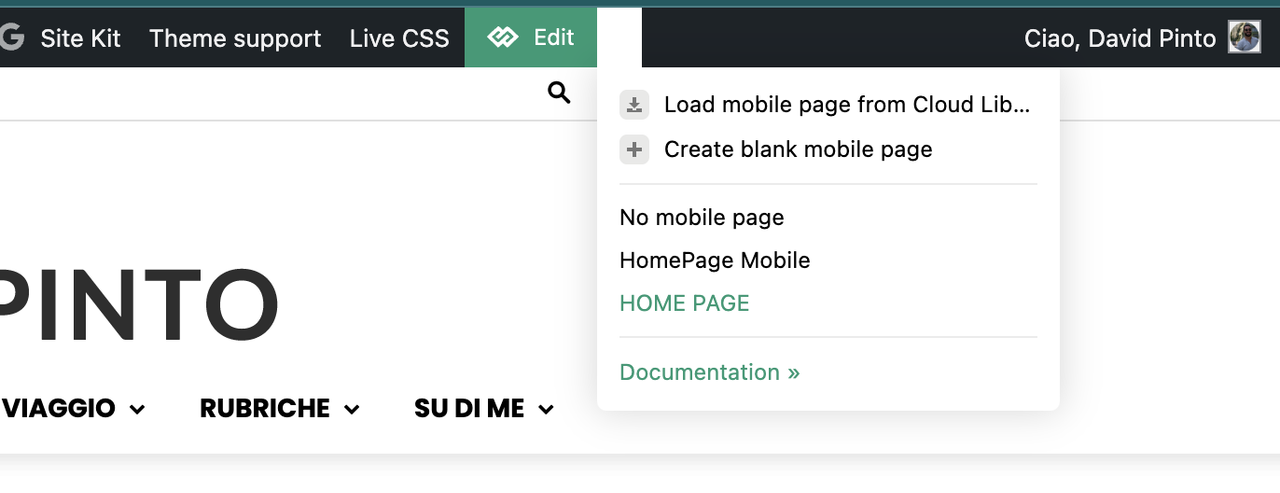
I deactivated the plugin AMP and the Mobile Theme, because I would like to create a template only for mobile.
I tried with this guide: https://tagdiv.com/newspaper-10-3-7-update-brings-customizable-and-fast-mobile-pages/
and i created a template HomePage Mobile.
https://i.postimg.cc/PxcpTMwW/Screenshot-2025-02-18-alle-16-56-50.png
But I’m confused, because when i see on iPhone I have the flex verison of desktop mode.
the site is http://www.davidpinto.it
thank you
 songs
songsI try to update the newest version 12.6.9, after click on udate button i got error massage “Page don’t find 404” link after my domain name is “update-core.php?action=do-theme-upgrade&update_theme=Newspaper” . Same error is showing on new wp update v6.7.2 “update-core.php”. Anyone have this problem?
 diningtraveler
Hello,
I updated my Newspaper theme for my site, diningtraveler.com but my key does not show as registered. I have reset and reentered it several times and my key shows as invalid. I do not use this key with any other domain.
https://app.screencast.com/yaed1cG6n2TzY
Please let me know what I need to do to fix it.
Thanks!
Anamaria Hello,
Before doing the update, please do a full backup to all files and disable extra plugins during the update process. You can see the changelog here https://tagdiv.com/newspaper-changelog/
Thank you!
 valerio88
Dear Team,
After the Newspaper theme update, the mobile version of my website is completely misaligned from what I see on tagDiv Composer.
For instance, the comment section is back, registration of users is back too, lost the categories as a menu. Can you help?
 master_hasse
Hi. After updating the theme to the latest version, the ACF form stopped sending emails. By clicking on the send button, the form becomes inactive and the “think” icon appears on the button and nothing happens. No information appears about whether the form was sent or an error occurred.
Bettina Hello!
Yes. Unfortunately, it is a bug in the latest update.
We will solve the issue as soon as possible!
We’re sorry for the inconvenience!