Catalin
 Hello biglipper,
Please provide some useful screenshots with exact elements you want to change the color for a better understanding! Also, you should provide your website URL so I can provide a more accurate code.
Thanks for the message!
Catalin Hello tahigash,
Sorry but this kind of plugin has not been tested with our theme and also, we do not know about this functionality! You should use only the theme’s settings and functionality if you want to achieve best theme results. Also, we cannot provide support for untested plugins.
Thanks for your understanding!
Catalin Hello poporil,
Notice that you should not purchase any kind of plugin or Visual Composer. At the moment, our theme comes bundled with two-page builders which are Visual Composer and Tagdiv Composer which is our own page builder. You can use whatever you want but it’s not recommended to be used together. Please check the following useful manual here -> https://forum.tagdiv.com/visual-composer-tagdiv-composer-transition/
Thanks for your understanding!
Catalin Hello nicobros,
I have checked this functionality to our demo preview and the Google+ sharing seems to work as expected and the post title is right shared on this social media, as you can see here -> https://www.screencast.com/t/cscxJ8n6 Most likely, the bad is on your website and Google settings account and not come from our theme. When you share a post on Google+ from your website, the post title appears in URL but not under the featured image, as you can see here -> https://www.screencast.com/t/dsLF0OI4zQ Check the Seo Yost plugin settings because only from there you can control this functionality. The theme does not have any such an option for this case, sorry!
Thanks for your understanding!
Catalin Hello rahimvaziri,
Sorry, but notice that our theme has not been tested with this such a plugin and we cannot say for sure if it will work or not with the theme! We do not have any max height and width. To achieve good theme results, you should use full HD images because the theme will automatically resize the images according to the block used by you. Here -> https://www.screencast.com/t/ztGAgohOF you can see the list of thumbs sizes which the theme uses.
Hope this helps!
Thanks for your understanding!
Catalin Hello gundo,
1)Most likely, you have both of our plugins to be enabled and that’s why you do not bring good results. Try to disable one of them and check the results. Clear all the caches and check the results.
2)It seems to be a bug with this functionality. I have added to our list of improvements and our developers will make some further investigations and if they find something wrong to fix, they will solve in the next updates.
Thanks for your understanding!
Catalin Hello fgmotta,
Unfortunately, notice that until now, we do not have any bad reports in this case, sorry! Our theme is built in standards and you should not encounter this problem regarding on indexed pages. Try to disable all of your untested plugins, if you are using something like this, purge all CDN files and check the results. Also, if the problem is still there, you should make a new clean setup at your theme via FTP way because this is the surest method in this case and check the results.
Hope this helps!
Thanks for your understanding!
Catalin Hello capsx,
Sorry for this but please notice that our product does not have this type of Social Network implemented, sorry! You should implement it yourself or you can try using such a plugin with this functionality and check the results. Also, you can read the following topic here -> https://forum.tagdiv.com/topic/how-to-add-a-vk-sharing-button-on-your-posts/ Could be more useful for your implementation.
Thanks for your understanding!
Catalin Hello sakis,
Notice that for each theme update or anything else changing to your website it’s needed to make a full backup to your database to avoid losing your data. It’s not a problem caused by our theme, sorry!
Thanks for your understanding!
Catalin L.
Catalin Hello jassada,
Sorry but please notice that your screenshots do not work as expected. Also, I have inspected your website and I saw that it’s not made with our theme and keep in mind that we cannot provide support for another theme.
Thanks for your understanding!
Catalin Hi,
Please send us an email at contact@tagdiv.com with your log-in information (wp-admin) so we can further inspect it closer your setup page. Provide there the link to this topic so we can quickly identify you.
Thanks for your understanding!
Catalin Hello luukglansdorp,
Please send us an email at contact@tagdiv.com with your log-in information (wp-admin) so we can further inspect it closer your setup page. Provide there the link to this topic so we can quickly identify you.
Thanks for the message!
Catalin Hello sector,
If you want to hide only an icon from Social Icons you should target it by a custom CSS code and for this, you should use the Inspector browser to create your own code, like this -> https://forum.tagdiv.com/create-custom-code-using-the-browsers-inspector/
Hope this helps!
Thanks for your understanding!
Catalin Hello howtoisolve,
Unfortunately, I do not exactly understand what exactly you want to achieve and most likely, the theme does not have any such an option for this, sorry! You can provide some screenshots with the option and explain in more example this option so I can understand what you want and also, so I can see if you can do this in our theme or do not.
Thanks for your understanding!
Catalin Hello nycinsider,
Check the system status parameters to be increased according to our documentation here -> https://forum.tagdiv.com/system-status-parameters-guide/ Most likely, your PHP memory has exhausted and that’s why you cannot save anything, sorry! Also, try to re-create your homepage from scratch with the TD Composer. For this transition, please check the following useful manual here -> https://forum.tagdiv.com/visual-composer-tagdiv-composer-transition/
Hope this helps and let us know how it goes!
Thanks for your understanding!
Catalin Hello sperezlera,
It’s not just easy. This task required to make some changes through the theme’s code.
Thanks.
Catalin Hello Rhonda,
Sorry but please notice that our theme does not have any control in this case. This is just Buddypress related. Ensure that you are using the latest theme version with the latest plugin’s version and if the problem is still there, open a new topic at Buddypress department and request their help.
Thanks for your understanding!
Catalin Hello ArgBursatil,
Sorry for this but please notice that our theme does not have any such an option that allows you to do this and also, we do not know any trick code in this case. You should start to create your own code which executes this but please notice that is not a simple task and if you are not aware of the steps which are needed to take in this regard, please consider hiring a freelancer/developer to help you because we cannot provide custom services at the moment, sorry!
Thanks for your understanding!
Catalin Hello luukglansdorp,
Sorry, but your have not attached any screenshots. I guess that you have forgotten to add the link to your screenshots. Please try and send me again.
Thanks for the message!
Catalin Hello meri,
Check the option from Theme panel, like here -> https://www.screencast.com/t/9C8n5JVEJ7w
Thanks.
Catalin Hello sector,
Try using the code below and place it in Theme panel -> Custom CSS area.
@media (max-width:767px){

.td-menu-socials{

display:none;

}

}
Thanks for the message!
Catalin Hello Dougrek,
The theme has changed a lot and now, the blockquotes appear in Format section, as you can see here -> https://forum.tagdiv.com/post-formats-for-tinymce/ Now, these elements are created in HTML.
Thanks for the message!
Catalin Hello Fitary,
If you have followed all the above advice and if the problem is still there, please send us an email at contacttagdiv.com with your log-in information (wp-admin) so we can further inspect it closer your setup page.
Thanks for your understanding!
Catalin Hello Jass,
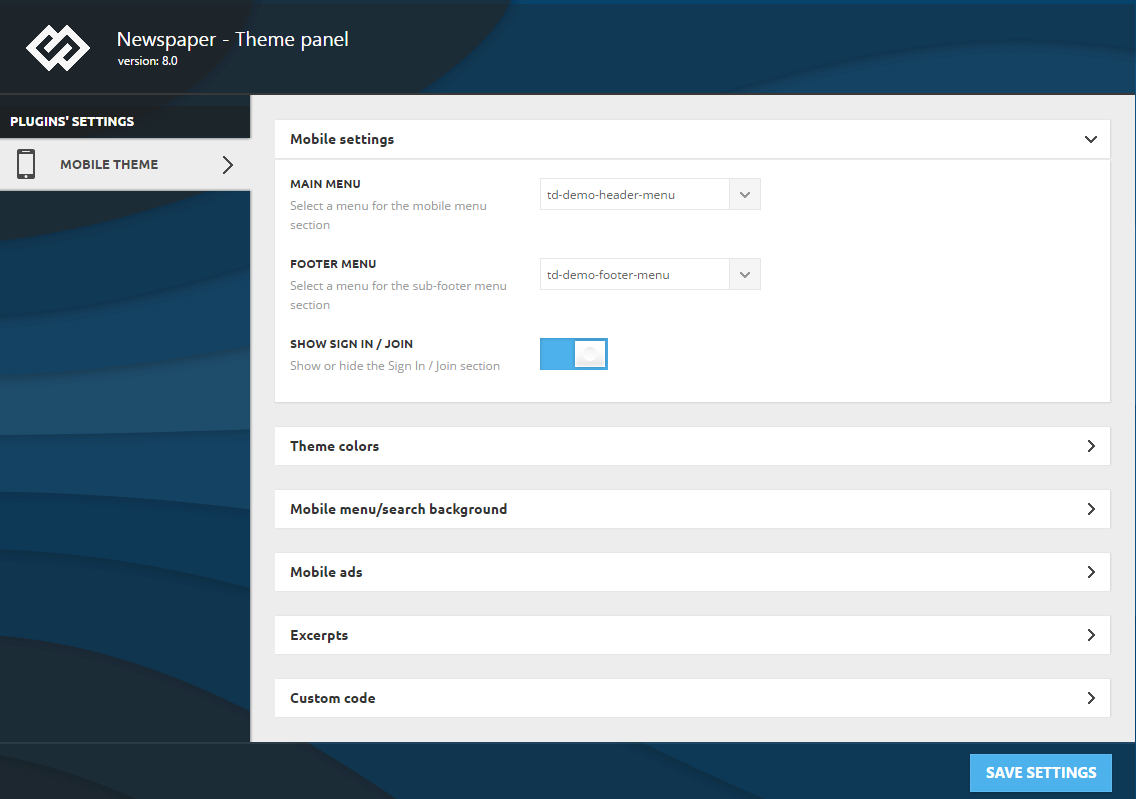
If you are using the mobile theme, this changes should have to be done from Theme panel according to our documentation here -> https://forum.tagdiv.com/wp-content/uploads/2017/05/mobile-theme-settings.png
Thanks for the message!
Catalin Hello adam21s,
Disable all of your untested plugins which is the main cause for this problem. Clear all the caches and check the results.
Thanks for your understanding!