- NewspaperWP Rocket and Newspaper Theme: Optimization Guide
- TutorialsFrom WPBakery to tagDiv Composer
- TutorialsOffset Feature
- TutorialsWhat is Ajax preloading?
 Catalin
 Hello NP Comm,
I have tested to add a new block according to our documentation here -> https://forum.tagdiv.com/practical-example-how-to-add-a-new-block-and-module/ (practical example) and the block was loaded as expected -> http://screencast.com/t/ALXRbDTs. Please notice that the API implementation is not part of our support and as you can see there, and I want to emphasize that this method addresses only to ADVANCED USERS. In our documentation, you can find some hints if you want to create a custom module/block and please notice that for achieving that is required to have a solid PHP/HTML/CSS knowledge to accomplish that. Please notice that this is a complex method and if you are not aware of the steps which you are needed to take in this regard, please consider hiring a freelancer/developer to help you because we cannot provide customization services at the moment, sorry!
Thank you for your understanding!
Catalin Hello BrunoBerlanga,
Please provide an example in this case so I can further inspect it closer. We have done a lot of tests in this regard and everything seems to work as expected. Also, you can provide some useful screenshots so I can understand it better where the problem appear, besides your website.
Thanks.
 Andrei L.
 Hi
Edit editor-style.css file and change the font family for each element like in this example: http://screencast.com/t/wivuZEoo – http://screencast.com/t/07GYvfiwM7Z
Thanks!
 Bogdan B.
 Hello,
Different smartlists provide different results. The “lists” you showed as examples do not jump at all. They simply slide the content. Please check out different smartlist types from here and see which one best fits your need: http://screencast.com/t/zjfbPRxZ5Jp – http://demo.tagdiv.com/newspaper/
Thank you!
Bogdan B. Hi,
As you can see on our demo, the gallery does not show the image title: http://demo.tagdiv.com/newspaper/td-post-aston-villa-beat-liverpool-to-join-arsenal-in-the-fa-cup-final/
It only shows the image caption and description. So does the standard wp gallery. I’m not sure which one you use on your site, but there is no setting to make either one show the title. Please provide an example of the gallery you use on your site.
Thank you!
 valor1906
Hi,
I hope you are well. Beautiful template, very happy with it so far. Decided to use one of the demos, however it seems to be missing the ‘Category top post’ style, even after applying it.
For example, mine currently will not change past three ‘featured’ defaults : My Site Featured Posts
Exactly what I’d like to do, the demo’s: Demo Site Featured Posts
My settings are as follows: My Settings, Global
I have attempted clearing my cache, and checking if this is meant to be done within Visual Composer.
Any help would be greatly appreciated, thanks!
M
 Navito
I want to set certain block items as links, i.e when someone clicks on a block item, they are redirected to another website and not to a post on my website. I want to do this using Block 4. Here is an example. I also want to set a specific image for each block.
 Fochesato
Hi everyone,
Please I need your help guys, I’m facing a problem with theme optimization, I’ve hosted my website (www.neuronews.com.br) in the hostgator (shared server), it is the second time that they turn off my website (it is off right now), according to they it is consuming to much resources of the server.
My pagespeed is 64/100, my site is taking too much time to load the home page. I’ve already did an image optimization in all pictures.
Please could you guys give a piece of adive of how to solve this problem?
But please, I need a step-by-step guide, because I am not from IT area.
 rigs2
rigs2I’m having the same issues that it looks like many others are having. I have two WP sites that I’m trying to get up and running for a client and I am using the Newspaper Theme for both. So I purchased two themes and the problem is that when I try to install the Demo that I want to install for each (Default for One and Sports News for the other), I cannot. However, I can install the Car Enthusiast Demo, so the problem cannot be on my end. I mean if one works for me shouldn’t they all work? Hosting is on GoDaddy. Both are brand new installs of WordPress. I substituted “CLIENT URL” for the client’s URL below and here’s the error that I get:
Ajax error. Cannot connect to server, it may be due to a misconfiguration on the server.
textStatus: error
td_ajax_request_name: full_demo_media_1
errorThrown: Not Found
responseText: <!doctype html >
<!–[if IE 8]> <html class=”ie8″ lang=”en”> <![endif]–>
<!–[if IE 9]> <html class=”ie9″ lang=”en”> <![endif]–>
<!–[if gt IE 8]><!–> <html lang=”en”> <!–<![endif]–>
<head>
<title>Page not found | CLIENT URL.com</title>
<meta charset=”UTF-8″ />
<meta http-equiv=”Content-Type” content=”text/html; charset=UTF-8″>
<meta name=”viewport” content=”width=device-width, initial-scale=1.0″>
<link rel=”pingback” href=”http://www.CLIENT URL.com/xmlrpc.php” />
<link rel=”alternate” type=”application/rss+xml” title=”Bankwiser.com »…
Is there a work around or fix to install the Demos that I want to use?????? The only reason I purchased the themes were to use those Demos and I have other clients looking for similar sites.
Thanks in advance
 merche_14
 Sorry to be late for answering, I’ve tried it again (insert the youtube list in a page (directo page) and fatal error again, http://canal7cv.com/directo/?preview_id=18784&preview_nonce=dd29492892&preview=true I send u an email. Thank you in advance.
 saibos
 I find the solution, there is no need to insert any code inside .htaccess
just under WordPress -> Settings -> General
under WordPress Address (URL) & Site Address (URL) if Your domain is like: http://domain.com
change it to http://www.domain.com
Only this.
Work for me.
Thank You all for the help.
 Cybi
Cybi Hello support, don’t know if to post this here.. I posted it in another visual composer topic.
This visual composer seems to be an issue everywhere. I get this message in my admin..
Please activate your copy of the Ultimate Addons for Visual Composer to get update notifications, access to support features & other resources! And another that requires input of my Licence key, which I did, but gets error message.. I wanted to find help here, I found forum post on how to update visual composer.
https://forum.tagdiv.com/topic/how-to-update-visual-composer-2/
https://forum.tagdiv.com/update-the-visual-composer-plugin-wpbakery/
Now, I deleted the wpbakery , but I’ve no idea where to get this Newsmag\includes\plugins\js_composer.zip ..
REPLY
-
This reply was modified 10 years by
Cybi.
Cybi This visual composer seems to be an issue everywhere. I get this message in my admin..
Please activate your copy of the Ultimate Addons for Visual Composer to get update notifications, access to support features & other resources! And another that requires input of my Licence key, which I did, but gets error message.. I wanted to find help here, I found forum post on how to update visual composer.
https://forum.tagdiv.com/topic/how-to-update-visual-composer-2/
https://forum.tagdiv.com/update-the-visual-composer-plugin-wpbakery/
Now, I deleted the wpbakery , but I’ve no idea where to get this Newsmag\includes\plugins\js_composer.zip ..
 ZacharyDash
Hello Newspaper, I love the theme! One thing I am trying to accomplish is to have the same “Post Template (8)” as my homepage. I have tried:
1) Putting the Post Template Styling into a Page, however, could not figure out how to do this.
2) Making a post the front page. The problem is that when I assign my Front Page Display to “Latest Post”, the styling does not transfer.
Example of what I am trying to make the front page look like (mainly interested in the top image header styling): http://lyvesports.com/twhs/
Any ideas?
 External
Hello,
I have received many complaints from my readers that they are not able to horizontally scroll the content on Android device.
It is related to our lyrics wrapped in <table> +
here is an example: http://affenknecht.com/lyrics/rammstein-ich-tu-dir-weh/

They are not able to see the right part of the page (lyric translation).

Is there a possibility to enable scrolling (by touching)

Thanks
 JackNguyen
My logout link: http://ttkm.vn/wp-login.php?action=logout&_wpnonce=ed02fe9bf9&loggedout=true
When i commit, i got errors:
The ttkm.vn page isn’t working
ttkm.vn redirected you too many times.
Try:
Reloading the page
Clearing your cookies
Can you help me solve it?
 T2N
T2NHello,
Tagdiv gallery seems to have stopped working recently. See example
http://travel2next.com/six-senses-spa-qing-cheng-mountain/
Help!
 neoandrej
Hello.
When some one click Next button in smart list is there a way to jump not to the top on next page but to the next slide header. http://myformat.club/yumor/20-sobak-spyat-gde-i-kogda-ugodno/4/
Example: http://mywebsite.com/article/2/#next
 chas_donaldson
Hello,
My Name is Charles Donaldson, and I purchased the ‘Newspaper’ Theme.on yesterday, April 29, 2016.
I’ve followed the ‘Step by Step’ Instructions for Installing via FTP, and I also
tried installing/Activating, the ‘Newspaper Theme along with the ‘BLueHost VPS Support Tech’,
help and Still, Cannot get the Theme Newspaper Demo installed/Activate, correctly.
Example Listing: (AJAX Error – Cant Connect to Server…. errors.
I’m emailing TagDiv Support; screenshotes of the errors that I get.
_____________
 meathead
I would like my Categories to Display Randomly so the header is different each time the page opens.
How do I do this?
Example:-
http://www.djtees.com/category/johnny-rock/
 dbfranz
After update to wordpress 4.5.1 now the next and previous (< & >) button of the mega menu doesn’t scroll other news. It add a # to the url but doesn’t load anything.
Here you can see it: http://www.corrieregiallorosso.com/ Go to Rassegna Stampa menu item, for example and click on “>”.
 bellmedialtd
I added in a sidebar but for some reason, it’s not showing and some of my posts, images have disappeared.
Link to site here: http://belltimemagazine.ie/category/languages/
Sample post: http://belltimemagazine.ie/students-beginning-crowdfund-college-fees/
Images are there.
What seems to be the issue???
Andrei L. Hi
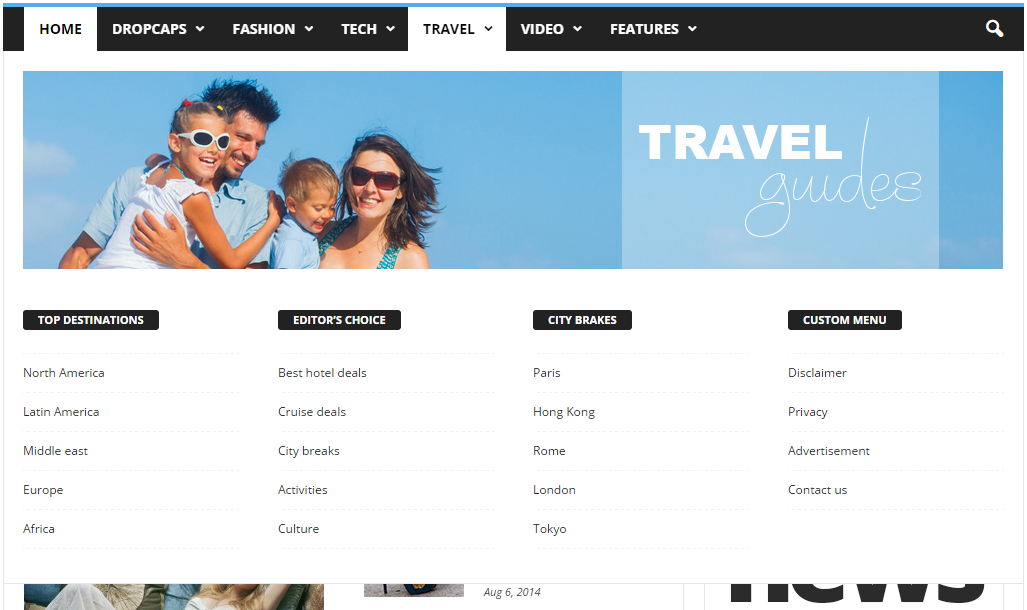
You can’t set a category page as mega menu page. The theme allows you to set only a page as mega menu page. You have to create your page in Visual Composer then only add the page id as it’s indicated in our documentation.
For example this page: https://forum.tagdiv.com/wp-content/uploads/2014/10/page-menu.png is made in Visual Composer then it’s id is added in menu item.
Here is another example: this is how a page built in VC looks: http://screencast.com/t/TrlKlshc4K and this is how the same page displayed in mega menu looks: http://screencast.com/t/VRbI0pDpRzaI All page content added with Visual Composer it’s displayed in mega menu.
We can’t provide any html code as the mega menu is generated by php from dynamic content.
Please refer to our documentation for more details about block settings and how they can be used: https://forum.tagdiv.com/block-settings-tutorial/ You can also check this topic for more details about adding different post types i blocks: https://forum.tagdiv.com/topic/visual-composer-unable-to-pull-data-from-custom-content-types/
Thanks!
 debarup
 Hi Andrei,
Thanks for your quick reply.
Its showing 4.7.7
How to upgrade it? where to download the up-to-date plugin files?
Looking forward to your reply.
Thanks & Regards
Debarup
debarupHi,
This is very frustrating. My website has up-to-date NewsMag theme version 2.3.6, WordPress version 4.5.1
Right now the visual composer is not working. The template settings are not showing. I am not able to create any page with it, also can’t edit or change the pages which were built with visual composer templates.
Please help
Thanks & Regards
Debarup