- NewspapertagDiv AMP Plugin Tutorial
- NewspaperTrack Subscription Sources with Locker URL in Opt-In Builder
- NewspaperWP Rocket and Newspaper Theme: Optimization Guide
- NewspaperCredit System
- NewspaperIntroduction to CPT and ACF with Newspaper Theme
- NewspaperHow to edit modules for Flex Block X
- NewspaperHow to use the Posts List shortcode
- NewspaperUser review system
- NewspaperCustom Fields Support
- NewspaperHow to generate Facebook App ID
- NewspaperHow to insert a block inside the content of a post
- NewspaperModal Popup
- NewspaperPayPal Setup
- NewspaperLink Tracker
- NewspaperLockers
- NewspaperGeneral Options that May Interfere with the Newspaper Theme
- NewspaperAdd Cryptocurrency Price Ticker Widget
- NewspaperPosts Loop Element
- NewspaperThe Newspaper Mobile Theme: Introduction
- NewspaperAutoptimize Plugin – install and configuration
 Loudlife
 Ok great thank you.
I have also one more question about this:
https://imgur.com/uFM5cmT
There is in top right corner of mega menu last menu item – in this case its Drum & Bass. How can I remove it pls?
Thanks
 Anamaria
 Hello,
This fatal error indicates a problem with PHP memory allocation. The error suggests that the system is trying to allocate an amount of memory that is beyond what is allowable or possible, resulting in an “integer overflow”.
Here are some possible solutions:
1. Increase the memory allocated to PHP: You can try increasing the amount of memory allocated to PHP. This can be done by changing the memory_limit value in the php.ini file. To do this, locate the php.ini file on your system (in the case of XAMPP, it’s typically located in xampp\php\php.ini) and search for memory_limit. Increase this value (for example, to ‘256M’ or ‘512M’), save the file, and restart the Apache server through the XAMPP control panel.
2. Update PHP to 8.0 or 8.1: This issue can also be caused by using an older version of PHP. Try updating to the latest version of PHP through the XAMPP control panel.
Thank you!
Anamaria Hi,
Please let me know what mobile version you use.
Using our theme you can choose from 3 mobile versions
-> mobile responsive => https://www.screencast.com/t/oJ2ShOp47
-> mobile theme plugin => https://forum.tagdiv.com/the-mobile-theme/
-> mobile page => https://tagdiv.com/newspaper-10-3-7-update-brings-customizable-and-fast-mobile-pages/
If you created the mobile pages with tagDiv Composer, then when you install the Mobile Theme plugin, your pages will be overwritten by the plugin (the mobile theme comes with its templates for page, post, category, etc so your current templates from the desktop theme will get converted to the mobile theme layout, the page content is made without builders in mobile editor => https://www.screencast.com/t/xbgZG8kH also, the options that are provided to edit the mobile theme version are limited (this keeps the things simple)).
This is a video about Responsive Newspaper Theme, AMP & Mobile Theme, Mobile Pages & Templates -> https://www.youtube.com/watch?v=SpGkOnJeNZY
So, the mobile responsive is what you see when that you select the viewport on phone => https://www.screencast.com/t/matV17hH, so some settings may apply for each viewport(where is the border blue), and others are not(where the border is black).
The mobile page has the mobile templates from Cloud Library => https://www.screencast.com/t/YCcZ8rL8
The Mobile responsive version of the theme and the mobile page editor can be edit with tagDiv Composer, the mobile theme plugin cannot.
For example, you can have the mobile theme plugin activated and use the mobile page/mobile responsive version for the homepage/pages, but for the categories pages/404 page, you can’t use the mobile page/mobile responsive version if you have the mobile theme plugin activated.
So, if you want to design the pages with tagDiv Composer, you can use the mobile page or mobile responsive version.
Thank you!
 ApnaTime
Warning: Undefined array key 1 in C:\xampp\htdocs\apna\wp-content\plugins\td-composer\legacy\common\wp_booster\td_util.php on line 4909
Warning: Undefined array key 1 in C:\xampp\htdocs\apna\wp-content\plugins\td-composer\legacy\common\wp_booster\td_util.php on line 4909
Fatal error: Possible integer overflow in memory allocation (2 * 9158 + 32) in C:\xampp\htdocs\apna\wp-includes\shortcodes.php on line 273
Anamaria Hi,
You can hide one element on desktop and unhide it on mobile, for example -> https://imgur.com/GKIKvgt. Every element in the TagDiv Composer has a setting to make it invisible. This setting can be seen in the CSS tab of every element: [Display: HIDDEN]. You can also hide the entire row.
Thank you!
 innovator
 Hi Anamaria,
I have a ACF field on posts that have social links related to each page. In this example I am trying to display them on the page, which works fine but I can access the Composer due to the error. I have to comment out the do_shortcode() line change the template then re-enable it.
I have provided a limited version of the code so you can recreate the problem. The shortcode is added via composer to the page template as a ‘Single External Shortcode’ from composer.
Thank you
 mjtaoue
Hello,
I suddenly got this error when trying to edit any page using tagdiv composer.
It says:
(Warning: An unexpected error occurred. Something may be wrong with WordPress.org or this server’s configuration. If you continue to have problems, please try the support forums. (WordPress could not establish a secure connection to WordPress.org. Please contact your server administrator.) in C:\wamp64\www\mjtaoue\wp-includes\update.php on line 449)
a picture of the error => https://ibb.co/wQ6cLQR
Please, any help is much appreciated!
 besthomegear
 Calin
I followed your screenshot images and instructions Exactly.
However, when I enable “AMP’vs. AMP + Mobile the pages just spins as its loading, but will not stop cursor spinning, same as my attempts before.
anyway you or someone could check my settings if I provided WP admin. temp access?
Kevin
 10v3eternal
I’m facing an issue where inline images in my WordPress posts are spilling over the boundaries of the post container. Despite attempts to fix this, I’m still encountering the problem. In the TD Composer, when I adjust settings under ‘single post content’ for both ‘content width’ and ‘center aligned images’ and set ‘extend direction’ to ‘left & right’, the images seem to fit within the container. However, this fix doesn’t hold when viewing the post outside of TD Composer. The images continue to overflow. This issue persists on both desktop and mobile platforms.
innovatorHello,
I know what it seems this is doing can be done using the page builder. But I need to create a custom shortcode as I am dynamically getting the content.
I need to create a custom shortcode using the existing shortcodes from the Newspaper theme. But when I add the content and call do_shortcode() I get the error in the Composer/cloud template builder.
Errors at columns elements: 15(models) : 16(dom). The model does not match the content Current state has involved an issue. You could try an UNDO operation (CTRL+Z / CTRL+SHIFT+Z)
Below is a minimum example of the code:
function custom_shortcode() {
$output = do_shortcode('[tdm_block_socials social_rel="nofollow" tds_social="tds_social3" facebook="https://www.facebook.com/TagDiv/"]');
return $output;
}
add_shortcode('te_social_links', 'custom_shortcode');
How can I update this so I do not get the error and can work with Composer. Additionally where can I also find hooks for the other shortcodes so I can dynamically add the values.
Thank you
 MartinLWilliamson
Hi, after upgrading WP and Newspaper theme on VeloVeritas.co.uk, I get this line twice on my homepage and on some other pages…
Notice: Undefined offset: 1 in /homepages/30/d35404754/htdocs/VeloVeritas/wp-content/plugins/td-composer/legacy/common/wp_booster/td_util.php on line 4909
Deleting and reinstalling & activating the Composer plugin doesn’t resolve the problem.
Please can you let me know what I need to do to correct things?
Many thanks, Martin
 itanews
When accessing wp-admin/post.php?post_id=42707&td_action=tdc it displays this error below, and the screen looks like this in the print:
Newspaper – Theme 8.1
2023/11/14 10:49:59 [error] 1426#1426: *2468795 FastCGI sent in stderr: “PHP message: PHP Warning: count(): Parameter must be an array or an object that implements Countable in /var/www/itapiranews.com.br/public_html/wp-content/themes/Newspaper/includes/wp_booster/wp-admin/external/wpalchemy/MetaBox.php on line 1996PHP message: PHP Warning: count(): Parameter must be an array or an object that implements Countable in /var/www/itapiranews.com.br/public_html/wp-content/themes/Newspaper/includes/wp_booster/wp-admin/external/wpalchemy/MetaBox.php on line 1996PHP message: PHP Warning: count(): Parameter must be an array or an object that implements Countable in /var/www/itapiranews.com.br/public_html/wp-content/themes/Newspaper/includes/wp_booster/wp-admin/external/wpalchemy/MetaBox.php on line 1996PHP message: PHP Warning: count(): Parameter must be an array or an object that implements Countable in /var/www/itapiranews.com.br/public_html/wp-content/themes/Newspaper/includes/wp_booster/wp-admin/external/wpalchemy/MetaBox.php on line 1996PHP message: PHP Warning: count(): Parameter must be an array or an object that implements Countable in /var/www/itapiranews.com.br/public_html/wp-content/themes/Newspaper/includes/wp_booster/wp-admin/external/wpalchemy/MetaBox.php on line 1996PHP message: PHP Warning: count(): Parameter must be an array or an object that implements Countable in /var/www/itapiranews.com.br/public_html/wp-content/themes/Newspaper/includes/wp_booster/wp-admin/external/wpalchemy/MetaBox.php on line 1996PHP message: PHP Warning: count(): Parameter must be an array or an object that implements Countable in /var/www/itapiranews.com.br/public_html/wp-content/themes/Newspaper/includes/wp_booster/wp-admin/external/wpalchemy/MetaBox.php on line 1996PHP message: PHP Warning: count(): Parameter must be an array or an object that implements Countable in /var/www/itapiranews.com.br/public_html/wp-content/themes/Newspaper/includes/wp_booster/wp-admin/external/wpalchemy/MetaBox.php on line 1996PHP message: P
2023/11/14 10:50:02 [error] 1427#1427: *2468807 recv() failed (104: Connection reset by peer) while reading response header from upstream, client: 172.70.82.57, server: itapiranews.com.br, request: “GET /eleicao-da-acei-acontece-nesta-sexta-feira-com-chapa-unica/ HTTP/1.1”, upstream: “fastcgi://unix:/var/run/php-fpm/php-fpm.sock:”, host: “www.itapiranews.com.br”
Server PHP 7.4.33 and 8.0 / WordPress 6.3.2 / tagDiv Composer 1.0 / tagDiv Social Counter 4.2.
In other server PHP 8.1.25, the system worked after activating js_composer, td-social-counter and newspapper, tagDiv Composer 1.0 / tagDiv Social Counter 4.2.
 nagi
nagiRespected Sir/Mam,
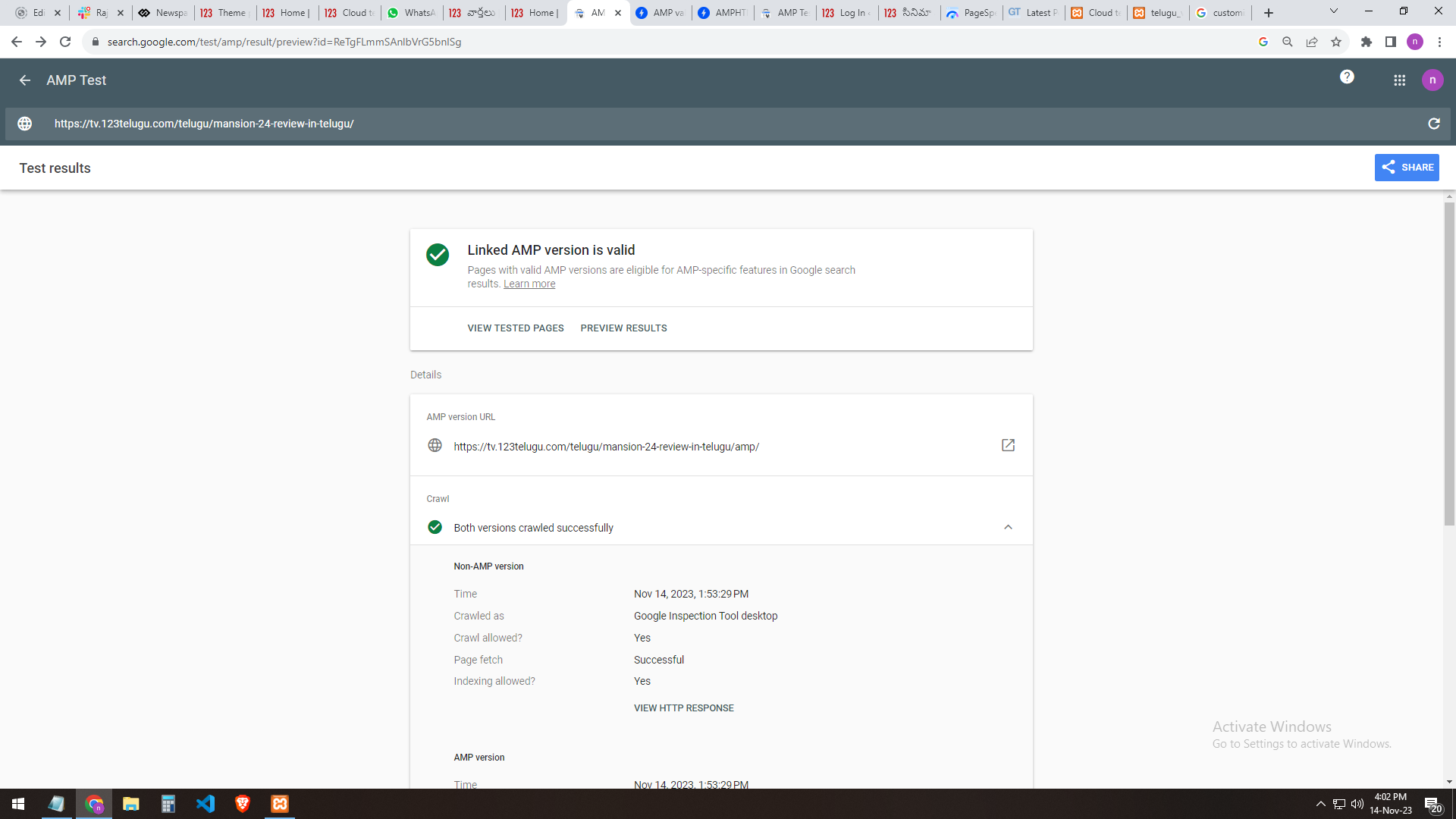
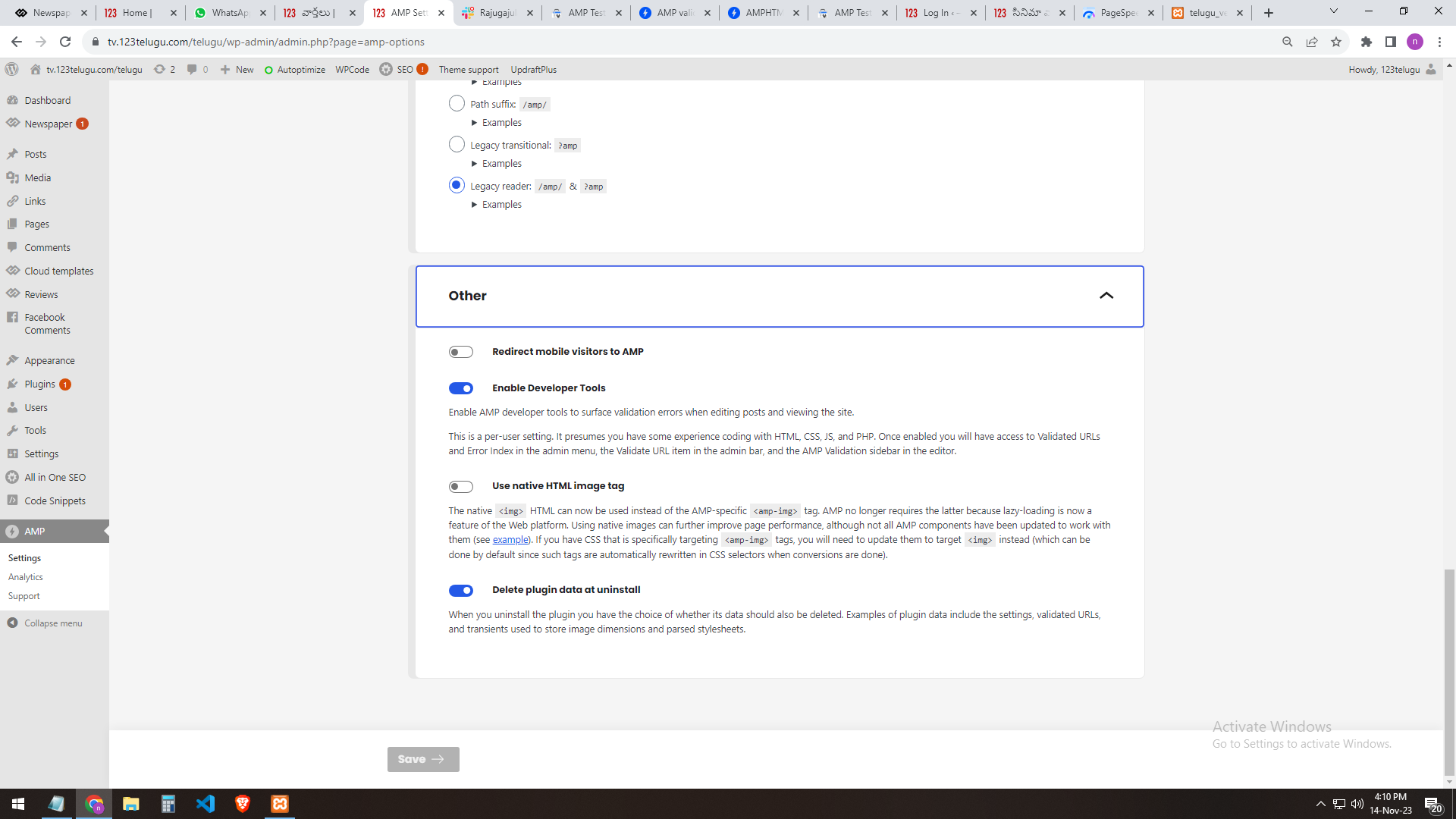
I am a developer at Mallemaala Entertainments, located in Hyderabad. We have a few requirements for our movie review website, 123telugu.com. I am hereby mentioning our requirements.
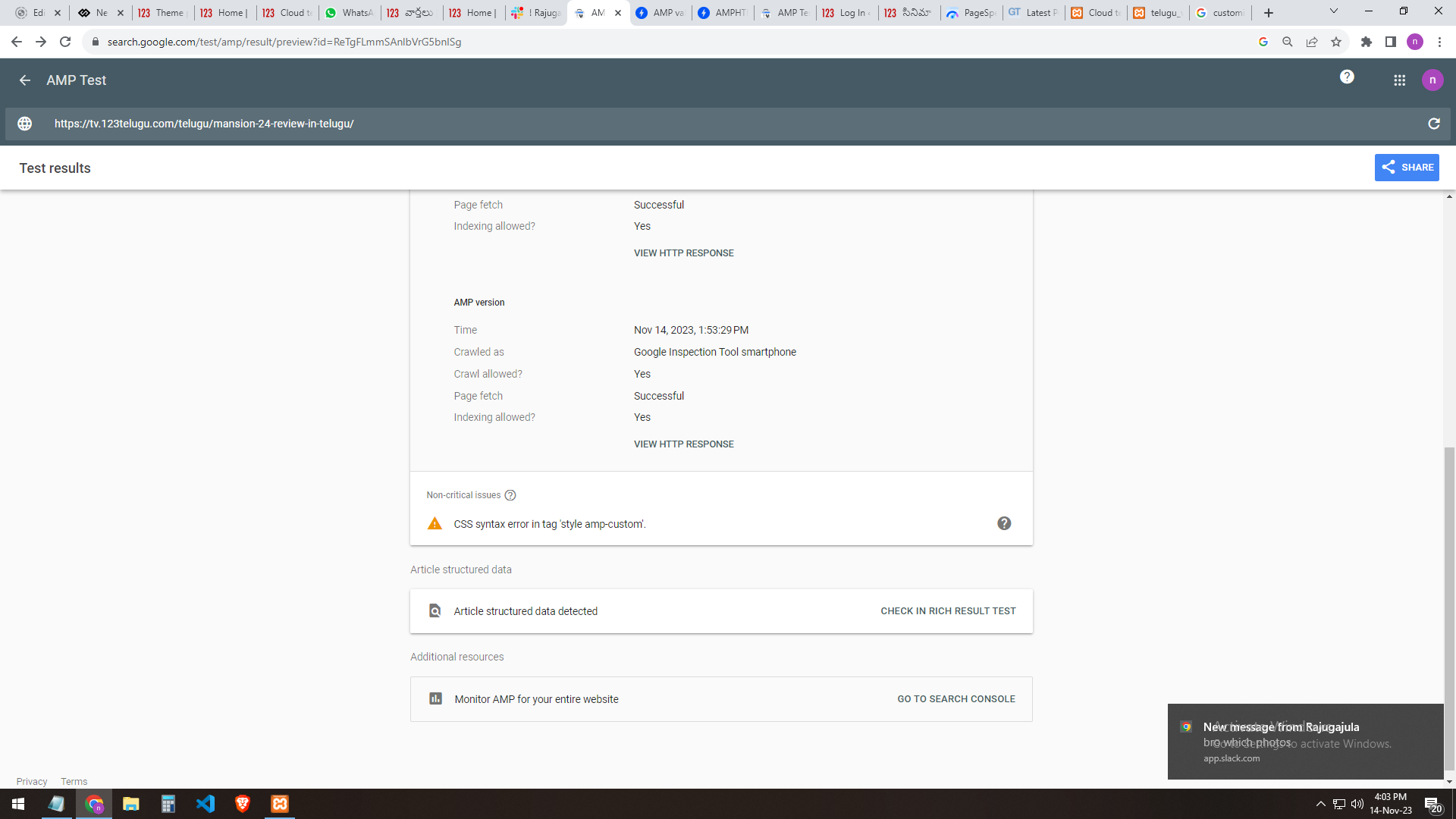
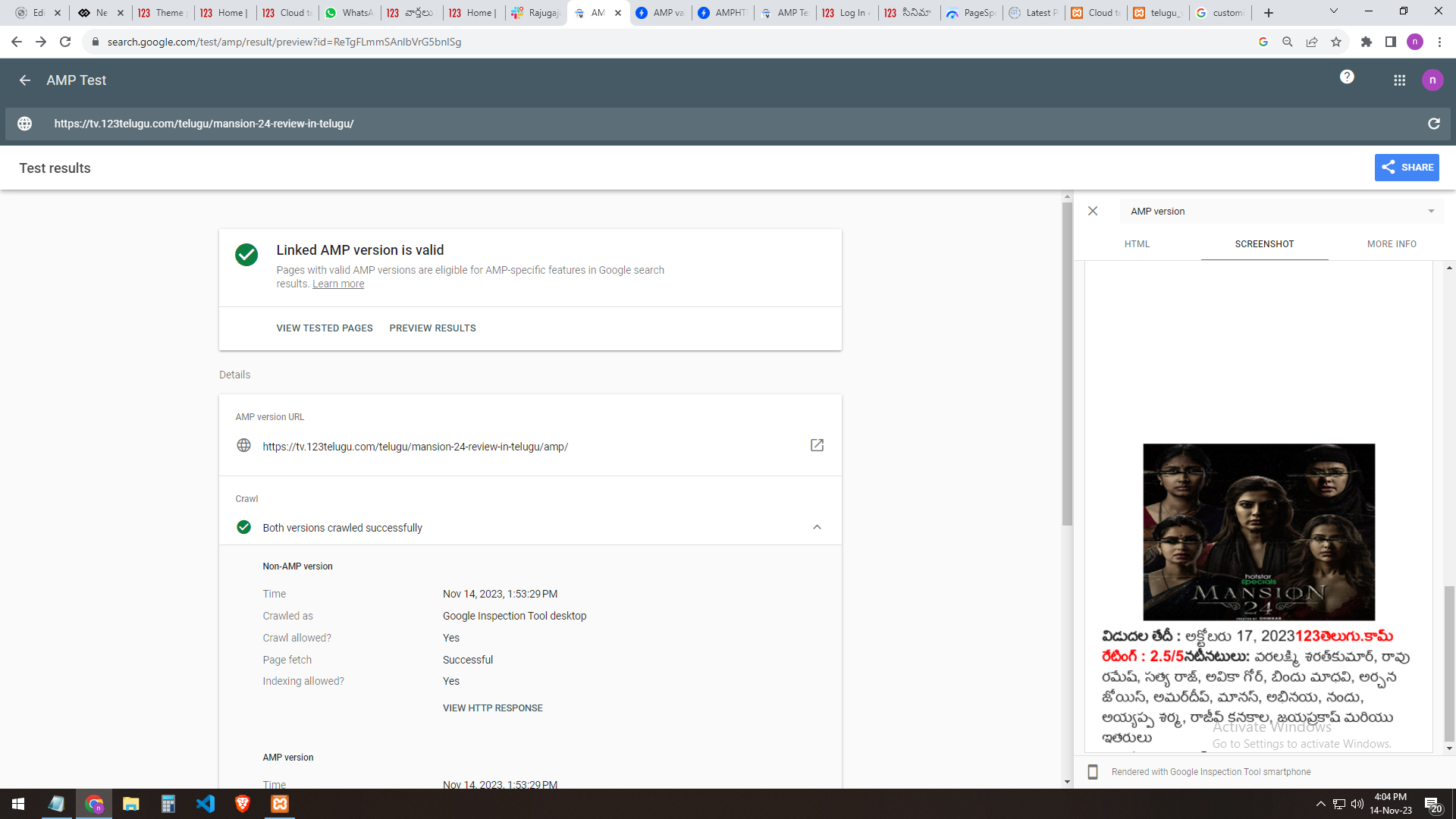
We have implemented AMP for our test website, https://tv.123telugu.com/telugu/, checking the URL with AMP validation, but we are facing a CSS syntax error in the tag
‘style amp-custom’. Please let us know how to sort out this issue.
my problem URLs
——-
https://gallery.123telugu.com/images/theme_test/banu2.png
https://gallery.123telugu.com/images/theme_test/banu3.png
https://gallery.123telugu.com/images/theme_test/banu4.png
https://gallery.123telugu.com/images/theme_test/banu5.png
https://gallery.123telugu.com/images/theme_test/banu6.png
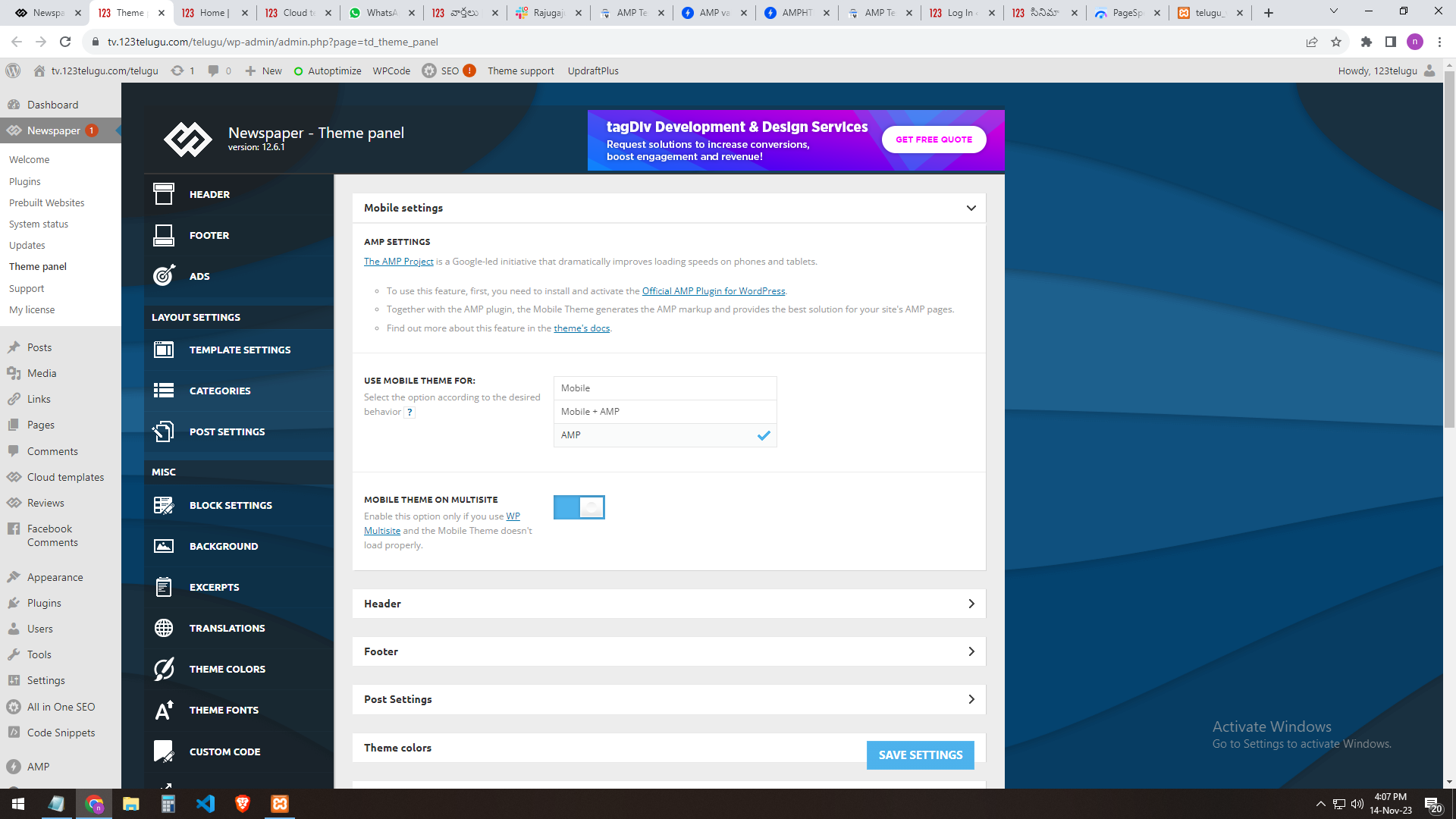
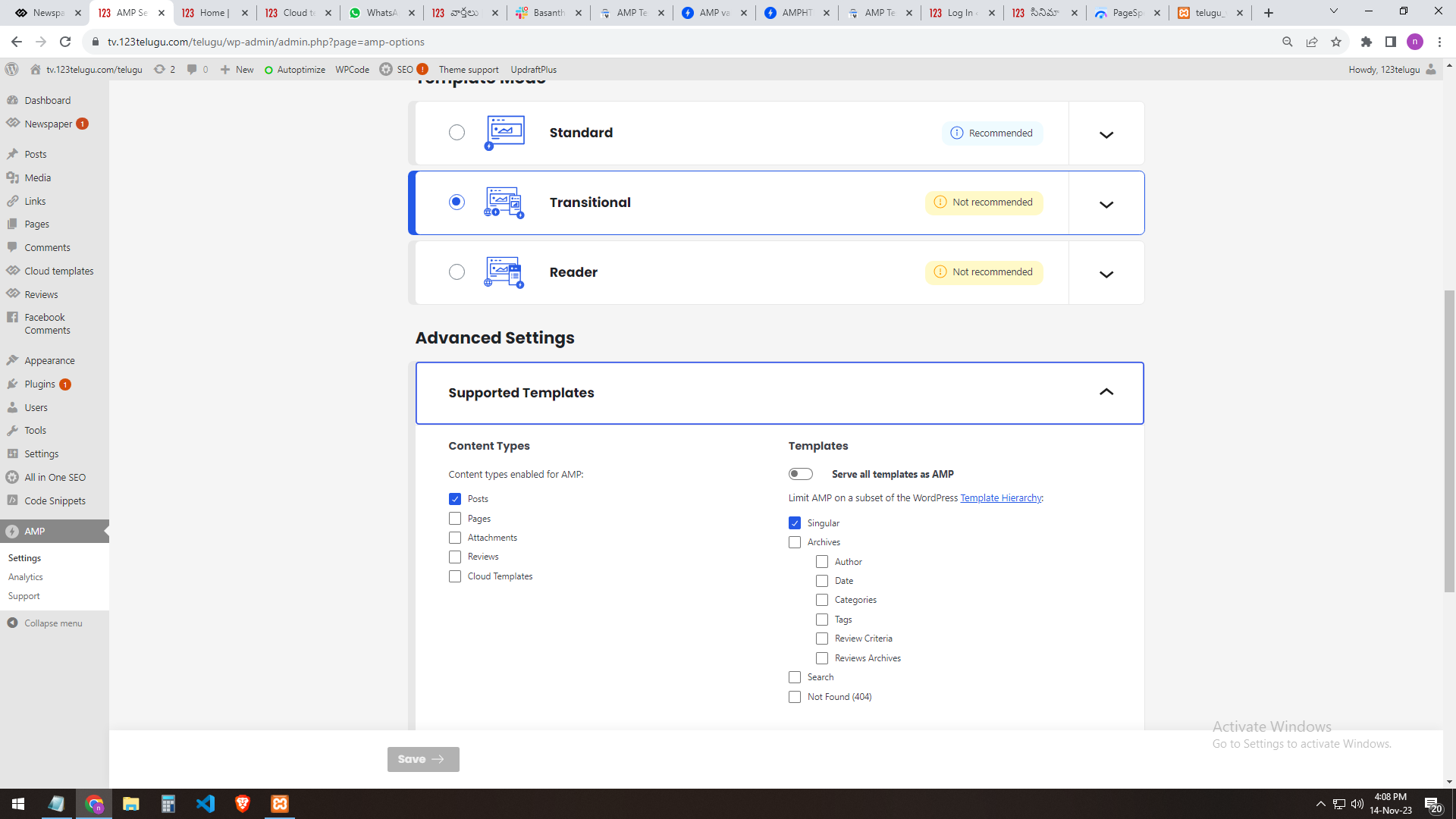
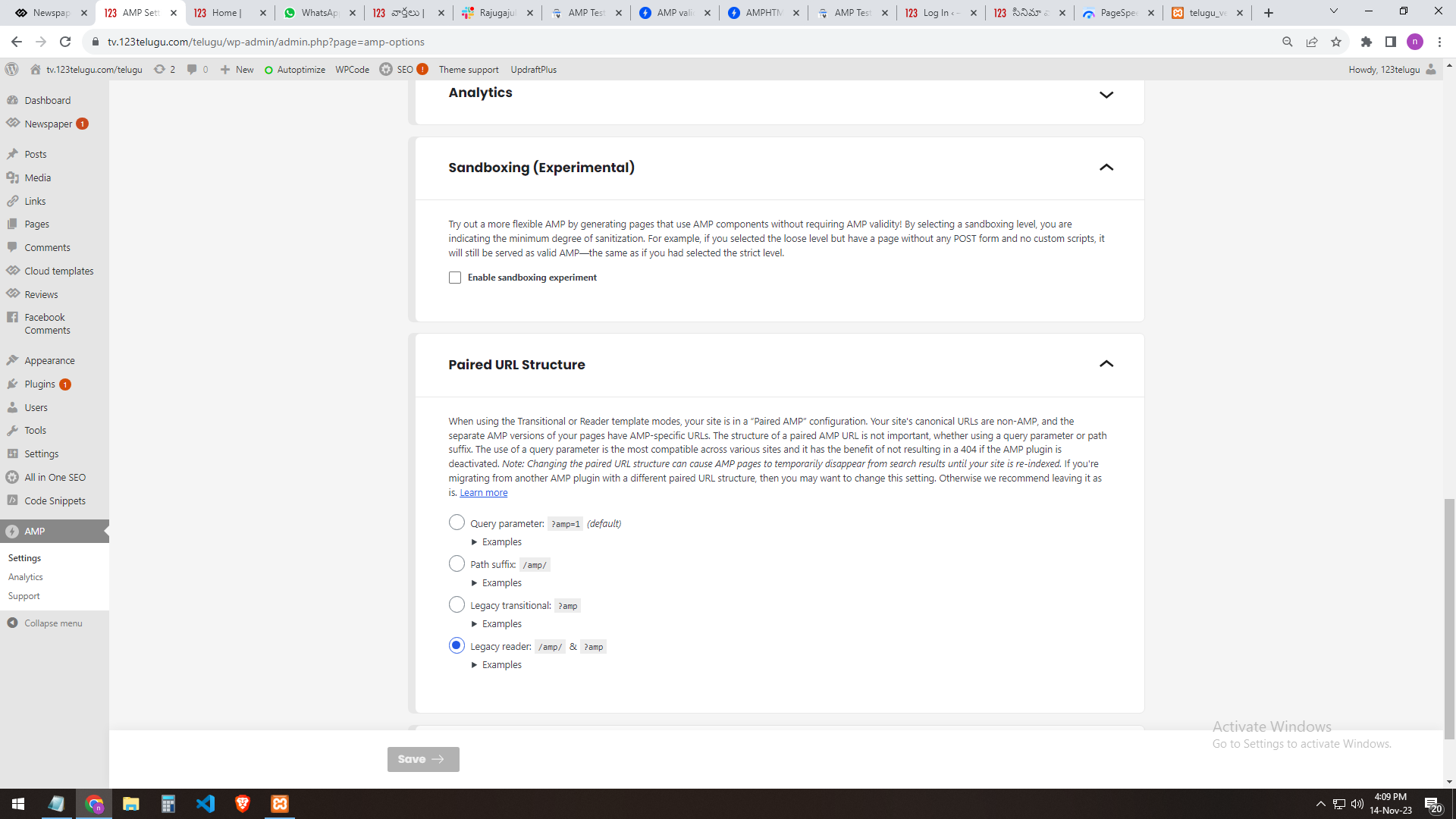
our site AMP settings
———————
https://gallery.123telugu.com/images/theme_test/banu7.png
https://gallery.123telugu.com/images/theme_test/banu8.png
https://gallery.123telugu.com/images/theme_test/banu9.png
https://gallery.123telugu.com/images/theme_test/banu10.png
Thanking you,
Regards,
Narendhar.
 Bettina
 Hello @naimlibien!
We have 3 options for mobile versions that you can use:
1. Responsive version: A responsive version of your website looks similar to the desktop version. TagDiv Composer is used to edit the page.Click on the mobile viewport: https://www.screencast.com/t/XDQJedlggSB. There, you can see your mobile version and edit or adjust the elements to look better.
2. Mobile pages: https://tagdiv.com/newspaper-10-3-7-update-brings-customizable-and-fast-mobile-pages
3. Mobile theme plugin: The Mobile Theme is a performance-optimized theme included in the main Newspaper theme that only loads on mobile devices. It comes with its own templates and designs for pages, posts, categories, etc., so your current templates from the desktop theme will get converted to the mobile theme layout. Please see https://forum.tagdiv.com/the-mobile-theme/ and https://forum.tagdiv.com/mobile-theme-introduction/ for more information.
A full explanation is here: https://www.youtube.com/watch?v=SpGkOnJeNZY
If you need to use mobile version 1 or 2, then you need to uninstall the Mobile Theme plugin and AMP.
Thank you!
 commandeleven
Hello,
We seem to be having an odd problem occurring. We’ve created a page for our Shop, using TagDiv Shop and WooCommerce. That displays fine. When you select the product, that page also displays fine.
But when you click on “shop” in the breadcrumbs of the product page, it takes us to the archive page instead of back to the main shop page.

Can you help us fix this?
Regards,
Khalid Muhammad
Director General
CommandEleven
http://commandeleven.com
 vexx
vexx I would love to know how, if you can give me an example. If I have the ACF field “name”, I can’t output it in the composer unless I use it the custom field shortcode. If I use {cpt_name}, it doesn’t show anything. However, once I install CPT Ui and add a post type with it then attach the ACF fields to it, it works with no problem.
In out button case, unless I’m missing something, I have to have CPT UI. Would love to find out there’s another way so I can uninstall CPT
 sirota
Hello.
All editable cloud templates are saved as posts or categories and are available to the site visitor or for indexing, for example, at this address – https://www.site.com/tdb_templates/header-template-insightai/
This is right? Is this how it should be? If yes, then how to hide these addresses from site visitors, from indexing. Since in this case the site receives some additional pages or posts…
 perspektive
 solved it myself by using smaler ones of these
https://fontawesome.com/icons/mastodon?f=brands&s=solid&sz=2xs&pc=%23ffffff
 jfentagdiv
 Hi Bettina,
The block I want to delete has only 1 row & 1 column. I am simply unable to that.
Here’s the video (the block I want to delete is the last block on the right in the Header):
https://www.loom.com/share/ec3cb683614d4c4e82a87e7f41ad2580?sid=2a63b032-1d26-439b-8e0a-4d038b7a5f40
Thanks
perspektiveHi tried to implement a mastodon svg via the Custom SVG Icons.
https://icons.getbootstrap.com/icons/mastodon/
and
https://fontawesome.com/v5/icons/mastodon?f=brands&s=solid
on this website perspektive-online.net at the top right.
But i cant change their colour and they are to big. Could i just put there a regular icon Box? But how do i put it in the correct size like the others?
Thanks
 Calin
Calin Hello,
Or theme do not have this option, it can be add manually on each page and cloud templates, but this is some word to be done.
My suggestions is to try some ads plugins, for example -https://wordpress.org/plugins/devvn-float-left-right-ads/ – https://wphive.com/plugins/devvn-float-left-right-ads/ – https://themesinfo.com/wordpress-plugins/free-wordpress-devvn-float-left-right-ads-plugin-c4x
Thank you!
 zielmedien
Hello,
I have added the modal popup function to my article pages and it appears. However, no close button is displayed.
Example: https://www.jugendleiter-blog.de/2023/11/11/11-kinderspiele-aus-antarktika/
An icon for the close button has been selected in the settings and a color has also been assigned. The popup is now temporarily configured so that it disappears after 12 seconds, but it would be nicer if a close button icon were displayed.
Is there a solution for this?
Anamaria Hello,
A shortcode can be inserted by using the element called “Column text” or “Text with title”. For example, in the step3 here: https://forum.tagdiv.com/add-cryptocurrency-price-ticker-widget/
“Column text” and “text with title” elements have a button called “edit content” and if you click on that button, the WP Editor will open, and you can add some text/code/shortcode there. Close the WP Editor from X, save the changes from Composer and view the page to see the changes.
Thank you!
 azinus
 Hello, thanks for your reply. However, I found some options where I turned off the redirect AMP plugin.
My next problem is: that the banner that is right below the menu bar is not displayed.
When I turn on only mobile in the theme settings, I get an error: Notice: The amp_has_paired_endpoint function was called incorrectly. Function called while AMP is disabled via amp_is_enabled filter. The service ID “paired_routing” is not recognized and cannot be retrieved. Read Debugging in WordPress for more information. (This message was added in version 2.1.1.) in /home/vigilar1/public_html/wp-includes/functions.php on line 6031.
The only part I need to solve now is to display the banner that I have on the front page, it should be on the mobile version. Is there any way to edit it, because whenever I want to edit the mobile version it looks totally different.
Calin Hello,
1. Yes it is working but you need to use it on “Reader” mode – https://i.imgur.com/OxLrL72.png, the other templates will not work correctly.
2. Please use the mobile theme only for amp – https://i.imgur.com/PpMgNkF.png and use the amp only post posts/articles – https://i.imgur.com/BDUeOhp.png, if is used on pages you need top use the mobile editor to create content for those pages – https://i.imgur.com/Ljt4yW8.png – https://forum.tagdiv.com/mobile-theme-introduction/
3. This depends on each user if they want or not that option, if you do not need it, then disable the option for all modals or disable it only for modals you do not want it. Most of of users I was that are using the option, but this depends on your needs.
Thank you!