- NewspapertagDiv AMP Plugin Tutorial
- NewspaperTrack Subscription Sources with Locker URL in Opt-In Builder
- NewspaperWP Rocket and Newspaper Theme: Optimization Guide
- NewspaperCredit System
- NewspaperIntroduction to CPT and ACF with Newspaper Theme
- NewspaperHow to edit modules for Flex Block X
- NewspaperHow to use the Posts List shortcode
- NewspaperUser review system
- NewspaperCustom Fields Support
- NewspaperHow to generate Facebook App ID
- NewspaperHow to insert a block inside the content of a post
- NewspaperModal Popup
- NewspaperPayPal Setup
- NewspaperLink Tracker
- NewspaperLockers
- NewspaperGeneral Options that May Interfere with the Newspaper Theme
- NewspaperAdd Cryptocurrency Price Ticker Widget
- NewspaperPosts Loop Element
- NewspaperThe Newspaper Mobile Theme: Introduction
- NewspaperAutoptimize Plugin – install and configuration
 Calin
Calin Hi,
When using the unique articles option, it’s possible to encounter issues like this because the feature checks the page source for articles. For example, if you have a menu page or a popup menu that also displays articles, those articles may no longer appear in your post content https://i.imgur.com/pdu42In.png
For testing purposes, you can temporarily disable the unique articles option and check if the problem is resolved. A possible solution would be to set a delay for the popup menu on the page.
Calin Hi,
The settings you configured are correct. What I suspect is that the CPT might belong to multiple taxonomies, or the selected taxonomy could be a parent taxonomy. Could you please share a link where I can check the example you mentioned?
Thank you!
 umeshyellaboina
Hello tagDiv Support Team,
I am building a generic Taxonomy Archive Template using the tagDiv Cloud Library/Composer. This template is assigned to a Custom Taxonomy (e.g., prompts) and needs to load correctly for all terms within that taxonomy (e.g., /prompts/term-A, /prompts/term-B, etc.).
My goal is to display content in two separate Flex Blocks, each filtered by the current taxonomy term AND a specific Category ID.
1. Goal (Desired Query Logic):
I need to enforce the following AND logic within each Flex Block, dynamically, without hardcoding the current Taxonomy Term ID:
Section 1 (Text Posts): Posts must belong to (Current Taxonomy Term) AND (Category ID 87).
Section 2 (Image Posts): Posts must belong to (Current Taxonomy Term) AND (Category ID 88).
2. Current Setup (Flex Block Filter Settings):
I am using a Flex Block and configuring the Filter tab as follows (for Section 1, Category ID 87):
Category filter: Taxonomy – Current (Used to inherit the current term)
Multiple terms filter: 87 (Hardcoded ID of the specific category)
Posts(cpts) must belong to all terms: Checked (Intended to force the AND logic)
3. Issue/Failure Point:
Despite setting the Posts(cpts) must belong to all terms checkbox, the Flex Block query is incorrectly executed.
Observed Result: The block is showing posts that belong to Category ID 87 but are associated with OTHER, unrelated taxonomies or terms outside of the current archive page.
Example: When viewing /prompts/term-A, the block is showing posts tagged with Category ID 87, but whose main taxonomy term is from a different, unrelated taxonomy (e.g., from the guides taxonomy or another custom taxonomy).
4. Request:
Could you please advise on the correct combination of settings within the tagDiv Flex Block or provide a precise workaround to generate a strict, generic WP_Query that enforces the dynamic (Current Taxonomy Term) AND (Specific Category ID) relationship?
If this combination is not possible via the standard UI, please provide a filter or shortcode parameter that achieves this specific tax_query requirement.
Thank you for your time and assistance!
 FBM
FBMHi there,
we came across this issue:
Installing wpml:
– in the template overview as written in your tutorial it works fine BUT
– the cloud template overview does not load correctly with the languages
– the cloud templates wont load correctly in theme panel when you try to give the translated categories the correct translated cloud template.
We made a fix and now it works.
If you guys are interested write an e-mail and I’ll share the code (not sure if you want code in the forum).
Maybe you can then look for a lasting solution.
Here a summary what it does:
Summary: What the Plugin Does
Problem it solves:
When you switch languages in WPML, tagDiv’s Cloud Templates Library and Theme Panel don’t update – they keep showing templates from the wrong language because they use their own cached language setting.
How it fixes it:
1. Client-Side (JavaScript):
Intercepts all HTTP requests (AJAX, Fetch API, XMLHttpRequest) made by tagDiv
Automatically adds the current WPML language parameter (lang=en or lang=de) to every request
Sets language cookies that tagDiv reads (wpml_lang, _icl_current_language)
This ensures tagDiv’s JavaScript always requests templates in the correct language
2. Server-Side (PHP):
Forces WPML to use the language from the URL parameter (?lang=en)
Switches WPML context during AJAX requests so WordPress queries return content in the right language
Filters template metadata to ensure the correct translated templates are loaded
In simple terms:
The plugin acts as a “translator” between WPML and tagDiv, making sure they both agree on which language is currently active. It catches every request tagDiv makes and stamps it with the correct language code before it reaches the server.
Result:
✅ Cloud Templates Library shows correct language templates
✅ Theme Panel dropdowns show correct language templates
✅ Language switching works immediately without page refresh issues
Cheers.
 Michael Wong
 Hi,
1. I created a new modules templates following your instructions and entered “post tag” in the taxonomy field, but it displays the message “the selected taxonomies do not exit.” Is there anything I can do?
2. How do I set up the bookmark function & icon’s position?
https://drive.google.com/file/d/1RvIaZSfDqixOEBtolfIWkXjlPaoFrsq8/view?usp=sharing
 kevinsikora
 Thanks for the response. That worked. But I noticed another issue. I have images before and after the smart list. If I click on those images, I can only cycle through those. The images from the smart list don’t get presented. The opposite is true too. If I click on the images in the smart list, the images “outside” of that list don’t get presented. I would expect that if I click on an image, I would be able to cycle through all the images on that page.
 must050788@gmail.com
Hello sir/ma’am,
I purchased this theme just a few days ago. My registered email id is must050788@gmail.com. This theme is not compatible with my website. Kindly refund the full paid price. thanks
Calin Hello,
Unfortunately, using the mobile theme and amp will work only for images and videos; the audio format has not been developed for the mobile theme and amp.
Thank you!
 jackpapy
 Hello,
I’m having the same issue, and I don’t understand the point of configuring it this way if users can’t access their favorite articles from their mobile device or from another computer — for example, when logging in from a friend’s computer.
In this state, I don’t see any reason to enable this option, as it seems obsolete to me.
 rebeccachapman
Hi, we have multimedia posts using the newspaper themes Featured Audio and Featured Video. We love how this works on desktop. However, it isn’t pulling in the featured audio. Our Featured Video works, but our podcasts, which use featured audio, aren’t working and are only displaying the featured image. How can we fix this? I have gone through the docs for both mobile and AMP and cannot seem to find what could be causing this. Need help, please. Podcast Link: https://vrmintel.com/why-has-nobody-built-a-truly-global-str-operator-inside-the-real-challenges-of-scale-with-forge-group-casago-and-madecomfy/
Video Link: https://vrmintel.com/koryn-okey-receives-crusader-award-at-2025-vacation-rental-womens-summit/
 zoldfulu
 This was the log during the php collapse.
Now the site is working in its web version,
The more urgent problem however is the mobile (amp) version that still does not work.
But if you find out what went wrong with the php update and we can remedy it, I would also try again the php update.
 newspulpaper
Issue Summary
A fatal TypeError occurs in TagDiv Composer’s td_util.php file when performing search queries on sites using the Newspaper theme. The error prevents pages from loading and disrupts user experience.
Error Details
Perform a search query (e.g., /?s=term).
Error triggers during template loading.
Root Cause
In the get_template_id method, the code assumes td_cpt option is always an array:
$td_cpt = td_util::get_option('td_cpt');

if ( !empty( $td_cpt[$post_type]['search_tpl'] ) ) {

    // ...

}
However, get_option may return a string in some cases, causing the TypeError when using array syntax.
Suggested Fix
Add an array type check before access:
$td_cpt = td_util::get_option('td_cpt');

if ( is_array($td_cpt) && !empty( $td_cpt[$post_type]['search_tpl'] ) ) {

    $cpt_search_template_id = $td_cpt[$post_type]['search_tpl'];

}
This affects sites with CPT searches, leading to broken search functionality. We recommend implementing this fix in future plugin updates to ensure compatibility and stability.
 Toob
ToobThe “edit with tagdiv composer” is not working: The side menu to enable editing doesnt load but gives 404 error page. Have cleared cache, have tried to uninstal theme and reinstal it. Have also tried o uninstal tagdiv composer plugin and reinstal it and activate it but still geting this error message
Please help. Been on this for days now.
Thank you.
zoldfulu For the amp, it says: “Service Unavailable
The server is temporarily unable to service your request due to maintenance downtime or capacity problems. Please try again later.
Additionally, a 503 Service Unavailable error was encountered while trying to use an ErrorDocument to handle the request.”
where can I find the archive of the error log?
If there isn’t any, I can repeat the upgrade and take a screenshot of the errors produced on the visitor’s end.
Calin Hi,
You need to clean the database by that code, for this you need to search in wp_options after ‘td_011’ https://i.imgur.com/TeFYf0X.png https://i.imgur.com/nk3Eqi6.png edit the results and search after custom_ad_x (x is the number you want to search) for example, custom_ad_1 – https://i.imgur.com/F1WREcR.png
Also, before making any changes, make sure that you have a full backup of your database.
zoldfuluGood Morning,
I tried to update my (https://egzostive.com/) website’s php to the latest (8.3) via the bluehost dashboard.
After an initial boost in speed the site crashed completely (web, mobile even the WP dashboard), and I had to have it rolled back to 7.4 by the Bluehost helpdesk.
Now the website works but the mobile pages come up with a service not available message (the main page works but none of the posts, e.g. https://egzostive.com/the-ultimate-2025-car-show-and-events-list/?amp=1).
Can you have a look?
Also, what is the latest compatible php for the theme?
If it is already 8.3 how can I upgrade to 8.3 without crashing?
Thanks in advance,
Calin Thanks for example! I added it to our list!
Calin Hi,
You ned to use a custom css, as example:
.tagdiv-type {

    font-size: 15px;

    line-height: 1.74;

    color: #222;

}
Set the code in the theme panel only for mobile – https://i.imgur.com/ESQ9r7l.png
 be2name
 Hello tagDiv team,
I have an update regarding the search functionality errors:
Status Update:
- ✅ FIXED: The original
implode()error has been resolved in the latest version - ❌ NEW ISSUE: A critical error has been discovered at a different location
New Error Details:
Error Message: Fatal error: Uncaught Error: Cannot access offset of type array on array in td_util.php on line 1196
Problem Description: The code in td_util.php at line 1196 assumes get_query_var('post_type') always returns a string. However, this function can return an array when multiple post types are being searched. This causes a fatal error when the array is used as an array key.
Current Problematic Code (Line ~1192-1196):
$post_type = get_query_var('post_type'); if ( !empty($post_type) && $post_type !== 'post' ) { $td_cpt = td_util::get_option('td_cpt'); if ( !empty( $td_cpt[$post_type]['search_tpl'] ) ) { // ← FATAL ERROR HERE $cpt_search_template_id = $td_cpt[$post_type]['search_tpl']; } }Proposed Fix:
$post_type = get_query_var('post_type');

// Fix: get_query_var('post_type') can return an array, handle both cases if ( is_array($post_type) ) { $post_type = !empty($post_type) ? $post_type[0] : ''; }

if ( !empty($post_type) && $post_type !== 'post' ) { $td_cpt = td_util::get_option('td_cpt'); if ( !empty( $td_cpt[$post_type]['search_tpl'] ) ) { $cpt_search_template_id = $td_cpt[$post_type]['search_tpl']; } }
Environment:
- Newspaper Theme (latest version)
- td-composer plugin (included with theme)
- PHP 8.0+
- WordPress 6.x
Impact: Search functionality is completely broken. This is a critical bug that prevents users from using the search feature on the site.
Request: Could you please include this fix in the next update of td-composer? This is a critical bug that breaks essential site functionality. The array type checking ensures compatibility with all scenarios where get_query_var('post_type') might return different data types.
Affected File: /wp-content/plugins/td-composer/legacy/common/td_util.php – Line 1196
Thank you for your attention to this matter!
Best regards
-
This reply was modified 11 months by
be2name.
Calin Hi,
Thank you for your suggestion. I will add it to our list. If possible, can you provide an example for this?
 steffi83
Hi,
suddendly in every article page I just see this and all the contents are hidden!
Example: https://www.trolleygirl.it/visitare-il-louvre-in-poche-ore/
wp_booster error:
td_api_base::mark_used_on_page : a component with the ID: single_template_6 is not set.
/home/mhd-01/www.trolleygirl.it/htdocs/wp-content/plugins/td-composer/legacy/common/wp_booster/td_api.php
Please help!
 dalibors@mail.ru
Hello,
I would like to change main menu background colour and this pink colour in the end of a row and also behind search bar. Pink colour looks so annoying. Also it would be nice all menu letters to be uppercase. Can please someone be so kind to explain me how to do it with the Newspaper theme? Thanks!

 msgarra
Hi guys,
there is a way to set the content width to a larger one (1440px or 1600px for example)?
Tnx so much
 bcnresistance
website URL: https://bcnresistance.com/
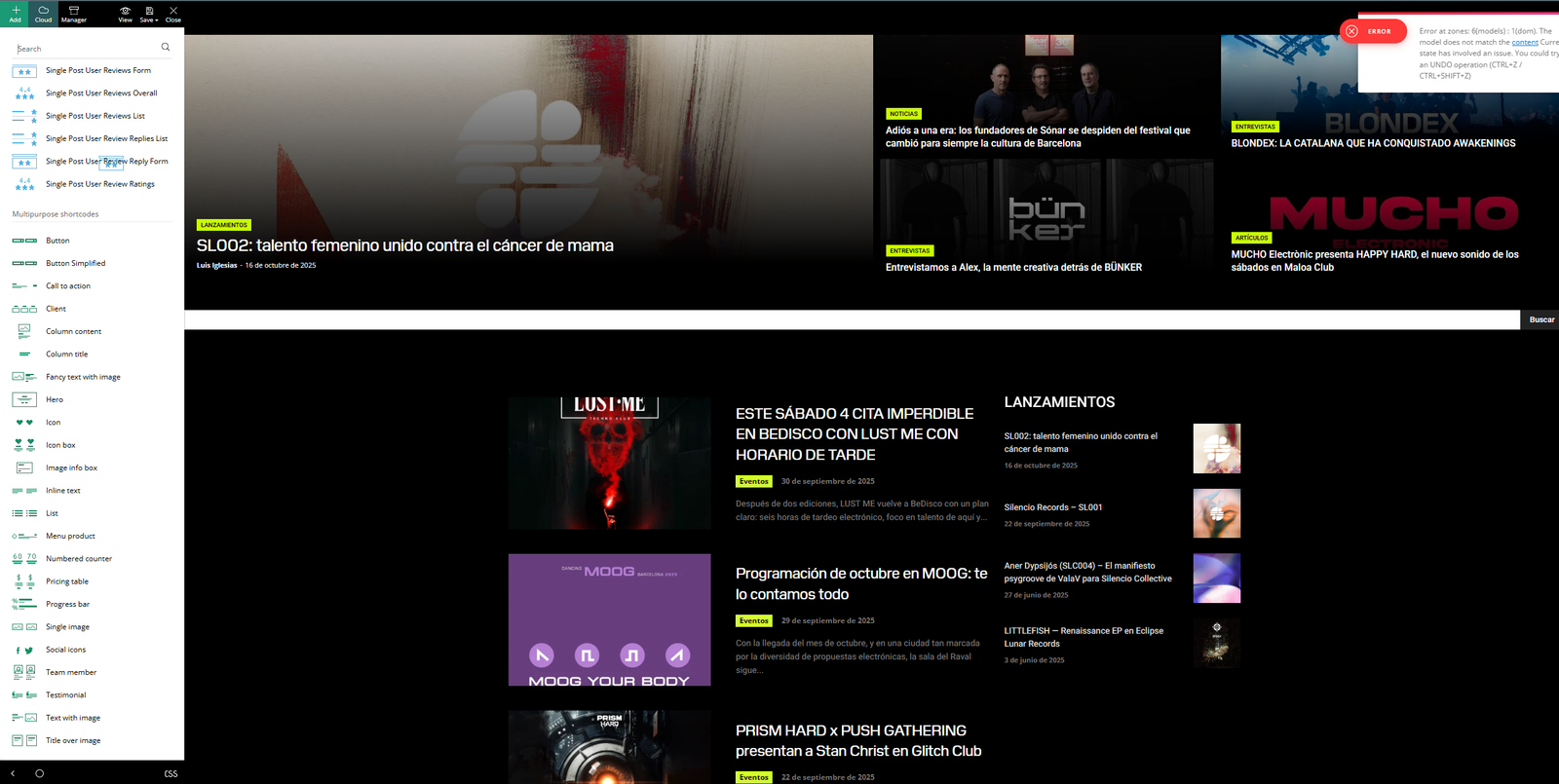
1.On my homepage, I can’t see the header or the footer (this only happens on the homepage).
2. I can’t use TagDiv Composer on my homepage (again, only on the homepage). Screenshot attached here.<br>
The editing sidebar appears, but I can’t edit anything in the body of the page — I can’t drag or select elements to modify them. It looks like it’s “broken.”
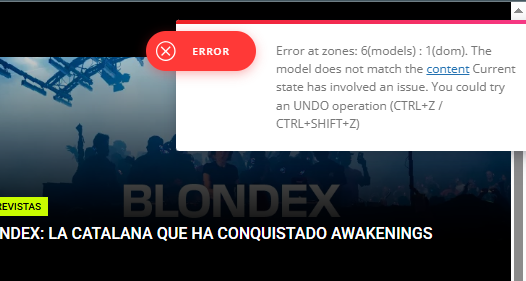
3. There are errors showing up in the TagDiv Composer editing menus. Screenshot attached here.
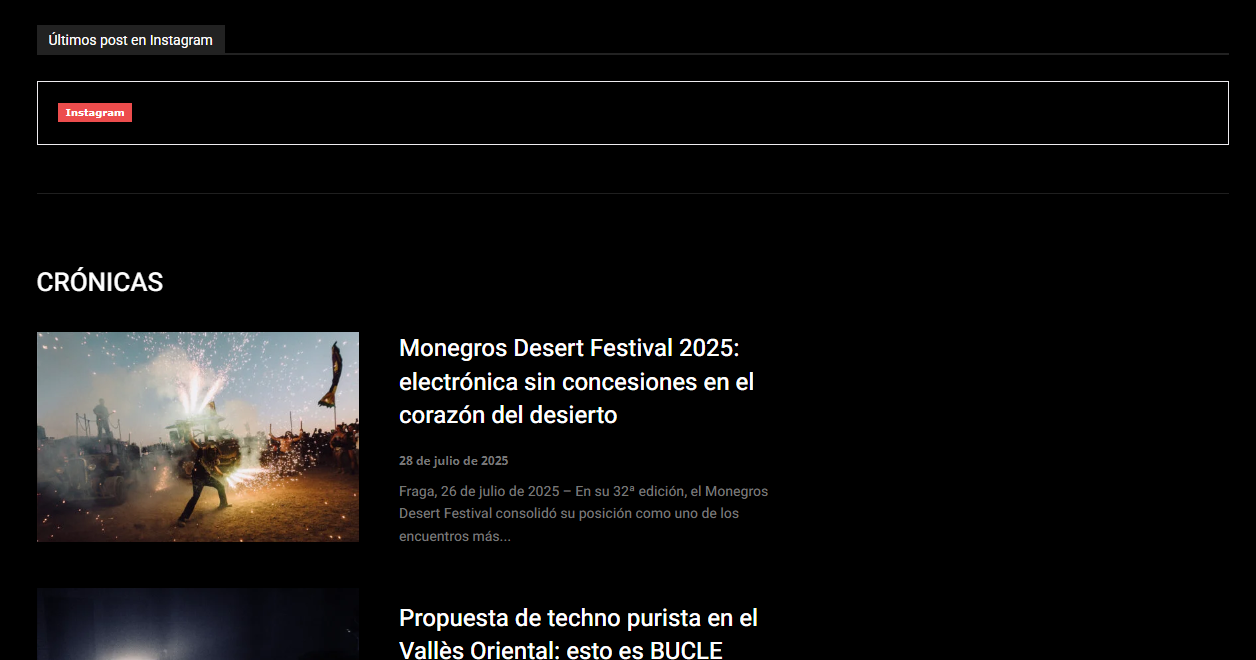
Some widgets have stopped working (for example, the Instagram link). Screenshot attached here
 astal
astalI would like to have a block on the front page, where I can put date-based content, say about specific historical events.
Ideally, I’d like to have a special post category (say, “chronology”). Those posts will be excluded from other areas of front page blocks (not sure if the “Exclude custom field” would do it, I will have a look to see how it works, I am new to the theme).
However, those posts will have an additional feature of a specific day that they are related to (say, “20th Oct” – optionally, this may include the year). Let’s call that “chronology-date”.
Now, in the suggested new block, the filter will check the chronology-date and will present the latest post (or as per the “limit post number” that is used now) for that category “chronology” only.
There would a variable of how many days before or after the chronology-date, they would become eligible, say, “chronology-before=5” (days) and “chronology-after=1” (day).
This could serve multiple purposes, i.e. historical events, future events, diary events, public announcements, etc.
Q1: is there a way of doing this at the moment, perhaps using any kind of custom fields?
Q2: from some research I’ve done, I didn’t find any wordpress plugin that does the job. Would you be interested in building that and adding it to the theme? I think it’s relatively easy to code the “chronology-date” as a new field for all posts, which would enable that.
Andreas.
Well, in my case, I need to find a way to do this very soon on my website, but I think the whole wordpress community would appreciate such a functionality.