- NewspapertagDiv AMP Plugin Tutorial
- NewspaperTrack Subscription Sources with Locker URL in Opt-In Builder
- NewspaperWP Rocket and Newspaper Theme: Optimization Guide
- NewspaperCredit System
- NewspaperIntroduction to CPT and ACF with Newspaper Theme
- NewspaperHow to edit modules for Flex Block X
- NewspaperHow to use the Posts List shortcode
- NewspaperUser review system
- NewspaperCustom Fields Support
- NewspaperHow to generate Facebook App ID
- NewspaperHow to insert a block inside the content of a post
- NewspaperModal Popup
- NewspaperPayPal Setup
- NewspaperLink Tracker
- NewspaperLockers
- NewspaperGeneral Options that May Interfere with the Newspaper Theme
- NewspaperAdd Cryptocurrency Price Ticker Widget
- NewspaperPosts Loop Element
- NewspaperThe Newspaper Mobile Theme: Introduction
- NewspaperAutoptimize Plugin – install and configuration
 sejpost
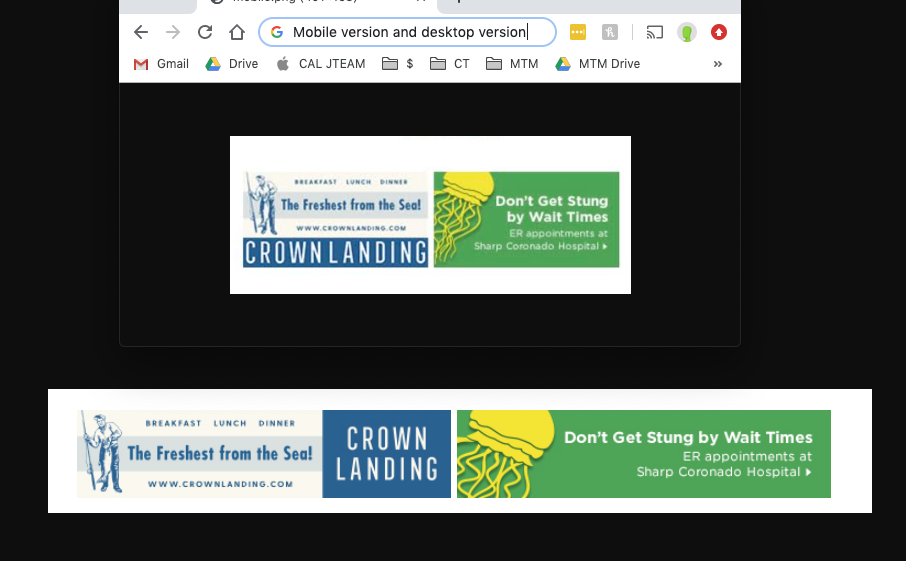
 Also, since we have two ads side by side in this ad location, how should the code look so that the ads can be horizontal side by side and still show the desktop or mobile version and proper links? So, there will be a total of 4 images and 4 links for two ad spots side by side…make sense? Many thanks for your help with displaying this for two ads. Example of what the mobile version looks like and desktop version of these two ads:
 Hari
HariNot able to see so many Google fonts in the block style lists. For example DM Serif Display
 bpotter
Hi,
I just went into the wp-config file to increase the WP Memory Limit (as I’ve done with a few other sites) but looking through the code it seems there is no define( ‘WP_MEMORY_LIMIT’, ‘256M’ ); line.
Do I add this line myself?
This is the code pasted from the file:
<?php
// ** MySQL settings ** //
/** The name of the database for WordPress */
define(‘DB_NAME’, ‘asiamot1_9ac’);
/** MySQL database username */
define(‘DB_USER’, ‘asiamot1_9ac’);
/** MySQL database password */
define(‘DB_PASSWORD’, ‘7BAF16ED3f5zu9k0ic4r2x8’);
/** MySQL hostname */
define(‘DB_HOST’, ‘localhost’);
/** Database Charset to use in creating database tables. */
define(‘DB_CHARSET’, ‘utf8’);
/** The Database Collate type. Don’t change this if in doubt. */
define(‘DB_COLLATE’, ”);
define( ‘AUTH_KEY’, ‘S<Knq7xehI6MS)/c-T!B$|i ^4@bBMNBmZ044+k4-czg(GRet]q.y4r,FTc@zFhT’ );
define( ‘SECURE_AUTH_KEY’, ‘Or!fu[=5mrD=xv]L,Ce$Mi]Mt[6gSN&&_bG&t&No9wQ_eki-2VsUm5|PW.(8j;’ );
define( ‘LOGGED_IN_KEY’, ‘:yUFMYVlH~%4UmSGH!sFdDYn!b[.[!#.la Zb;>( ~ofPs}J16&J&N 1a5dm(Q*[‘ );
define( ‘NONCE_KEY’, ‘AUoQ(~dchX.UvjNlF^AqOM)43kTHs0BI&H7{&Yr3]V~xGn.$(ALO@3GbLtv5QPG~’ );
define( ‘AUTH_SALT’, ‘=/eIhNX19:|azS*Y>{;n]?vZQ6I272U_#nXQCgAz GJ.mu}R q)f9X[x7f.qNoPM’ );
define( ‘SECURE_AUTH_SALT’, ‘p(W/PF*adnzT8n^X>J%fF0r]+d!5?5!DNFZt|.0](<FB7@*9(u hR]qq^8(o[z0o’ );
define( ‘LOGGED_IN_SALT’, ‘TUz5j!;-c_#4T?a9:x#MQm&X@])T@=XBf;xDEz63W2(/s3fg8q$ R4H2Jx/B{>N@’ );
define( ‘NONCE_SALT’, ‘-ithy%KdL<ci?|9z?PMKx(3k5f?UDh[ayegue~dTE_#{g)w-Fij#rU@MWe{SDuU,’ );
$table_prefix = ‘9ac_’;
define( ‘DISALLOW_FILE_EDIT’, true );
define( ‘AUTOSAVE_INTERVAL’, 300 );
define( ‘WP_POST_REVISIONS’, 5 );
define( ‘EMPTY_TRASH_DAYS’, 7 );
define( ‘WP_CRON_LOCK_TIMEOUT’, 120 );
set_time_limit(600);
/* That’s all, stop editing! Happy blogging. */
/** Absolute path to the WordPress directory. */
if ( !defined(‘ABSPATH’) )
define(‘ABSPATH’, dirname(__FILE__) . ‘/’);
/** Sets up WordPress vars and included files. */
require_once(ABSPATH . ‘wp-settings.php’);
Thanks,
Ben
Thanks
 arlingtoncardinal
Tue July 30 2019 4:43 pm https://www.example.com/?p=578271
Could someone please tell me how to add the text above in a single post directly under the single post title? I would like to display this information (instead of just July 30 2019, for example). In other words I would like to be able to display the full date and time the permanent link instead of just the permanent link for each article.
 nskholiya95
 is there any terms & conditions
nskholiya95 if there any terms & conditions.
 DaveS
DaveSHi guys,
I need to change the word Home (in my case Начало) at the begining of the breadcrumbs, which I have only on product pages on the site.
Example: https://www.dropbox.com/s/fjqpftnolh8cz7y/breadcrumbs.jpg?dl=0
I need to change this word as it appears in the breadcrumbs in the SERPs: https://www.dropbox.com/s/ihzw0zro4prwx7i/breadcrumbs%20in%20serps.jpg?dl=0
I tried to change the translation of the word from the theme panel, but it doesn’t help.
Please advice which file I should edit. Thank you!
 h1o2s6
 hi,
finally, I find the file thanks to you but unfortunately, it can’t fix my problem …
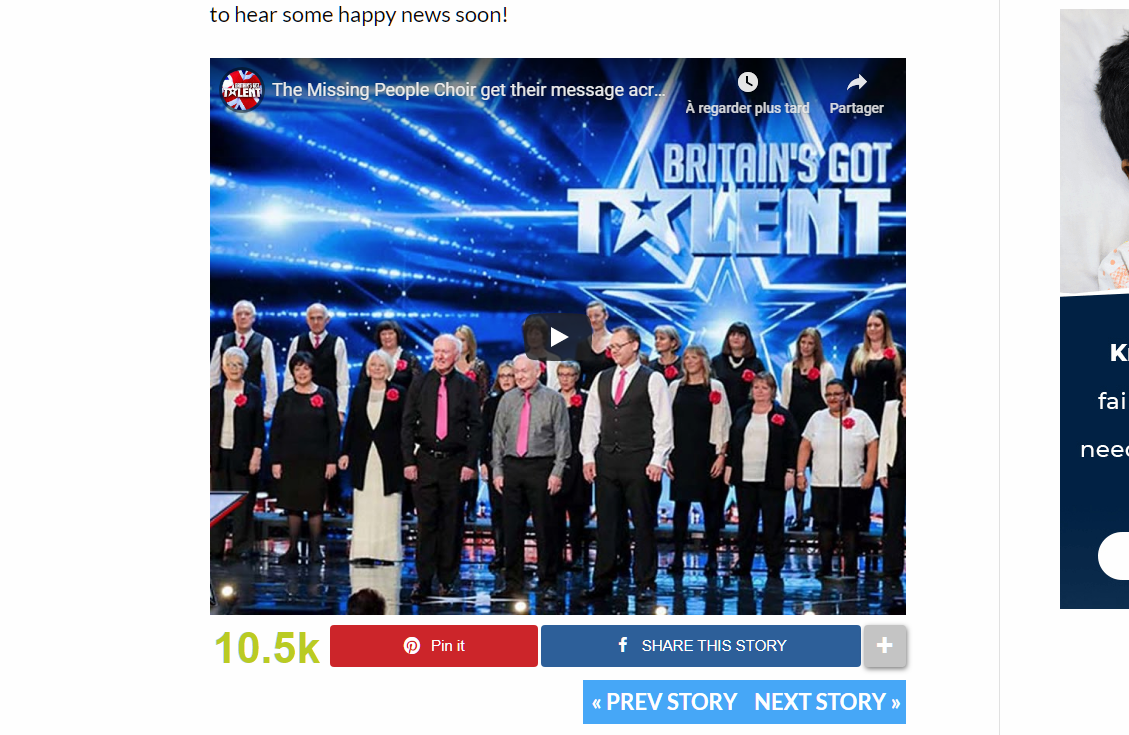
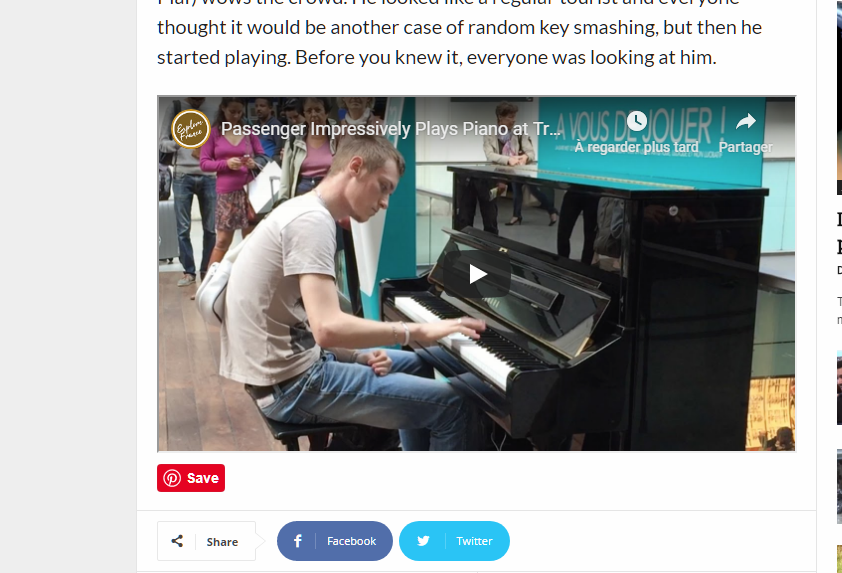
For real I have an issue with the embed youtube video size I want it with a square form like this one ( https://www.amazingpandph.com/wp-content/uploads/2019/07/1-1-34.png ), You can check this on the website ( https://www.amazingpandph.com/missing-son-didecace/ ) ps: I’m using different theme..
I really enjoy your theme design and fluidity that’s why I bought one but didn’t expect this issue ( https://www.amazingpandph.com/wp-content/uploads/2019/07/1-1-35.png ). I’m using this iframe code (<figure><iframe src=”https://www.youtube.com/embed/VGJUxiwZ1yk?rel=0&showinfo=0&iv_load_policy=3& frameborder=” width=”750″ height=”600″ allowfullscreen=”allowfullscreen”></iframe></figure>) the same code im using on my other site with 600 height,but with different result on the newmag theme : (http://www.dailyglad.com/passenger-sits-down-at-public-piano/).. please can you help me to fix this..
Thank you!
 ARTTECHDESIGN
 but why I can’t see my contents in (Mobile+AMP) mode. This mode is perfect for me, I can change the theme color and font color and also background-color. But the problem is there is no content on the page. It’s displaying “no post to display”.
DaveS Hi Vlad,
Thanks for your help!
I need to add this code (please note that XXXXXXXX will be replaced with a real Facebook appID) on post and product pages:
<div id=”fb-root”></div>
<script async defer crossorigin=”anonymous” src=”https://connect.facebook.net/bg_BG/sdk.js#xfbml=1&version=v3.3&appId=XXXXXXXXXXX&autoLogAppEvents=1″></script>
Code: https://www.dropbox.com/s/ky1m0a5zvgrpvt2/Facebook%20Like%20and%20Share%20buttons%20GD.jpg?dl=0
It should load these buttons: https://www.dropbox.com/s/x3b9mvdqois3iyj/Facebook%20Like%20and%20Share%20buttons%20GD-fronend.jpg?dl=0
There is further piece of code that should be added within the body tag, but I can take care of this myself.
I need the provided code and respectively Facebook button to appear on post and product pages. Please see the screenshots.
Post page example: https://www.dropbox.com/s/hoj2psbsmp4eqic/post%20page.jpg?dl=0
Product page example: https://www.dropbox.com/s/8223v1stpbua191/product%20page.jpg?dl=0
I’m using a child theme.
I really appreciate your support!
Thanks!
 Vlad S
 Hello !
“two category tags on a Flex block?”
I understood that you want to have 2 categories displayed in 1 block. For that you will have to edit the filters and in the Multiple categories filter from the picture above add the categories like this example: Fashion, Featured, etc..
Let me know if this was helpfull !
Thank you !
ARTTECHDESIGNI made the website in static version, after taking the website on mobile it shows “No post to display”(mobile+AMP). But working in AMP only mode, but the submenu doest display and also not working theme color(Background color different from desktop version).
 Simion C.
 Hi,
The title line spacing can be reduced by changing the line-height, for example
– https://prnt.sc/ombguv (default is 21px)
.td_block_10 .td_module_9 .item-details {

line-height: 15px;

}
The space below the tags is there because by a margin. Where tags appear usually (in the post page) there is a margin. This margin applies now in the module, but it can be removed
– https://prnt.sc/ombln2
.td_block_10 .td_module_9 .td-tags {

margin: 0;

}
To make the text grey, as it is now, you could do this – https://prnt.sc/ombqyz
.td_block_10 .td_module_9 .news_details,

.td_block_10 .td_module_9 .news_details > a {

color: grey;

}
Adding a margin between the title and date is possible for some modules, the ones that have a link for the title, as then you can target the link and add the margin or padding
– https://prnt.sc/ombs6l
But the ones with no link contain just text, there is no HTML to target
– https://prnt.sc/ombsl0
.td_block_10 .td_module_9 .news_details > a {

margin-right: 10px;

}
For the country to be in a new line it would have to be set in the code itself, or with CSS. With CSS it cannot be targeted as it currently is – https://prnt.sc/ombtfu
There isn’t a CSS code to target specific characters from a text that aren’t part of a container, and place them in a new line.
Maybe you can add containers for the displayed data, so they can be targeted better. Let me know.
Thanks
 Calin
Calin Hi,
Please make sure that is not a plugin conflict.
Also I found some suggestion on this topic about this problem -> https://wordpress.org/support/topic/stylesheet-specified-in-tag-style-amp-custom-is-too-long/
Hope this will help you!
 yosifz8
 Thanks!
This is the link for two pages with the sidebar widget:
https://yfztravel.com/category/hotels/
https://yfztravel.com/top-10-hotels-in-las-vegas/
I would like for example to remove the Instagram area from there and to change the number of posts from the :
1) RECENT POSTS
2) RANDOM ARTICLE
Can you please provide me the info where I neet to inset this code?
 cyrus
cyrusHi,
1.I would like to have Rev slider show some images on a static site to offer digital products for sell and or subscribe? Also, how do I do it on the Post page, vs, some post that show up on designated category pages or Designated Static Pages Via TagDiv Builder?
2. As an option 2, I would like to set the Rev Slider to show based on recent posts, how do I do that?
3. Last option, I would like to set Rev Slider to show based on specific recent posts, or categories and for it to rotate based on recent posts.
4. Alternately, how do I make 1 or 2 of the images in a 5 image slider stay in the slider permanently, and have the other images in the slider automatically change based on new posts? Basically can I make some images permanent in the slider with rest just alternating based on category, page or post page?
Thank you,
Cyrus
cyrusHello,
1. Purchased my 4th License to Newsletter last night. After I tried to download Revolution 5, the video states I need to pay $26 to upgrade to Rev Slider 6. Shouldn’t the upgrade be free, and should the purchase I made last night give me Slider Rev 6?
2. When I download the Newsletter 9 Wordrpess only or the entire file to install on each license, it only carries the original one I purchased in may that is on my computer. If I use that one which is 14.3Mb to install for my 4th license, it carries the edited information to the theme I made for Politics, it actually does not transport the Politics theme as created by TagDiv, rather the edited version I made in my first license. I am not sure what is wrong, and how the system thinks to do that. How to solve this? How do I check to make sure the license if properly installed with no issues?
 edsoniancoski
“The author stylesheet specified in tag ‘style amp-custom’ is too long”
I, like many other recently got an AMP error that the AMP CSS exceed the max size limit. And I’ve tried every thing and can’t solve this problem in my website. Anyone has any ideia of how can i fix it?
 d_alinus2018
Hello,
For my website: https://www.povesteata.eu/ i receive today this message from google Search Console:
Erorile pot împiedica afișarea paginii sau funcției dvs. în rezultatele Căutării Google. Pe site-ul dvs. au fost descoperite următoarele erori:
AMP HTML Tag has an invalid layout specified by its attributes.
An AMP component ‘script’ tag is present, but unused.
Any ideea how i can fix that ?
 garyjones
 Hi Simeon
I trust you are well. I’ve done some more work.
Effectively what this does now is turn module 9 (I moved it from 8) into a kind of news, or other type, listing that is designed to feature aggregated content from other sites – so that when the headline is clicked it takes the viewer to another browser.
In the new version I have added Tags to the type where the content is driven by posts that have a certain category and tags attached (using this post) and deleting the Tag labelling from the td_module.php file.
When the content displayed is driven just by a category, I made the media outlet name a dynamic link that when cliked would also take the viewer to the main home page in a new window (as I am sure you know, this is a common feature of news aggregation services).
Whilst I have cracked the CSS a little I am still not strong enough to resolve all my needs. As an example I took the title field outside of the standard TagDiv placement to get the external URL to work. If I left it where it was it was adopting the a.link class from higher up but I couldnt see where. Obviously, this means any settings made to Block 10 style in the normal editor won’t work – which isn’t ideal.
Also, I think I over-complicated the CSS. My additions are –
/* Adds line under each story */

.td_block_10 .td_module_9 {text-align: left; border-bottom: 0.5px solid #d3d3d3; padding: 0 0 0.5em 0; margin: 0 0 0.5em 0;}
/* headline link details */
.item-details a:link {
font-family:Open Sans;
color:#000000;
font-size:13px;
font-weight:700;
}
a:hover {
color:#459fd3;
}
a:visited {
color:#336980;
}
/* Sets width of box header */
.td-pulldown-size {width: 100px;}
/*sets font style for news details */
.news_details {font-family:Open Sans;
color:#000000;
font-size:11px;
font-weight:600;
padding-bottom: 3px;
}
a:link {
font-family:Open Sans;
color:#000000;
font-size:11px;
font-weight:600;
}
a:visited {
color:#459fd3;
}
In this image you will see the two options along with the issues I can’t fix, https://prnt.sc/om3yp8,
Any help you can give with the CSS would be appreciated.
I am more than happy to then create a clean post for the community, with the code and an explanation of each ACF field etc – and reference the new post at the end of this chain.
I am just experimenting with design options across the entire site at the moment but if you go here, (p/w: he768ijKllmnhp). If you need admin access let me know.
Thanks in advance.
Best wishes
Gary
sejpostI have a client that wants to put two tagged links behind the two banners that occupy the same location (under each article). Here is the code that displays the desktop or mobile image based on the user’s device. However, how do I add a separate link for each image? Right now, they share the same link, but the client wants to have the desktop image have one link and the mobile image have another link (using google UTM tags):



<li><a href="https://www.sharp.com/hospitals/coronado/appointments.cfm?sem=2326&utm_source=coronadotimes.com&utm_medium=Display&utm_content=340X80%20Sting%20Ray&utm_campaign=SCOR_Online%20Scheduling" target="_blank"><img border="0" src="/wp-content/uploads/2019/07/Sharp-Coronado-articlefooter-web.jpg" /><img border="0" src="/wp-content/uploads/2019/07/Sharp-Coronado-articlefooter-mobile.jpg" /></a></li>
 imtasci
 for example search it ” italyada mühendislik okumak” and click italyadaokuyoruz.com … you will see what i mean… when i click this with desktop computer i dont want to see amp or mobile theme …
imtascihow can i change this? when i search my website at google(with my pc) i always open . mobile theme or amp page..
but i dont want this… how can i change this? please help.
 abdulwahab
I recently used a transparent layout on my homepage but this layout has made ordinary pages not display properly, anytime I try fixing this by adding a background to other pages, this changes gets effected on all pages and the homepage. please is there any way I can make this work effectively? see below for links to the respective pages. Thank you!
Home page: https://www.nigeriaelectricityhub.com/
Other affected pages example: https://www.nigeriaelectricityhub.com/download-category/empower-nigeria/
other affected pages example: https://www.nigeriaelectricityhub.com/newsletter/
 ArisaAvena
 Hey,
yes, as I said, I set the colour of the menu bar, but why is it on the big grid, not above?
I don’t know how to explain it, maybe the screens will tell you what I mean – the menu bar covers some of the big grid.
This is with menu: https://prnt.sc/olymja
And this is without it: https://prnt.sc/olymqh
As you can see, the menu covers the top of the grid, so in this example the face on the picture is cropped, not visible.
Is there any way to change it, move it, I don’t know?