
- NewspaperFlex Block Builder and Flex Loop Builder
- NewspaperHow to use the Flex Blocks cache option
- NewspaperHow to edit modules for Flex Block X
- NewspaperHow to insert a block inside the content of a post
- NewspaperFlex Block Settings Guide
- NewspaperMeta Info on Modules and Blocks
- NewspaperTheme modules and blocks
- NewspaperThumbnails – Fix strange looking images on blocks
- NewspaperBlock settings tutorial
- NewspaperCategory Tag on Modules/blocks
- NewspaperWP Rocket and Newspaper Theme: Optimization Guide
- NewspaperSearch setup for custom post type
- NewspapertagDiv Opt-In Builder – Emails
- NewspaperBookmark – Save For Later
- NewspaperModules Builder in Newspaper Theme
- NewspaperFilters and sorting for taxonomies
- NewspaperUser review system
- NewspaperWooCommerce: Happy “Add to Favorites!”
- NewspaperLockers
- NewspaperLeads
 heathcliff
 Hey @bettina, instead of doing this manually I wrote this code instead:
/* Default padding for desktop */

article p, .wp-element-caption, .wp-block-heading {

    padding-left: 60px;

    padding-right: 60px;

}
/* Remove padding for p elements inside blockquote */
article blockquote p {
padding-left: 0;
padding-right: 0;
}
/* Reduced padding for mobile */
@media only screen and (max-width: 767px) {
article p, .wp-element-caption, .wp-block-heading {
padding-left: 10px;
padding-right: 10px;
}
/* Remove padding for p elements inside blockquote on mobile */
article blockquote p {
padding-left: 0;
padding-right: 0;
}
}
About the Google Tag Manager issue, I failed to find the source.
 Anamaria
 Hello,
You need to create a page with a block to show bookmark posts, and assign the page to your account if you to have them there. Please check this guide -> https://forum.tagdiv.com/bookmark-save-for-later/
Thank you!
Anamaria Hello,
Please delete the offset on the block -> https://i.imgur.com/Bpy83yO.png let the field empty.
Thank you!
 mjaros
 Let me answer. Your advice by email was to activate the Standard pack plugin. I had to install it as it was not in my system and activate it. It did help – it restored my good old blocks and modules. And the old design is back, including the fonts etc. I honestly do not understand what happened with this module and its functionalities. When was it deprecated and was the change correctly communicated to users, such as myself? I certainly haven’t noticed the memo. Anyways, it works now and that’s what matters.
I will be double careful next time before updating to a new version of the tagdiv theme – these surprises do not work for me.
Thank you
 Calin
Calin Hi Sgommo,
When AdSense is not displaying ads , there could be several reasons for this issue. Here are some common troubleshooting steps you can follow to identify and resolve the problem:
1. Verify AdSense Account and Approval
– ensure your AdSense account is active and approved.
– check if your site is listed in the “Sites” section of your AdSense account and that it’s approved.
2. Check AdSense Code Implementation
– verify that you have correctly placed the AdSense Auto Ads code in the
– ensure there are no typos and that the google_ad_client is correctly set to your AdSense publisher ID.
3. Check for Conflicting Scripts
– ensure there are no conflicting scripts or ad blockers on your site that might be preventing the ads from displaying.
– disable any ad blockers you might have installed in your browser while testing.
4. Review AdSense Policy Violations
Check for any policy violations or warnings in your AdSense account. Violations can prevent ads from being displayed.
5. Monitor Ad Load and Placement
– be aware that Auto Ads might not display ads immediately or on every page load. Google uses machine learning to optimize ad placements, which means ads may appear inconsistently as it learns the best places to show them.
– ensure your site has sufficient content. Sites with very little content might not display ads effectively.
6. Examine Browser Console for Errors
– open your website and use your browser’s developer tools to check for any JavaScript errors or warnings that might be preventing the ads from loading.
7. Check AdSense Reports
– visit the “Reports” section of your AdSense account to see if there are any ad impressions being recorded. If impressions are low or zero, it could indicate an issue with ad serving.
8. Contact AdSense Support
– if none of the above steps resolve the issue, consider reaching out to AdSense support for further assistance.
The list is quite long, but I hope it will help you!
 random123
Hello,
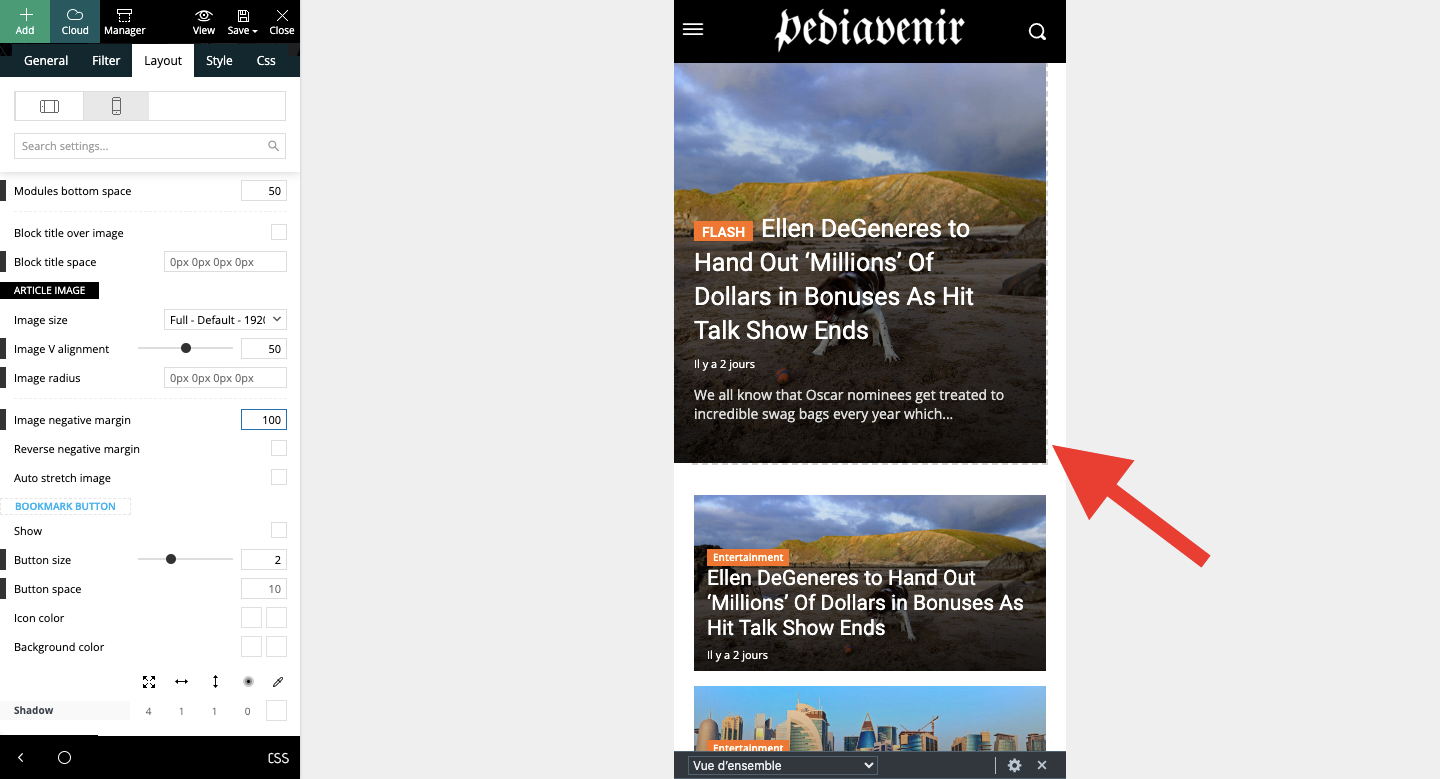
I’d like to make the flex box take up the whole width on mobile. I’ve tried several configurations but nothing works, there’s always this white space.
Thanks for your help!
 DaveKinetic
I have noticed a random bug. It’s only happened in the last couple of days. I have only made two changes to the site that I think have caused it to happen. Updated to the latest version of the theme and enabled Google auto ads and Google privacy/cookie setting banner.
For some reason, when I enable the to-top button, it displays at the top of the page for logged-out users. Logged-in works as normal. When I change it to the progress circle it still displays at the top of the page but is massive. I have tried rolling back the theme and using adblocker on the site and it doesn’t fix the issue.
Any ideas?
I had to turn it off as it is not working as expected.
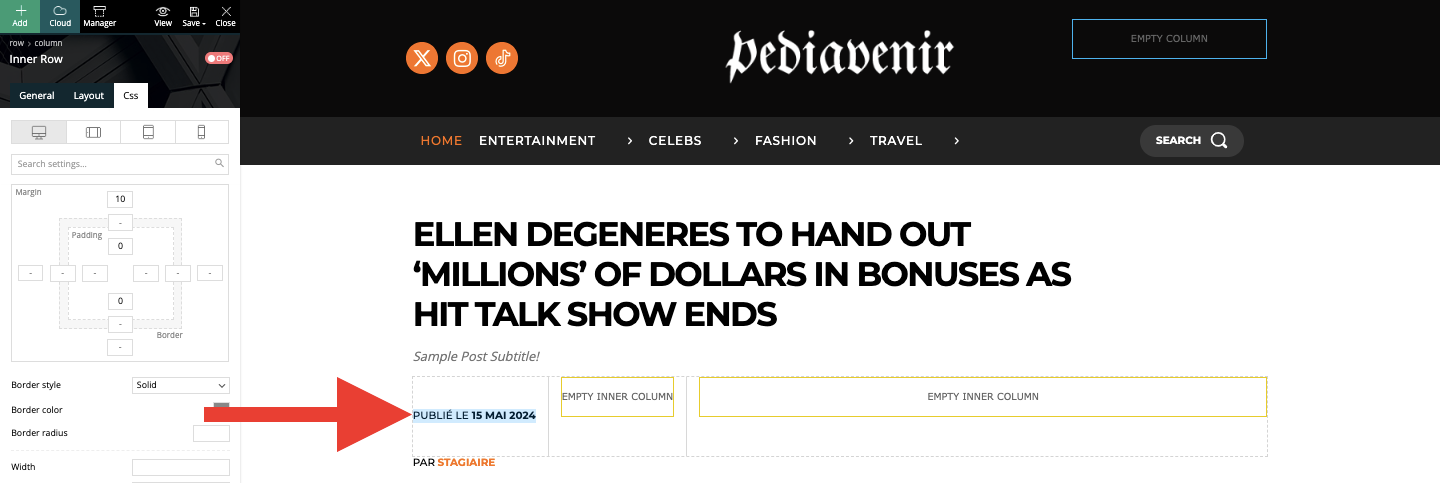
I’m sorry to ask you another question, but I’m spending a lot of time and I can’t find a way to do it. I just want to put the line “published on (date)” above the “author” line, but I can’t figure out how to do this simply. The block doesn’t move simply. Can you please help me?
Anamaria Hello,
I recommend creating your own modules because they are made in the code and can be complicated to change https://forum.tagdiv.com/edit-modules-flex-block-x/
You can find more details here about modules
-> https://forum.tagdiv.com/modules-builder-newspaper-theme/
-> https://forum.tagdiv.com/flex-block-builder-flex-loop-builder/
Thank you!
Anamaria Hello,
If you want to filter the blocks based on a tag/category or taxonomy, I recommend using Flex Loop Filters and set there the taxonomies that you want. You can find more details here https://forum.tagdiv.com/filters-sorting-taxonomies/
Thank you!
Calin Hi giantants,
The first ting is to make sure that you have the last theme (Newsmag v5.4.2) and WordPress version.
After that please check the plugin compatibility, for this, pleas do a test to see if tagDiv Composer is working when you have only tagDiv plugins enabled. Most of the time there is a plugin that is blocking the others.
Other thinks that can be checked are php version, try with php 7.4, and eventually 8-8.2. Another thing will be to check if there are any code restriction, modSecurity enabled.
When tagDiv Composer is Not Working
Thank you!
 thenursesmagazine
Can’t find any option to change this, I want to know How I can Edit the Icon, The cga Icon and also How Can I Add this Type of I con for others all Categories.
Also I want to change the Wifi Icon from all the block. Please Help
thenursesmagazineCan find any option to change this, I want to know How I can Edit the Icon, The cga Icon and also How Can I Add this Type of I con for others all Categories.
Also I want to change the Wifi Icon from all the block. Please Help
 jayflyer
 so do it from classic paragraph block?
 libertylens
 For some reason, the author block appears in this post:
https://libertylens.news/articles/letters/2024/05/15/dei-division-exclusion-indoctrination-has-no-business-in-k-12-school-districts/
but not this one:
https://libertylens.news/articles/letters/2024/05/10/become-a-precinct-committeeman/
Why did the CSS not remove the first one?
 Yohanndev83
 Hi,
Well, I’m missing something then.
I took 2 screenshots here and highlighted where I work
https://postimg.cc/gallery/XVs8F8v
1: Flex Block 5 > Excerpt length: 1 (type theme panel parameters: “On letters” / but “On words” do the same result)
2: Article presented with excerpt used
Can you guid me where is,in TagDiv Composer, the file who is used for this flex block. I will try to test with php the output
thank you
Regards
 Bettina
 Hello!
Strange! I’ve tested Flex Block 1 with all pagination types, and it’s working well.
Are you sure that you have multiple articles? Also, check the console while this issue appears to see if there are any errors.
Thank you!
Bettina Hello!
I’ve tested on my end, and it is working as expected for Flex Block 5 too.
Documentation here: https://forum.tagdiv.com/excerpts-introduction/
Try with the same post once again.
Thank you!
Anamaria Hi,
Unfortunately, as I said, there are different blocks with different functionality. If you want a block with number pagination the tab filter can be done custom. You can try to use the custom filed option to filter the block.
Thank you!
 masterabbott
 Update: We have narrowed the issue to Flex Block 1. The issue continued to occur when we rolled the theme back. Flex Block 5 is working before and after the update. We have not tested whether 2-4 is working or not. We will use Flex Block 5 in the mean time. We have no idea why Flex Block 1 is misbehaving.
 Abder Fath
Hello,
I have a flex block builder with post type (example : restaurant), and I would like to only display restaurants that have these two taxonomies checked (example : fish and meat). It’s like the option “Posts(cpts) must belong to all terms” but for taxonomies and not terms. Is it possible, thank you!
masterabbottPagination no longer works with Flex Blocks since the update. We have attempted to switch to different types of flex blocks and use different modes of pagination (load more, pages, infinite load). The block simply shows infinite load icon. We have no issues with flex and post loops.
We have attempted to create new flex blocks and change the flex box types with no luck.
The plugins have been updated to the most recent versions. We are considering rolling back the update to see if that will address the issues.
Do you have a suggestion on next steps?
DaveKineticI’ve not noticed this previously before today’s update, but going back to the previous version hasn’t fixed it either.
At the bottom of my page below the footer, I have a large white area that I want to remove. It’s not showing when I edit in TagDiv composer, so I have no idea where it can have come from.
Inspect element in Chrome shows this code:
<body class="home page-template-default page page-id-610 logged-in admin-bar td-standard-pack global-block-template-1 tdb-template tdc-header-template tdc-footer-template td-animation-stack-type0 td-full-layout customize-support td-js-loaded" itemscope="itemscope" itemtype="https://schema.org/WebPage" data-new-gr-c-s-check-loaded="14.1172.0" data-gr-ext-installed="" style="padding-bottom: 66px !important;">
Similar code when logged out
<body class="home page-template-default page page-id-610 td-standard-pack global-block-template-1 tdb-template tdc-header-template tdc-footer-template td-animation-stack-type0 td-full-layout td-js-loaded" itemscope="itemscope" itemtype="https://schema.org/WebPage" style="padding-bottom: 66px !important;" aria-hidden="false">
Removing the padding-bottom removes the white box, but I have no idea where this is to remove it. Can I remove it with custom CSS?
Yohanndev83Hi,
I did the last update v.12.6.6 on the theme Newspaper
The element “Flex Block 5” from “tagDiv Composer” is the only one when option: “Excerpt length” seem’s not working. I can hide it using option but not changing the amount of length, I got the full texte anyway. I tried with an other element and it’s working. Can you give me a patch or something to make it works on the element ?
thank you by advance
Regards
libertylens How did you remove the Author block? I’d like to know so I can do it in the future. Is there a way to hide it by default on all Letters to the Editor?

