- NewspaperFlex Block Builder and Flex Loop Builder
- NewspaperHow to use the Flex Blocks cache option
- NewspaperHow to edit modules for Flex Block X
- NewspaperHow to insert a block inside the content of a post
- NewspaperFlex Block Settings Guide
- NewspaperMeta Info on Modules and Blocks
- NewspaperTheme modules and blocks
- NewspaperThumbnails – Fix strange looking images on blocks
- NewspaperBlock settings tutorial
- NewspaperCategory Tag on Modules/blocks
- NewspaperWP Rocket and Newspaper Theme: Optimization Guide
- NewspaperSearch setup for custom post type
- NewspapertagDiv Opt-In Builder – Emails
- NewspaperBookmark – Save For Later
- NewspaperModules Builder in Newspaper Theme
- NewspaperFilters and sorting for taxonomies
- NewspaperUser review system
- NewspaperWooCommerce: Happy “Add to Favorites!”
- NewspaperLockers
- NewspaperLeads
 upmy-life
 Ok, I understand my use of “Single – Related from taxonomies:” was wrong because I work on a Category template and this filter is just for single page.
So, is there a solution (with this block or whatever else) to do what I want : got all the post of the current category but only from a specific taxonomy ?
 pkrn
pkrnI started with Classic demo theme without media. I want to create post without sidebar but I couldn’t find a way to remove it completely. There’s a block in sidebar column that cannot be removed. So I implemented pre-design template from cloud library, https://cloud.tagdiv.com/spa-and-wellness-resorts-are-amazing-for-your-health/. In editor mode, I can see pictures in envira gallery block but when preview or publish it-there’s no content but it did show up when use original template.
 Anamaria
 Hi,
You need to use tagDiv Composer, click on the block, and check in Layout the excerpt -> https://i.imgur.com/Avfpwop.jpg and hide it.
Hope this will help you!
Thank you!
 Bettina
 Hello!
The filter “category: current category” is working only on a category template.
The single filters works also on a single template: https://prnt.sc/zQ9B6dbHt-xj
Check our guides here:
– https://forum.tagdiv.com/flex-block-settings-guide/
– https://forum.tagdiv.com/big-grid-flex-settings/
Thank you!
 jayflyer
for example, in a paragraph block, i just want to slightly increase font size of a first sentence or line.
 sumitkumarsid@gmail.com
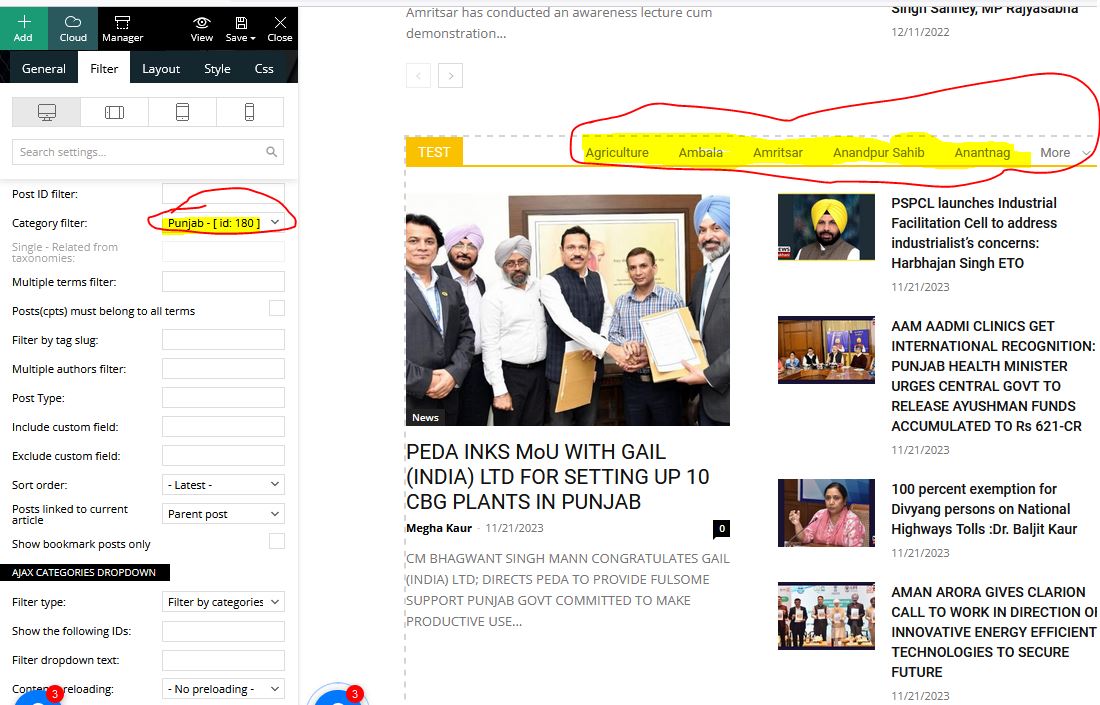
I have added the Block and In filter option selected the Sub Category but in Page it is showing all categories not the Subcategories. Please assist me with the setting.
Reference Screenshot – https://newsmakhani.com/wp-content/uploads/2023/11/Fil.jpg
upmy-lifeHello,
I have created a taxonomy called “format”.
And on each category page I have made some sections with Big Grid Flex 2 elements.
My goal is to get in each “Big Grid Flex 2” a list of post from the CURRENT category AND a specific taxonomy.
For example in the first block of the page https://upmy.life/axe/relations-sociales/communication/ I just want to have posts from the current category “Mieux communiquer” AND from the taxonomy “format = Guide Ultime” (which is id=154).
Is it possible to make this ?
Because I have tried several filters (“Category -> Current category” + Multiple terms filter:154) or (“Category -> Current category” + Multiple terms filter:154 +Single – Related from taxonomies:format) and so on… but nothing works.
Thanks
 stefanegirard
 I am afraid not.
If you see the original image you see the difference and still no access to the ATTACHMENT DISPLAY SETTINGS section.
Access only when I use the text with title block.
Anamaria Hello,
You can change the pagination font size here https://i.imgur.com/IiQadYI.png editwith tagdiv Composer, select the block, and in the tab style, you can change it.
Thank you!
Bettina Hello @jrvalle !
It should display the posts that have been popular in the last 7 days, ordered by page views.
Make sure the block has no offset: https://forum.tagdiv.com/offset-feature/
Thank you!
Anamaria Hi,
Does the block not display the posts?
Thank you!
Anamaria Bettina Hello @Wib!
Check if you do not have a block before with the offset. Try to enable this feature: https://forum.tagdiv.com/unique-articles/ on your homepage.
So, you won’t have duplicate posts.
Thank you!
 forevermogulmag
I am trying to create the tabbed content link shown on your demo page Town Talk. I did find this link in another support post. However, what it doesn’t now show is how do I setup the pages for the tabbed content.
It appears that have to create a new page for each tabbed content but how do I set up that page? Blank page with no footer, menu, etc., and what block design is used in demo? I want to filter what appears by tags, like how do I set this up?
 PaulaS
 Hello Calin,
May we please communicate via email? I’d rather not have my messages posted on this forum.
I have turned off the meta block as per your last message, but the authors’ names are still showing.
Thank you!
 Calin
Calin Hi,
Can you please provide some screenshots and a link where I can check it? Maybe the author is displayed in a block, in this case you’ll need to use this option – https://i.imgur.com/ZZRRvF9.png
Thank you!
 serhiibilenkyi
After update 9 -> 12.6.2 problem with display site https://l30class.org/
—–exemple message—–
[td_block_1 custom_title=”LATEST NEWS” block_template_id=”td_block_template_8″ m4_el=”0″ category_id=”4″ limit=”6″ css=”.vc_custom_1576418171150{background-color: #ffffff !important;}” f_header_font_family=”file_1″ m4f_title_font_family=”file_1″ m6f_title_font_family=”file_1″]
—————
thx
Serhii
 avatel
 I really want the orginal files of this image 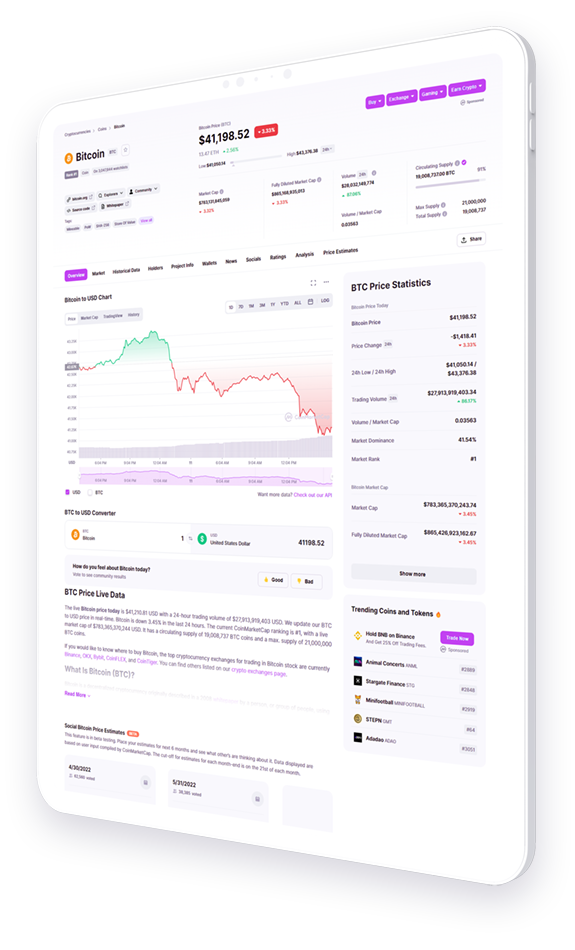 . I tried using other images but they don’t look as good as this mockup. Anyway around this?
 meri
meriHi,
On the author pages like https://www.creermalin.fr/author/nicolas/ there is a problem.
The page keeps searching and the design has an issue (see the block at the bottom left).
It happens on all author pages.
Here is a screenshot: https://ibb.co/m0pc86q
How can I fix this problem?
Thanks
Bettina Hello @kaeferatwork!
The block with the next prev ajax feature can be this one: https://prnt.sc/vMX3tXN1YEBN or https://prnt.sc/4z31v7mp59wf
With these blocks, you can display the featured images from your posts and pages.
We also have this element: https://prnt.sc/aXYwX5Ph9xtr with autoplay at x seconds.
Also, you can use this slide gallery: https://forum.tagdiv.com/gallery-2/
Thank you!
Anamaria Hello,
You need to use a custom code css https://www.anantvijaysoni.in/creating-a-2-column-responsive-form-with-contact-form-7-wordpress-plugin/
This is the code used for the form
.td-coaching-form { -> https://i.imgur.com/tpjPHkz.png -> https://i.imgur.com/3DjdnNm.png
display: flex;
flex-direction: row;
flex-wrap: nowrap;
justify-content: center;
align-items: flex-start;
margin-left: -30px;
margin-right: -30px;
}
.td-coaching-form-left,
.td-coaching-form-right {
width: 50%;
padding: 0 30px;
}
@media (min-width: 768px) and (max-width: 1018px) {
.td-coaching-form-left,
.td-coaching-form-right {
padding: 0 15px;
}
.td-coaching-form {
margin-left: -15px;
margin-right: -15px;
}
.td-request-form textarea {
height: 168px !important;
min-height: 168px !important;
}
}
@media (max-width: 767px) {
.td-coaching-form {
flex-direction: column;
justify-content: flex-start;
align-items: center;
}
.td-coaching-form-left,
.td-coaching-form-right {
width: 100%;
padding: 0 10px;
}
.td-coaching-form {
margin-left: 0px;
margin-right: 0px;
}
}
.td-request-form select {
font-size: 16px;
font-weight: 500;
margin-top: 12px;
padding: 13px 15px 12px;
width: 100%;
border: 3px solid var(--custom-accent-3);
}
.td-request-form textarea {
font-size: 16px;
font-weight: 500;
margin-top: 12px;
height: 176px;
min-height: 176px;
padding: 13px 15px;
border: 3px solid var(--custom-accent-3);
}
.td-request-form input[type=text],
.td-request-form input[type=url],
.td-request-form input[type=tel],
.td-request-form input[type=email] {
margin-top: 12px;
font-size: 16px;
font-weight: 500;
height: 54px;
padding: 0 15px;
border: 3px solid var(--custom-accent-3);
}
.td-request-form span.your-consent {
display: block;
text-align: center;
font-size: 14px;
}
.td-request-form span input[type=checkbox] {
margin-right: 10px;
}
.td-request-form input[type=submit] {
margin-left: auto;
margin-right: auto;
display: block;
background-color: var(--custom-accent-2);
color: #fff;
transition: all 0.3s ease;
padding: 18px 36px;
font-size: 14px;
border: 3px solid var(--custom-accent-3);
border-radius: 50px;
font-family: "Red Hat Display", "Open Sans", sans-serif;
font-weight: 700;
text-transform: uppercase;
}
.td-request-form input[type=submit]:hover,
.td-request-form input[type=submit]:focus,
.td-request-form input[type=submit]:active {
background-color: var(--custom-accent-1);
}
Thank you!
 Zeeshan Rasheed
Hi,
I customized my theme pages with different blocks and section templates, and now my site https://www.bookwormworlds.com not showing on mobile even though I already created a mobile home page after this issue. Its just shows Newspaper demo data with newspaper header which totally different from my home page layout. Can you please help me out?
Thank You
 vijay-kumar
I have deleted all the companies included in demo. I created a new company, but it is not showing in drop-down menu on company listing page. Please fix it asap. https://prnt.sc/b481YtAgo9Yj
I also want to rename the block names in company creation. https://prnt.sc/oBtG64rr8ph6
Does it support loco translate?
if yes, please provide documentation link.
stefanegirard Hi
I deleted the same image and I uploaded it again but I still do not see the ATTACHMENT DISPLAY SETTINGS section.
Instead I have the “Catégories média” block from the Enhanced Media Library with a list of my categories media (selection boxes)
stefanegirardHi,
I created a new Flex Block 1.
In Layout I set Show date & Show author on Show.
But no display.
POST SETTINGS > Posts and Custom Posts Types > SHOW AUTHOR NAME & SHOW DATE are blue and on the right side.
Please help.