
- NewsmagRequirements for Newsmag
- NewsmagHow to update the theme
- NewsmagtagDiv Social Counter tutorial
- NewsmagTop bar templates
- NewsmagAjax view count
 Jagan
JaganHi
I have been trying from two days to upload my logo via theme panel, I am using Beauty blog and not any PRO theme. I can see demo logo image in the theme panel, but when I try to replace with my logo, its not showing. I have deactivated cache plugin also. Its a fresh install, I don’t understand what’s the issue here. Please any leads and advices will be very helpful, I’m on a deadline. Please help.
 Bettina
 Hello!
The issue can be from a plugin conflict, that’s why, please deactivate ALL plugins except tagDiv ones, also if you are using child theme or cache plugin, deactivate them, clear all cache and try again.
If this problem is not solved after that, then we need to take a look and see what happened there.
Please contact us via email at contact@tagdiv.com and provide the following:
– admin url and credentials
– cPanel url and credentials
– a link to this topic in order to identify you
Our team will take a look!
Thank you!
 Anamaria
 Hello,
This problem can appear when is a plugin conflict. Please deactivate ALL plugins except tagDiv plugins (theme plugins), also if you are using child theme or cache plugin, deactivate them, clear all cache and try again.
Please check this guide to update the plugin => https://forum.tagdiv.com/newspaper-how-to-update-a-plugin/
The plugins are located in Newspaper-tf\plugins.
If this problem is not solved after that, then we need to take a look and see what happened there.
Please contact us via email at contact@tagdiv.com and provide the following:
– admin url and credentials
– a link to this topic in order to identify you
Our team will take a look!
Thank you!
Thank you!
 Anonymous
Hi again!
I am having some issues with the Lazy Load feature.
When I use the option on the Theme Panel, there are some images that are not lazy loaded, as you can see in this screenshot: https://paste.pics/BHED9
When in use the lazy load option of my cache plugin, this issue does not occur.
But I’d like to use the Theme lazyload, as its js is already loaded on the theme javascript; when I use the plugin one, a new JS is loaded..
Is there a way to force lazy loading these images?
 Calin
Calin Hi,
I just checked the website and this is ok https://i.imgur.com/WJDbZ18.png the only way to can be sure if this is a cache problem is you can disable it for some time. I do not say that it can not be from other cases, but this one is most frequent.
Thank you!
 freekancemarketer
Mobile theme-Version is not visible/loading on Mobile Phone on HOMEPAGE there is a page visible with only the last articles. We have create a mobile version as you explain in documentation. All other plugins are disable, also cloudflare cache. We have try everything, AMP, Mobile+AMP, Disable AMP on homepage – everything!! Mobile version of the homepage theme is not showing on phone. Website is liberta-news.gr
The Homepage (cloud) has an Mobile Template (created with same content)
Same problem for Single Post or category, it seems that this do not read the mobile cloud templates
 ddj
ddjI have a site where one category is not loading correctly. No other different categories are displaying this error.
Here is the category: https://www.schoolnewsnetwork.org/category/grand-rapids-community-college/
(It also appears on subsequent pages of the category such as https://www.schoolnewsnetwork.org/category/grand-rapids-community-college/page/2/)
This seems to be a recent issue because in some browsers/computers that have that page cached, it will appear correctly.
When I test it in an incognito browser or mobile browser, the issue is obvious.
I have tried all of these things, and none of them fixed the issue.
– Opening it in Tag Div Composer and saving. The page looks correct all the time.
– Clearing page cache and site cache.
 pepperandplatinum
 Thank you Anamaria – It however did not work.
Everything is updated.
I deactivated all the plugins except TagDiv, purged cache.. nothing.
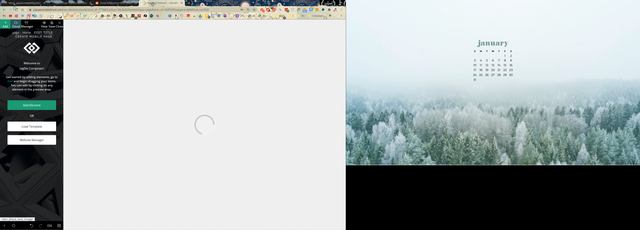
It just won’t let me edit the site when I select Edit with Tagdiv.
When I hover my mouse over the page that is loading, it knows the website is there.. but I cannot see it.
What it is doing currently:
freekancemarketerMobile theme-Version is not visible/loading on Mobile Phone on HOMEPAGE (ONLY) there is a page visible with only the last articles. We have create a mobile version as you explain in documentation. All other plugins are disable, also cloudflare cache. We have try everything, AMP, Mobile+AMP, Disable AMP on homepage – everything!! Mobile version of the homepage theme is not showing on phone. Website is liberta-news.gr
 Vlad S
 Hello !
This sounds like a caching issue. When your cache has been cleared the elements were gone already. You will have to first start looking for a plugin conflict. please deactivate ALL plugins except tagDiv ones, also if you are using child theme or cache plugin, deactivate them, clear all cache and try again.
In order to restore your elements you will have to upload a backup of your website.
Thank you !
Bettina Hello!
The issue can be from a plugin conflict, that’s why, please deactivate ALL plugins except tagDiv ones, also if you are using child theme or cache plugin, deactivate them, clear all cache and try again.
If this problem is not solved after that, then we need to take a look and see what happened there.
Please contact us via email at contact@tagdiv.com and provide the following:
– admin url and credentials
– a link to this topic in order to identify you
Our team will take a look!
Thank you!
Anamaria Hi,
Please make sure you have activated only the tagDiv plugins. If you have other plugins, please deactivate all. Also, if you are using child theme or cache plugin, deactivate them, clear all cache and try again.
Please send us screenshots with the problem.
Thank you!
Anamaria Hello,
Does the mobile theme version appear on the desktop? Please make sure that you do not have a plugin conflict, please deactivate ALL plugins except tagDiv plugins (theme plugins), also if you are using child theme or cache plugin, deactivate them, clear all cache and try again.
Let me know the results.
Thank you!
Bettina Hello!
Please make sure you have all updates done.
Try on that pc to delete your cache and start looking for a plugin conflict.
Hope that helps you!
Thank you!
Vlad S Hello !
Unfortunately your website does not seem to work at the moment.ou will have to first start looking for a plugin conflict. please deactivate ALL plugins except tagDiv ones, also if you are using child theme or cache plugin, deactivate them, clear all cache and try again.
Also you can try and remove and re-install the tagDiv Composer plugin and please send us a link to your website in order to take a look.
Let us know the results.
Thank you !
Anamaria Hi,
Please check if you use the last version WordPress 5.6 with a last theme version Newspaper 10.3.9.1 and check to see if the problem persists.
If you need to make an update, before please make a full backup to all files and the database, in case something goes wrong. => https://forum.tagdiv.com/how-to-update-the-theme-2/
Also, try to deactivate ALL plugins except tagDiv ones, too if you are using child theme or cache plugin, deactivate them, clear all cache and try again.
Let me know the results!
Thank you!
Anamaria Hi,
This problem can appear when is a plugin conflict. Please make sure that you do not have a plugin conflict, please deactivate ALL plugins except tagDiv plugins (theme plugins), also if you are using child theme or cache plugin, deactivate them, clear all cache and try again.
Also, if you are using Cloudflare, please make sure that is set as in our guide https://forum.tagdiv.com/cloudflare-cdn/ , you need to disable the Rocket Loader.
Let me know the results!
Thank you!
Vlad S Hello !
Please send us a screenshot of your System Status Tab and make sure that all the requirements are met as you can see here: https://forum.tagdiv.com/requirements-for-newspaper/ ; You will have to first start looking for a plugin conflict. please deactivate ALL plugins except tagDiv ones, also if you are using child theme or cache plugin, deactivate them, clear all cache and try again.
Also you can try and remove and re-install the tagDiv Composer plugin and please send us a link to your website in order to take a look.
Let us know the results.
Thank you !
Bettina Hello!
The issue can be from a plugin conflict, that’s why, please deactivate ALL plugins except tagDiv ones, also if you are using child theme or cache plugin, deactivate them, clear all cache and try again.
Let us know about your results!
Thank you!
 Thejoker88
 Thanks alot Bettina. I did all the steps above and the problem seems to have gone away now. Not sure if it was the memory limit or the cache causing the issue. Either way, fingers crossed it doesn’t happen again. Appreciate the help.
I’m not sure if I should start another thread about this, but how do I show “related posts” at the sidebar?
https://imgur.com/B16Y6Qf
Thanks
Anamaria Hi,
The issue can be from a plugin conflict, that’s why, please deactivate ALL plugins except tagDiv ones, also if you are using child theme or cache plugin, deactivate them, clear all cache and try again.
Also, please check if you use the last version WordPress 5.6 with a last theme version Newspaper 10.3.9.1(if you have a theme version older, than NewsPaper 10.3.9 and you have the latest WP version 5.6, tagDiv Composer not work)
If you need to make an update, before please make a full backup to all files and the database, in case something goes wrong. => https://forum.tagdiv.com/how-to-update-the-theme-2/
Hope this helps you!
Thank you!
Bettina Hello!
Please increase your memory limit by following our guide: https://forum.tagdiv.com/system-status-parameters-guide/
Also, the issue can be from a plugin conflict, that’s why, please deactivate ALL plugins except tagDiv ones, also if you are using child theme or cache plugin, deactivate them, clear all cache and try again.
Let me know about your results!
Thank you!
Vlad S Hello !
This may be a plugin conflict. You will have to first start looking for a plugin conflict. please deactivate ALL plugins except tagDiv ones, also if you are using child theme or cache plugin, deactivate them, clear all cache and try again.
Also you can try and remove and re-install the tagDiv Composer plugin and please send us a link to your website in order to take a look.
Let us know the results.
Thank you !
Bettina Hello!
I’m sorry for misunderstanding.
The issue can be from a plugin conflict, that’s why, please deactivate ALL plugins except tagDiv ones, also if you are using child theme or cache plugin, deactivate them, clear all cache and try again.
If this problem is not solved after that, then we need to take a look and see what happened there.
Please contact us via email at contact@tagdiv.com and provide the following:
– admin url and credentials
– a link to this topic in order to identify you
Our team will take a look!
Thank you!
 katjadebeurs
 Hi, after I cleared my cache I still don’t see it correctly in landscape. I Made a screenshot but cannot put it in this message. The problem is not fixed for me. Hope you can help me further.

