
- NewsmagtagDiv Composer Tutorial
- NewsmagHow to use the Visual Composer plugin
- NewsmagHow to update a plugin
- NewsmagWhat’s included in Newsmag theme package
- NewsmagRequirements for Newsmag
- NewsmagInstall via WordPress
- NewsmagInstall via FTP
- NewsmagBlock settings tutorial
- NewsmagtagDiv Social Counter tutorial
- NewsmagHow to update the WPBakery plugin
- NewsmagPage Menu
- NewsmagCustom ad spots
- NewsmagSmart sidebar
- NewsmagVideo playlist
- NewsmagPage templates
- NewsmagHomepage – How to build and set it
 neha.ecm
I have created few post and pages using tagDiv composer. Not sure what happened to the post. When I edit or create new post, the tagdiv composer is no more showing to edit the post. While I can see the tagdiv composer in creating/editing the page.
Can you assist me on this why the tagdiv composer is no more showing on the post? What changes have I done?
Regards,
Neha
 Calin
Calin Hi,
Unfortunately the Big Grid Flex can not be set in widgets, if you want to set it you’ll need to use tagDiv Composer.
Thank you!
 ibpsguideig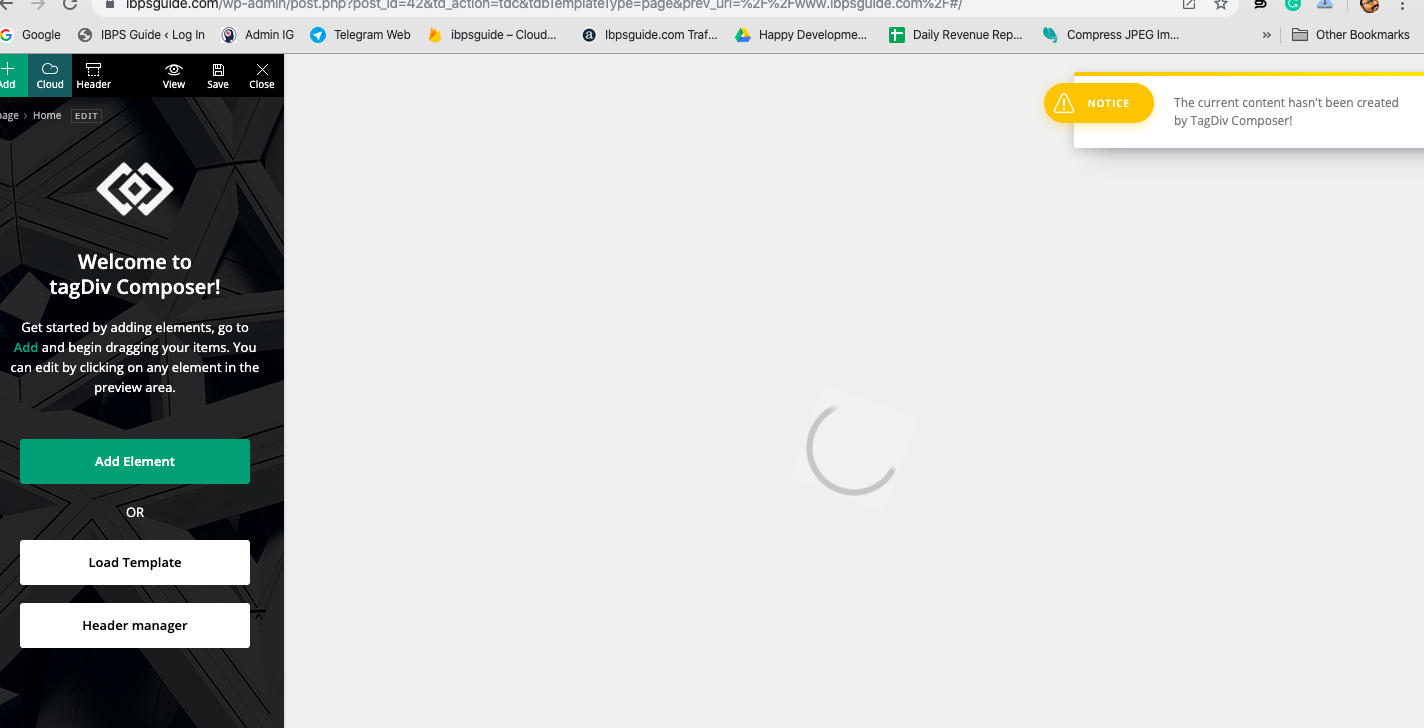
 julingn
 Hi imkimc, please let us know what the difference between Newspaper and your alternative theme / plugin set is. I am also thinking about switching theme as I am very unhappy with the last 1-2 major releases here. I am still fighting with tagdiv composer (no, it’s not that intuitiv as you think!) and now the next update is already here.
Calin Hi,
Lets start steep by steep,
this type of code will be display only if you are using the amp plugin, usually this code need to be set in head section of post/page, using only the amp plugin, you’ll need to use the “Transitional” option -> http://prntscr.com/pyf5d7, please check our documentation very carefully -> https://forum.tagdiv.com/tagdiv-amp-plugin-tutorial/ in this way you’ll have the classic amp, or you can use the mobile theme plugin and amp plugin and choose this option -> http://prntscr.com/pyf6e4 in this way you’ll have the mobile theme layout on amp and you’ll use only the amp without mobile theme, also you can set the auto amp ad in theme panel -> http://prntscr.com/pyf713 als if this is a new account then is possible to take some time until the ads will be approved for your website, until then these will not appear.
<amp-auto-ads type="adsense"

data-ad-client="ca-pub-#############">

</amp-auto-ads>
Also we recommend to use only flex elements and try to replace all the classic elements with flex elements and cloud elements, in this way you’ll achieve a better speed -> https://tagdiv.com/newspaper-theme-update-standard-pack-or-tagdiv-cloud-templates/
1. This can be possible only if you set an flex block with Auto Load for mobile and you hide it for the desktop and one with load more on desktop and hide on mobile theme.
2. If you want to have more control over the category page, then you can take a cloud category from tagDiv Cloud Library and edit it with tagDiv Composer
Yes, the Yoast SEO Plugin is compatible with our theme -> http://prntscr.com/pyfj2q
Thank you!
 Samuele
Good morning,
I have a problem. I can’t get the button into a column.
if i try to do it from the composer, i just insert it outside. i should insert a button to download a resume.
I enclose the image for a better understanding.
Thank you
 Vlad S
 Hello !
We are sorry for the inconvenience !
This is due to the changes from 10 where we encourage users to redefine their websites using the tagDiv Composer since is the plugin which will get more updates in the future.
Thank you !
Calin Hi,
If you are using the post loop from page template, then you can exclude categories using this field -> http://prntscr.com/pydz8u, unfortunately if you are using the post loop element from tagDiv Composer, you can exclude only post not categories -> http://prntscr.com/pye04o
Thank you!
Vlad S Hello !
The easiest way would be to install a demo and edit it using the tagDiv Composer but if you want you can start adding templates according to our tutorials.
Thank you !
Calin Hi,
Please deactivate the WPBakery plugin and try again, is possible to be some conflict that with this plugin for this error, also make sure that the page that you are editing was build only with tagDiv Composer.
Thank you!
Vlad S Hello !
1. In any theme / plugin ( tagdiv or not ) when a update includes moving files from a folder to another or so it is recommended to delete the old version and install the new one after that because if you would do it through a plugin or so it will overwrite files which may cause conflict.
2. Are you using PHP customization or so ? Starting with Newspaper 9 or even further there are a bunch of tabs that allow you to insert custom codes directly into your theme panel. Child Theme can have updates too and in that case it applies what I said on 1. If you’re using the Newspaper 10 and you want to convert to PRO layouts and disable the Standard pack then the child theme will no longer be needed because once you go Standard Pack-free everything will be fully editable using the tagDiv Composer.
3. If you have a daily backup then that’s fine. In every update we recommend having a backup and you can also do the update first on a localhost or test-site.
4. Normally nothing except the Theme should be affected since all the data is stored in the Database not in the theme or plugin files.
I hope this is helpful !
Thank you !
 chicky365
Hi,
I am unable to make changes to my home page as the tagDIV composer, just displays a spinning wheel and does not load the page?
I can see the left hand menu that says Welcome to tagDIV composer but just a spinning wheel on the right hand side. This is using the Chrome browser and then I am unable to use any of the buttons in the menu so im stuck
 energeticcity.ca
Hello
We are testing Newspaper 10 and get the following error in wordpress.
Error Details
=============
An error of type E_COMPILE_ERROR was caused in line 26 of the file /srv/htdocs/wp-content/plugins/td-composer/td-composer.php. Error message: require_once(): Failed opening required ‘includes/tdc_version_check.php’ (include_path=’/:.’)
We have completely removed the theme and re-installed it. We have also gone through and disabled all the plugins on the site and still get the critical error.
 Jose
JoseHi again,
This is strange because it only happens on one of my pages. The mobile device doesn’t work properly and the home page of the mobile plugin appears by default. But I have modified the td mobile line and the problem persists.
With the previous version of newspaper (9.x) deactivate the mobile template from gutember. But today I realized that gutemberg doesn’t work. It only works when I deactivate the tagdiv composer plugin.
I made these modifications, but the problem persists. https://forum.tagdiv.com/topic/how-do-i-activate-the-mobile-home/
Any suggestions for solving this problem?
website: https://cutt.ly/0eHUwiY
 mangasarov
Hello.On desktop TD in composer i see this version: https://yadi.sk/i/0bNt5_4nVV9K-Q
but on my iphone xs I see this version: https://yadi.sk/i/r3TTTmkC1cyn7Q
Why?
 wollzoe12
 i have same problem, plus the tagdiv composer window does’t appear all , we need a solution
 jamiesharpe
Hello – I’ve been working to improve my Google PageSpeed / GT Metrix scores and I had a couple questions on their suggestions. Here are the two reports that have been run:
https://gtmetrix.com/reports/www.pinkluggageabroad.com/iutRcr0C
1) Both services have advised me to optimize my images by compressing them. I’ve done that and removed the original larger files from my file library, but these images are still showing up on both reports and not improving my score. Here’s an example of an image that I optimized, deleted the original file from my file manager, emptied the trash and is still showing up on both reports: https://www.pinkluggageabroad.com/wp-content/uploads/2019/10/list-of-quirky-bars-1.jpg
2) Google PageSpeed suggests: “Consider lazy-loading offscreen and hidden images after all critical resources have finished loading to lower time to interactive”. I understand Newspaper has an option to lazy load all images, is there a way to lazy load just offscreen and hidden images?
3) Google PageSpeed for desktop suggests “Large GIFs are inefficient for delivering animated content. Consider using MPEG4/WebM videos for animations and PNG/WebP for static images instead of GIF to save network bytes”. This applies to these GIFs on my homepage https://www.screencast.com/t/n1vvrlINYN. I converted these to MPEG4 files but when I use TD composer to remove the GIF file and replace it with MPEG4, I cannot choose the MPEG4 file. Am I doing something wrong, or is there a workaround that you can suggest?
4) GT Metrix suggests “Leverage browser caching. Page load times can be significantly improved by asking visitors to save and reuse the files included in your website”. I’m currently using WP Super Cache, is there a setting that I can adjust to meet this suggestion?
5) GT Metrix suggests “2.2MiB of JavaScript is parsed during initial page load. Defer parsing JavaScript to reduce blocking of page rendering”. How would I do this?
6) GT Metrix suggests “The requests for the following URLs don’t fit in a single packet. Reducing the size of these requests could reduce latency” but when I click on those URLs, they bring me to a blank page – https://www.youtube.com/api/stats/playback?ns=yt&el=embedded&cpn=wOWKLXK0prCQLirl&docid=kO__C5pOyQo&ver=2&referrer=https%3A%2F%2Fwww.youtube.com%2Fembed%2FkO__C5pOyQo%3Fautoplay%3D1%26loop%3D1%26mute%3D1%26showinfo%3D0%26controls%3D0%26start%3D2%26playlist%3DkO__C5pOyQo%26amp%3Bt%3D25s%26&cmt=0.797&ei=k1fRXc2XFIHmkgaf7I-gCA&fmt=244&fs=0&rt=0.448&of=GC6OCn1lTVgpgJyrp2hYjw&euri=https%3A%2F%2Fwww.pinkluggageabroad.com%2F&lact=15508&cl=280776138&mos=1&vm=CAEQABgEKiBKVmpsYXZfam82S0FEVWM4VUZzMThaRHE5dFpoWUdQVg&volume=100&c=WEB_EMBEDDED_PLAYER&cver=20191113&cplayer=UNIPLAYER&cbr=Chrome&cbrver=75.0.3770.100&cos=X11&autonav=1&autoplay=1&delay=4&hl=en_US&cr=US&len=110.321&fexp=23744176%2C23748146%2C23768780%2C23804281%2C23837040%2C23837772%2C23837993%2C23839361%2C23839597%2C23842630%2C23842986%2C23844999%2C23846545%2C23847168%2C23848795%2C23848871%2C23851771%2C23856652%2C23856867%2C23857013%2C23857013%2C23857493%2C23857850%2C23857850%2C23857949%2C23858319%2C23859128%2C23859212%2C23859427%2C23859929%2C24630404%2C9449243&rtn=6&feature=playlist&afmt=250&size=768%3A1365&inview=0.76 has a request size of 2.6KiB
Request URL: 1.1KiB
Cookies: 54B
Referer Url: 128B
Other: 1.4KiB
Thank you for your help.
 mparlevliet
 I’m having this same problem. If I select any other Block Header, I can change the fonts using the tagDiv composer in pages and cloud templates. If I choose “Block Header 1 – Default,” any changes made in the style tab on blocks doesn’t change how the text looks.
 PatWire
 Ryansmmccain
Can you please explain how you updated then? 🙂
Did you delete TagDiv plugins separately from WP dashboard?
Or activate a different theme – then upload Newspaper and activate – then enable plugins?
How did you use TD Composer to redesign and move away from Standard Pack?
Thanks
 pscholtz
Hi,
I have a webcam that updates a still image every minute. I want to load and display that image on each page load with an image widget or element.
It seems the Composer Single image element doesn’t allow this. When I add the URL to the image link field it still says “Render failed – no image selected”.
How do I display an external image?
 Carlichy
 I have tested deactivating all the plugins and activating sequentially and I have verified (in my web) that it´s a TagDiv Composer plugin problem. If you try to deactivate it you can check again the WordPress editor and it works.
We need some solution to fix this…
JoseHello team,
I’m using an image with the composer editor. The problem is that for the photo to be centered and full size on a PC, I must use the “Full Height” option.
But then, the photo doesn’t look good on cell phones (not at full size, you only see a clipping). Then, I must enter “mobile” and select “Full Withd”.
But in doing so, the PC option is not saved, and it changes itself to “FUll Withd” and then the photo doesn’t look good on PC.
Any ideas to fix it?

 Euforian
 tagDiv Composer not working
Fatal error: Cannot redeclare tdc_plugin_init() (previously declared in /var/www/vhosts/euforian.com/httpdocs/wp-content/plugins/td-composer/td-composer.php:32) in /var/www/vhosts/euforian.com/httpdocs/wp-content/plugins/td-composer~/td-composer.php on line 80
 JNGonzalez
Hi, I am running V10.1 and using the newsomatic plugin. If I disable the td-composer then newsomatic runs fine. With td-composer on and also using Gutenberg or the classic editor newsomatic will not work.
I am running the following:
User Agent: Mozilla/5.0 (Windows NT 10.0; Win64; x64; rv:70.0) Gecko/20100101 Firefox/70.0
Web Server: Apache
PHP Version: 7.1.33
PHP Max POST Size: 60M
PHP Max Upload Size: 50M
PHP Memory Limit: 512M
PHP DateTime Class: Available
PHP Curl: Available
Here is the error I get from the newsomatic activity log showing td-composer error on last line:
[16-Nov-2019 12:56:43 UTC] [FATAL] Exit error: Uncaught Error: Call to undefined function iconv() in /home/demoutrage/public_html/wp-content/plugins/td-composer/legacy/common/wp_booster/td_util.php:1861 Stack trace: #0 /home/demoutrage/public_html/wp-content/plugins/newsomatic-news-post-generator/newsomatic-news-post-generator.php(1630): mb_detect_encoding(”) #1 /home/demoutrage/public_html/wp-content/plugins/newsomatic-news-post-generator/newsomatic-news-post-generator.php(3590): newsomatic_utf8_encode(”) #2 /home/demoutrage/public_html/wp-content/plugins/newsomatic-news-post-generator/newsomatic-news-post-generator.php(1491): newsomatic_run_rule(‘0’, ‘0’, 0) #3 /home/demoutrage/public_html/wp-includes/class-wp-hook.php(288): newsomatic_run_my_action_callback(”) #4 /home/demoutrage/public_html/wp-includes/class-wp-hook.php(312): WP_Hook->apply_filters(”, Array) #5 /home/demoutrage/public_html/wp-includes/plugin.php(478): WP_Hook->do_action(Array) #6 /home/demoutrage/public_html/wp-admin/admin-ajax.php(175): do_action(‘wp_ajax_newsoma…’) #7 {main} , file: /home/demoutrage/public_html/wp-content/plugins/td-composer/legacy/common/wp_booster/td_util.php, line: 1861 – rule ID: 0!
All help is sincerely appreciated.
 NoFrag
 Hi,
We haven’t taken the time to add an answer this topic for a while but we still have a problem.
Images still don’t load correctly since we have updated the theme last June. The problem is that we have to choose “media file” when we upload an image so that the lightbox works properly. It could be a solution, if we didn’t have thousands of old posts that don’t work correctly since the update, because uploaded images are not set with the “media file” property, but “Attachment page”. With this option, the image doesn’t show correctly, as you can see on this example : https://nofrag.com/2019/06/18/138137/
The image is visible, as you’ve written in your first reply, but if you click on the image, you’ll see the lightbox embed with your theme failing to show the image in fullscreen, displaying a message “The image could not be loaded”. As a workaround, we use another lightbox plugin (simple lightbox), which shows correctly the image (in “media file” or “attachment page” mode) but as I’ve written, it’s just a workaround: your lightbox is still called by the user click and he will see the error message before the image.
I’ve seen that click on an image calls a JS script which use “magnific popup” script (https://github.com/dimsemenov/Magnific-Popup) in your td composer plugin, and I’ve found no option to disable this script. We have already installed the last release of this plugin but it doesn’t fix our problem.
We would like to use your lightbox instead of using a third party plugin, or completely disable your lightbox if you’re not planning to fix it. Could you help us ?


