
- TutorialsFrom WPBakery to tagDiv Composer
- TutorialsDefault Block Settings Guide
- TutorialsOffset Feature
- TutorialstagDiv Social Counter Tutorial
- TutorialsHow to Update the WPBakery Page Builder plugin
 ernieb51
I just purchased and installed newsMag. Looks like a great theme. But tagDiv Composer is required. When I click on the link to install tagDiv Composer, I get the result
Installing Plugin: tagDiv Composer
The plugin does not have a valid header.
Downloading installationpackage from http://towncrier.us/wp-content/themes/Newsmag/includes/plugins/td-composer.zip…
Download failed. Not Found
Yet the tagDiv Composer plugin (td-composer.zip) is included in the specified path. How do I install this and get the theme to work?
Thank you.
 Charles Tucker
Hello,
I have two other Newspaper themes and have not had this issue. The TagDiv composer and cloud library deactivate after a day or so. I login and the plugins say not active. I can activate them, and its back to normal, but this is a problem. I contacted my host Flywheel, and they said all is good on the server side. I uninstalled the plugins and reinstalled them, and that did not work. This is the third time since I bought the theme last week that this happened.
Please quickly advise me on what to do here. Thanks
 allhellno
I am having an issue with a module I created and was wondering if anyone could help. Basicly, I have created a new module using the theme api. The module in question has the option to input a rev_slider alias. However when the red_slider alias supplied trying to edit the page using the td_composer shows the following error:
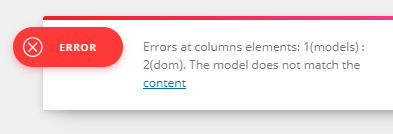
and clicking the content button shows the following page:
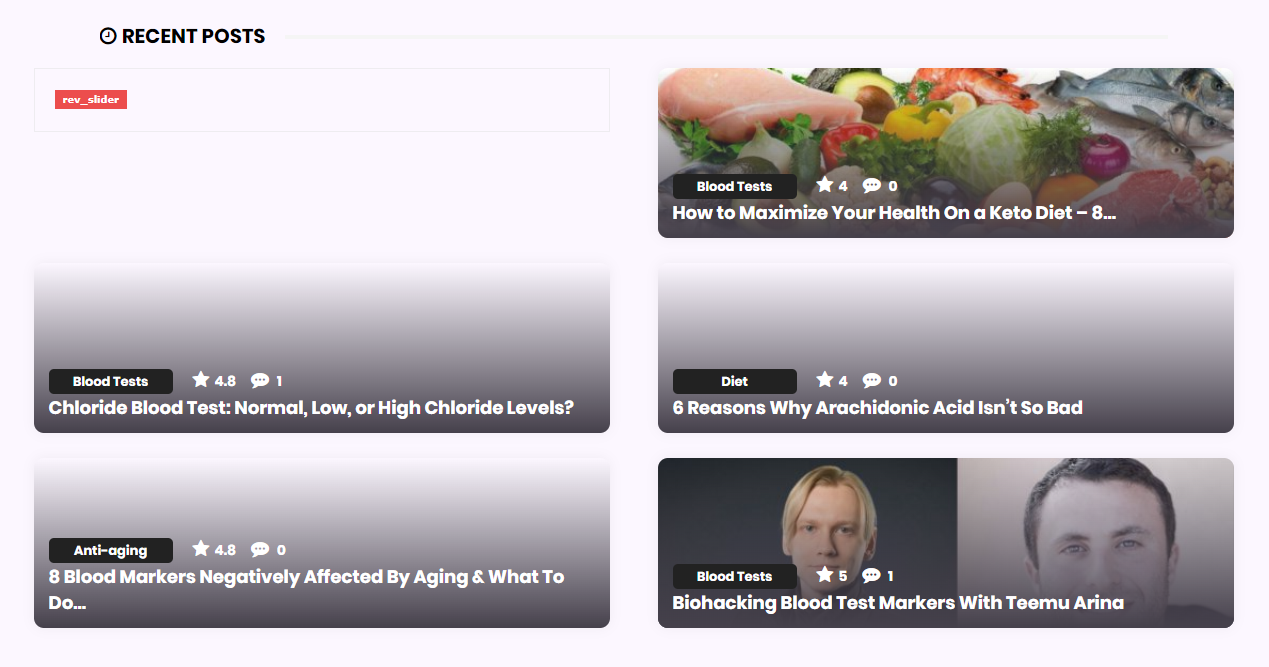
The error only occurs when a slider_alias is present.
The module code: https://pastebin.com/WdgMnXyw
 Daniel22
Hello i instal woocomerce and when i want to add it with tagdiv composer i get this error Error at rows: 1(models) : 0(dom). The model does not match the content is there any DEMO that i can upload also for SHOP woocomerce.
 meon
meonHello
I’m having an error when I install the theme on my page:
Parse error: syntax error, unexpected ‘[‘, expecting ‘)’ in /home/storage/3/d0/69/metropolemagazine/public_html/wp-content/plugins/td-composer/includes/tdc_util.php on line 592
I followed these two tutorials and could not solve them.
– https://forum.tagdiv.com/install-via-wordpress/
– https://forum.tagdiv.com/install-via-ftp/
How can I solve this problem?
Thank you
 Calin
Calin Hi,
Please be notice that you need to have TagDiv Composer activate in order to have back the blocks.
https://www.screencast.com/t/CTUhbpcFW
Also please make sure that the theme system status is configured as mentioned in the requirements guide. Please follow the guide carefully
– https://forum.tagdiv.com/requirements-for-newspaper/
Thank you for your understanding.
 NQDA
NQDAHi,
In the tagDiv Composer and WPBakery, its possible disable/hide the CSS tab on all elements?
Calin Hi,
You need to set the shortcode in column text.
Here is an example in page:
https://www.screencast.com/t/mDqazK6Io
https://www.screencast.com/t/SyEj6MawVu
In post:
https://www.screencast.com/t/v9Dv5AbB
https://www.screencast.com/t/BlYlqUgSYkXj
Hope this examples will help you.
Also if you have the latest version of theme please read this topic:
-> https://forum.tagdiv.com/topic/shortcodes-break-using-tagdiv-composer/
Thank you for your understanding.
Calin Hi,
You can use cloud templates, get a single template from cloud ( example: https://www.screencast.com/t/gGxFput0 ) , edit it with TD Composer, drag a ad box were you like to have ads, click on the ad box and set a “Use adspot from” ( https://www.screencast.com/t/fXGYNChD3N https://www.screencast.com/t/vIqzbfCTHoeK ) save the template and set it on posts.
See results: https://www.screencast.com/t/s9MHniu6FuXh
Thanks.
 Simion C.
 Hi,
From what I can see at the moment the website uses the default WordPress blog page as homepage. That will only display a list of your posts, ordered by latest.
You can create a static page with the composer and set that as homepage
– https://forum.tagdiv.com/homepage-how-to-build-and-set-it/
In that page you can place any elements you want from the tagDiv composer, grids, blocks etc.
Also you can use block designs made by us (based on flex blocks), from the cloud library
– https://forum.tagdiv.com/tagdiv-cloud-library-plugin/
Here you can see how they look, preview them and even edit them
– https://affiliate.tagdiv.com/#/load/Blocks
Import the ones you like in the pages you create
– https://www.screencast.com/t/fz0yfnvC
Flex blocks have an option to set dividers between modules, so that won’t be a problem
– https://www.screencast.com/t/fz0yfnvC
Please let us know if you have more questions.
Thanks
Simion C. Hi,
So the categories from which the blocks are set to display posts have been deleted, now the blocks are empty. Also the composer does not work if you try to edit the page with it.
From what I can see the theme version used by the website is 8.2, the latest being 9.1. There were quite a lot of changes and new additions since that version. There is a changelog at the bottom of this page
– https://themeforest.net/item/newspaper/5489609
From there you can download the theme as well, you have to be logged into your themeforest account. You can download the full package or just the theme zip
– https://forum.tagdiv.com/whats-included/
Once downloaded you can update to the latest version, here is a guide
– https://forum.tagdiv.com/how-to-update-the-theme-2/
The most reliable and most used method to update is by FTP. Remember to make a backup of the website before updating, just to be safe.
Be sure to check the updated theme requirements guide, insufficient resources can cause problems using the theme or theme plugins
– https://forum.tagdiv.com/requirements-for-newspaper/
If needed increase them, or contact the hosting provider and they should be able to do it for you.
In case there are problems after you update, let us know and we will try to help you.
Thanks
Simion C. Hi,
I can’t see the screenshots you provided – https://www.screencast.com/t/fijUArY9yY
Analyze the test results to see what can be improved and what are the problems. Investigate plugins as well, maybe one of them is causing problems.
In the last update there were some new options added in the tagDiv composer, but they shouldn’t create general loading problems for the website.
Thanks
Simion C. Hi,
1. If those are shortcodes provided by Visual composer then they wouldn’t be rendered by the tagDiv composer. They won’t be recognized. Blocks, grids and other theme specific elements will work with both composers because they are available in both.
On the other hand, if those shortcodes are provided by a plugin, in the tagDiv composer they can be entered in a column text for example
– https://www.screencast.com/t/EeFM8r6L
2. The top menu is not displayed on mobile. If necessary it can be made visible with some CSS, for example
– https://www.screencast.com/t/WYd9WoqoR
I removed the socials because they are also displayed in the mobile menu window, if you want them in the top menu as well as in the mobile menu I will modify the code. Let me know.
Enter it in Theme panel->Custom CSS section, then the top menu will appear on mobile.
@media (max-width: 767px){

.td-header-top-menu,

.td-header-top-menu-full,

.td-header-sp-top-menu {

display: block!important;

text-align: center;

}

.td-social-icon-wrap{

display:none;

}}
Thanks
 Simenkon
Every time I save my page in the TD Composer, all the non-newspaper theme shortcodes get lost or messed up that I have inserted into my page. How can I use plugin shortcodes when building a page, without losing the formatting or the items completely every time I save the page?
 arhinehart
 For some reason, I am not seeing the option for TD Menu even though I have TagDiv Composer installed (Version 2.3 | built on 12.10.2018 9:30).
https://drive.google.com/open?id=114Xd8qZultHOKWDRgdCD7gXvocPE7OQn
 steve.cohen1134
Hi,
I’m unable to find how to add a custom shortcode (third party shortcode) to my page using TagDiv Composer.
How to do it ?
 kathrynwooddesign
Hello,
The tagDiv Composer and tagDiv Social Counter plugins keep deactivating at least once per day. I’ve deleted and reinstalled both plugins, as well as checked that the theme system status is configured as mentioned in the requirements guide. Everything seems to be correct.
Can you help me understand why this is happening and what steps I should take to resolve the issue? I’m happy to provide additional information as needed.
Thanks!
 sasquatters
I am having problems with a white line appearing near the bottom of my footer. I cannot seem to get rid of it. I do not see it when using TD Composer but it is there on all browsers. http://sasquatters.com/blog/
Thank you.
 Angela
Hi there,
Hope you’re well. I’m trying to disable the Visual Composer (as its not recommended to use both), but i’m having some issues:
1. Shortcodes – it wouldn’t render shortcodes like for me [jobs per_page=”12″ show_filters=”false”] or [adrotate=”12″] – how do I get these working with the new composer?
2. Not related to Tag Div composer – but TOP HEADER MENU doesn’t display on mobile. Could you please advise.
Thanks and best wishes,
Angela
 stags
stags Hi,
Thanks for the reply. My website is http://www.stagsmusic.xyz . On the home page, I would like to add a big-grid using tagDiv composer, which is why I was wondering if it could be possible to use tagDiv composer to edit the homepage. Secondly, between each post, I would like to put a horizontal black line separating one line from the next, so that they are easily demarcated.
Thanks
Calin Hi,
If you are using tagDiv Composer you can set in page menus
https://www.screencast.com/t/ONQ3fnXnr4Yb
just add the shortcode in the page and set the menu you want to display.
https://www.screencast.com/t/mbr2Hy57g5v
https://www.screencast.com/t/c4IPy0izo
Hope this will help you.
Thank you for your understanding.
Simion C. Hi,
1. What kind of ads are you using? I could take a look, post a link to the website.
2. I could take a look here as well, ads for AMP have to be entered in the Theme panel AMP section. For Adsense ads you have to enter these parameters
– https://support.google.com/adsense/answer/7183212?hl=en
– https://www.screencast.com/t/rBr4FTlcH5X
Simple HTML ads can be entered in the dedicated section
– https://www.screencast.com/t/W3d2qwNJhS
Be sure to test with a mobile or mobile editor to see if the ads appear.
3. That happens because the mobile theme plugin is active. This plugin is optional, it is intended to be used if you want to display a simpler and also different content on mobile.
You have to create 2 versions for each page, one with the composer for example as you did for that page, and one with the simple mobile editor
– https://www.screencast.com/t/vSh8aLuBzjgT
As I said the plugin is optional, so if you want to display the same content from desktop on mobile, deactivate it. More info about the mobile theme here
– https://forum.tagdiv.com/the-mobile-theme/
4. Some header styles display the header ad below the menu and logo for example
– https://forum.tagdiv.com/header-styles/
There are also plans to introduce a header builder in coming updates, this will add a considerable amount of flexibility concerning the header section.
Thanks
Calin Hi,
1. There will be no problem if you’ll continue to use WPBakery Page Builder, we try to make our best and offer support for both composers.
2. Is possible in some case to have issues if you have both composers activate, that’s way is not remanded, but as log you don’t edit the same page with both composers will be no problem ( but is possible to be some elements that will be display wrong with both builders activate in the same time ) .
Sorry for the inconvenience.
3. We’ll continue to include in our theme updates the last version of WPBakery Page Builder, unfortunately this time a mistake has occurred and has not been updated the last version of WPBakery in the theme update.
Sorry for the inconvenience.
Please send us an email at contact@tagdiv.com and ask for WPBakery Page Builder 5.5.5v and we’ll provide it to you.
Thank you for your understanding.
Simion C. Hi,
That would be quite an unusual reason, the first code you mention is related to the live CSS editor the composer provides
– https://www.screencast.com/t/04cQsekAjTm
An option to disable this editor does not exist at the moment unfortunately.
It could be disabled entirely in the plugin directly if required
– https://forum.tagdiv.com/topic/live-css-div-on-the-frontend-luckily-in-displaynone-mode-for-everyone/
The other text would be the one from the WordPress login page I believe, can’t think of another place where that would show up
– https://www.screencast.com/t/jPE7l8F7
Maybe create a new topic in the Adsense help forum, some people with more experience in these matters might be able to help you with this issue
– https://productforums.google.com/forum/#!forum/adsense
Thanks
Simion C. Hi,
The composer will load the font awesome font, it has icons from it
– https://www.screencast.com/t/66wbXFDPpKJ
– https://www.screencast.com/t/rl7pTrFQZ7V7
This font will be loaded only when necessary, when you use icons from font awesome in pages for example.
You could edit the plugin and remove that code if this is required for you.
Thanks
