- TutorialsFrom WPBakery to tagDiv Composer
- TutorialsDefault Block Settings Guide
- TutorialsOffset Feature
- TutorialstagDiv Social Counter Tutorial
- TutorialsHow to Update the WPBakery Page Builder plugin
 Anamaria
 Hi,
Normally if an element (translation) cannot be done with tagDiv Composer, then you have to go to Theme Panel -> Translations -> Translations and search after elements that you want to translate -> https://i.imgur.com/bxTp3eZ.png
Thank you!
 ragerobot
My website looks great on the back end when I edit it in Tag Div, but when I save and look at the site’s front end, the styling is very off. See below for an example.
How it looks on the back end in Tag Dive Composer >> https://www.ragerobot.com/wp-content/uploads/2022/03/BackEnd.png
How the site looks on the front end. >> https://www.ragerobot.com/wp-content/uploads/2022/03/FrontEnd.png
The site has been up and running for a year now and has worked perfectly but recently it started doing this.
SITE URL: http://www.ragerobot.com
Any help would be awesome!
 JonnyTrueLove
 Thanks Anamaria, here are some screenshots describing my issues.
https://imgur.com/a/toZMGLi (shows no composer button popping up)
Ive used the tag div composer in the past on multiple sites, this would be the first one on wordpress.com though.
The site is live currently here: https://fightnumbers.com/
The theme and required plugins seem to be installed correctly, but something seems to be blocking my access to the tag div composer.
 Bruno Riggs
 Calin,
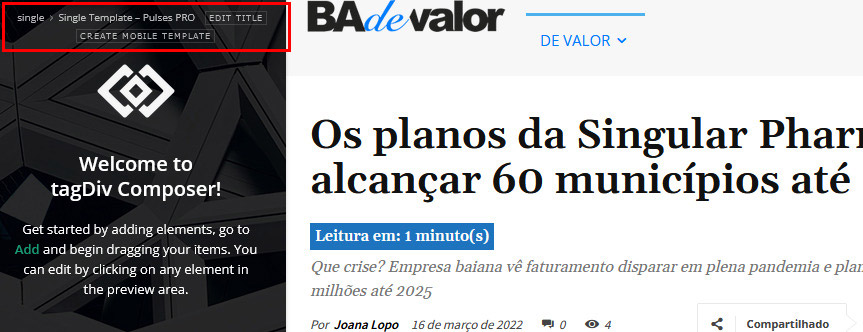
Can I have more than one template for posts using TagDiv Composer? Or just a one model?
-
This reply was modified 4 years by
Bruno Riggs.
 mita
mita Hi Betina, please use the credentials provided and check what’s causing that error.
We know exaclty how to use the composer to customise the excerpt lengh. Only numbers where used (no leter’s by mistake) and the error occurrs in every block or module along the site. ANY and ALL of them!
As far as using your login credentials, they where sent in a email forward to yur department by your coleague Bogdan (March 8th). We are still waitting for your feedback regarding that issue. Bogdan refered that we may have a conflict.
Regards,
marta
 Racesport
Hi guys,
We cannot create a template on the product page with your composer. Other pages did work. Is there a way to solve this?
When we press the button in the header to edit it create a template. Nothing happens. Checked the console. No errors there.
Also..
How can we use the same template for the standaard shopping page and category pages. They are different now and this is very annoying, especially because this page https://www.racesport.nl/shop looks different on mobile (don’t have products on the smallest screen size) and CSS is not being used which i filled in).
Different then this page https://www.racesport.nl/kleding/
This last link/page works how we want. The https://www.racesport.nl/shop doesn’t work correctly and we’re not able to get this page to work the same as /kleding/.
Also still having issues with creating a template for the product page. As you can see, it looks awfull: https://www.racesport.nl/unisex/1n23456/. On this page WP Bakery is being used in the regular description field, but i don’t want to use this because this needs allot of effort with filling in all the products. I want to use a template which i could build or download as a standard template from your composer, but this button doesn’t work at all.
Anamaria Hello,
Can you provide more details about what you want to achieve?
You can change the alignment with tagdiv composer -> https://i.imgur.com/wLYlHyX.jpg
Thank you!
Anamaria Hello,
Yes, you can change the logo.
You have a cloud header, then you need to edit the page with tagDiv Composer => https://www.screencast.com/t/MIhm17tgIJeX select the logo and delete the SVG code/image/text logo and after upload your logo.
Also, please check this article -> https://forum.tagdiv.com/add-logo-newspaper/ -> https://www.youtube.com/watch?v=HXQQygkCCJo
Thank you!
 Bettina
 Hello @avertt!
Both demos have the same functionalities which can be added with the TagDiv Composer, but only the design make the difference between them. You can choose a demo which you like the most, or you can import only some sections from every pro demo you like. You can find the sections in the Cloud Templates or you can do it from scratch also by importing a blank template: https://www.youtube.com/watch?v=SoGQ0d5kIBg
Documentation here:
– https://forum.tagdiv.com/cloud-library-templates/
– https://forum.tagdiv.com/design-post-pages-using-cloud-library-templates/
– https://forum.tagdiv.com/cloud-library-category-templates/
Check also our video tutorials here: https://www.youtube.com/c/tagdivThemes/videos
Thank you!
 Manzabull
 Thank you for your reply,
I have seen these elements in Composer but I need to push the customisation further.
I can make changes directly in the file form-checkout.php, but they will be overwritten in case of an update?
Thanks
 chrisspread
 Hi,
Thanks! I have just figured out I had an Adblock and that’s why I didn’t see the ads in tagDiv composer but saw them in Incognito mode instead. 🙂
Anamaria Hello,
The image ads are added in demos, so to remove them you need to edit with tagDiv Composer, select the element Ad Box and with right-click you can delete it => https://www.screencast.com/t/2GfCVx9BCAw7 or with drag & drop place it into the deleting red zone from the bottom right of the page.
Thank you!
 Redlemon
I am copying an element within TD Composer, which I am then pasting before or after some other element. On the first attempt I am almost always getting the following error. On the second attempt I am rarely getting the same error; usually it is pasting like it should. When there is the same error a second time, a third attempt has always worked so far. Please review and advise. This is happening after upgrading to the latest version (11.4.1).
_getDestinationModel Error: Container destination not available! Current state has involved an issue. You could try an UNDO operation (CTRL+Z / CTRL+SHIFT+Z)
 SquareMediaAgency
 I run a local wordpress site with local wp by flywheel.
Today i started my site and something stop working. I didn’t make any change in the files, i have only added an admin user on the site.
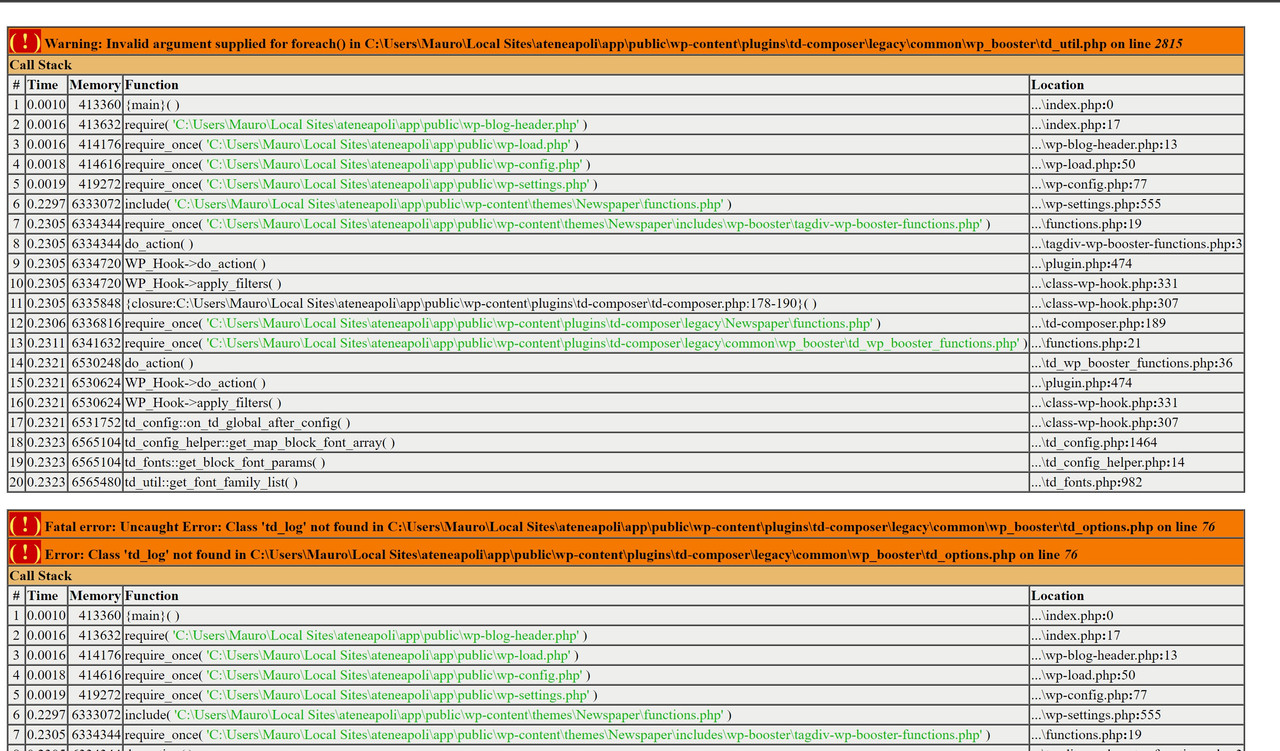
This the errors i found: https://i.postimg.cc/6pRTMXcv/error.jpg
As i said, none edit is made on this files.
I tried to:
– Change the files with errors.
– Change all the plugin td-composer folder
– Change all the Theme Folder
– Change Php version
I tried to change this file with the new one version of Newspaper and the same i use into my site (Newspaper 11.4).
How can i solve my problem?
Local Site Info:
WP: 5.9.2
Newspaper: 11.4
Php: 7.3.5 (i tried also 7.4 and 8)
MYSQL 8
Thanks
 jitendrachrysolite
Hello team,
I think in the new update some option is missing in tag-div composer check here: https://i2.paste.pics/GDSHT.png
 Calin
Calin Hi onlineimages,
For your screenshot I see that it is used a single post template and this can be edited using tagDiv Composer then just a flex blocks and filter it after the category were you have videos => https://i.imgur.com/H8Rf4f9.png
If you are using standard templates, then those can be adjusted only in the code and this is not indicated, therefore I will recommend to use cloud templates.
Thank you!
Calin Hi,
The pro demos can be edited using tagDiv Composer. Now in case that you want to set/change an image or some elements from the sidebar, I think that you can use a plugin that create shortcodes, then you assign the shortcode in the pages and cloud templates and just adjust the content from that shotrcode. Now for this if you want you can use the widgets, the widgets can be set with tagDiv Composer by setting the sidebar widget element -> https://i.imgur.com/i352gFH.png
I think that I know what is the problem with the category, please edit the tag cloud template with tagDiv Composer -> https://i.imgur.com/j8YvKks.png click on the post loop and remove the offset -> https://i.imgur.com/dJ0iFQu.png let that filed empty.
About the problem with the categories that are display only after a few seconds. Can you please make a test using only tagDiv plugins and see if the problem persist (is possible that this problem to be related to a plugin conflict).
I hope this will help you!
Anamaria Hello,
Did you make any changes to the theme files? do you use a child theme?
Also, please deactivate, delete and re-install the tagDiv plugins (tagDiv composer, tagDiv cloud library, tagDiv Opt-in Builder) and see if the problem persists.
Also, please check if you don’t have a plugin conflict.
Thank you!
Anamaria Hello,
I’m sorry, but I’m not sure I fully understand what you are trying to achieve.
You can create a sidebar with tagDiv Composer like in this article https://forum.tagdiv.com/sidebars-tutorial/
Also, if you want to create the sidebar in Appearance -> Widgets and set the sidebar on pages, using the element from tagDiv Composer, Widget sidebar https://i.imgur.com/e1FPdYU.png -> https://i.imgur.com/q20UCZf.png
Thank you!
Bettina Hello Chris!
It’s supposed to work like this: https://www.screencast.com/t/7VhbNlruZCvk
Try to add the element in the TagDiv Composer without to change the colors, and it should work like in the video.
This issue will be fixed in the next update.
Thank you!
Bettina Hello @Manzabull!
We have an element in Composer for checkout, so there are some settings in order to customize it. You should be able to modify directly the file form-checkout.php without copying to the theme.
Thank you!
Calin HI,
Yes, the standard templates can not be edited with tagDiv Composer, those have settings in the theme panel that can be used to enable/disable an option.
So if you want to edit the widgets from the sidebars you can check in appearance > widgets.
For ads check in the theme panel> ads.
I hope this will help you!
Calin Hi,
You can edit the single post template using the tagDiv Composer -> https://i.imgur.com/T0Kwv8R.png -> https://i.imgur.com/2Kv8Cyn.png
Thank you!
Anamaria Hello,
Please provide more details about your issue with screenshots or a video.
Our theme is a frontend theme for most of the elements and changes, you’ll need to use the tagDiv Composer to edit the pages and templates for posts/categories, etc => https://i.imgur.com/I3OUYxr.jpg -> https://i.imgur.com/mMrEufY.jpg
Also, on our channel https://www.youtube.com/channel/UCOT1RiNysIPCTPSnVZskwtQ, you can find more videos that can help you and documentation https://forum.tagdiv.com/newspaper-theme-documentation/ and you can ask us here on the forum if you have any questions.
Thank you!
Anamaria Hello,
Our theme is a frontend theme for most of the elements and changes, you’ll need to use the tagDiv Composer to edit the pages and templates for posts/categories, etc => https://i.imgur.com/I3OUYxr.jpg -> https://i.imgur.com/mMrEufY.jpg
You have a cloud header, then you need to edit the page with tagDiv Composer => https://www.screencast.com/t/MIhm17tgIJeX select the logo and delete the SVG code and after upload your logo.
Also, please check this article -> https://forum.tagdiv.com/add-logo-newspaper/
Thank you!