- NewspaperCreate Custom Code with the browser’s Inspector or the Live CSS Box
- NewspaperScroll Animation
- NewspaperWP Rocket and Newspaper Theme: Optimization Guide
- NewspaperHow to setup Twitch for Social Counter
- NewspaperModal Popup
- NewspaperFlex Block Settings Guide
- NewspaperAutoptimize Plugin – install and configuration
- NewspaperAdding Multiple Authors to Your Articles
- NewspaperDesign your Post Pages using the Cloud Library Templates
- NewspaperBig Grid Flex Settings
- NewspapertagDiv Composer Tutorial
- NewspaperTheme modules and blocks
- NewspaperThe Mobile Theme
- NewspaperCompare theme files – Winmerge tutorial
- NewspaperUsing Other Ads
- NewspaperBlock settings tutorial
- Using custom fonts
- Using typekit fonts
- NewspaperChild Theme Support
- NewspaperHow to Make the Site Faster
 simchris
 I guess the point is, that the theme doesn’t immediately affect the “editor page” in WordPress, aside from the single element which the theme has to show the ‘width’ in WYSIWYG mode. The theme doesn’t ‘change’ the post editor, so if core changes the post editor it doesn’t change the functionality of the theme.
So, nothing to worry about.
Having more options for editing a post, is primarily adding more ‘core CSS’ to WP, it doesn’t necessarily mean all pre-existing CSS stops working.
For instance, shortcodes are a function, not a design element. So, any ‘shortcode’ can always be moved to a personal plugin, or functions file, regardless of theme used. Such as a dropcap, as it’s really just CSS with a “shortcode” to call the CSS in the post. That functionality cannot change, as it’s not “unique” to WordPress, specifically, nor its post editor.
Upshot – nothing to worry about this point.
Again, bigger worries are prep for php 7.2, http/2.
simchris I think the css to make a nowrap span is
.nowrapit{white-space: nowrap;}
I have a barrel of monkeys <span class="nowrapit">99,9999 km</span> ...
simchris Have you tried normal nonbreaking spaces in your HTML ?
You can also create CSS to keep elements together and apply that as a span.
We did that back in 2013 with our main site redesign to ensure our toll free number didn’t wrap on Boostrap section collapse on mobile.
 roberto722
Hello,
i tryed to add a background to “list menu” element. And even if the menu elements are loaded correctly, in fact if u see with developer console there is the grid with the menu elements, they are not displayed but i havent hidden anything with css. Here my website http://gazzettadegliesports.it/ and here a preview of what is happening:
https://gyazo.com/ceb9e7b49d9c50cb92a7114080688e51
P.S. Obviously the text color is different from the background.
Regards.
 newt-on
 Thank you! The behaviour is like you say as you see here. But there is no custom CSS, just the Settings in the Newspaper – Theme panel.
 Catalin
 Hello newt-on,
I suppose that you are referring to the appearance of a flash/time loading when you enter on your website, right? This behavior appears when you have additional customization through custom CSS code. Please notice that the CSS is working in cascade and the first time will take the code from style.css that is set it by default and then the theme will take the custom code that you have changed from Theme panel and practically this flash is generated by this cause. As a workaround, you have to check your style.css and try to add directly in this file your desired custom code. So, if your problem is still there, please try to revert the theme to the default settings, without any customizations and let us know how it goes. Also, you can try to make a new fresh install from scratch with the latest version of the theme and check the results. Also, please make sure every time you cleared caches. Noticed that the only files where you will have to edit are style.css.
If you are not aware of the steps which are needed to take in this regard, please consider hiring a freelancer/developer to help you because we cannot provide custom work at the moment, sorry!
Thanks for your understanding!
 dennis
 Hi. I need to remove this code – .single .td-post-views {
display: none;
}
Am using the above css to remove the views,
Instead of using css i need to know the location of the same on the core newspaper folder.
The one which i could find almost related is on style.css and i.e – .single-post .td-post-views,
 Victor
 ok, ¿in the menu of Custom Code “Custom CSS”?
Catalin Hi,
Do you want to change the hover color for all the links? The theme does not have any such an option but you can do that using a bit of CSS code.
Thanks for the message!
Catalin Hello leapdsc,
I have inspected your website and I noticed that you customized your site very much and you have such custom CSS code in your Theme panel, as you can see here
-> https://www.screencast.com/t/6anzLlWwa Notice that we cannot offer support for your custom implementation and modification because the theme functionality can be damaged. Try to revet the theme to the default state, remove all of the untested plugins if you are using something like this, clear all the caches and check the results. Also, if the problem is still there, you should send us an email at contact@tagdiv.com with your log-in information (wp-admin) so we can take a closer look at your setup page. Provide there the link to this topic so we can quickly identify you.
Thanks for your understanding!
 Simion C.
 Hi,
It seems there is an issue with that smart list style on mobile. As a quick fix please enter this code in Theme panel->Advanced CSS in the phones section
.td_smart_list_3 .td-sml-figure {

float: none;

margin:auto;

}
Let us know if there still is a problem after entering the code. Sorry for any inconvenience caused.
Thanks
Catalin Hello leapdsc,
You should provide some useful screenshot with the problem so I can identify it. Also, please notice that thing is not theme related. Itțs just WordPress related. For more information about this case, you should consult the following guides, here -> http://www.omnicode.com/qa.php?id=113 -> https://css-tricks.com/forums/topic/prevent-word-breaks/ -> http://www.zaposphere.com/remove-auto-hyphenation-in-wordpress/
If is not what you mean, please provide more details so I will be able to provide a more accurate response.
Thanks for your understanding!
 leapdsc
Hey there,
as the title suggests,
as I do recall the function working properly in my previous website.
Please advice me on this, as the images in either Desktop and Tablet view seems to be of different height regardless of 1/2 or 1/3 columns.
I have tried CSS but could not get around it. Following the screenshots provided below, the difference in height also varies as the screen resolution changes.
Refer to the links below for your better understanding.
Website Page Url: http://leapdsc.com/leapdsc/client/hdb/delivering-homes/
Image 1 (Desktop view): https://1drv.ms/i/s!Ai3uwVtbSehuuLF8IxDMwBuE9etjFA
Image 2 (Tablet view): https://1drv.ms/i/s!Ai3uwVtbSehuuLF9-UEU64aXr2FxKw
Image 3 (Interface screenshot but doesn’t seem to be working): https://1drv.ms/i/s!Ai3uwVtbSehuuLF7uhv9Zj94e_pvSA
simchris Why not just disable the them modal; build your own modal with CSS, and replace it with social login option that hooks into WP?
If you need it that badly, hire somebody. It’s not that hard.
Otherwise, as they’ve already answered they will consider it as possible future option, even though it will add a lot of additional support overhead.
Still impressed. …. happy.
 ploxx95
I want to resize several images blocks, why my client do not like, is there any way? or some other way to be able to edit the position of the post? , I do not know if using css code, but if so, do they have any examples? I can guide myself. Thank you
simchris Well, then if that’s the case — I stopped keeping up on it several months back due to the outcry from smart people on how dumb it would be to wreck WP for many folks — it’s theme agnostic, so has no bearing on any specific theme, since with the TDcomposer, it’s designed to build ‘pages’ not ‘posts’ which use the normal WP editor.
Obviously, they do need to do some updates since stupidly they were still doing inline styles for stuff like
<p align="center">
which has been deprecated for couple of years now, and should only be done with CSS classes, not inline styles.
SO, hopefully it will work. You can always install a test site to play with the beta right now if you want. I know somebody who did, disliked it, stopped playing with it since it was so terribly buggy; so I didn’t bother.
Anyway — good discussion to start for those into this stuff 🙂
I personally prefer Bootstrap … but that’s me.
 danna
danna Hey Simion,
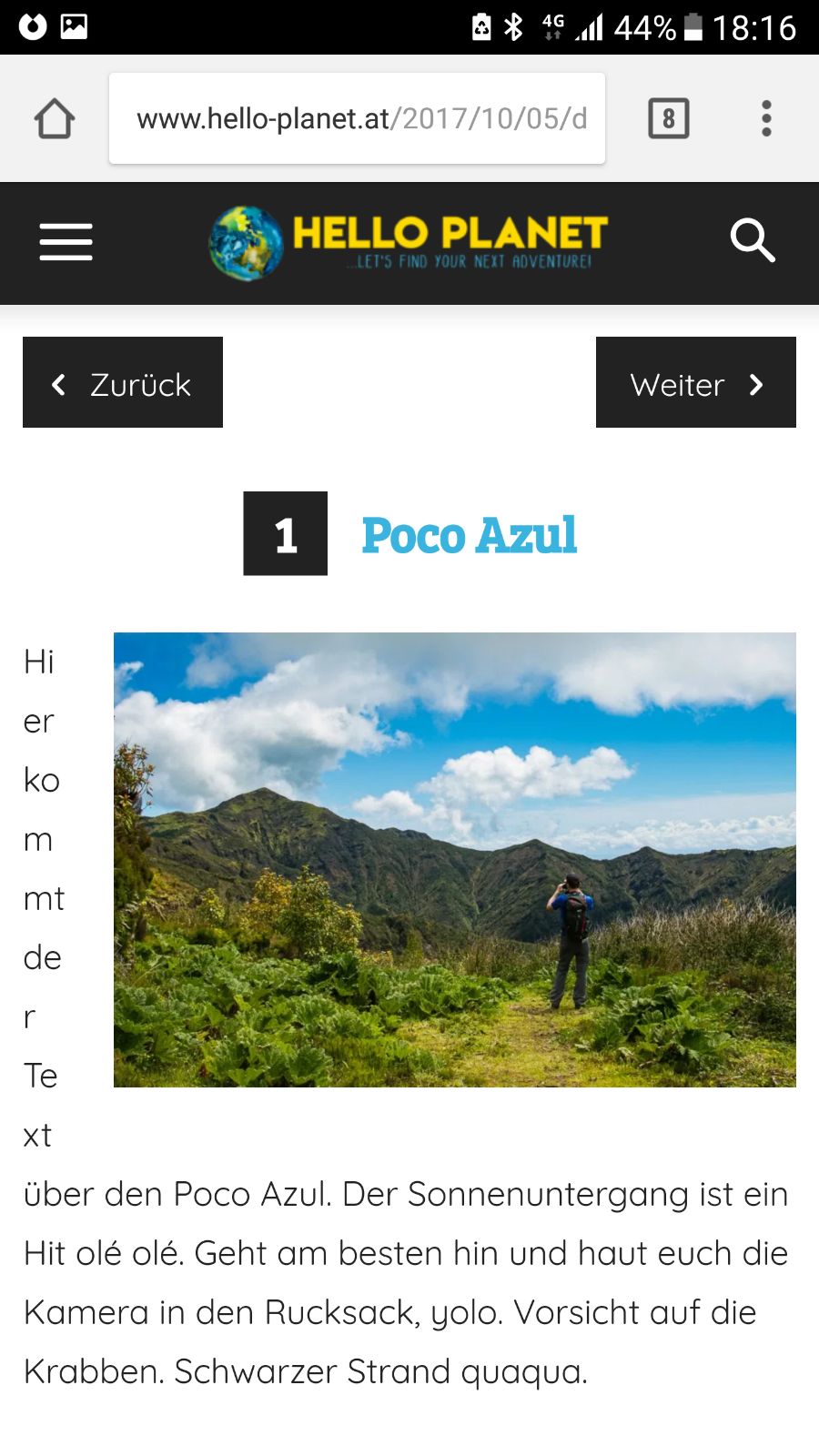
worked out fine, thx! There’s only one problem with the layout on certain Mobile Devices (like here on the Galaxy S6) – do you maybe have a CSS Code to fix that?
http://www.hello-planet.at/wp-content/uploads/2017/10/187bf660-4deb-492a-95be-17c5488396f8.jpg
Link to the Article is: http://www.hello-planet.at/2017/10/05/destination-post-mit-smartlist/
All the best and thanks,
Daniel
Catalin Hello NegomboToday,
I guess that you want to increase the site width, right? Unfortunately, please notice that our product does not have such an option for dynamic width and we do not recommend to do that through the custom CSS code because the layout of the theme will be damaged. If you want to change the width of the theme to be in full-width mode, please notice that is not a simple task and you will have to adjust the entire theme to the new width for better results.
Above, my colleague gave you an example of where you should start to increase the theme width, but notice then you will have to make some additional customizations to adjust the other theme elements if you want to bring best results.
Also, you can try using only the Big Grid full at your homepage to achieve full-width aspect. This is the only option.
Thanks for your understanding!
Simion C. Hi,
That is the Craft ideas demo that you have installed. This demo has some design and styling placed on the Read more button, most demos have unique custom design for theme elements.
This design for the Read more button could be removed directly in the demo stylesheet
– https://www.screencast.com/t/m4yOsatBG83W
That would cause the button to look like this
– https://www.screencast.com/t/jGKjA4OR5nP
Or I could give you a code to override the current styling with something like you mention. Something like this for example
– https://www.screencast.com/t/XX9nP2k833U
This is the code used in the example, if you choose to use it enter in in Theme panel->Custom CSS section
.td-craft-ideas .td-read-more a {

background-image: none;

color: black!important;

border: 1px solid black;

}
Please let me know if you would lie the button to be different, and I will provide you with a solution.
Thanks
 mrgergoke
 Hello,
Yes here is the screenshot: https://snag.gy/oxiO1P.jpg
I want to delete the rating stars from the feed. Because all we need is the author and the date and of course the category.
But we dont need the rating stars.
Could you provide me a css code which do this? I havent seen a different div class for the stars, just for the meta data.
Thanks,
Laszlo
 PAPPACLART
 Hello.
Thanks for the reply. It does seem that the edits that I made destroyed the responsive view on apple devices only, so I had to scrap it. I reinstated the original style.css and now the click seems to work? lol. Very strange….I Will hold my breadth and hope it continues to work.
Thanks Again.
 jgalejandro305
Hello! I just purchased a Theme Newspaper 8 and had to upload it with FTP because of the simple way it marked error. I was able to upload the Theme with FTP, but it was not installed completely, my WordPress page tells me that I need the index.php template file. And that the subthemes also need a template header in the style.css style sheet. I do not understand much about this. What do I do?
simchris not sure if this helps: what i did was put default WP search widget in sidebar; then view source, copy/paste the code into text file; edit then place on home page in normal raw html box. Style with custom CSS. no plugin needed.
Simion C. Hi,
I can give you a code to remove the padding of the page and also the shadow, but I don’t know if you want this for all the pages or just that particular page. This code is just for that page
– https://www.screencast.com/t/pYpNJivb
.page-id-6247 .td-main-page-wrap {

padding-top: 0;

}

.page-id-6247 .td-header-gradient:before {

display: none;

}
The code must be entered in Theme panel->Custom CSS section.
Thanks
 dannyl
 I modified the correct items in the beauty blog theme CSS file and I still see the pink color. Here are screenshots for proof. Please assist.
https://www.dropbox.com/s/pmtm6vqezcujyyc/Screen%20Shot%202017-10-03%20at%208.04.29%20AM.png?dl=0
https://www.dropbox.com/s/iefzpmp7a62s6yf/Screen%20Shot%202017-10-03%20at%208.01.44%20AM.png?dl=0