
- NewspaperModules Builder in Newspaper Theme
- NewspaperIntroduction to CPT and ACF with Newspaper Theme
- NewspaperHow to edit modules for Flex Block X
- NewspaperStripe Setup
- NewspaperPayPal Setup
- NewspaperAdd Cryptocurrency Price Ticker Widget
- NewspapertagDiv Shop
- NewspaperDesign your post pages using the Default Templates
- NewspaperTheme modules and blocks
- NewspaperUsing the Theme Translations with WPML
- NewspaperHow to Set the Image Avatar
- NewspaperNewspaper theme documentation
- NewsmagInstalling pre-built websites
- NewsmagIntroduction
- NewsmagSmart Lists
- NewsmagTheme thumbs
- NewspaperSmart Sidebar
- NewspaperBreadcrumbs
- NewspaperFooter Builder
- NewspaperMain Menu
 Anamaria
 Hello,
1. You can choose what template you want from our prebuilt websites or create your own design.
2. I recommend installing the prebuilt website without content, only design or import the templates individually https://forum.tagdiv.com/installing-demos/
Thank you!
 markmatchamdesign
Hi
this is the site I am working on
https://wordpress-1317824-5001411.cloudwaysapps.com/
I would like to have the arrows left and right of the 4 news stories just under the header via this template
https://demo.tagdiv.com/newspaper_week_pro/
See image below of what I would like to match in the theme:
https://files.markmatcham.design/wp-content/uploads/2024/11/not-correct.png
And then what it looks like in my current theme:
https://files.markmatcham.design/wp-content/uploads/2024/11/correct.png
There must be some settings that havent been tweaked or activated?
Best
 m.wilhard
I have used this prebuild website: https://demo.tagdiv.com/newspaper_cali_sight_pro/. My website is iloveperu.ru. How can I increase the logo? Please, help me.
 Bettina
 Hello!
They are not there yet. If you tell me which templates you need, I can help you with the code. This demo is made with listings, not products. So, you can’t use a CPT template as a shop template.
Thank you!
 fhernandoq
Hi i have this problem so i have this configuration:
Theme config
Registration key xxxxxxxxxxxxxxx
Theme name i Newspaper
Theme version i 12.6.8
Theme database version i 12.6.8
HTTP channel test wordpress
Installed demo i Estates PRO - demo ID: estates_pro | install type: no_content
php.ini configuration
Server software i Apache
PHP Version i 8.2.23
post_max_size i 32M - You cannot upload images, themes and plugins that have a size bigger than this value. To see how you can change this please check our guide here.
max_execution_time 60
max_input_vars 5000
SUHOSIN installed false
PHP extensions
mbstring available
GD library available
WordPress and plugins
WP Home URL i https://mexicooriginal.com
WP Site URL i https://mexicooriginal.com
WP version i 6.6.2
WP multisite enabled i No
WP Language i es_MX
WP Memory Limit 256 MB/request
WP_DEBUG False
Caching plugin No caching plugin detected - for best performance we recommend using WP Super Cache
ABSPATH /home/paticcaeekv6/public_html/
WP_HOME Indefinido
WP_SITEURL Indefinido
WP_CONTENT_DIR /home/paticcaeekv6/public_html/wp-content
WP_PLUGIN_DIR /home/paticcaeekv6/public_html/wp-content/plugins
WP_MEMORY_LIMIT 256M
WP_MAX_MEMORY_LIMIT 256M
WP_DEBUG Desactivado
WP_DEBUG_DISPLAY Habilitado
WP_DEBUG_LOG Desactivado
SCRIPT_DEBUG Desactivado
WP_CACHE Desactivado
CONCATENATE_SCRIPTS Indefinido
COMPRESS_SCRIPTS Indefinido
COMPRESS_CSS Indefinido
WP_ENVIRONMENT_TYPE Indefinido
WP_DEVELOPMENT_MODE Desactivado
DB_CHARSET utf8
DB_COLLATE
I’ve already reset the key, and reinstall de plugins, it’s empty this wp configuration, onlye have the plugins that need Newspaper.
 mimikoss
How can I create a custom sticky header in Newspaper theme similar to the Echo Verse demo site from tagDiv Cloud?
I currently have a main header with:
Large logo
Main menu with mega menu functionality
I’d like to achieve the same effect as Echo Verse demo where:
Initial header shows full size logo and main mega menu
When scrolling, it transforms into a compact sticky header
The sticky header maintains mega menu functionality but with a slimmer design
Both states keep full navigation capabilities
Is this possible using the header template system? I noticed Echo Verse achieves this effect smoothly – what’s the best way to replicate it?
For reference, I’m looking at the Echo Verse demo header behavior where the large header smoothly transitions to a compact version while maintaining all menu functionality.
Any guidance or examples would be much appreciated.
 mrcrooft
Hello,
I’m using the same template and the images don’t appear in the article. However, when I edit my article, they are there.
Bettina Hello!
If you will use in the future cloud templates (that we recommend), then you have many customization options in the TagDiv Composer. We wanted to create the easiest platform, so you can build your website without knowing any code and have the possibility to customize every field from any demo. That’s why you do not need a child theme with cloud templates. But you can use the child theme you have with the default templates.
The update does not overwrite the child theme. An issue with that could be whether your child’s theme version is compatible with the new version of our theme.
Thank you!
 Azerty514
 Plz check also your demo below:
https://demo.tagdiv.com/newspaper_cali_sight_pro/
You have there an article call it “The 4 Best Tour Companies in Peru”
And now try to make a search with this word “Peru”
 nexhost
Hello, I recently purchased the theme but when I installed it, it loads more error information in the footer. Could you help me because I have installed several demos to see and the same thing happens to me?
 aimeestock
I have a sign up form that came as part of my demo located at the bottom right of my page (sambasportswear.com). I have synced my Mailchimp account to the theme Mailchimp plugin and chosen Mailchimp as my provider on that form. How to I integrate it to my OWN mailing list though? I can’t find the documentation on this.
 lolo-69
Hello,
I saw on your “Retro Wave” demo that you had images at the bottom of the sections.
https://demo.tagdiv.com/newspaper_retro/


I can’t do it, at best I’ve managed to do a color gradient:


Yours sincerely,
Laurent
 julien-2
Hi,
it tried to create the same thing as this page : https://demo.tagdiv.com/newspaper_app_find_pro/software-applications/
But boxes doesn’t appear on the filter, can you help me? Thank you
see below a screen shot
https://drive.google.com/file/d/1QmhMIJvhzncrtYhM_jDpzm2AP65hLJAk/view?usp=sharing
Thank you
Bettina Hello!
Try to reinstall the demo. If the problem is still there, then please contact us via email at contact@tagdiv.com and provide the following:
– admin URL and credentials
– a link to this topic to identify you
I will check the issues you have and try to help you asap.
Thank you!
Anamaria Hello,
You can see all our prebuilt websites here https://demo.tagdiv.com/select_demo/newspaper-prebuilt-websites/?demo-type=all The website that you have provided has a custom design, but you can find similar blocks in the cloud library and import it and customize -> https://cloud.tagdiv.com/#/load/All
Thank you!
 noc
noc Also we have reinstalled all TagDiv plugins and we also noticed that the problem persists for all elements that reuire to select a photo (Header logo-> Logo Image, )
For demo purposes we created page: https://culturailfov.ro/test/
Thanks.
Bettina Hello!
It seems that something is wrong on your end because when I install this demo, it comes as the demo looks on that link. Make a test and deactivate ALL plugins except tagDiv ones, also if you are using a cache plugin, deactivate it, clear all cache and try again.
Let me know the results!
Thank you!
 zenlounge
Hi all. Installed the eastcost theme with demo content. and some blocks have a wifi icon. I can’t figure out where I can remove it or replace it with others. And how can you replace the icons themselves for each of them?
Screen attached:
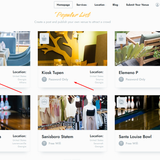
Bettina Hello!
If you install the black pro demo, then the colors will look like this: https://demo.tagdiv.com/newspaper_black_pro/
Make sure you do not use any other templates for your pages and not default templates.
We recommend using cloud/PRO templates to have the possibility to edit them with the TagDiv Composer, which contains a lot of functions and features; please check our tutorial here: https://forum.tagdiv.com/tagdiv-composer-tutorial/
More documentation about the cloud templates is here:
– https://forum.tagdiv.com/cloud-library-templates/
– https://forum.tagdiv.com/design-post-pages-using-cloud-library-templates/
– https://forum.tagdiv.com/cloud-library-category-templates/
Thank you!
Bettina  Calin
Calin Hi danielm210, you are using a pro demo and this needs to be edited using the tagDiv Composer, not the theme panel, the theme panel settings are only fir the templates provided by the tagDiv Standard Pack plugin. So in your case you’ll need to edit the single post template using tagDiv Composer and add/remove the elements – https://i.imgur.com/rrP45hR.png – https://i.imgur.com/qGUSGwY.png
I hope this will help you!
Anamaria Hello,
So, as you can see in these topics
https://developers.facebook.com/community/threads/576050684910860/ -> https://wordpress.org/support/topic/403-forbidden-error-on-facebook-2/ -> https://developers.facebook.com/community/threads/825654679324994/ , this issue is not related to the theme, but rather to Facebook. In these topics, other themes are used, and yet the problem still appears. If you want, you can test our demos, and you will see that this issue does not occur – https://demo.tagdiv.com/newspaper_pro/wordpress-news-magazine-charts-the-most-chic-and-fashionable-women-of-new-york-city/ – > https://i.imgur.com/TphGmhG.png
Also, nobody deletes the topics.
Thank you!
 ilouie
Hi, I’m trying to use this page template: https://demo.tagdiv.com/newspaper_podcasts/# to include audio podcasts, but the template doesn’t import the player. Is there a way to include audio on a single template and on the page template as well? I see the widget for videos but, nothing for just audio. Thanks in advance.
 tagdivfan2016
Hello,
I am having several issues with my home page configuration; I am trying to set it up like this example: https://demo.tagdiv.com/newspaper_pro/
The home page layout I built using the TD Composer looks great except the “Posts Loop” pagination does not work unless I select the “Pagebuilder + pagination + latest articles” selection.
But when I select the “Pagebuilder + pagination + latest articles” setting for the home page, pagination works but I have a new set of issues:
1. The entire post content is showing for all 10 posts instead of the layout I would prefer to show using the “Posts Loop” element
2. On the paginated pages (page 2 for example) the entire post content is showing instead of an image and article title like on this example: https://demo.tagdiv.com/newspaper_pro/page/2/
3. A second sidebar section appears in the “Posts Loop” section which I don’t want.
Can you please tell me how to fix this? I would prefer to use the “Posts Loop” element in TD Composer, but pagination does not work unless I select the “Pagebuilder + pagination + latest articles” option which causes the other issues I already mentioned.
Thanks in advance for your help!
tagdivfan2016 FYI I noticed the blog page pagination is working fine (example.com/blog/page/2) but I want my home page pagination to work like this example site: https://demo.tagdiv.com/newspaper_pro/



