- NewspaperModules Builder in Newspaper Theme
- NewspaperIntroduction to CPT and ACF with Newspaper Theme
- NewspaperHow to edit modules for Flex Block X
- NewspaperStripe Setup
- NewspaperPayPal Setup
- NewspaperAdd Cryptocurrency Price Ticker Widget
- NewspapertagDiv Shop
- NewspaperDesign your post pages using the Default Templates
- NewspaperTheme modules and blocks
- NewspaperUsing the Theme Translations with WPML
- NewspaperHow to Set the Image Avatar
- NewspaperNewspaper theme documentation
- NewsmagInstalling pre-built websites
- NewsmagIntroduction
- NewsmagSmart Lists
- NewsmagTheme thumbs
- NewspaperSmart Sidebar
- NewspaperBreadcrumbs
- NewspaperFooter Builder
- NewspaperMain Menu
 carlochan
I would like to copy exactly the header and nav bar from the Xenforo site forum.civilph.com. Is it possible? What is the best demo to use as starting point for this design?
 jp11123
I started with the Dental Studio demo. I want to know how to prevent the “dentist” (girl in lab coat) from not displaying when switching from desktop to mobile view.
 nattyandrade
Hi! I used the demo “News Magazine” for my blog, but my footer text and logo is with a alignment different from the demo. Can you help me?
How is it in the demo: https://snag.gy/McLhVp.jpg
How is it on my blog: https://snag.gy/UcLQvk.jpg
I need the text to be justify and the logo centerlized.
 arvidbux
Hi there,
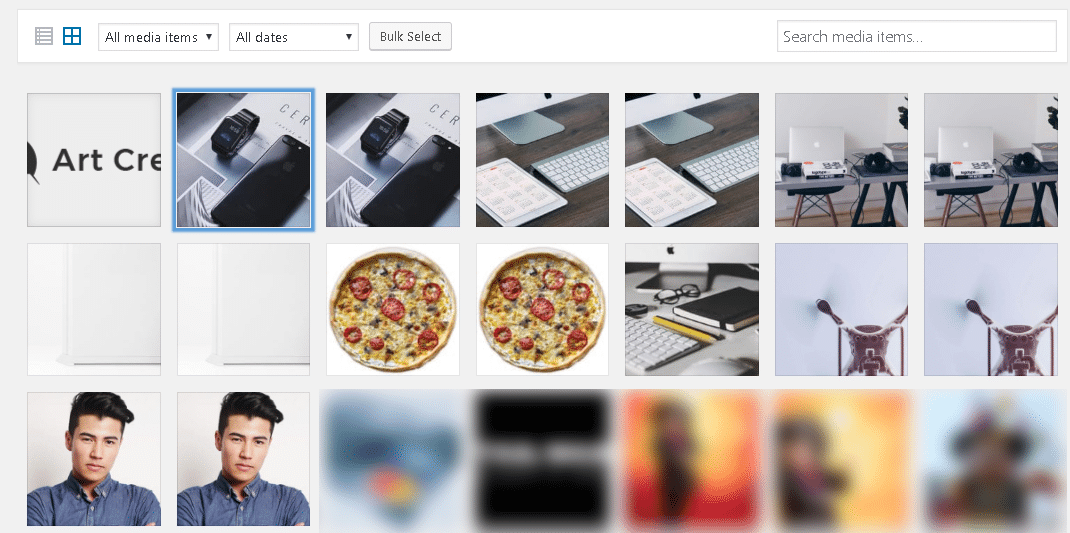
for some strange reason since the most recent update, Art Creek Demo image files keep on showing up in the gallery. I deleted them from within WordPress and using FTP, but each time they return.
You can see the images here: https://www.traveltothemagic.net/wp-content/uploads/2018/05/2018-05-26_8-59-25.png
I was able to relate it back to the Newspaper Theme and Demo.
Why are these files being (re)loaded? Not using the demo.
Thanks,
Arvid
 great1212
 Dear, try to disabled the demo and install the demo again and see if it works
 iamakidvideo
HI, I am using newsmag theme, I switch my site to a demo theme and switch back to the previous theme again, all are missing including the home page, how to fix that?
Thanks
 Totelae
Hi guys,
I have an issue with the speed booster plugin. Actually, I’m not sure it is an issue, i’m gonna try to be as clear as possible.
I tried to move td-plugin-multi-purpose doing this :
    /**

     * here we move the css

     */

    function css_mover() {

        //if ($this->td_theme_name == 'Newspaper') { }

        // wp 011 - Newspaper 6
$this->move_style_to_footer_queue('bbp-default-bbpress'); //bbpress old
$this->move_style_to_footer_queue('bbp-default'); // bbpress
$this->move_style_to_footer_queue('contact-form-7');
$this->move_style_to_footer_queue('td-plugin-newsletter');
$this->move_style_to_footer_queue('font_awesome');
if ($this->is_ie === false) {
// move style.css theme style
$this->move_style_to_footer_queue('js_composer_front');
$this->move_style_to_footer_queue('td-theme');
$this->move_style_to_footer_queue('td-theme-child');
$this->move_style_to_footer_queue('td-theme-woo');
$this->move_style_to_footer_queue('td-theme-demo-style');
$this->move_style_to_footer_queue('td_live_css_frontend');
$this->move_style_to_footer_queue('td-theme-bbpress');
}
/* $this->move_style_to_footer_queue('td-plugin-multi-purpose'); */
$this->move_style_to_footer_queue('td-multipurpose');
$this->move_style_to_footer_queue('font-awesome-four');
with success (although google speed did not see anything like here).
But the bad thing is that some local modifications (like changing hover color) I did with tagDiv composer are not taken into account anymore. I think it is logical because the css of those modifications are loaded before “td-multi-purpose/style.css?ver=4.9.6”
Pictures should help :
Before moving td-multi-purpose/style.css?ver=4.9.6
https://www.screencast.com/t/cwbMQS4T
After
https://www.screencast.com/t/IWziOksz2d7M
Do you have any suggestion ?
 Simion C.
 Hi,
I see now what you are referring to, the color set for the post meta, for block 22 in the health blog demo
– https://demo.tagdiv.com/newspaper_blog_health/
By default that block looks like this
– https://demo.tagdiv.com/newspaper/block-22/
Bust most demos contain custom design for theme elements, that default color can only be changed with CSS.
A code lie this will allow you change that color for that block
– https://www.screencast.com/t/4sybDsWupra7
Use the color and opacity you want in the code, then enter it in Theme panel->Custom CSS (it will affect all blocks 22, unless made more specific)
.td_block_22 .td_module_17 .td-module-meta-holder {

background-color: rgba(185,60,44,.7);

}
Thanks
Simion C. Hi,
Please check this topic for a better understanding of a demo recipe post
– https://forum.tagdiv.com/topic/edit-post-in-recipe-theme/
You can use the same system if you wish, but also maybe you could consider more advanced and easy to use recipe plugins.
Thanks
Simion C. Hi,
I can’t seem to locate this ad you are referring to, in the posts I checked. Maybe you could provide the link to the post where it displays.
However the theme will only display ads entered in the theme panel ad sections. So you could check those locations. Maybe a default demo ad remained in the article ad spots, or specific post template spots
– https://www.screencast.com/t/clUmfvhBs
Thanks
Simion C. Hi,
No need to post the same thing in multiple topics. One will be sufficient. Grids do not display excerpts or subtitles, they display the post title only. Please see how all the grids look here
– https://demo.tagdiv.com/newspaper/big-grid-1/
– https://demo.tagdiv.com/newspaper/full-big-grid-1/
Only through a theme module modification you would be able to do something like that
– https://forum.tagdiv.com/topic/how-to-write-different-post-titles-on-homepage-or-categories/
So for big grid you will have to do it like this
– https://www.screencast.com/t/PiDd75TrRFg
– https://www.screencast.com/t/14wNpKH6
This is the code you have to enter in the module file
– https://pastebin.com/SmZ5TgkD
Thanks
 Demir
DemirHi,
I want to put page numbers at the end of each blocks of my pages as it is in the attached page.
How can I do that?
Ps: This page has been taken from the newspaper demo pages.
Thanks in advance for your help!
Regards
 dim_gian
 Hi Catalin thanks for the answer. Well I definately want and at the moment am using the default Newspaper8 demo and I like it. I just wanted to post a recipe with the style that this demo is using https://demo.tagdiv.com/newspaper_recipes/td-post-how-to-make-pork-carnitas/ . Isn’t there any easy way to accomplish this?
 Daltai
 Hi Simon,
I tried that method already and unfortunately it doesn’t display the image correctly.
The quality is terrible and completely rasterized. I’m aware how the demo is set up too but just want to reproduce the image banner that is attached in my 1st post above.
When I use the inspector tool and copy the url of my banner into the space the demo banner url uses, it works perfectly, therefore CSS must be the answer.
I’ll have to have another go of it now to see what I can do.
Thanks for your reply!
Shane
 brent
brent So the demo button was made this way?
Because I can add the button this way but obviously once logged in it still shows the login button. There would likely have to be something else that querys weather the user is logged in or not and then the profile to display.
 Catalin
 Hello dim_gian,
Please keep in mind that each demo has an own CSS style. So, if like one of our demos, you should install/import it from the panel. Otherwise, notice that is not a simple task to customize your actual layout to look similar to the demo wanted. As a hint, you should look at the style.css file from demo section from here -> https://www.screencast.com/t/GXkYH9ta0i and try to replicate at your website. Please keep in mind that we cannot provide custom work at the moment, sorry!
Thanks.
Simion C. Hi,
There is an option to set a header background image, in the theme panel
– https://www.screencast.com/t/Np2CdfkTD
So you could set your background image with that option.
That demo uses header style 10 with a logo image and additional background color
– https://www.screencast.com/t/BGBhSmeWf
Thanks
 Anupp
Anupp Hi Simion,
Thanks for the reply. The menu items are set as categories. I even deactivated all plugins except theme plugins and checked but the issue is not yet resolved.
– https://demo.tagdiv.com/newspaper/ works absolutely fine and is one of the main reasons that we purchased this theme 🙂
I am not sure where am I going wrong.
If you share an email id, I can send you a login & password to check inside.
Simion C. Hi,
The theme is compatible with woocommerce, however dedicated or advanced elements for woocommerce do not exist. There is only one simple demo page
– https://demo.tagdiv.com/newspaper_tech/shop/
Maybe themes that are built with this in mind may have more complex options for maintaining a shop and selling products.I cannot say if there will be more woocommerce elements or features added in the theme, at the moment there would be no plans in the matter.
The theme will display a message requiring activation constantly, while creating posts or pages for example. Note that you can activate the theme for demonstration or testing purposes. The activation can then be reset in the theme system status panel.
As long as the theme is used on a single live website there will be no problem, according to Envato license terms
– https://themeforest.net/licenses/terms/regular
Thanks
 kodiyan
I never installed the tagDiv Multipurpose plugin on my site and today I updated the theme and TagDiv composer plugin. I read from the logs that tagDiv Multipurpose and Composer plugin merged together. However, this recent upgrade caused to upload around 12 new images into WordPress media library and unable to delete. When I did FTP, the images are uploaded to tagDiv Multipurpose plugin image folder without write permission.
I assume these images are part of demo or something, and not supposed to upload without requesting that. If I delete the tagDiv Multipurpose plugin image folder via FTP, is this plugin going to stop working or generate an error? If yes, would you please clean this sample images in the next updates? Any fix I can do to remove images and make it clean?
 stronium11
Hi,
I’m trying to put a button in a main menu, just like this demo has it: https://demo.tagdiv.com/newspaper_technology/
I can upload demo and have to do everything step by step. Does someone know how to create this button?
dim_gianHello! I have installed the default demo to build my personal blog. I though of posting some recipes too but the default post editor is not sufficient in this case. I then saw this demo https://demo.tagdiv.com/newspaper_recipes/td-post-how-to-make-pork-carnitas/ and i really liked the way the reciped is showcased. Is there a way i can post recipes with the default demo with this layout? Thanks
DaltaiHi guys,
I am trying to use CSS to manually insert an banner image into the
background header area of the Craft Ideas theme.
I have attached the original Craft Theme image of the woman with the orange background to show what I mean
The header dimensions are 1326 x 276 which is what I designed my banner to be. However in the background
of the Craft Theme there is a div space either side of the logo which has a smaller dimension.
So in summary what I am trying to do is place my banner full-with across the header of the demo site.
I have tried CSS and I can accomplish this on the demo site but not on my site.
Images attached below.
https://drive.google.com/open?id=1M6F7z3x0WUXN5P6i840T0CRZtVmnMLW7
Thanks in Advance 🙂
 jakobe75
I have a client who likes the newspaper theme we used on another site. They want to see it in action with their content. but I am not sure its the right layout for them as they are a woocommerce site. I have cloned the site#1 and have deployed it onto their host. How long do I have until I need to activate? I am not sure they want to keep it and would like for them to just demo it until they decide.
additionally, Tagdiv should have a demo for woocommerce, I know these are primarily news based layouts but the Tagdiv composer makes it so easy to create a page. In my opinion a woocommerce enable theme would be very usefull. Maybe add some blocks or grids that are woo product compatable.
thanks.
 Lecache
Hello,
Using latest WP version, latest PHP, Newspaper 8.7.4
No demo installed on the theme.
All default fonts are used for all elements in THEME FONTS PANEL. All font-weight values actived in Google font styles.
Except for post content : ROBOTO, font-weight: 400
Problem : article text is displaying Roboto Condensed instead of Roboto.
But, when changing post content font-weight to any value different from 400, then, Roboto is correctly displayed.
What is wrong ? Can I fix this manually ?
Thank you