
- NewspaperHeader Builder
- NewspaperHeader ads
- NewspaperHeader styles
- NewspaperSearch setup for custom post type
- NewspapertagDiv Composer – Website Manager
- NewspaperBookmark – Save For Later
- NewspaperWooCommerce: Happy “Add to Favorites!”
- NewspaperModal Popup
- NewspaperFlex Block Settings Guide
- NewspaperPosts Loop Element
- NewspaperHow to Add a Logo in Newspaper
- NewspaperDefault Category Settings
- NewspaperWhen tagDiv Composer is Not Working
- NewspapertagDiv Cloud Library Plugin
- NewspapertagDiv Composer Tutorial
- NewspaperUsing the Theme Translations with WPML
- NewspaperInstagram in Newspaper WordPress Theme
- NewspaperWeather Shortcode
- NewspaperThe Mobile Theme
- NewspaperLogin – How to Enable User Registration
 Anamaria
 Hello,
1. To make the menu sticky please check this article and set it on always => https://forum.tagdiv.com/header-manager/ -> https://i.imgur.com/wzzBZu6.jpg
2. You can add more blocks from tagDiv Composer -> https://forum.tagdiv.com/flex-block-settings-guide/ -> https://forum.tagdiv.com/big-grid-flex-settings/ -> https://forum.tagdiv.com/posts-loop/ or you can import from tagDiv Cloud Library https://cloud.tagdiv.com/#/load/Blocks
Thnak you!
 vikasnangia
 Hi there,
We have already set the color theme, which is why it is correctly displayed on the Home, Category, Tag screen. We did his via Theme Panel -> Mobile Theme -> Theme Color.
However, it is NOT displaying as expected on the Post Details screen. Here is the screenshot again. https://imgur.com/a/lPwiE0M.
It doesn’t make sense that we should need to look anywhere else, or at any other setting. Once we activate the mobile theme + amp, and set our colors for the Mobile Theme -> Theme colors , no other settings should be in consideration on the mobile site, and yet the header colors are not referring to the mobile theme settings.
This appears to be a bug.
Anamaria Hello,
Please let me know to how you add the logo.
You can check this topic https://forum.tagdiv.com/topic/header-logo-upload-problem/
Hope this helps you!
Thank you!
Anamaria Hello,
Please let me know if you use a mobile theme pr mobile template.
Please provide some screenshots or the link to your website.
Also, please make sure you have set the same header for posts -> https://i.imgur.com/oO2QpfG.png also, if you have a mobile template then convert the header https://www.screencast.com/t/HrjOBNayd -> https://www.youtube.com/watch?v=SpGkOnJeNZY (03:11 – Mobile Templates & Pages)
Thank you!
Anamaria Hello,
You need to make changes to each site, as they work independently.
Also, you can import the same header and you can copy and paste the style if you want -> -> https://i.imgur.com/wxSwRoj.png -> https://i.imgur.com/QOEBkZO.jpg
Thank you!
 joyce_emerson
HOW TO CUSTOM THE URL LINK OF HEADER LOGO?
 kjervert
Hi all,
I’ve created a very simple header with header logo and menu/search from a blank header cloud template. I’m pretty good at code, but often bumble around until I find with CSS.
I’m having a lot of trouble centering it. I have it set to 1200px (to match the page content) and centered horizontally. The zone is centered and set at 100% as well. I’ve tried margins being auto, etc, but can’t find the magic setting.
Since it’s in the works in the tag div cloud editor I can’t share a link but have this image.

I’m grateful for any help!
Karin
 knthdgd
Hi tagDiv.
This is kind of strange, and I it is a bit hard to explain it.
Let me try to explain:
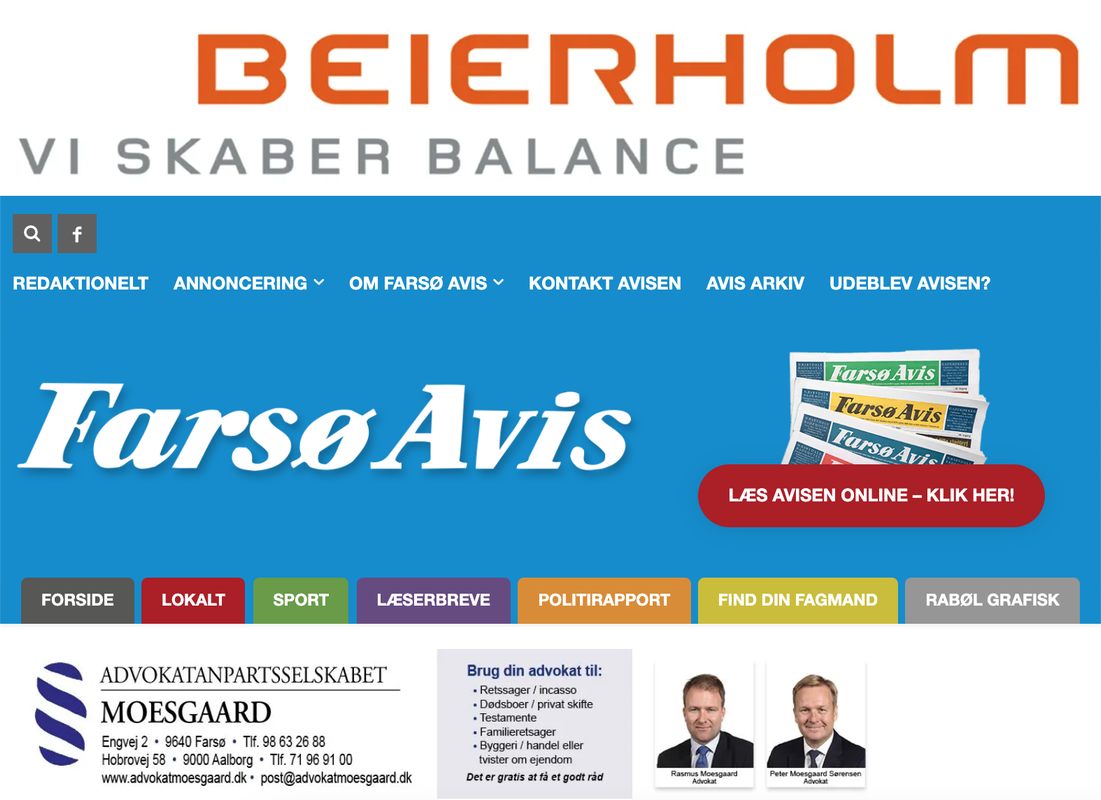
1) This is the live portrait viewport of my website, which is the correct version, and as it should be:
2) Suddenly when working in the Visual Composer, it showed this “Fatal error” in the bottom:

3) I then exited the Visual Composer, and then opened it again. The error was now gone. But now my header on Portrait View in the Composer is suddenly fucked up (but only in Visual Composer, not on the live site):
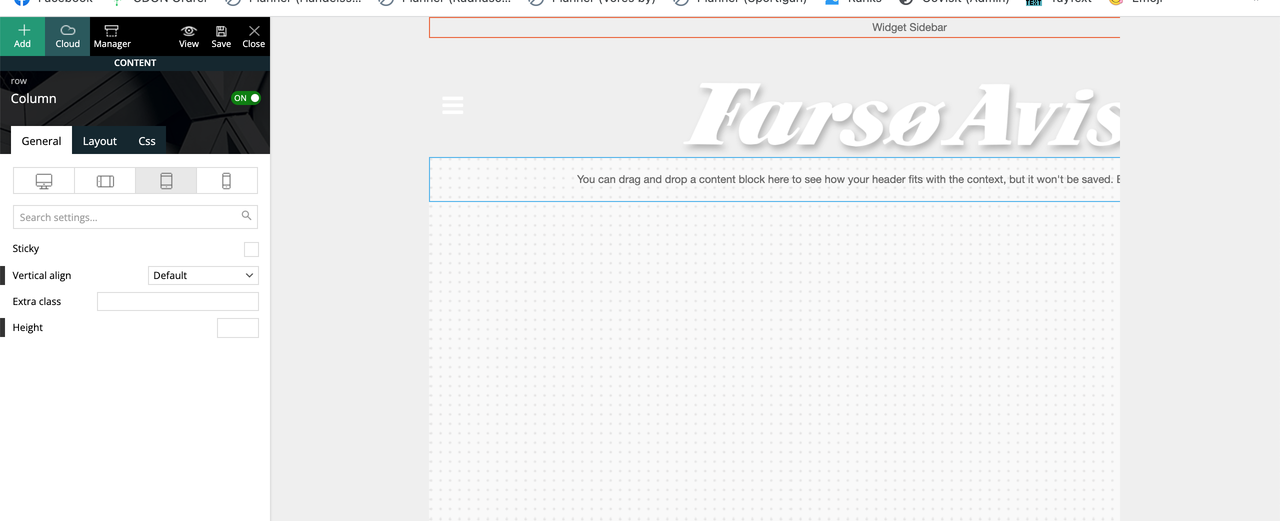
Seems like it suddenly applied/overwritten the header from the “Mobile View” to the “Portrait View”?
 aleoni
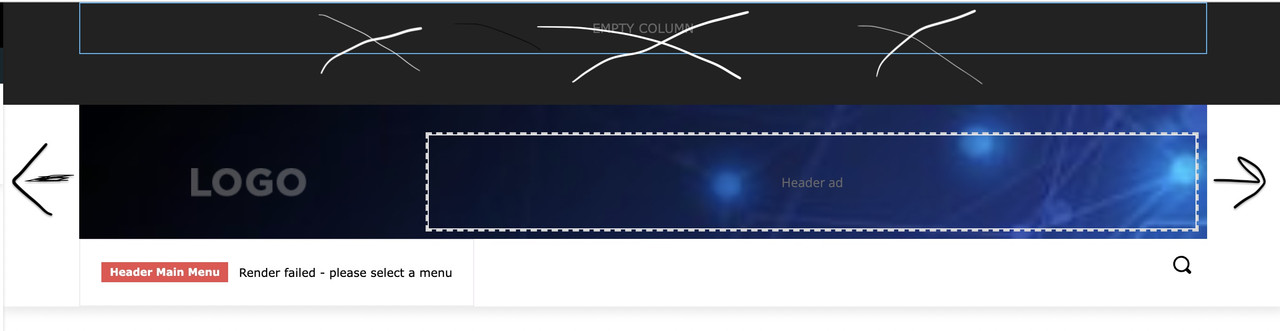
Hi, i am new to Newspaper. I am trying to customize the header, starting from that of Default Pro, and i have some questions. I also attach an image with cross and arrows painted by me to try to explain better 🙂
1. i don’t understand why images are always sfocated, i have tried with images of every dimension.
2. how can i enlarge to the right and left, to touch the margin, the “logo block”? (i think it’s called inner row). I’d like background image from side to side but not on the below menu
3. How do i eliminate the black section up there?
thank you!
 ikaris
Hi,
I have created and applied the Medicine Pro Header Template with all the edits I preferred to all my pages. However, when I access posts on mobile, the header is not being used. How can I apply the template for my posts as well?
Thanks!
vikasnangia Have a look at this . As you can see, the first 2 images are the background and header colors of the home, categories, tags pages.
The second 2 images have colors are of the blog details page.
vikasnangiaWe have 2 websites. Both need to look alike. Separately hosted.
The global templates / cloud templates cant be shared between 2 live sites can they?
If we make a change to the header on site A, can site B’s header also change?
 Bettina
 Hello @saf !
Place the element Icon next to your other socials from your header and then you can align it from the CSS tab of the element.
Thank you!
 JJ0000
I’m starting ads with a new network but I’m not sure where to put the script for each ad. They have “one script per ad” type of setup i.e. a script for bottom anchor/sticky ads, a script for header ads, etc. So far I’ve tried sticking the script in header.php and index.php but it doesn’t show up. Thanks!
ikarisHi,
So, I am using the Medicine Pro Mobile Header Template. Its working well. However, when I press on the 9 dots on the left side of the header, it brings me to the menu (as it should). However, I need to make changes to the colour and other parts of it. How do I edit this? I can’t seem to find the option. Thanks!
Anamaria Hello,
You can edit each menu from Manager -> https://i.imgur.com/jppRC0I.png -> https://i.imgur.com/k5wD0NF.png -> https://forum.tagdiv.com/header-manager/ after you select a menu you can customize it with tagDiv Composer.
Thank you!
Bettina Hello MINA!
Great! Please delete the code from above and add this new CSS code in Newspaper -> Theme panel -> Custom code -> Custom CSS:
.td-header-style-7 .td-header-sp-logo img { max-height: none;

                                            margin-top: -15px;}
Thank you!
Anamaria Hello,
Please provide the link to your website to inspect it.
Also, for the logo please let me know what template you use for the header, from Theme Panel or Header Template.
Thank you!
 Bruno Riggs
Hi,
How can I make a header with one style and the stick header with another style? This for Desktop, Tablet, Mobile….
If you look at the Pulses Pro demo theme, you’ll see what I’m talking about, when the menu turns into a stick it changes the place mark.
Thanks
Bettina Hello MINA!
Make sure you have the Standard Pack plugin installed and active.
Please add this CSS code in Newspaper -> Theme panel -> Custom code -> Custom CSS:
.td-header-style-7 .td-header-sp-logo img {

    max-height: none;}
It seems that your letters are ok now on mobile: https://www.screencast.com/t/qsprt3HNgCCX
If the problem is still there, then please make sure it’s not a plugin conflict or a cache issue, that’s why, deactivate ALL plugins except tagDiv ones, also if you are using a cache plugin, deactivate it, clear all cache and try again.
Let me know the results!
Thank you!
 meri
meriHi,
How can I change the font size of the Title element, design “block header 18”, without changing the font size of the “Speech bubble text”?
Thanks
 jasaj
jasajAfter we update Newspaper theme to 11.4. our logo in the header starts to be out of the original proportion (.
Link to our webpage:
https://mina.news/
It should be like on link below:
https://mina.news/wp-content/uploads/2021/05/MINA-LOGO-01.png.
The second issue we have with the last update is “large letters” on mobile phones web browsers.
Screenshot:
https://mina.news/minabigletters/://mina.news/minabigletters/
Thanks in advance!
MINA
 Rostyslav
Updates are not immediately applied to the page after saving.
I’m editing the header. When I make changes, I have to wait up to 5 minutes for the updates to be applied. What is it?
Anamaria Hi Karin,
So, your client uses the mobile theme plugin, but the mobile theme is disabled on the homepage, right?
Also, she created a mobile menu for the posts and pages where the mobile theme is enabled and she set the menu in Theme Panel -> Mobile Theme -> Header -> https://i.imgur.com/8dAeJRZ.png, so you can set the other menu for the homepage in Theme Panel -> Header -> Main Menu -> https://i.imgur.com/onc8Lik.png if she uses a standard template for header from Theme Panel or you can set it with tagDiv Composer on the viewport for phone -> https://i.imgur.com/T9gLYs1.png
Hope this helps you!
Thank you!
Anamaria Hello Charlie,
You can find a header template in the tagDiv Cloud Library looking the same as the Theme Panel.
Unfortunately, only if you make changes to the theme files, but they will be overwritten with each update.
Also, using a cloud template you have several options.
Thank you!



