
- NewspaperHeader Builder
- NewspaperHeader ads
- NewspaperHeader styles
- NewspaperSearch setup for custom post type
- NewspapertagDiv Composer – Website Manager
- NewspaperBookmark – Save For Later
- NewspaperWooCommerce: Happy “Add to Favorites!”
- NewspaperModal Popup
- NewspaperFlex Block Settings Guide
- NewspaperPosts Loop Element
- NewspaperHow to Add a Logo in Newspaper
- NewspaperDefault Category Settings
- NewspaperWhen tagDiv Composer is Not Working
- NewspapertagDiv Cloud Library Plugin
- NewspapertagDiv Composer Tutorial
- NewspaperUsing the Theme Translations with WPML
- NewspaperInstagram in Newspaper WordPress Theme
- NewspaperWeather Shortcode
- NewspaperThe Mobile Theme
- NewspaperLogin – How to Enable User Registration
 Calin
Calin Hi,
If you are using a pro demo, then you’ll need to edit it with tagDiv Composer and change/edit the cloud header from tagDiv Cloud Library, because the settings from theme panel will apply only on standard demos and standard styles/templates. -> https://i.imgur.com/CUWSPz4.png -> https://i.imgur.com/sXmAsYj.png
Please check our video tutorials from here -> https://www.youtube.com/user/tagdiv -> https://www.youtube.com/watch?v=HXQQygkCCJo
Hope this will help you!
Thank you!
 Vlad S
 Hello !
Header codes can be inserted in here: https://www.screencast.com/t/rD3n7AtOc5
At the moment the Support team is not 24/7 available. Please note that we answer the topics from Latest to Newest Monday – Friday from 08:00AM to 05:00PM GMT+2 So multiple replies to your topic will only make us to get harder to your topic.
Thank you !
Vlad S Hello !
While editing your header using the tagDiv Composer you will be able to set the url on your logo as you can see here: https://www.screencast.com/t/0Mj5rVxkK ; https://www.youtube.com/watch?v=HXQQygkCCJo&t=3s
Thank you !
 claudia
Hi,
when I visit my website, I can’t see some icon (like the search one).
If I open the console i see these errors:
Access to font at ‘https://xxxxxx.org/wp-content/themes/Newsmag/images/icons/newsmag.woff?13’ from origin ‘https://www.xxxxx.it’ has been blocked by CORS policy: No ‘Access-Control-Allow-Origin’ header is present on the requested resource.
GET https://xxxxxx.org/wp-content/themes/Newsmag/images/icons/newsmag.woff?13 net::ERR_FAILED
Access to font at ‘https://xxxxxx.org/wp-content/themes/Newsmag/images/icons/newsmag.ttf?13’ from origin ‘https://www.xxxxxx.it’ has been blocked by CORS policy: No ‘Access-Control-Allow-Origin’ header is present on the requested resource.
GET https://1225482413.rsc.cdn77.org/wp-content/themes/Newsmag/images/icons/newsmag.ttf?13 net::ERR_FAILED
I have also a screen of it but I don’t know how to attach it to this topic.
Let me know how to solve this problem
Thanks
Claudia
Calin Hi,
As I know the gadgets pro is using an overlay header therefore you need to check the zone that you edit, because the header zone can be display for the whole website -> https://i.imgur.com/CqsIAMl.jpg -> page content -> https://i.imgur.com/Sywz5hw.jpg
Also the page template can be set from here -> https://i.imgur.com/Qm90Gyv.png in Newspaper X is no longer available the option in tagDiv Composer, also if you want you can import homepages from tagDiv Cloud Library and edit theme using tagDiv Composer -> https://i.imgur.com/tLn0UI4.jpg
This is the header using on gadgets pro -> https://i.imgur.com/76Dd4ot.png if you like header, you can set it on defaults and set a background image/ color -> https://i.imgur.com/3beJRpO.png -> https://i.imgur.com/PCwQTTn.png
Hope this will help you!
Thank you!
Calin Hi,
This can be achieved using a cloud header from tagDiv Cloud Library, edit it using tagDiv Composer and replace the logo with an image -> https://i.imgur.com/Hn3Uj5q.png -> https://i.imgur.com/gWlntJk.png
Or you can edit the theme files and replace the logo link -> wp-content/plugins/td-standard-pack/Newspaper/parts/header/logo.php -> https://i.imgur.com/SEd4SkR.png and D:\xamp\htdocs\Newspaper\wp-content\plugins\td-standard-pack\Newspaper\parts\header\logo-h1.php -> https://i.imgur.com/83oPUDI.png
Hope this will help you!
Thank you!
 aneejian
I am using Tech News PRO template on my website.
I have set the header menu to be sticky. However, it is not working.
Can somebody help?
Site: aneejian.com
 Matthew
Hello,
My header loads a duplicate header and then disappears.
I’m trying to figure out what the cause is and how to fix it.
This is my website – https://monkeysfightingrobots.co/
Here is a screenshot:
[caption id="attachment_146948" align="aligncenter" width="3134"] Double header[/caption]
Thank you for your time and help.
-Matt
 globe_slcc
We currently have three ads: 1 header ad, 1 sidebar ad (for a rectangle) and 1 custom ad (for another rectangle).
We placed the head code from Google AdSense to the Header Script Code part of the Analytics/JS Codes section in the Theme Panel.
Then, we placed the body code from Google AdSense into the appropriate Header, Sidebar and Custom ad sections in the Theme Panel.
We also confirmed where each adspot is selected on the home page In TD Composer.
On the home page, we can see the source code for each ad, header and body, in the proper places, but the ads are not appearing in any browser, with adblockers disabled and the site whitelisted.
Any ideas as to what the issue may be?
Thank you.
globe_slccWhen we tried to save a minor update to our home page — changing the text of a header from “Notice” to “Advertisement” — we received a “Success” message followed with by this error message:
“Invalid page template. Current state has involved an issue. You could try an UNDO operation (CTRL+Z / CTRL+SHIFT+Z)”
What would be causing this error message? We have not edited the home page since we launched the website, and we have never seen this error before today. All we did was change the text of a header.
How would we troubleshoot what is invalid about the page, if anything?
Thank you!
 Tech It Zone
How can I boxed top header section & footer section like this – https://imgur.com/2hhEp6c</a. My all data like Theme & CMS are Updated
Thanks & regards
Tech It ZoneHow can I boxed top header section & footer section like this – https://imgur.com/2hhEp6c & inline single image section are not working properly like this – https://imgur.com/undefined My all data like Theme & CMS are Updated Thanks & regards
 Oliver Smith
Hello, Im relatively new to this theme. At the moment the mobile menu is set to a design that doesnt fit the rest of my website. Is it possible to change the mobile menu?
As well as this, the menu icon in my header doesnt seem to be working. Not sure if this is because it is the wrong type of icon or not.
My website is Strantmont.com. Thank you for any help.
 HeliR
HeliRI would like to add certain shortcode elements to my author box.
i found the text to be within a class “td-author-description”
which I only found in the loop-single.php
when I edit loop-single.php to show an extra header2 “test-header” and then do_shortcode I do not get any result. All Caching plugins are removed, I re-read the page with Ctrl-F5 and dont take it from browser-cache as well as I tried it with mobile & ipad. How would you suggest I can add shortcodes to author-box
<div class="td-author-description"><h2>test-header</h2>

 <?php echo esc_html(do_shortcode("xxx" . get_the_author_meta('description', $author_id))) ?>

</div>
 iffi94
Hi,
I am trying to change the content of the Sports Pro header.
For example, selecting the Header Style from Style 1 to Style 2. However it is not reflected in the Website.
Further when I insert the logo, the sports logo is also in the Header.
Please help
 merquart
Hey,
I’m trying to automatically insert tag_slugs for the flex_block_1, but I’m not sure how to do that.
I’ve got a bunch of like “profile pages” and would like to show a “more about this person” tab, which displays all posts that use the name of that person as a tag_slug.
I tried to do that with a small wordpress plugin, that simply returns the [td_flex_block_1] code with the name of that person. (see Image 1 and the code)
Image 1:

$ausgabe .= "[td_flex_block_1 modules_on_row='eyJhbGwiOiIzMy4zMzMzMzMzMyUiLCJwaG9uZSI6IjEwMCUifQ==' limit='6' hide_audio='yes' modules_gap='1.4%' image_height='65' hide_image='' image_width='' image_floated='' meta_padding='' image_radius='' meta_info_horiz='' modules_category='above' modules_category_margin='' show_cat='' show_author='' show_date='' show_review='none' show_com='none' show_excerpt='' show_btn='none' tag_slug='" . $artistname . "' sort='random_posts' td_ajax_preloading='preload' ajax_pagination='next_prev' meta_info_align='' custom_title='Mehr zum Thema " . $artistname . "' custom_url='https://thisismywebsite.de/tag/" . $artistname . "/' block_template_id='' accent_text_color='#48aba2' header_text_color='#ffffff']";
But on the page the code gets printed out 1:1 (see Image 2)
Image 2:
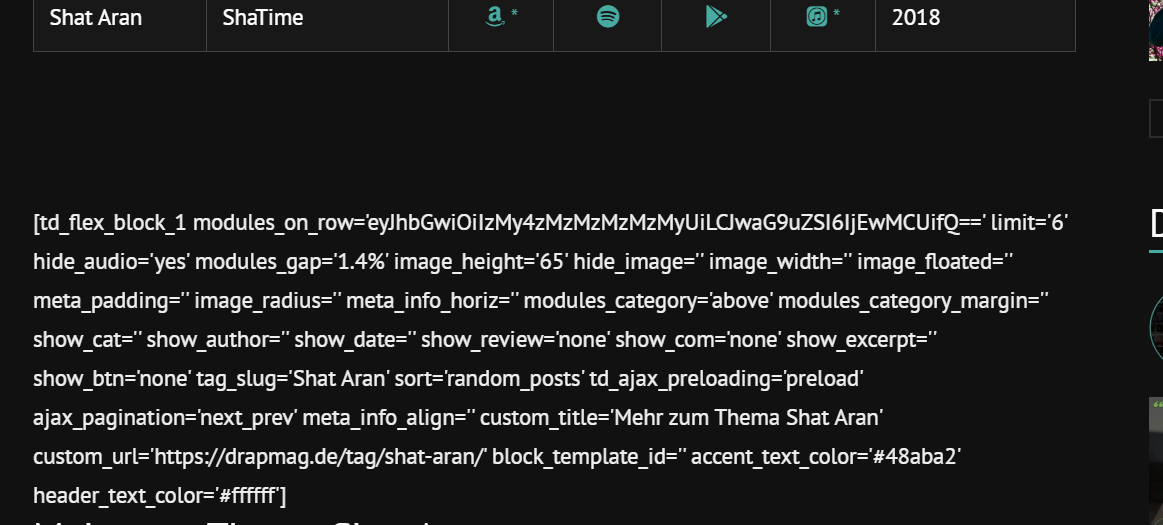
If I copy & paste this code like it is into the post it works (see image 3 & 4)
Image 3:
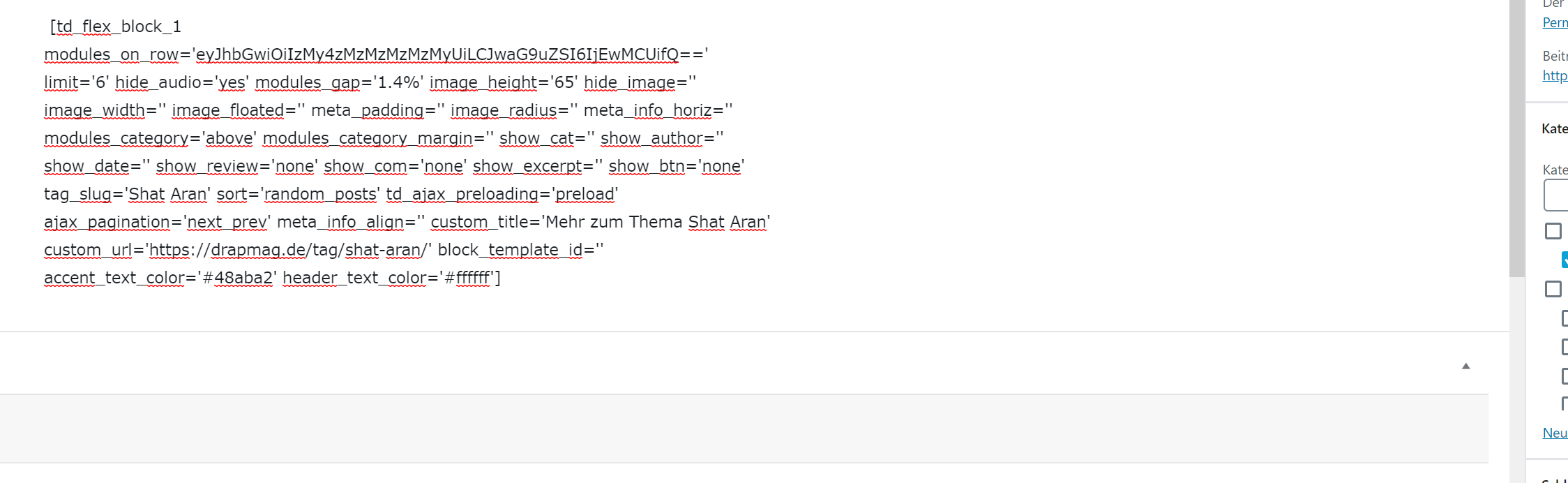
Image 4:

Is there anything I can do to make this work with using wordpress_shortcodes? Why does it get printed out plain when I’m using the method I tried? Or maybe there’s another workaround to use flex_block without manually changing the tag_slug on every page?
Big thanks in advance for your help.
Best regards
 atul2927
recently I purchase the Newspaper X theme but I try to change the theme setting but it not showing anywhere on the website. Also, my logo displays two times in the header. When I open my website in chrome it looks unstructured and opens on another website it looks fine. But whenever I try to change any setting it will not be changed.
Please check letmethink
 huangguanggui
This is the code to insert the header—-
<head>
<meta charset=”<?php bloginfo( ‘charset’ );?>” />
<meta name=”viewport” content=”width=device-width, initial-scale=1.0″>
<link rel=”pingback” href=”<?php bloginfo( ‘pingback_url’ ); ?>” />
<?php wp_head(); ?>
<?php
$current_user = wp_get_current_user();
$user_id = $current_user->ID;
$user_name = $current_user->display_name;
?>
</head>
This is the code in the Google Analytics and JavaScript Codes——————-
<!– Matomo Tag Manager –>
<script type=”text/javascript”>
var _mtm = _mtm || [];
_mtm.push({‘userid’: ‘<?php echo $user_id ?>’});
_mtm.push({‘username’: ‘<?php echo $user_name ?>’});
_mtm.push({‘mtm.startTime’: (new Date().getTime()), ‘event’: ‘mtm.Start’});
var d=document, g=d.createElement(‘script’), s=d.getElementsByTagName(‘script’)[0];
g.type=’text/javascript’; g.async=true; g.defer=true; g.src=’http://matomo.qlhclub.com/js/container_GS0xR0No_staging_30fc6a22e4691022894440ed.js’; s.parentNode.insertBefore(g,s);
</script>
<!– End Matomo Tag Manager –>
I need to get userid and username here
 Tonioc75
Hi,
I have been trying many things, but it’s never working fine.
How to get or create a default Page template (not Post template) that is working fine with the gadgets pro ?
Menu is always overlaping. The page title + content is always in the header menu zone ans starts with the menu zone.
When i’m trying to change a template on an existing page (i’m migrating a website with newspaper + gadgets pro template…) with the tagdiv composer, others pages are also impacted and content disappears in wp normal backoffice.
I never find the zone described here https://forum.tagdiv.com/page-templates-2/
I just the menu settings zone, not the page settings zone.
And when i manually edit the content page
[tdc_zone type=”tdc_content”][vc_row][vc_column]
MY PAGE CONTENT
[/vc_column][/vc_row][/tdc_zone]
it’s the same (menu overlaping, bizarre display)
Putain c’est chiant !!!! J’y suis depuis hier, ça me casse les c….
I just have normal pages like contact, rgpd, cookie policy, thank you page, etc
Please provide a page template, even a basic one.
Thanks
 matiasc
  ccarella
Hello!
I am setting up our content page with WordPress & Newspaper here – http://learn.getbellway.com
When the visitor clicks the Bellway logo in the header I want to send them to our main shopify page here – https://getbellway.com
I can’t seem to figure out how to do this or find where to access editable HTML.
I am loving this theme. Our content site is in support of our commerce site, which is why we require this change.
Thanks!
Calin Hi,
1. In order that anyone to can create an account the box need to be selected -> https://forum.tagdiv.com/newsmag-login-how-to-enable-the-user-registration/
2-3 These can be done only from theme files, the path for the file is -> wp-content/plugins/td-composer/legacy/Newsmag/parts/header/td-login-modal.php -> https://i.imgur.com/3XbIjDz.png you need to replace the links.
Hope this will help you!
Thank you!
Vlad S Hello !
Unfortunately the headers found in the Theme Panel cannot be edited using the tagDiv Composer. We recommend removing the standard pack plugin and using only Cloud Library templates. Please note that all the cloud library templates are fully editable using the tagDiv Composer.
Also if you are disabling the Standard Pack plugin you may see shortcodes not being rendered, that means that you will need to replace those blocks in tagDiv Composer with the new blocks ( flex blocks ) which are way more customizable.
I hope this was helpful !
Thank you !
Calin Hi awtownn,
Let try to figure out the steps you need to do:
“In the header image with the woman, it appears that’s a row with 2 columns, correct?” – yes that is row with the layout set in 2 -> https://i.imgur.com/BmzMJdV.jpg and yes, in the first empty column is set an inline single image -> https://i.imgur.com/8K6dXOp.png and the second one are more elements, like column title -> https://i.imgur.com/oKHd3aL.jpg inline text -> https://i.imgur.com/nRSA4ac.jpg and buttons -> https://i.imgur.com/WhG6lwO.jpg
“But, where does the background image that spans the 2 columns come from? The blue green image.” -> is image is set on the row that is set in two columns and is apply an overlay color too -> https://i.imgur.com/Rsg0oan.jpg -> https://i.imgur.com/wTAKBNY.jpg
“And, on the right side of the header there is text in multiple rows – 3 text rows and 1 button row. How is that done? With inner rows? And, how is the vertical spacing between the rows set?” -> if you are referring to these elements -> https://i.imgur.com/R7Ctpa2.jpg these are set directly in the empty column, not in a inner row for some of then is set in css tab a margin or padding -> https://i.imgur.com/HasetYJ.jpg -> https://i.imgur.com/RM1e1b5.jpg
If there is something that I miss, or if you have other questions, let me know!
Hope this will help you!
Thank you!
Calin Hi,
This depend on what header are you using, for standard headers, you can use the settings from theme panel -> https://i.imgur.com/QGz2ZNo.png -> https://i.imgur.com/6RNxXsv.png -> https://i.imgur.com/PLHZ6YI.png
If you are using a cloud template from tagDiv Cloud Library, then you need to edit it with tagDiv Composer -> https://i.imgur.com/zIKR9gk.png -> https://i.imgur.com/plChi7Z.png click on the row you want to change the color and check the css tab -> https://i.imgur.com/mF1iFmA.png -> https://i.imgur.com/57iabbm.png do not forget to change the color for the elements first if these are in the color that you want to set as background -> https://i.imgur.com/MJeAFQS.png -> https://i.imgur.com/DKXamol.png
For the mobile if you are not using the mobile theme plugin, and you have a standard will be apply the colors from theme panel -> https://i.imgur.com/TPqxkbr.png if you are using the mobile theme will be apply the colors from this section -> https://i.imgur.com/VQo2txU.png and if you are not using the mobile theme and you have set a cloud header, then you can edit the mobile using tagDiv Composer like this- > https://i.imgur.com/S7X3Z9P.png
Hope this will help you!
Thank you!



