- NewspaperHeader Builder
- NewspaperHeader ads
- NewspaperHeader styles
- NewspaperSearch setup for custom post type
- NewspapertagDiv Composer – Website Manager
- NewspaperBookmark – Save For Later
- NewspaperWooCommerce: Happy “Add to Favorites!”
- NewspaperModal Popup
- NewspaperFlex Block Settings Guide
- NewspaperPosts Loop Element
- NewspaperHow to Add a Logo in Newspaper
- NewspaperDefault Category Settings
- NewspaperWhen tagDiv Composer is Not Working
- NewspapertagDiv Cloud Library Plugin
- NewspapertagDiv Composer Tutorial
- NewspaperUsing the Theme Translations with WPML
- NewspaperInstagram in Newspaper WordPress Theme
- NewspaperWeather Shortcode
- NewspaperThe Mobile Theme
- NewspaperLogin – How to Enable User Registration
 somoselectricos
Hello.
I contact you because I want to know if there are any way to add in the template Newsmag a keywords in the beginning of the website (Header) as appear in a lot of pages.
For example this: https://www.marca.com/ (in the beginning appear Es noticia: follow of keywords.
I don´t know if I can add this easyly in any option of the theme or if you know any plugin that help me.
Thank you very much.
 kompic
 I was asked by tagdiv team to send an email so they can explore this on my website. I sent an email 2 days ago, got no answer.
No, I don’t have PRO prebuilt website. I had an old version which used visual composer (wp bakery). There was no standard pack or other plugins. Everything was integrated within the theme.
Now, I upgraded the theme and I got bunch of plugins alongside, and adsense ads do not work as advertised. It is like I explained. I add the script to the header, and I add it to places where I want them to show (sidebar, header, footer, after the post etc.), you know, the old way within the Standard pack plugin. It doesn’t work. They only show on the frontpage under the menu. That’s it.
 LauraBV
 I’m sorry, it’s clear one of us is confused – maybe it IS me.
The incorrect Newspaper X version of the home page that appears has nothing to do with any form of the website which I have ever used, nor is it any part of any of the changes made to the site which cause it. Publishing a new blog post should in no way affect the appearance of the header of the home page.
So if I read your reply correctly, are you in fact telling me I need to install an additional 3rd party plugin to force every visitor’s browser cache to refresh every time I make a change to my own website?
My own browser is not the problem – I use Chrome, and it never happens for me. But every time it happens I get notified by one of the thousands of people who do see it. It’s unprofessional, harming my business branding and at this point I either need to know how to make it stop or simply switch away from the tagDiv system.
 Calin
Calin Hi,
Is this domain-name the website are you referring?
I no longer see on it to have the login/sign in element in header.
Thank you!
-
This reply was modified 2 years by
 Calin.
 Anamaria
 Hi,
For mobile please edit with tagDiv Composer, select the viewport on phone, select the header logo and change it => https://i.imgur.com/cR7F0v4.png https://www.youtube.com/watch?v=HXQQygkCCJo -> https://forum.tagdiv.com/add-logo-newspaper/ Please delete the logo from theme panel.
This is a video about Responsive Newspaper Theme, AMP & Mobile Theme, Mobile Pages & Templates -> https://www.youtube.com/watch?v=SpGkOnJeNZY.
Thank you!
 distrikbantennews
 You can see and check the details, every article has advertisements (ads) above, just below the header.
 great1212
 Hi, we have applied the code to JS Head Section. But, there is no issue after adding the code. The mobile header just visible for a short time while refreshing the page, but the style gone afterwards and mobile header turns white.
The JS Code is still applied in the JS Head section.
Please check the following pic:
 dpp
dppHi, I edited our mobile logo (not using mobile theme, disabled plug-in), in the theme panel, but it doesn’t change on the site somehow when I view in in mobile mode on desktop or my phone.
I have this image loaded in Mobile Header settings in the Theme Panel: https://test.dorpsplatform-prinsenbeek.nl/wp-content/uploads/2024/01/DPP-logo-witte-tekst-zonder-achtergrond.png
But in mobile mode, i keeps showing this logo: https://test.dorpsplatform-prinsenbeek.nl/wp-content/uploads/2023/12/DorpsPlatform.png
distrikbantennews It’s in the Single Page section, the ads section under the logo header.
great1212 Hi, we have applied the code in JS Head section, but it broke the header.
Check the snapshot and suggest us the workable solution.
Thanks
kompic Hey. Thanks. I did that. But the ads then only show under the main menu on the homepage. Nothing else works. I use standard pack, and I set the ads do sidebar, custom ad 1, custom ad 2, header, footer…. and apply. But nothing. Ads only show under the main menu on the homepage.
If I set ads to auto mode, within Adsense dashboard, then ads show up EVERYWHERE! :(, except where I wanted them.
 cybernox
 Yes @Calin let me elaborate it.
1. I did create 2 blocks under the Footer Menus. Now I want to create something like this : https://prnt.sc/Lwfvh-bEJWfN
Question A: What elements should I use. for left both I’ll use Newsletter yes but for right block what element will work best?
2. If you see this : https://prnt.sc/7YM5Y7zsFjQC You’ll see a fine grey/silver link around the footer. I’m using block header 2 template: https://prnt.sc/Rl-4nkQhCB-P
Question B: Is there a way I can use same for the block in Question A above?
Thank you.
Anamaria Hi,
You can set this code in the analytics.
.td-header-wrap .td-header-menu-wrap-full {

background: linear-gradient(to right,#005660 0,#008081, #4bcad1 50%, #004c4d 86%, #043A4A 100%)!important;

-webkit-box-shadow: 0px 7px 7px 0px rgba(0,0,0,0.15);

-moz-box-shadow: 0px 7px 7px 0px rgba(0,0,0,0.15);

box-shadow: 0px 7px 7px 0px rgba(0,0,0,0.15);

}
.td-header-menu-wrap.td-affix{
background: linear-gradient(to right,#005660 0,#008081, #4bcad1 50%, #004c4d 86%, #043A4A 100%)!important;
-webkit-box-shadow: 0px 7px 7px 0px rgba(0,0,0,0.15);
-moz-box-shadow: 0px 7px 7px 0px rgba(0,0,0,0.15);
box-shadow: 0px 7px 7px 0px rgba(0,0,0,0.15);
}
and check after
Thank you!
Anamaria Hi,
Can you please let me know what is not working? Did you check the console when trying to edit with tagDiv Composer to check if there are errors?
For the header, please check if you don’t have set the header to No Header from Manager -> Header -> https://i.imgur.com/yWx8ZRR.png
Thank you!
great1212 I am sending you the code. Please inspect and provide us the code to insert in the analytics/js section.
.td-header-wrap .td-header-menu-wrap-full {
background: linear-gradient(to right,#005660 0,#008081, #4bcad1 50%, #004c4d 86%, #043A4A 100%)!important;
-webkit-box-shadow: 0px 7px 7px 0px rgba(0,0,0,0.15);
-moz-box-shadow: 0px 7px 7px 0px rgba(0,0,0,0.15);
box-shadow: 0px 7px 7px 0px rgba(0,0,0,0.15);
}
.td-header-menu-wrap.td-affix{
background: linear-gradient(to right,#005660 0,#008081, #4bcad1 50%, #004c4d 86%, #043A4A 100%)!important;
-webkit-box-shadow: 0px 7px 7px 0px rgba(0,0,0,0.15);
-moz-box-shadow: 0px 7px 7px 0px rgba(0,0,0,0.15);
box-shadow: 0px 7px 7px 0px rgba(0,0,0,0.15);
}
.td-mobile-main-menu .menu-item {
border-bottom: 1px solid #12697a;
}
.td-mobile-main-menu .td-icon-menu-right {
border-top: 1px solid #12697a;
}
.td-header-style-10 .sf-menu > .td-menu-item > a {
margin-bottom: 5px;
}
cybernox I’m looking to do something like this in the footer – Marked in red: https://prnt.sc/Lwfvh-bEJWfN
I managed to make to blocks but I dont know how to add more blocks in the footer.: https://prnt.sc/7YM5Y7zsFjQC
Im using block header 2 in footer menu and it gives fine grey links which look beautiful : https://prnt.sc/Rl-4nkQhCB-P
Is there a possibility of adding the same around new block I make under the footer.
Thank you for helping me out. 🙂
 brain4web
Hi, for the Hotelconidromassaggioincamera.it website I would like to add (as done on Copenhagen.it) a mobile horizontal menu to be shown only on mobile devices (on desktop I’d liket to display header menu)
I added mobile horizontal menu and it looks fine on mobile but I have a couple of problems on desktop:
– is also shown on desktop
– Header main menu is no longer displayed on desktop
for istance: https://hotelconidromassaggioincamera.it/hotel-con-jacuzzi-in-camera-val-pusteria/
thanks
LauraBVhttps://www.theblackmorevale.co.uk/
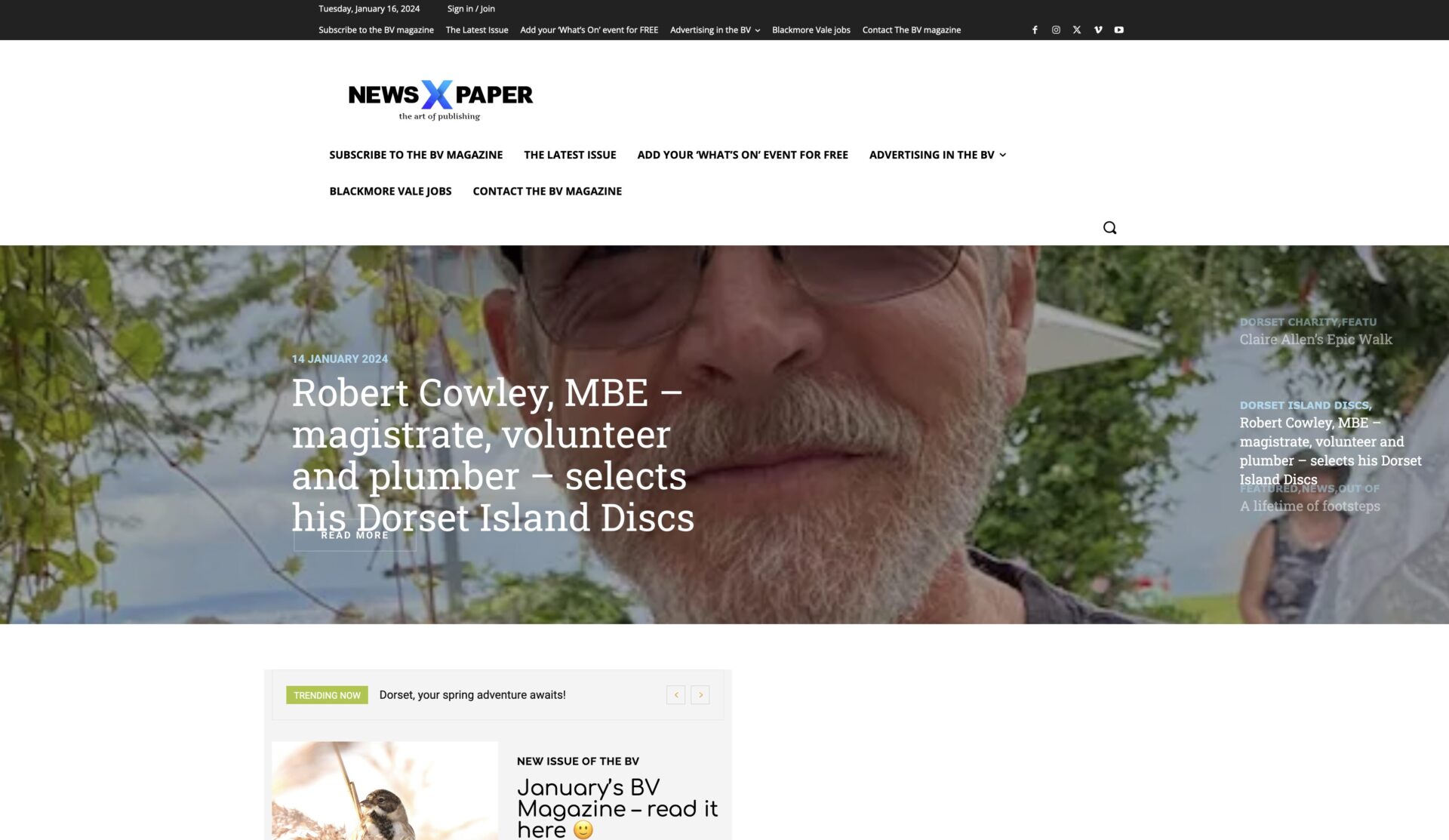
When I make changes to the website – even just creating a new blog post – the site displays incorrectly in Firefox; see a screenshot here https://www.theblackmorevale.co.uk/wp-content/uploads/2024/01/Screenshot-2024-01-16-at-14.02.52.jpg
The header is changed, and the logo defaults back to the ‘Newspaper X’ theme header.
I can easily fix it by manually clearing the cache (I use WP Rocket plug in), and then all is well again – but obviously I don’t want this happening at all.
I can only replicate it in Firefox, never in Chrome.
great1212 Plz provide the code here. Also needs to confirm that the code regers to post sharing. How come mobile header style issue has to do with post sharing code ?
 theheritagelab
Hello,
I had disabled this feature but now I do not know how to enable it again. I added the ‘header login’ to the footer and while that lets me logout, nothing happens when I click login.
How can I solve this?
Calin Hello,
Those are two different elements – https://i.imgur.com/nw0wHw7.png you need to use tagDiv composer and replace the header login (that has the classic popup) and set the menu login element.
Thank you!
 mochfadhil66
Can i create new page with default template but with no the header and footer section? Just only blank page before i customize with tag div composer? Because when i use default template, the header and footer section appear
 Ryan Lee
Hi,
I have an question about Login/Register and account page with Opt-In Builder.
As you know, there is a Login/Register and account icon in ther header section.
So I customed them with Opt-In Builder but it’s not linked.
How can I do for this?
Homepage : staging.ztoo-soft.com
Login/Registor page : https://staging.ztoo-soft.com/login-register/
Account page : https://staging.ztoo-soft.com/my-account/
 jtoney
This is supposed to bring up a popup allowing people to login. Currently it’s doing nothing. If I am logged into the admin panel, and I go back to the homepage I can then logout using that button/link. How am I going to fix this? I have a plugin which hides the wordpress login so this is very annoying.
great1212 Is there any workaround?
We can give you the css code that we’ve applied for mobile header