
- NewsmagInstall via WordPress
- NewsmagInstall via FTP
- NewsmagInstalling pre-built websites
- NewsmagUsing the theme translations together with WPML
- NewsmagHow to update a plugin
- NewsmagNewsmag theme support
- NewsmagCustom Post Type Support
- NewsmagImport / Export theme settings
- NewsmagHow to add icons in the menu
- NewsmagRequirements for Newsmag
- NewsmagNewsmag documentation
- NewsmagHow to update the theme
- NewsmagBlock settings tutorial
- NewsmagHow to update the WPBakery plugin
- NewsmagIntroduction
- NewsmagMain menu
- NewsmagFeatured image or video
- NewsmagAuthor card
 Calin
Calin Hello,
I think that you’ve made a theme update or something like that, so you’ll need to delete the theme plugins and reinstall theme, we recommend to delete theme via FTP.
Thank you!
Calin Hello,
Please make sure that you install the theme according to our documentation from here .
Also please make sure that all the settings are like in our requirements, please follow the guide carefully
– https://forum.tagdiv.com/requirements-for-newspaper/
and please increase all requirements that are lower, and follow all steps.
Make sure that the php version is 7.1 or 7.2 not 7.3 also make sure that the wp-memory is at list 256MB.
After that please activate the theme as in our guide from here .
Let me know the results!
Than you!
Calin Hello,
Please make sure that you install the theme according to our documentation from here .
Also please make sure that all the settings are like in our requirements, please follow the guide carefully
– https://forum.tagdiv.com/requirements-for-newspaper/
and please increase all requirements that are lower, and follow all steps.
Make sure that the php version is 7.1 or 7.2 not 7.3 also make sure that the wp-memory is at list 256MB.
This should fix the problem!
Than you!
Calin Hello,
Indeed the https://fonts.googleapis.com/css?family=Roboto appear in GT Matrix but I can not find it on your website source, usually this style is use by the Revolution Slider -> http://prntscr.com/p6mu8w
Please provide the name of the page that you imported from TagDiv Cloud Library that imported this robot css.
Thank you for your understanding!
Calin Hello,
I just checked this option on may install and this is working normal, https://www.screencast.com/t/e9618znK0 -> https://www.screencast.com/t/vgO4TiTw please make sure that you do not have a plugin conflict, please deactivate all non theme plugins, clear all cache and try again.
Thank you!
 liamc
liamcHey Guys,
Hopeing for some clarification on some theme behavior.
Firstly I will outline my workflow.
I have the latest verion of Newspaper installed (9.8) and I am using the WordPress Video Robot Plugin.
In my Theme Panel I have the following selected.
Default Post Template (Sitewide) – Style 9. I also have this selected in the WPVR theme fix. Please see images below.
https://drive.google.com/open?id=1JhjhWinr7-lyx8gQkE9tcacAu0fxV8E9
https://drive.google.com/open?id=1s5BS-1D7fAvZJ3ryKX-MX0KytV6lRJ0U
When I pull in a source from WPVR I have the option to specify the ‘Import Full Video Description’. Please see image below.
https://drive.google.com/open?id=1C_TSG7wlLlmwKWLEreRaRWjmfeC0CDl9
When I import a video the post looks like this. Please see image.
https://drive.google.com/file/d/1KfQqMSehJw62jIzxbu6AjTwWVYW-Q-BK/view?usp=sharing
So I then go into ‘Edit Video’ and under post settings > general select ‘From Panel’ to have the post show like this. Please see image below.
https://drive.google.com/file/d/1EY3WLadWPdkuzWbq4xyDV4SUN3DrmFGG/view?usp=sharing
So in order to get the post to show how I want it too with video embedded and full text description I have to edit it at the post level. But it appears I have already selected how I was the post to look. Style 9?
Going back to the Theme Panel I can see this note.
DEFAULT SITE POST TEMPLATE
Setting this option will make all post pages, that don’t have a post template set, to be displayed using this template. You can overwrite this setting on a per post basis.
So is there a spcific post template I need to change as well?
Is this normal behavior from the theme? I would like not to have to go into each post and edit it like this. Is this possible?
Lastly when I do get the video description into the post it appears all of the links have been stripped? Is there anyway to fix this too?
Thanks again for your time.
Liam
 BlakeForm
Hello,
I installed the tech demo (with content) and it comes with a slider. But when i delete the existing posts, the slider dissappears. How can i delete the posts and not losing the slider? I wanna keep and work with the slider.
Thanks!
 bushrazak
I cant install the tagdiv composer and the theme is not like the demo at all
When i try to install it i recieve this message
(Destination folder already exists. /home/u636858562/domains/mewriters.com/public_html/wp-content/plugins/td-composer/
Plugin installation failed.)
i have been searching online to solve this but I really didnt find anything helpful
please tell me whats the issue?
 JanStrmiska
 And now I have a white screen of death in a visual composer :-((((
Do you have any more up-to-date instructions on how to solve this?
If I delete and reinstall the VC plugin, will I lose my data / settings?
Or what else to do with / without deep IT experience?
Can my hosting company help me? Should I change it?
I’m at the beginning of the project, but I can’t afford this later.
Jan
-
This reply was modified 7 years by
JanStrmiska.
 uebermoderne
hey there,
I cannot access the theme panel. and I also are anot able to install the plugins.
glad for help
christian
 Jorge Guevara
 As I felt, the failure of the intention.
I think the problem is generated from installing a cloud template in the footer, and updated to an earlier version to see if it solved the problem but it did not work.
I appreciate if you can give me a hand, I think it is a major flaw in my site.
 mehedi57
I installed the new pro theme on my production site, but the pagination ‘normal numbered not working I get a blank page.
https://drive.google.com/file/d/1ZwP7ZPiZ7I1WbM_ECL2V2lrffcrQXAF9/view?usp=sharing
Please advice
 Hanno151
 I installed NP Black Version Newspaper for WordPress
now I have the NP logo and Copyright on my header and footer
How can I modify or remove these logos and put my own?
Hanno151I installed NP Black Version Newspaper for WordPress
now I have the NP logo and Copyright on my header and footer
How can I modify or remove these logos and put my own?
Thanks
 Decentralbox
Hello,
I recently bought the Newspaper 9 theme and now setting it up step by step. At the moment I have hardly installed any plugins and have a fresh wordpress install. Nevertheless a very ugly bug appears.
My startpage looks like this:
https://imgur.com/zQhRTqU
But on the tablet and in the mobile it looks overlapped.
Tablet: https://imgur.com/TtRhMOj
Mobile: https://imgur.com/a/c9dllMW
Did I set something wrong? How can i fix this?
Greetings from Vienna
 Edward
 If you had The Yoast plugin installed, the page source code would have the following lines (for example):
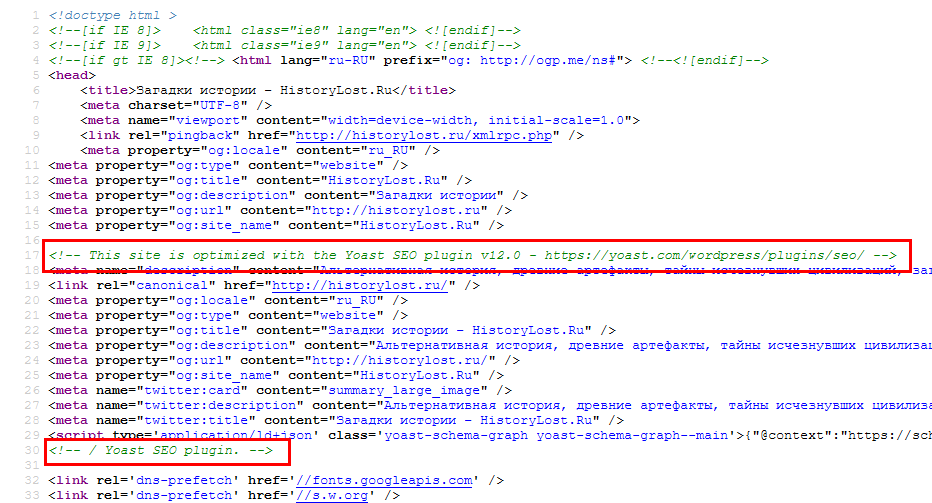
Disable *ALL* untested plugins (Jetpack too) and try again.
 mimicreature
 But I have Yoast plugin installed. And also I tried deactivating Autoptimize but it did not help either.
 rafaelsantarem
Hello. I watched the tutorial on how to install our demo on wordpress, but when I completed the installation I got an error message that I sent you attached. What would it be ?
I see that on my site is not possible to put the logo and the menu was formatting error.
Can you help me ?
my site is http://www.linhabiodelta.com.br
thank you very much
 sajeed
 i have checked once again with the previous version and changing to a newer version of the newspaper, im providing detailed screenshots of the issue, because of this issue, I have wasted already 2 days, please try to resolve this issue
i have installed a previous version and this was the post settings in older version as follows

then I have removed newspaper older version installed newspaper 9.8
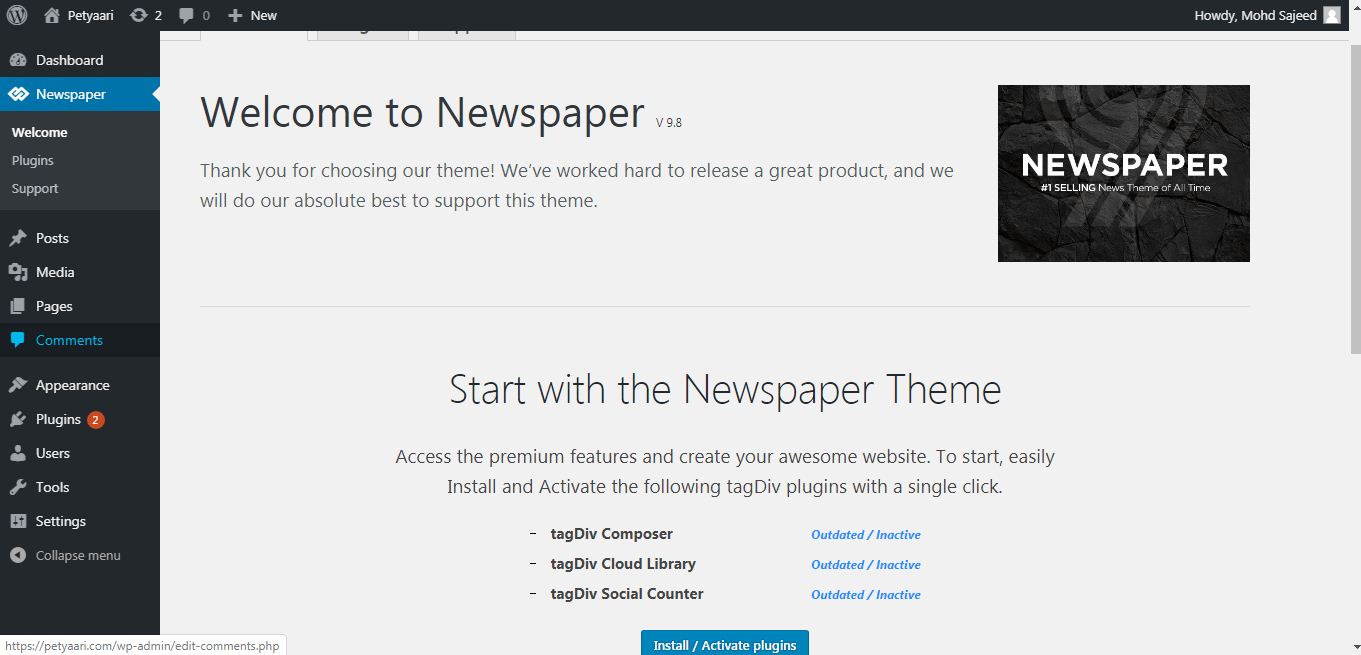
immediately after installation post page doesn’t have post settings, without installation of required plugins
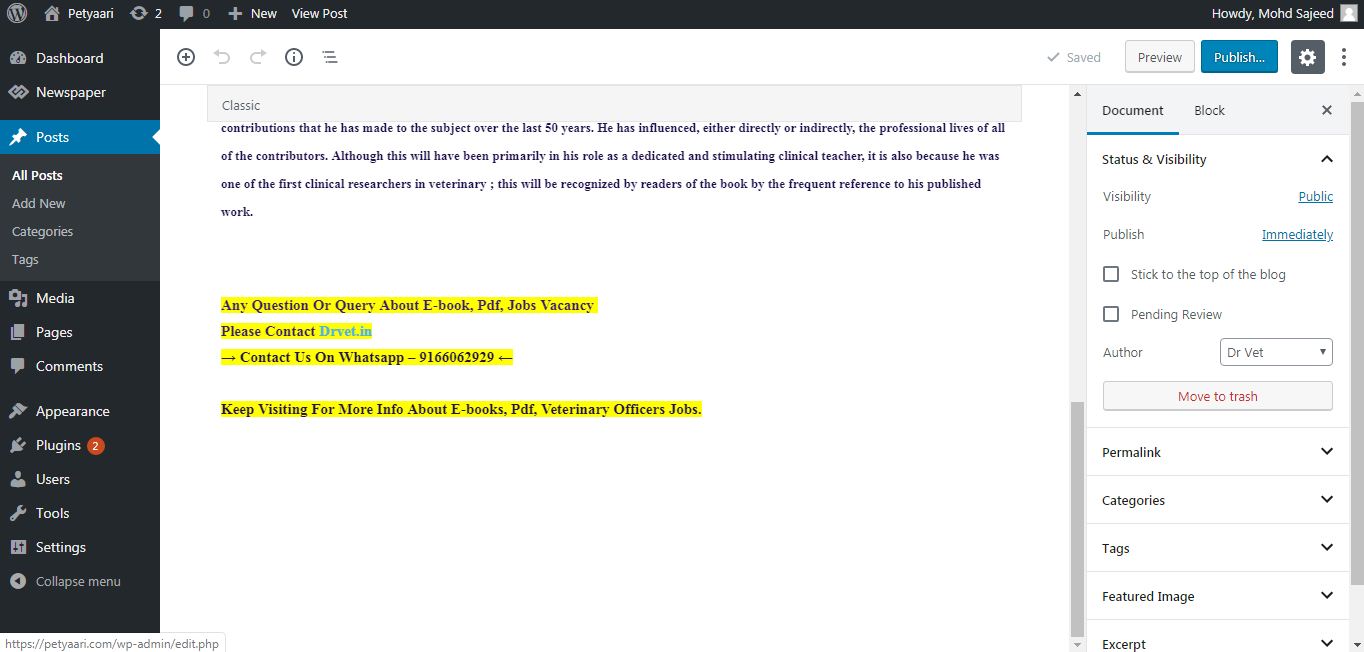
then i have installed and activated required plugins
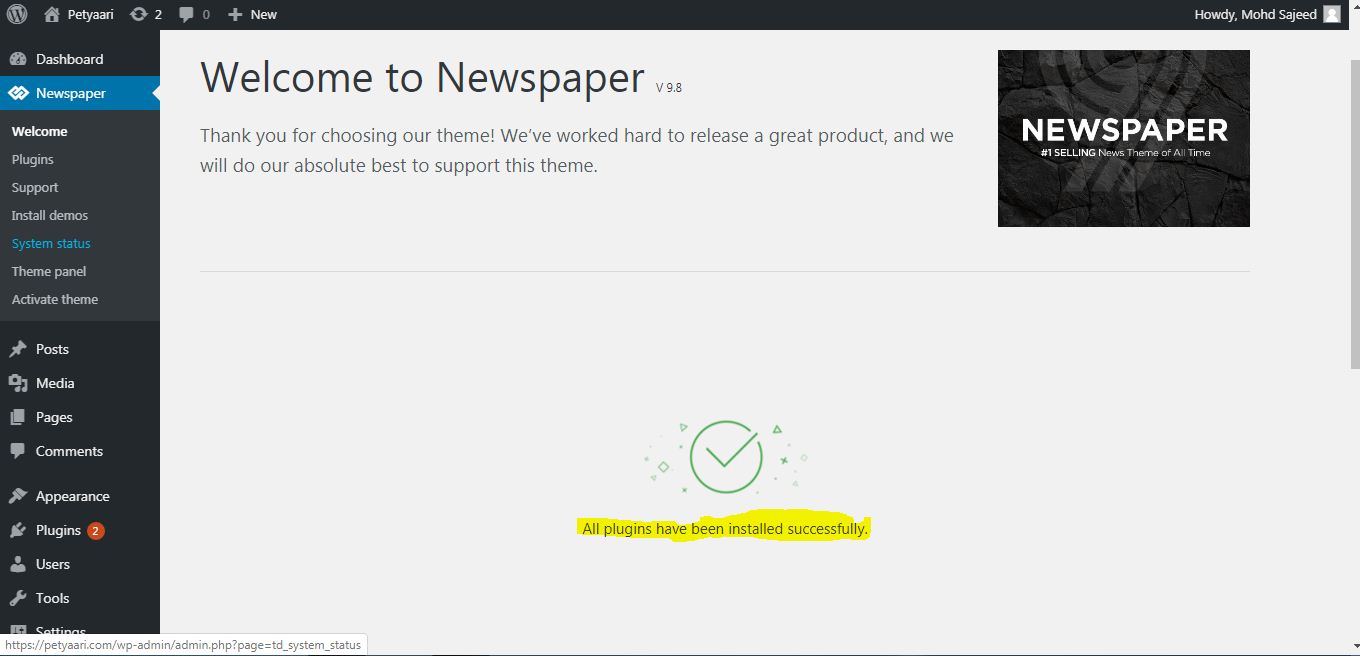
after newer version the post settings is unstable, just floating up,
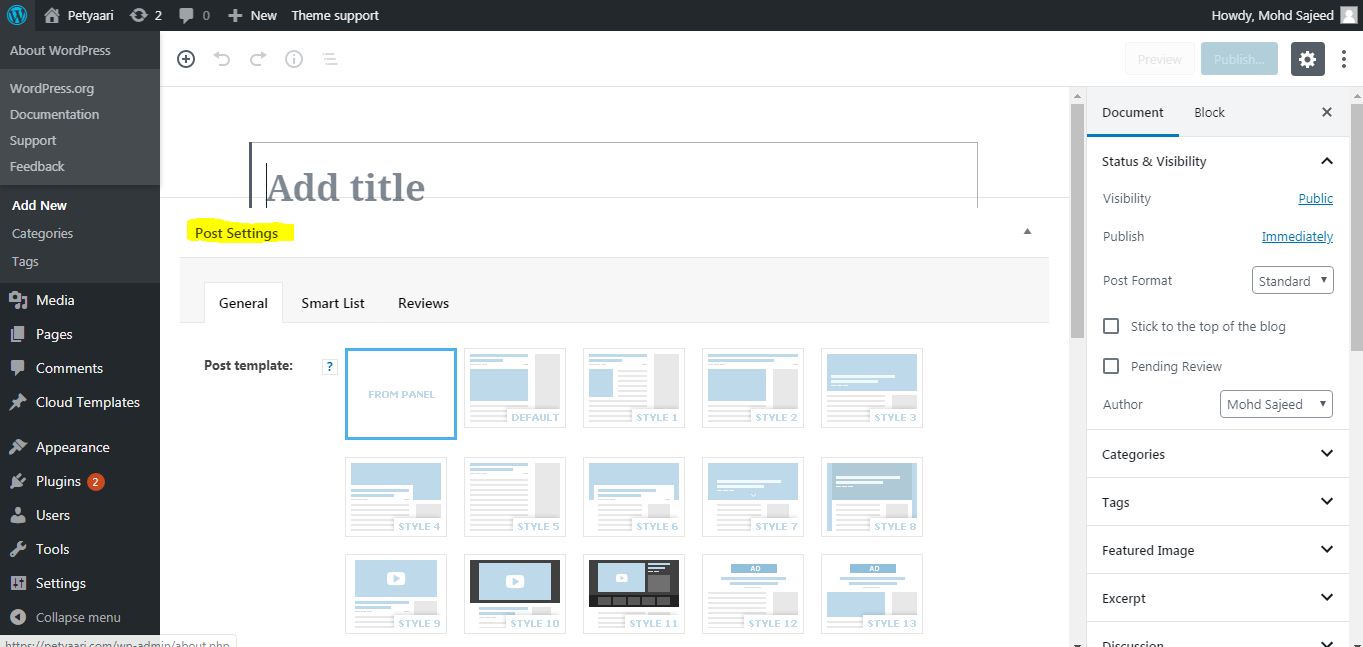
this is the issue, i have taken so long time to reach this isssue to you, its already wasting my valuble time,
its also issue with others,
please resolve asap.
-
This reply was modified 7 years by
sajeed.
sajeed Sir i have installed theme in a fresh WordPress, and no other plugins exists when problem experienced, i have installed theme and required plugins and installed demo site and this was issue
 kotsiak
I cannot login to wordpress. When I put username and password nothing happens and it redirects me to my_site/wp-login.php.
The last things I’ve done before having this problem, was te installation of Glue for Yoast SEO & AMP plugin and W3 Total Cache plugin.
What can I do in order to be able to login ?
Thanks
 SAPeople
Hi. I installed the Newspaper theme a few years ago, using the Travel theme here:
https://travel.sapeople.com
The large image at the top is not displaying. It may be because it used to be http: and now it’s https: – but I cannot find where to update this image. Please help.
Thanks!
Calin Hello,
I just checked this on my install and for me the og is displaying -> http://prntscr.com/p5j5ao
Please make sure that you are using Yoast SEO and enable this option -> http://prntscr.com/p5j4tj
If there is still a problem, please provide me a link to your website where I can inspect this problem.
Thank you!
 PrakashGohel33
 I have installed as per documentation, also is have installed theme without content. I am not using any child theme, before newspaper theme I was using BoomBox after deactivating I have installed newspaper theme.
Calin Hello,
First make sure that you install the Newspaper theme according to our documentation -> https://tagdiv.com/how-to-install-newspaper-theme/ also make sure that the demo was install successful and like in our guide from here https://forum.tagdiv.com/installing-demos/
This can be a plugin conflict, please deactivate ALL plugins except tagDiv Composer, also if you are using child theme or cache plugin, deactivate them, clear all cache and try again.
Please make sure that all the settings are like in our requirements, please follow the guide carefully
– https://forum.tagdiv.com/requirements-for-newspaper/
and please increase all requirements that are lower, and follow all steps.
Make sure that the php version is 7.1 or 7.2 not 7.3 also make sure that the wp-memory is at list 256MB.
Thank you!
