
- NewspaperThe Newspaper Mobile Theme: Introduction
- NewspaperThe Mobile Theme
- NewspaperModules Builder in Newspaper Theme
- NewspaperNewspaper theme documentation
- NewspaperTheme Colors Introduction
- NewspaperWhat’s Included in the Newspaper Theme Package
- NewspaperFilters and sorting for taxonomies
- NewspaperHow to Add a Logo in Newspaper
- NewspaperBig Grid Flex Settings
- NewspaperHeader Builder
- NewspapertagDiv AMP Plugin Tutorial
- NewspaperBest Of Forums
- NewspaperCache plugin – install and configure
- NewspaperFont Customization
- NewspaperBackground Introduction
- NewspaperHeader ads
- NewspaperPost template ads
- NewspaperCustom ad spots
- NewspaperMain Menu
- NewspaperHow to Install Newspaper via FTP
 Anamaria
 Hi,
You use mobile theme plugin then you need to set the logo in Theme Panel -> Mobile Theme -> Header -> https://i.imgur.com/Vv4BpE1.png
Please check this topic where I explained each mobile version -> https://forum.tagdiv.com/topic/mobile-version-not-working-properly-2/ and choose your mobile version.
Thank you!
 janabi
In the link below, you see on the right how the mobile theme looks good and with Arabic logo, but that is when I open theme panel on the computer. But when I check the live site on a mobile device, it shows a completely different template like you see in the picture on the left side and it appears with English header that reads “NEWSPAPER DISCOVER THE ART OF PUBLISHING”. So can you help me get the right template on the mobile site please?
 nachtwache
 Hello @Bettina,
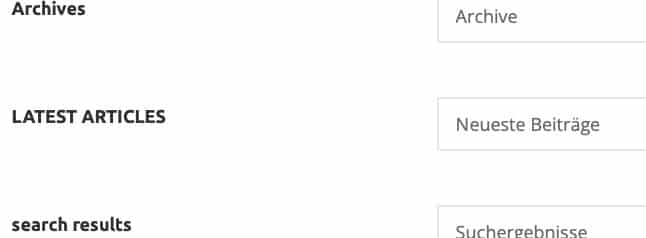
I already made the translation in the theme panel, but it does not show in the mobile version.
Anamaria Hi,
Have you ever had mobile theme plugin activated?
If yes, then maybe the site is indexed in Google using that version.
Thank you!
 Bettina
 Hello @delfinista!
Edit your single cloud template or an article with the tagDiv Composer and add the element called “Single Post Modified Date.” The mobile theme has another layout that overwrites the initial layout of the page with one that is lighter and more simplified. Unfortunately, the mobile theme plugin doesn’t have this option.
Thank you!
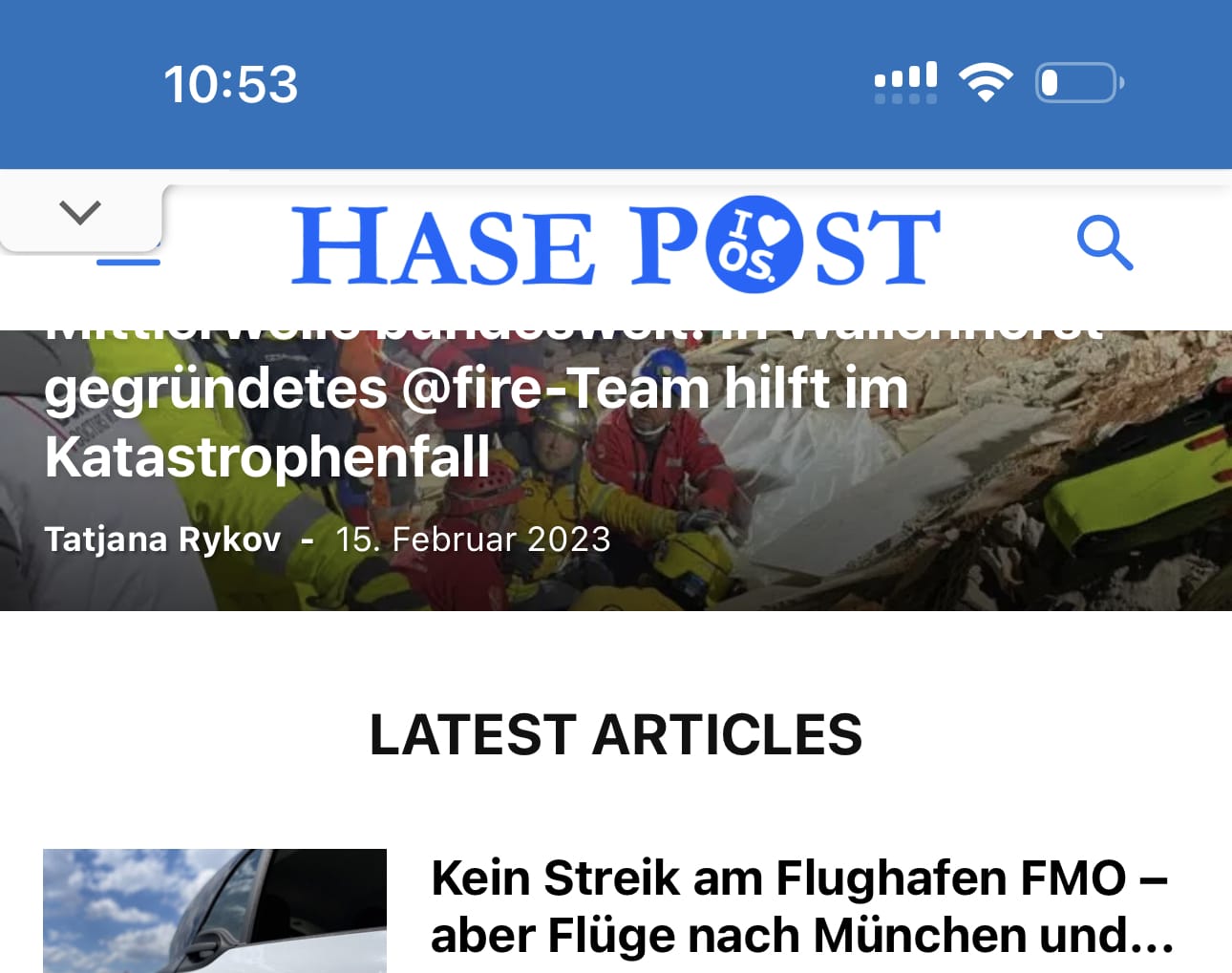
nachtwacheI need to translate / change the wording “LATEST ARTICLE” in the mobile theme as seen on the attached screenshot. But how?
 discovermh
 Can you make the changes so that all taxonomy is displayed after the main taxonomy category?
For the desktop, we displayed using tag div composer shortcode. but in Mobile Theme Plugin it is not possible to edit code like the composer drag and drop.
Anamaria Hello,
I checked now, and the mobile theme version is displayed https://i.imgur.com/sDkOqTH.png maybe the cache plugin that you use not recognize the mobile version every time.
Thank you!
 c386
c386Hi,
We’ve been using the Mobile Theme plugin successfully up until now, but today the mobile version of the site has stopped displaying: please see here.
What could be causing this? Running the latest version of Newspaper, and the tagDiv Mobile Theme Version 2.2 plugin is active.
 mediax
 Hello Bettina
Yes this did help tremendously, thank you. The single post cloud template is now with Related articles.
Please will you upscale the request regarding a filter or action hook that can be use in the cloud template output. (using the default blank template for Single) This was edited and then a Mobile template was created from that content.
The problem for me is – as you have mentioned, that the cloud template is stored in the database. There is no option to do any overrides in the child-theme.
For that reason, the only option then is to use an action or filter hook to adjust content.
Adding the PHP script via shortcode (Insert PHP Code Snippet) / using the theme shortcode block – this did not have any results.
What the script does is filter the correct advert for that category and insert that advert into the post.
Could you perhaps suggest any options that I am not seeing here?
Thank you!
 jshallo
 Yes, I am using the Mobile theme. The page looks good on a smartphone but not on a tablet.
I will try to post a screenshot.
 Calin
Calin Hi,
Can you please provide some screenshots of this problem?
This will help us to identify the problem and see what it can be done to prevent it.
Also, do you use the mobile theme plugin, so this will apply on all devices with a width under 768px.
Thank you!
jshalloHi, When I visit my homepage at cruiseaddicts.com it displays mobile theme page but the featured images appear to not fit the page as they have empty space to the right side of each featured image.
How can I fix this?
Thank you for your time.
John
 snow
snow this is the theme newspaper i uploaded on the site
https://ibb.co/844gsLp the one written newspaper.zip
yes it appears on the mobile version everytime I deactivate the tagDiv Mobile Theme
before I update the the theme to latest version as well as the WordPress version its working very well but now it wont
Bettina Hello @CyberGhost!
Do you use the Mobile theme layout?
We have 3 options for mobile versions that you can use:
1. Responsive version: A responsive version of your website looks similar to the desktop version. TagDiv Composer is used to edit the page.Click on the mobile viewport: https://www.screencast.com/t/XDQJedlggSB. There, you can see your mobile version and edit or adjust the elements to look better.
2. Mobile pages: https://tagdiv.com/newspaper-10-3-7-update-brings-customizable-and-fast-mobile-pages
3. Mobile theme plugin: The Mobile Theme is a performance-optimized theme included in the main Newspaper theme that only loads on mobile devices. It comes with its own templates and designs for pages, posts, categories, etc., so your current templates from the desktop theme will get converted to the mobile theme layout. Please see https://forum.tagdiv.com/the-mobile-theme/ and https://forum.tagdiv.com/mobile-theme-introduction/ for more information.
A full explanation is here: https://www.youtube.com/watch?v=SpGkOnJeNZY
If you need to use the mobile version 1 or 2, then you need to uninstall the Mobile Theme plugin.
Thank you!
 CyberGhost
Hi, I have a problem with the homepage, the mobile version of the theme does not match the cloud version.
I tried clearing the cache from WP Super Cache but it is useless. Can you guys help me?
My site is https://serialmente.tv/
Calin Hi,
For that situation what I can recommend is a custom css like this one:
.td-category-header .entry-title {

    text-transform: none;

}
Please set this code in the Theme panel > Mobile theme > Custom code> css – https://i.imgur.com/2lMb7Ns.png
I hope this will help you!
 eCronik
 Hi @Bettina
I’m using the mobile theme in conjunction with the official AMP plugin. Is it possible to change the menu behavior to sticky on AMPs?
Thanks,
eC
 Yash M.
Hi there,
I have been facing speed issues lately with the Newspaper theme. The reason is the unnecessary plugins and scripts. I want to remove unnecessary scripts and plugins and speed-up the theme to load fast the webpage.
I came across one website. They are using the Newspaper theme. However, they have optimized the theme so well, that the webpage is loading within milliseconds. Also they are getting 99 score on Google Pagespeed for both, mobile and computer.
I am attaching the web URL below. Can somebody please take a look and help me, how to get a website like this with Newspaper? Because I am not into the style or design. I want speed and only thing that matters to me is fast speed and information delivery.
Reference:
beebom.com
techviral.net
Bettina Hello @eCronik!
No. The AMP works better only with the Mobile Theme plugin. From my point of view, if you don’t use the Mobile Theme plugin, then there is no reason or benefit to AMP. Please read all about AMP here: https://forum.tagdiv.com/tagdiv-amp-plugin-tutorial/
Thank you!
Bettina Hello @misschrista13!
We have 3 options for mobile versions that you can use:
1. Responsive version: A responsive version of your website looks similar to the desktop version. TagDiv Composer is used to edit the page.Click on the mobile viewport: https://www.screencast.com/t/XDQJedlggSB. There, you can see your mobile version and edit or adjust the elements to look better.
2. Mobile pages: https://tagdiv.com/newspaper-10-3-7-update-brings-customizable-and-fast-mobile-pages
3. Mobile theme plugin: The Mobile Theme is a performance-optimized theme included in the main Newspaper theme that only loads on mobile devices. It comes with its own templates and designs for pages, posts, categories, etc., so your current templates from the desktop theme will get converted to the mobile theme layout. Please see https://forum.tagdiv.com/the-mobile-theme/ and https://forum.tagdiv.com/mobile-theme-introduction/ for more information.
A full explanation is here: https://www.youtube.com/watch?v=SpGkOnJeNZY
If you need to use the mobile version 1 or 2, then you need to uninstall the Mobile Theme plugin.
The AMP works better only with the Mobile Theme plugin. From my point of view, if you don’t use the Mobile Theme plugin, then there is no reason or benefit to AMP. Please read all about AMP here: https://forum.tagdiv.com/tagdiv-amp-plugin-tutorial/
You should assign the mobile page to the desktop one. Please check the guide for mobile pages presented above once again and verify all the steps.
Thank you!
Calin Hi,
1. For mobile pagespeed what we can do is recommend you the mobile theme plugin and mobile page template – https://tagdiv.com/newspaper-10-3-7-update-brings-customizable-and-fast-mobile-pages/, then you can use tagDiv Composer to adjust the mobile layout, set smaller thumbs for blocks ….
2. The code used for the reading tie elements on this file wp-content/plugins/td-cloud-library/shortcodes/single/tdb_single_reading_time.php and the variable that holds the value is the $post_reating_time_data
Thank you!
Calin Hi,
1. Yes, you understood correctly, once the link structure is changed and the site is re-indexed on Google, there will no longer be links with /amp/, they will be with /?amp=1/
2. I just checked the website and now I no longer see the accent marks – https://i.imgur.com/HtqdClc.png did you change it?
3. If the tagDiv Standard pack is not enabled, then yes, there will be some options in the theme panel mobile theme – https://i.imgur.com/RQOxBka.png for blocks it can be used this option – https://i.imgur.com/i1eE9wD.png
Thank you!
snowhello! when i view my website using my mobile phone it says here: https://buzzsetter.com/
Deprecated: WP_User_Query was called with an argument that is deprecated since version 5.9.0! who is deprecated. Use capability instead. in /home/heyitsjac/buzzsetter.com/wp-includes/functions.php on line 5667
i’ve updated my website theme and wordpress then this happened. pls help.
ive tried to downgrade the wordpress version before but its still the same 🙁 so i went back to the latest wordpress version
my current php version is 7.4
but when i use amp + mobile version it wont show but i dont want to use this because i don’t like the template at all.
 petergiesbers
Hello, I am not using the mobile theme plugin but I want to change the way my website is displayed on tablets, I prefer to show the mobile layout. How can I do this?



