
- NewspaperThe Newspaper Mobile Theme: Introduction
- NewspaperThe Mobile Theme
- NewspaperModules Builder in Newspaper Theme
- NewspaperFilters and sorting for taxonomies
- NewspaperHow to Add a Logo in Newspaper
- NewspaperBig Grid Flex Settings
- NewspaperHeader Builder
- NewspapertagDiv AMP Plugin Tutorial
- NewspaperNewspaper theme documentation
- NewspaperBest Of Forums
- NewspaperCache plugin – install and configure
- NewspaperFont Customization
- NewspaperTheme Colors Introduction
- NewspaperBackground Introduction
- NewspaperHeader ads
- NewspaperPost template ads
- NewspaperCustom ad spots
- NewspaperMain Menu
- NewspaperHow to Install Newspaper via FTP
- NewspaperHow to Install Newspaper via WordPress
 trebol30
Hello team,
I comment.
I wanted to know if in the Newspaper theme there is an option to make an element float on the screen when scrolling in the mobile version of the screen just like the top menu can do. (I use the TagDiv composer)
If the answer is negative, they know or recommend a plugin through their extensive experience with other users, that works well with Newspaper and completes this functionality.
I have a website focused on reviews and, therefore, on call to click and it would be very useful for me. Also, your new approach to WooCommerce would also be useful for adding floating “Add to Cart” buttons.
I’ll look forward for your answer.
Thank you for your time
 Piotrk87
Hi Team,
I use additional plugin for product filtering for my WooCommerce store. I place its shortcode to show the filters on every blog post on the website in the sidebar. Now, in some cases the filter is shown, in some cases it is not. I use the same cloud template on each of these blog posts so I am not sure what the reason is. Please see examples below.
Here the filter is shown: https://jakaoferta.pl/najlepszy-abonament-ranking-abonamentow
Here the filter is not shown: https://jakaoferta.pl/lajt-mobile-ocena-i-opinie-o-sieci/
I do not understand the reason, could you help please?
Piotr
 rahulroushan
I was testing updates in a staging environment before taking the changes to live environment. Everything seems to work after updates, except the mobile plugin. Activating the mobile plugin causes critical error on mobile devices.
To troubleshoot, I deactivated EVERY plugin except tagdiv composer, tagdiv social counter, and tagdiv cloud library. Yet, enabling the tagdiv mobile plugin causes a critical error (only when accessing the website via a mobile browser).
Please look into the issue. WordPress 5.8.1 and Newspaper 11.3.1
 ilhamfiles
 This update version 11.3.1 didn’t solve the problem.
The bug remain exist..
For example if you set the row stretch to (stretch row and content with padding)
The css of margin & padding not working as well in responsive mobile view
Even if set one by one, row by row, the margin or padding setting generate an error.
 tsc_site
Hi, I managed to build a nice post list with flex block 1 inside a page.
This is how it looks like on desktop: https://prnt.sc/1wadxyh
Well, when I view it on my phone, the images look very small and the titles are messy: https://prnt.sc/1wae27w
Can you please help me look nice on mobile too? What am I missing?
Thank you
 PauloCot
 Hi Bettina,
I don’t want any pages to look different between desktop and mobile, just what’s on the respective menus.
For example if the main menu on desktop shows a, b, c, d, e pages, I want the mobile menu (for all pages) to show a, c, e, f and pages.
Everything remains the same between the two, they just have different menus – is that possible?
Thanks, Paul
 institutMises
Hello,
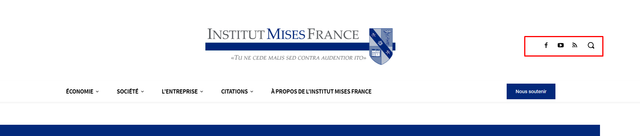
I don’t know how to customize my mobile menu to make it possible to use the same social icons as desktop.
Desktop :
Mobile :
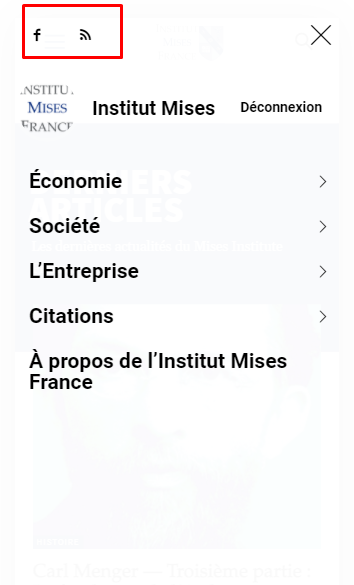
I don’t know how to customize mobile menu for changing this. It seems Tagdiv composer does not allow to change the content inside mobile menu.
My website is : https://www.mises-fr.org
 Bettina
 Hello!
Let me explain you which options of mobile versions are:
1. Responsive version: A responsive version of your website is looking similar like on desktop, edit the page with TagDiv Composer, click on the mobile viewport: https://www.screencast.com/t/XDQJedlggSB ; there you can see your mobile version and you can edit the elements there.
2. Mobile pages: https://tagdiv.com/newspaper-10-3-7-update-brings-customizable-and-fast-mobile-pages/
3. Mobile theme plugin: The Mobile Theme is a performance optimized theme included in the Newspaper main theme and it loads only for mobile devices. It comes with its own templates for page, post, category, etc so your current templates from the desktop theme will get converted to the mobile theme layout. For more details, please take a look here: https://forum.tagdiv.com/the-mobile-theme/ https://forum.tagdiv.com/the-mobile-theme/
A full explanation you can find here: https://www.youtube.com/watch?v=SpGkOnJeNZY
Now, you can use which one is more suitable for your needs. In your case, I recommend the mobile pages(2), so you can have a different page than desktop version editable with the TagDiv Composer. All what you should do is to create a mobile page and assign it to the desktop page.
Thank you!
 Anamaria
 Hello,
You can disable the mobile theme plugin but it depends on what pages you want, for example, you can disable it on the homepage https://imgur.com/OTAJQSS
Also, please check this topic where I explained each mobile version -> https://forum.tagdiv.com/topic/mobile-version-not-working-properly-2/
Thank you!
 Clear_Blue
Hi, I just figured out a weird problem using the AMP plugin on my site gipfelfieber.com. On mobile devices every picture in posts is shown twice. I do not really want to miss the plugin as the performance is amazing but it just looks kind of crazy.
What can I do to handle this? (At least I`ve deactivated it for now.)
Looking forward
Best
Andresas
Bettina Hello!
Let me explain you which options of mobile versions are:
1. Responsive version: A responsive version of your website is looking similar like on desktop, edit the page with TagDiv Composer, click on the mobile viewport: https://www.screencast.com/t/XDQJedlggSB ; there you can see your mobile version and you can edit the elements there.
2. Mobile pages: https://tagdiv.com/newspaper-10-3-7-update-brings-customizable-and-fast-mobile-pages/
3. Mobile theme plugin: The Mobile Theme is a performance optimized theme included in the Newspaper main theme and it loads only for mobile devices. It comes with its own templates for page, post, category, etc so your current templates from the desktop theme will get converted to the mobile theme layout. For more details, please take a look here: https://forum.tagdiv.com/the-mobile-theme/ https://forum.tagdiv.com/the-mobile-theme/
A full explanation you can find here: https://www.youtube.com/watch?v=SpGkOnJeNZY
Now, you can use which one is more suitable for your needs.
If you need a responsive version, then please deactivate the Mobile theme plugin and see the results!
Thank you!
Anamaria Hello,
Please provide the link to your website where is this problem.
Also, please let me know if you have mobile theme plugin activate => https://forum.tagdiv.com/the-mobile-theme
Thank you!
 byteblock
After updating, the menu opens only after a few clicks on the button
 tecnogaming
The setup for my newspaper magazine is near perfect and I do not want to disable the mobile theme plugin because of this, but I am unable to achieve what I want.
My entire site is fine with the mobile theme being shown on the mobile device but I just want a specific page that I’ve designed to be shown on mobile devices and the mobile theme plugin is preventing it.
Is there a way to setup the mobile theme to just SKIP a specific page and that this page is being shown with the full tagdiv composer?
Please I need an urgent response on this matter, I can’t promote my company because the promote page is not being shown at all while mobile theme is active and without the mobile theme my entire speed goes down on mobile.
PauloCotHi,
Is there a way to have a different menu display between desktop and mobile? I want the main menu to remain on the desktop (not use the top bar instead) and have the main menu on mobile display different pages.
Thanks
 Tom C
Tom CHello, I am working on the following website: https://jailbirds.com/
On my iPhone 11, using the Safari browser, I get a message from iOS asking to “login to jailbirds.com?” even when I am logged in as a user. Could anyone please share any ideas on how I can fix this? It doesn’t do this on Brave Browser from my phone.

https://cdn.jailbirds.com/wp-content/uploads/2021/10/14132006/IMG_9302.png
Also, is there a way I can edit the side menu that pops out (in mobile view) from within the TD Composer?

https://cdn.jailbirds.com/wp-content/uploads/2021/10/14131931/IMG_9303.png
Thank you for your help!
Thomas
 vestroger
 Thanks a lot, Anamaria!
That was all very helpful 🙂
The only thing I still can’t get right is my logo. It’s still comes off as blurry on a mobile. However, I’ll try to resize the original image down to around 140 x 48px in some image editing software without reducing it’s quality. Maybe that will help. That way tagDiv composer doesn’t have to resize it.
Again, thank you for your help!
 Calin
Calin Hi,
For mobile version you should use an image with 300px width, and another trick it is to set per each view port a margin top https://i.imgur.com/lnbW1NM.png this can be positive or negative, in my example was -20
I hope this will help you!
Thank you!
Anamaria Hello,
I verified your website and seems you have the mobile theme activate, so you need to set the menu in Theme Panel -> Mobile Theme -> Header -> Main menu => https://i.imgur.com/AjjhTfB.png
Also, please check this topic where I explained each mobile version -> https://forum.tagdiv.com/topic/mobile-version-not-working-properly-2/
Thank you!
 mf_srls
Hi there,
I genuinely used to have a recurring nightmare about updating the Newspaper theme.
Each time that I get an update, something goes wrong, by the way, the most evident problem is that, even if it was disabled, the amp plugin got activated.
So, mobile users see a completely wrong version of the website.
I’d like to know if it’s a knowing bug or there’s something to know about the amp stuff settings, to avoid it (but I mean, if the amp part is disabled, why it goes activated, presumably by the theme version update?) ?
Thank you for your support
 Trennd
 Thank you!
I would also like to know how can I make the top bar (the red one) appear on mobiles i dont have an option?
desktop: https://prnt.sc/1vfyncn
Mobile: https://prnt.sc/1vfyokg
 markyj2000
Hi all, so with my ongoing issues with newspaper, one of my customers noticed that when they access my website on a mobile device the dropdown menu on the left doesn’t show them any of the other pages. Instead they get a weird sign-in/join for WP menu builder. Not sure why this is, but does anyone know how to get our menus back?
Our main site is http://www.mediashotz.co.uk – if you look at it on a mobile, you will see the issue with the dropdown menu.
Cheers.
Bettina Hello!
Unfortunately, AMP is faster and works better only with Mobile Theme, because it is not compatible with cloud templates.
From my point of view, if you don’t use the Mobile Theme plugin, then there is no reason or benefit from AMP.
Check our documentation about this plugin here:
https://forum.tagdiv.com/tagdiv-amp-plugin-tutorial/
Thank you for understanding!
 Artur4s
 I have been added custom adsense codes, but ads doesnt appears. I have been folowing this article https://forum.tagdiv.com/ads-adsense-overview/
https://forum.tagdiv.com/topic/desktop-differs-from-mobile-version/ -> https://i.imgur.com/Lbzpxip.png – i will check this.
Anamaria Hello,
1. For logo size for desktop we recommend using is 272 x 90px, and for mobile 140 x 48px, but the logo can be edited with tagDiv Composer and you can set the logo size => https://www.screencast.com/t/Q49YDqYM -> https://www.screencast.com/t/8xupUNEjSS3 – https://i.imgur.com/hAU7jre.png
2. Please edit with tagDiv Composer, select the row from content and set the layout to 1/1 => https://i.imgur.com/kzD3Q20.png and the layout to https://i.imgur.com/u1YeLUo.png
You can find more information about the row here https://tagdiv.com/flexibility-rows-columns-newspaper-theme/
3. Please edit the page, scroll until the footer and select the text => https://i.imgur.com/NPtQ766.png and you can edit it.
4. If you upload the font in the theme panel, to apply to your website you need to set it with tagDiv Composer like in this video https://www.youtube.com/watch?v=jQvA64uTLkI -> https://forum.tagdiv.com/font-customization/
Hope this help you!
Thank you!



