- NewspaperAutoptimize Plugin – install and configuration
- NewspaperWP Rocket and Newspaper Theme: Optimization Guide
- NewspapertagDiv Composer – Website Manager
- NewspaperModules Builder in Newspaper Theme
- NewspaperThe Newspaper Mobile Theme: Introduction
- TutorialsFrom WPBakery to tagDiv Composer
- NewspaperBest Of Forums
- TutorialsWhat is Ajax preloading?
- NewspaperHow to Make the Site Faster
 ikiweb
Hello,
I don’t think I fully understand how WebP images work.
I have installed the ShortPixel Optimizer plugin, and the WebP images are being generated correctly.
Example: form mypicture.jpg => mypicture.webp was created successfully
I have enabled WebP images in the theme settings:
BLOCK SETTINGS > Thumbs on Modules Block > Use WebP Format ==> ACTIVE
However, nothing changes on the website, and I don’t understand why.
Shouldn’t the blocks display WebP images instead of JPGs?
Am I missing something?
Thank you for your help!
 Bettina
 Hello Luca!
Yes. To have a single background image as WEBP, you need to take into account the following:
– Use these settings in your EWWW to enable lazy load: https://app.screencast.com/jgmBlF7r2rXYw
– Disable lazy load from the theme: https://app.screencast.com/likCG4HWEVuFv
– Ensure that your image is optimized and has a WEBP version: https://app.screencast.com/QgK0oQ3zsWx9j
=> The result is this one: https://app.screencast.com/qwrDftnmb6Vr3
Thank you!
Bettina Hello!
Some advice could be:
– Optimize Images: Compress images before uploading them to your WordPress site. You can use plugins like WP Smush or EWWW Image Optimizer to automatically optimize images without losing quality.
– https://forum.tagdiv.com/how-to-make-the-site-faster/
– Compress images more significant than 100kb or use WEBP images
– CDNs serve images from servers closest to the user, reducing load times: https://forum.tagdiv.com/cloudflare-cdn/
– Regularly audit and clean up unused media
I hope that helps you!
Thank you!
 knthdgd
Hi TagDiv.
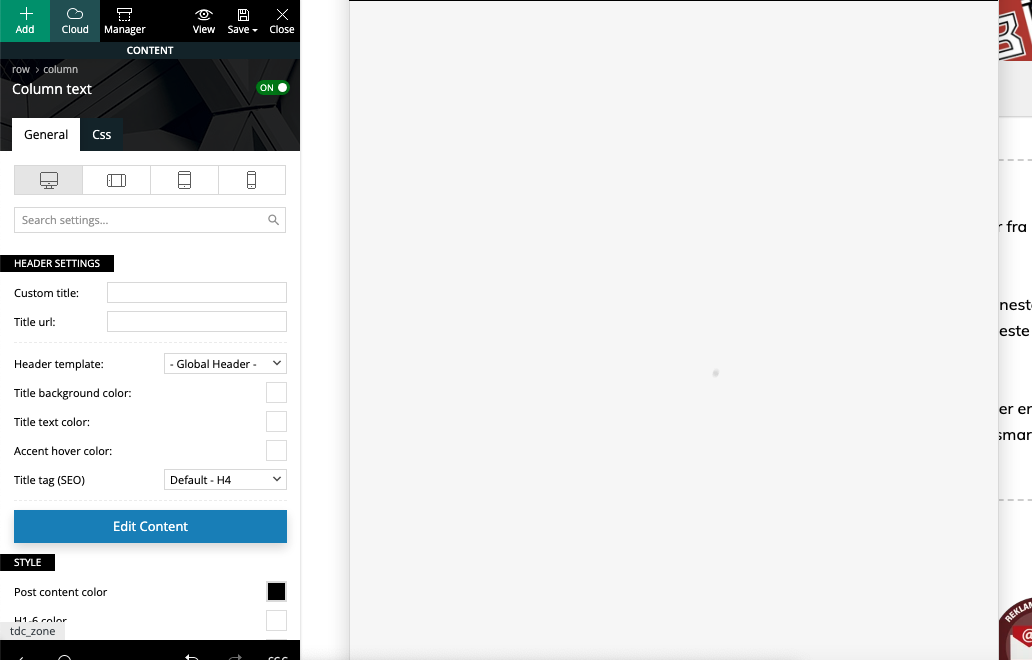
I installed “Security Optimizer by SiteGround” to protect my site, but then the “Edit Content” button in Composer did not work anymore, just loading and loading forever: https://i.postimg.cc/Jh3pq6hQ/Sk-rmbillede-2025-01-14-kl-15-00-53.png
When deactivating Security Optimizer, it works great again.
I think that is something you should fix, right?
 lpecchiproper
I’ve optimized my site images using, as you suggest, EWWW: it works perfecty for images but non for thumbs on block, and when images are used as background: .webp files are present but Newspaper uses the jpeg/png version.
I remember that somewhere in Theme Panel I saw that option
USE WEBP FORMAT
Enable or disable loading WebP images. Important: the theme will not create WebP images format, but will load them on blocks if they exist on your server.
but I’m not able to find that option anymore: did you delete it? Could you please help me?
About the method to deliver webp images, what option of EWW do you suggest? Both .htaccess rules and JS WebP Rewriting are working. And if I’ll be able to enable the USE WEBP FORMAT Newspaper option, what of those three method do you suggest.
Thanks in advance, Luca
 akiim.deshay@onlymoveforward.com
 We decided not to use the Titles in that manor because of this issue. But now we are unable to use cache plugin since we inserted that code in the live css even though it has been deleted.
After deleting the WP Fastest Cache plugin (and ensuring the plugin folder was removed from the server), I switched to the WP-Optimize plugin to manage caching. Unfortunately, as soon as I turned on its caching feature, all Ads (managed via the Advanced Ads plugin) disappeared. Turning off caching immediately brought the Ads back.
Currently, I am not using a caching plugin despite the fact that we have been using them seamlessly for years alongside the Advanced Ads plugin and the Newspaper theme (which we’ve been using since Newspaper 8).
Even though I no longer need the custom CSS code, I need to understand why cache plugins are now causing this issue. Is there something lingering from the deleted code or changes made through the live CSS that might be interfering?
Your guidance would be greatly appreciated as I need to restore caching functionality without affecting the Ads.
Bettina Hello Ritu!
Yes, the responsive version is like that. Another workaround could be to hide an element in the desktop so it will appear only in the mobile viewport and reverse. But you can build your mobile pages as explained here: https://tagdiv.com/newspaper-10-3-7-update-brings-customizable-and-fast-mobile-pages
There are only 3 options that you can use:
1. Responsive version: A responsive version of your website looks similar to the desktop version. TagDiv Composer is used to edit the page. Click on the mobile viewport: https://www.screencast.com/t/XDQJedlggSB. You can see your mobile version there and edit or adjust the elements to look better.
2. Mobile pages: https://tagdiv.com/newspaper-10-3-7-update-brings-customizable-and-fast-mobile-pages
3. Mobile theme plugin: The Mobile Theme is a performance-optimized theme included in the main Newspaper theme that only loads on mobile devices. It comes with its own templates and designs for pages, posts, categories, etc., so your current templates from the desktop theme will get converted to the mobile theme layout. Please see https://forum.tagdiv.com/the-mobile-theme/ and https://forum.tagdiv.com/mobile-theme-introduction/ for more information.
A full explanation is here: https://www.youtube.com/watch?v=SpGkOnJeNZY
If you need to use mobile version 1 or 2, then you need to uninstall the Mobile Theme plugin and AMP.
Thank you!
 haroldhare
 Hi Anamaria, I appreciate the video, that solved my issue. I am always concerned about slowing down my site when editing code, so I outlined the steps I took. If there is anything wrong with the steps I took below, please let me know. I want to make sure my site is fully optimized.
1) Go to the column of the hero image and cut the “td-slide-container” from the “Extra Class” field and paste in a text file and save for the final step.
2) Go the to the “Raw HTML” section and cut the code and paste in a text file to save for the final step.
3) This will reveal the images that are overlayed on the hero section, about section, and testimonial section. Click on any of the images and on the General tab>Image section I can then replace/upload a new image.
4) Once the images are replaced I need to paste “td-slide-container” back into the “extra class” field in the single image column general tab for the hero section, and also paste back in the code in the raw html section in the testimonials section.
Thank you.
 robbyyy
 Hi – I use Breeze, which is mandatory for caching, etc on my hosting environment, but could also use WP_Optimize, or Perfmatters for minification, if needed.
Bettina Hello!
Do you use Autoptimize? https://forum.tagdiv.com/autoptimize-install-configuration/
Thank you!
Bettina Hello!
We have 3 options available for mobile versions that you can use:
1. Responsive version: A responsive version of your website looks similar to the desktop version. TagDiv Composer is used to edit the page. Click on the mobile viewport: https://www.screencast.com/t/XDQJedlggSB. You can see your mobile version there and edit or adjust the elements to look better.
2. Mobile pages: https://tagdiv.com/newspaper-10-3-7-update-brings-customizable-and-fast-mobile-pages
3. Mobile theme plugin: The Mobile Theme is a performance-optimized theme included in the main Newspaper theme that only loads on mobile devices. It comes with its own templates and designs for pages, posts, categories, etc., so your current templates from the desktop theme will get converted to the mobile theme layout. Please see https://forum.tagdiv.com/the-mobile-theme/ and https://forum.tagdiv.com/mobile-theme-introduction/ for more information.
A full explanation is here: https://www.youtube.com/watch?v=SpGkOnJeNZY
If you need to use mobile version 1 or 2, then you need to uninstall the Mobile Theme plugin and AMP.
Thank you!
Bettina Hello!
It’s working well now, right?
We have 3 options available for mobile versions that you can use:
1. Responsive version: A responsive version of your website looks similar to the desktop version. TagDiv Composer is used to edit the page. Click on the mobile viewport: https://www.screencast.com/t/XDQJedlggSB. You can see your mobile version there and edit or adjust the elements to look better.
2. Mobile pages: https://tagdiv.com/newspaper-10-3-7-update-brings-customizable-and-fast-mobile-pages
3. Mobile theme plugin: The Mobile Theme is a performance-optimized theme included in the main Newspaper theme that only loads on mobile devices. It comes with its own templates and designs for pages, posts, categories, etc., so your current templates from the desktop theme will get converted to the mobile theme layout. Please see https://forum.tagdiv.com/the-mobile-theme/ and https://forum.tagdiv.com/mobile-theme-introduction/ for more information.
A full explanation is here: https://www.youtube.com/watch?v=SpGkOnJeNZY
If you need to use mobile version 1 or 2, then you need to uninstall the Mobile Theme plugin and AMP.
Thank you!
 Alex harper
 EWWW Image Optimizer also using to optimize images
we also using object storage to store images
Alex harper if i active auto optimize then page loading slow and page speed checking server response time getting slower
Bettina Hello!
You have a pretty good score on the desktop (92-100). You should increase your performance on mobile.
Improving page speed in WordPress is crucial for providing a better user experience and optimizing your website for search engine rankings. Here are some tips to help you enhance your WordPress site’s page speed:
Optimize Images: Compress images before uploading them to your WordPress site. You can use plugins like WP Smush or EWWW Image Optimizer to automatically optimize images without losing quality.
Utilize Caching: Implement caching to reduce server load and speed up page loading times. WordPress caching plugins like WP Super Cache or W3 Total Cache can generate static HTML files of your pages to serve users instead of dynamically generating them each time.
Minify CSS and JavaScript: Minify your CSS and JavaScript files to remove unnecessary characters and reduce file sizes. This can be done manually or through plugins like Autoptimize or W3 Total Cache.
Enable GZIP Compression: Enable GZIP compression on your server to reduce the size of files sent from your server to users’ browsers. Most hosting providers offer GZIP compression, but you can also enable it through plugins like WP Rocket or W3 Total Cache.
Optimize Database: Regularly clean up and optimize your WordPress database to remove unnecessary data and improve performance. You can use plugins like WP-Optimize to automate this process.
Limit External Requests: Minimize the number of external requests your website makes by reducing the use of external scripts and widgets. Each external request adds overhead to your page’s loading time.
Enable Lazy Loading: Implement lazy loading for images, videos, and iframes so that they are only loaded when they are visible on the user’s screen. This can significantly reduce initial page loading times.
Optimize Server Response Time: Choose a reliable hosting provider with fast server response times. Consider using a content delivery network (CDN) to serve your content from servers closer to your users.
Regularly Update Plugins and Themes: Keep your WordPress core, plugins, and themes updated to the latest versions to ensure compatibility with the latest performance optimizations and security patches.
By following these tips, you can significantly improve the page speed of your WordPress website, leading to better user engagement, higher search engine rankings, and overall improved performance.
Thank you!
 kevinstolz
I purchased a License and since setting everything up as I have it on a sister website where everything is working fine. I can’t make changes to anything in the theme panel. It just keeps spinning and never saves. I can create new posts / Pages but I am unable to save changes to a page I made using Tagdiv editor. I have version 12.6.8 installed and reinstalled and for WordPress I have version 6.7.1 with the following plugins installed and active.
Yes, I did try deactivating all plugins non-tagdiv to see if it was a plugin conflict but no, and I do have all the same on the sister website with no issues. I tried on different browsers and even on different computers with no Love.
Akismet
GA Google Analytics
Limit Login Attempts Reloaded
Site Kit by Google
tagDiv Cloud Library
tagDiv Composer
tagDiv Newsletter
tagDiv Social Counter
tagDiv Standard Pack
WP Consent API
WP Super Cache
WP-Optimize – Clean, Compress, Cache
XML Sitemap Generator for Google
Yoast
PHP Version 8.1.30
post_max_size 512M
max_execution_time 300
max_input_vars 5000
SUHOSIN installed false
Any help please I just purchased a second license and want to keep buying and referring.
Kevin
Bettina Hello!
I recommend getting the latest updates on WordPress, PHP, and theme.
We do not have an ad manager so that you can manually turn on and increase revenue.
It also depends on the ad you are using. For example, use networks that prioritize fast-loading ads, like Google AdSense, Media.net, or specialized platforms like Ezoic or Mediavine. Use a CDN to deliver ads and other content faster to users: https://forum.tagdiv.com/cloudflare-cdn/
Page Caching: Employ a caching plugin like WP Rocket, W3 Total Cache, or LiteSpeed Cache to reduce server load and speed up ad delivery.
Avoid Overloading Pages: Too many ads can slow your site and negatively affect user experience. Prioritize high-paying ad spots.
AI-Based Ad Optimization: Use tools like AdSense Auto Ads or platforms like Ezoic that use machine learning to optimize ad placements and sizes dynamically.
Thank you!
 simchris
 Jumping in to say we finally removed AMP from all our sites and setup 301 redirects and the “errors” finally cleared out of our search console.
At this point, AMP serves no purpose, and frankly, the way Google works, coming up on two year mark, they could just anounce it’s no longer supported and stop working.
Advisable to move on from AMP and rely on mobile theme or optimized desktop site only (how we roll here).
🙂 Chris
Alex harperI hope this message finds you well. I have noticed that the theme is saving post meta for custom theme styles on every post, which seems unnecessary for my use case. I intend to keep the same styles across all posts and would prefer to disable the saving of this meta data to optimize performance and database usage.
Could you kindly let me know if there is an option or method to disable this feature? Any guidance on how to achieve this would be greatly appreciated.
Thank you for your support, and I look forward to your response.
simchris  Marian
Hello,
We are on a litespeed server, and we want to configure the site with this plugin, but unfortunately, when we activate the cache, with litespeed, the homepage receives a critical error for people registered on the site, we simply did not find the solution, we tried to make another page, but it still does not work.
In the meantime, we installed wp rocket, as a temporary solution, with another cache plugin everything seems to be ok, but we want to continue using litespeed to optimize images with it and to take advantage of the object cache it offers…
I am waiting with great interest for an answer, I would like to be able to use this plugin, it is vital for us.
 przybylg
I have a problem with the loading time of the page on mobile. On the desktop your template works correctly, but on mobile it is very bad. The longest rendering is the feature image in the entry. See the screenshot.
How can I optimize this – I have wp rocket, ewww image according to your recommendations. The mobile web plugin does not cope with it either.
https://ibb.co/C0bZqxs
 Anamaria
 Hello,
There is an option to disable the mobile theme from a page/post – https://i.imgur.com/d3kTBRf.png. This option appears in the Gutenberg editor. After you disable the mobile theme on the page, you can use the responsive version. There are no other solutions.
To increase page speed, I recommend checking which thumbnails you are using on your blocks. You might want to avoid enabling all of them and optimize and regenerate images. You can use the EWWW Image Optimizer for image optimization and the OMGF plugin for fonts. Additionally, you can use the WP Rocket plugin.
There are many optimization guides provided by our users here in the forum, some made by us; you can check some of them
– https://www.infophilic.com/get-almost-100-pagespeed-newspaper-theme/
– https://forum.tagdiv.com/cache-plugin-install-and-configure/
– https://forum.tagdiv.com/how-to-make-the-site-faster/
– https://forum.tagdiv.com/topic/high-number-of-ajax-request/
– https://forum.tagdiv.com/topic/score-100100-pagespeed-with-newspaper-wordpress-theme/
– https://www.andraware.com/wp-rocket-for-newspaper-theme/
– https://forum.tagdiv.com/topic/page-speed-guide-for-2023-beginners-and-advanced/
– https://forum.tagdiv.com/topic/newspaper-theme-speedify-your-website/
– https://forum.tagdiv.com/topic/tutorial-chriss-custom-optimizations-for-functions-php-etc/
– https://forum.tagdiv.com/cloudflare-cdn/
– https://forum.tagdiv.com/topic/theme-causing-high-cpu-usage-2/
– https://forum.tagdiv.com/topic/sql-querys-high-cpu/
– https://forum.tagdiv.com/topic/newspaper-theme-slow-to-respond/
– https://premium.wpmudev.org/blog/optimizing-your-wordpress-database-a-complete-guide/
– https://underconstructionpage.com/optimize-wordpress-database/
– https://crunchify.com/better-optimize-wordpress-database-all-in-one-guide/
You can choose what version you want and what suits you.
Thank you!
 jobothan
I was wondering if there is anything written about how to SEO-optimize NEWSMAG/paper-sites?
Or is there perhaps a top 10 tips and tricks list, that I can use to optimize my site. I am writing articles about a topic that I have a chance will score high organically in search results, but I am unsure if SEO-plugins will help or if there is a best practice when using this NEWSMAG/paper??
Please share, help, inspire!
Anamaria Hello,
To increase page speed, I recommend checking which thumbnails you are using on your blocks. You might want to avoid having all of them enabled and optimize and regenerate images. You can use the EWWW Image Optimizer for image optimization and the OMGF plugin for fonts. Additionally, you can use the WP Rocket plugin.
here are many optimization guides provided by our users here in the forum, some made by us; you could check some of them
– https://www.infophilic.com/get-almost-100-pagespeed-newspaper-theme/
– https://forum.tagdiv.com/cache-plugin-install-and-configure/
– https://forum.tagdiv.com/how-to-make-the-site-faster/
– https://forum.tagdiv.com/topic/high-number-of-ajax-request/
– https://forum.tagdiv.com/topic/score-100100-pagespeed-with-newspaper-wordpress-theme/
– https://www.andraware.com/wp-rocket-for-newspaper-theme/
– https://forum.tagdiv.com/topic/page-speed-guide-for-2023-beginners-and-advanced/
– https://forum.tagdiv.com/topic/newspaper-theme-speedify-your-website/
– https://forum.tagdiv.com/topic/tutorial-chriss-custom-optimizations-for-functions-php-etc/
– https://forum.tagdiv.com/cloudflare-cdn/
– https://forum.tagdiv.com/topic/theme-causing-high-cpu-usage-2/
– https://forum.tagdiv.com/topic/sql-querys-high-cpu/
– https://forum.tagdiv.com/topic/newspaper-theme-slow-to-respond/
– https://premium.wpmudev.org/blog/optimizing-your-wordpress-database-a-complete-guide/
– https://underconstructionpage.com/optimize-wordpress-database/
– https://crunchify.com/better-optimize-wordpress-database-all-in-one-guide/
Thank you!