
- NewsmagHow to update a plugin
- NewsmagHow to update the theme
- NewsmagHow to update the WPBakery plugin
- NewsmagCategory templates
- NewsmagWhat’s included in Newsmag theme package
- NewsmagAjax view count
- NewsmagSmart Lists
- NewsmagFeatured images
- NewsmagFeatured image or video
- NewsmagModal window
- NewsmagtagDiv slider gallery
- NewsmagVideo playlist
 Bettina
 Hello @netclick!
Good grades. For the page speed I can only suggest you some guides. However, page loading speed can depend on many factors, and each website is unique from this point of view. Let me explain some of these factors and maybe they give you some starting points for optimizing your website.
External factors: server speed, if you are using CDN or not, the external resources loaded by your website like ads, fonts, tracking scripts like Facebook Pixel, Google Analytics, Twitter analytics, Hotjar and so on.
Internal factors: the number of elements on the page, image size, image formats, if you are using mobile optimized layouts, console errors, if you are using the Standard Pack plugin on not, if you are using PRO demo or a standard one. So, we recommend to use for mobile the responsive version: https://forum.tagdiv.com/topic/issue-with-lcp/
A responsive version of your website is looking similar like on desktop, edit the page with TagDiv Composer, click on the mobile viewport: https://www.screencast.com/t/XDQJedlggSB ; there you can see your mobile version and you can edit the elements there.
Our developers are working a lot to improve the page speed in every update.
Also, to increase the page speed you can check these similar topics for more solutions:
– https://www.infophilic.com/get-almost-100-pagespeed-newspaper-theme/
– https://forum.tagdiv.com/topic/score-100100-pagespeed-with-newspaper-wordpress-theme/
– https://developers.google.com/speed/docs/insights/v5/about
– https://www.youtube.com/watch?v=tnkVapqhIHc
Please check the tutorials from those platforms gt metrix and Google Pagespeed Insights and I’m sure you can increase the page speed.
Please note that page speed is not covered by the support team: https://forum.tagdiv.com/newspaper-theme-support/
The mobile pages are fully customizable and could be so different than desktop version, so you should build and assign them to each desktop page you need. If you do not build for every page, then for the rest of the pages you’ll have the responsive version of your desktop automatically.
Thank you!
Bettina Hello @newsng!
The issue can be from a plugin conflict or a cache issue, that’s why, please deactivate ALL plugins except tagDiv ones, also if you are using a cache plugin, deactivate it, clear all cache (also from your browser) and try again.
However, page loading speed can depend on many factors, and each website is unique from this point of view. Let me explain some of these factors and maybe they give you some starting points for optimizing your website.
External factors: server speed, if you are using CDN or not, the external resources loaded by your website like ads, fonts, tracking scripts like Facebook Pixel, Google Analytics, Twitter analytics, Hotjar and so on.
Internal factors: the number of elements on the page, image size, image formats, if you are using mobile optimized layouts, console errors, if you are using the Standard Pack plugin on not, if you are using PRO demo or a standard one.
For the page speed, I can recommend you some solutions in order to increase the score.
Our developers are working a lot to improve the page speed in every update.
Also, to increase the page speed you can check these similar topics for more solutions:
– https://www.infophilic.com/get-almost-100-pagespeed-newspaper-theme/
– https://forum.tagdiv.com/topic/score-100100-pagespeed-with-newspaper-wordpress-theme/
– https://developers.google.com/speed/docs/insights/v5/about
– https://www.youtube.com/watch?v=tnkVapqhIHc
Please check the tutorials from those platforms gt metrix and Google Pagespeed Insights and I’m sure you can increase the page speed.
Please note that page speed is not covered by the support team: https://forum.tagdiv.com/newspaper-theme-support/
Thank you!
Bettina Hello @RapTijd!
Please make sure you have all the required plugin up to date, installed, active and all the requirements are done as you can see here: https://forum.tagdiv.com/requirements-for-newspaper/
If your settings from the theme panel are missing and you use default templates, then please make sure you have Standard pack plugin installed and active.
Sometimes, the issue can be from a plugin conflict or a cache issue, that’s why, please deactivate ALL plugins except tagDiv ones, also if you are using a cache plugin, deactivate it, clear all cache (also from your browser) and try again.
Hope that helps you!
Thank you!
 fatih-2
 Dear Anamaria
We have been tracking our banners with simple GA code behind images. It has been working fine. And now we have updated our design and tried to use SINGLE BACGROUND image with google tracking options. But it doesnt reflect to events in Google analytics. Does this feature really working?
 nwnuyhs
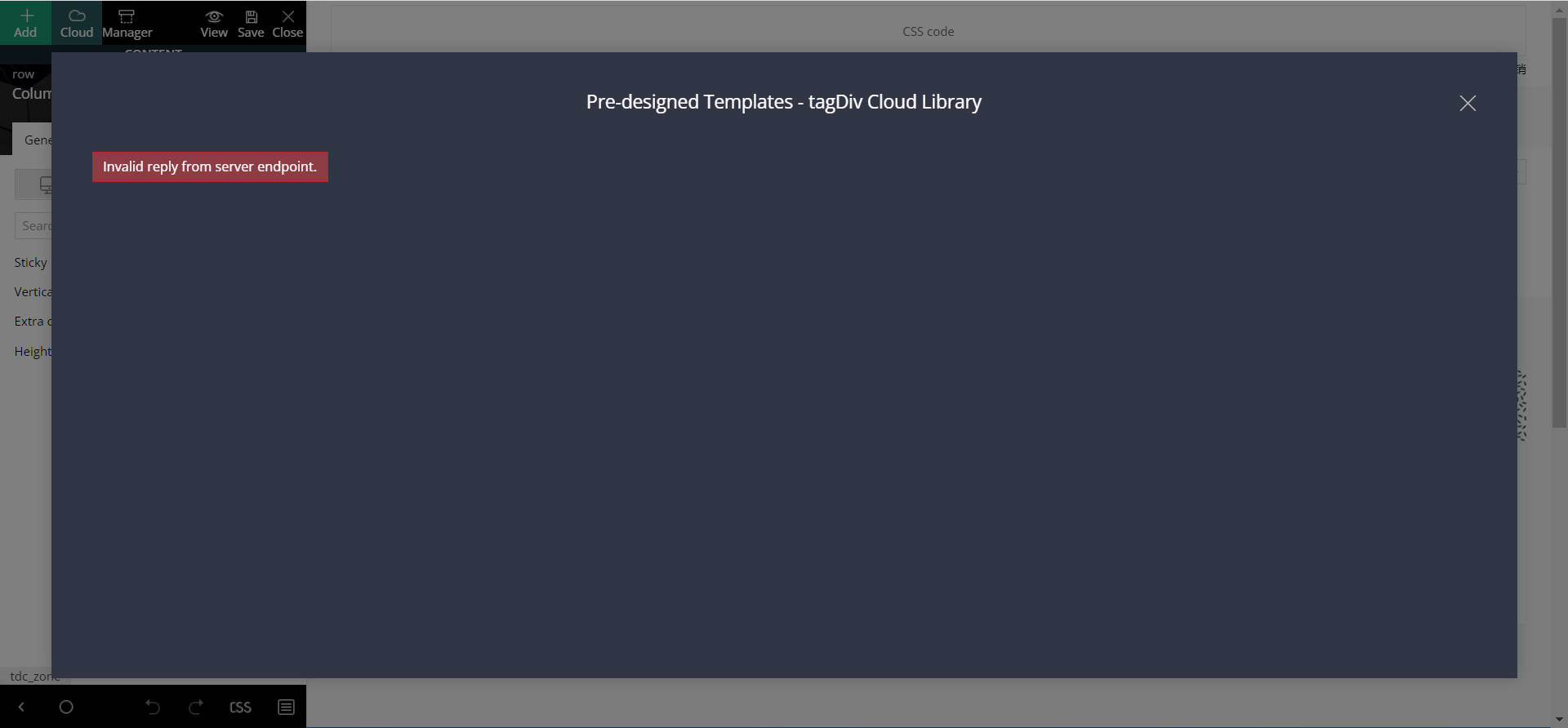
The cloud template for the newspaper theme is really a bad design, I have a good network and I just can’t load the template. I hope the developer can pay attention to this problem, this is the second feedback, I hope you can solve this problem in the next update.
 Ashish Kumar Mishra
Recently Google Has Introduced Web Stories Features.
And I have Created a Separate Page for it, but when I tried to customize the page layout, I found that there is no option for web stories in the filter section of blocks.
In the next update of Newspaper, Include Web Stories and Web Stories Category in Filter Section of Block and Section.
I am enjoying the NewsPaper theme, but there is a massive problem with the newspaper theme is the Speed. I want to see a dedicated newspaper cache plugin that will autoconfigure the best setting related to the newspaper theme to boost website speed.
Bettina Hello @ComicsBeat!
Please make sure you have the latest version (11.3.2) of the theme, plugins and all the requirements are done as you can see here: https://forum.tagdiv.com/requirements-for-newspaper/
If your settings from the theme panel are missing and you use default templates, then please make sure you have Standard pack plugin installed and active.
Please make a test, deactivate all the cache plugins, clear the cache from your browser and see the results.
Hope that helps you!
Thank you!
Bettina Hello Kishore!
Please deactivate the Mobile theme plugin and see the results.
We have 3 options of mobile versions:
1. Responsive version: A responsive version of your website is looking similar like on desktop, edit the page with TagDiv Composer, click on the mobile viewport: https://www.screencast.com/t/XDQJedlggSB ; there you can see your mobile version and you can edit the elements there.
2. Mobile pages: https://tagdiv.com/newspaper-10-3-7-update-brings-customizable-and-fast-mobile-pages/
3. Mobile theme plugin: The Mobile Theme is a performance optimized theme included in the Newspaper main theme and it loads only for mobile devices. It comes with its own templates/design for page, post, category, etc so your current templates from the desktop theme will get converted to the mobile theme layout. For more details, please take a look here: https://forum.tagdiv.com/the-mobile-theme/ and https://forum.tagdiv.com/mobile-theme-introduction/
A full explanation you can find here: https://www.youtube.com/watch?v=SpGkOnJeNZY
Thank you!
Bettina Hello Carlos!
Build, customize and assign the mobile pages to every desktop page: https://tagdiv.com/newspaper-10-3-7-update-brings-customizable-and-fast-mobile-pages/
A full explanation you can find here: https://www.youtube.com/watch?v=SpGkOnJeNZY
Please make a test, deactivate all the cache plugins, clear the cache from your browser and see the results.
Hope that helps you!
Thank you!
Bettina Hello @alessiomz1981!
Please make sure you have the latest version (11.3.2) of the theme, plugins and all the requirements are done as you can see here: https://forum.tagdiv.com/requirements-for-newspaper/
It seems you use untested plugins with our theme, so please deactivate ALL plugins except tagDiv ones, also if you are using a cache plugin, deactivate it, clear all cache and try again.
In order to activate the amp plugin, please check our tutorial here: https://forum.tagdiv.com/tagdiv-amp-plugin-tutorial/
Thank you!
Bettina Hello @globkeee!
Please make sure you have the latest version (11.3.2) of the theme, plugins and all the requirements are done as you can see here: https://forum.tagdiv.com/requirements-for-newspaper/
Please deactivate ALL plugins except tagDiv ones, also if you are using a cache plugin, deactivate it, clear all cache and try again from Newspaper -> Plugins.
Check this guide to solve the error: https://kinsta.com/knowledgebase/sorry-you-are-not-allowed-to-access-this-page-error-in-wordpress/
Let me know the results!
Thank you!
 cfasencio
Hi!
On our homepage we have a social accounts counter with the number of followers, suscribers and everything, but even though i’ve updated/reconnected our social media accounts on the Newspaper>Theme panel> Social Networks panel, nothing updates, and we are stuck in the same numbers from looong ago.
Could you help out?
Site is : https://senderoartesmarciales.com/
 bettingspin
Hi,
we have tried to update to PHP 8.0 with WPEngine (our host only allow us to upgrade to 8.0.13, not lower) and the site break. We have tried this with a new site so we only had the theme enabled and all the plugins disabled. The site crashed -> There has been a critical error on this website.
We have reverted back to 7.4 and the issue disappeared. We have 3 sites with Newsmag and we need to upgrade to 8.0 so can you please let me know?
Thanks
Simone
 mobiwizy
Hi,
I just installed the theme and imported a demo. When I try to update a template (automatically created by tagdiv), I get this error message appearing:
Error at zones: 6(models) : 0(dom). The model does not match the content Current state has involved an issue. You could try an UNDO operation (CTRL+Z / CTRL+SHIFT+Z)
The console shows me that:
Refused to display ‘https://mywebsiteurl.fr/’ in a frame because it set ‘X-Frame-Options’ to ‘deny’.
Victor
Bettina Hello @jtoney!
Please make sure you activated the Google Adsense code.
If the AdSense code needs to be set between head tags, this can be set in our theme in Theme Panel -> Analytics/Js Codes. Example: https://prnt.sc/1tju9qf -> https://prnt.sc/10jk7fq
For the random ads, I can recommend you to use auto ads and the code must be placed in analytics too.
Also, you can place the custom code ads using the Ad box and place it where you like in the cloud/pro templates.
Unfortunately, this can be done manually only and it is not automatically updated only the auto ads when you refresh the page.
Thank you!
Bettina Hello Carlos!
This issue is from a cache problem or a plugin conflict. Please make a test, deactivate all the cache plugins, clear the cache from your browser and see the results.
However, page loading speed can depend on many factors, and each website is unique from this point of view. Let me explain some of these factors and maybe they give you some starting points for optimizing your website.
External factors: server speed, if you are using CDN or not, the external resources loaded by your website like ads, fonts, tracking scripts like Facebook Pixel, Google Analytics, Twitter analytics, Hotjar and so on.
Internal factors: the number of elements on the page, image size, image formats, if you are using mobile optimized layouts, console errors, if you are using the Standard Pack plugin on not, if you are using PRO demo or a standard one.
For the page speed, I can recommend you some solutions in order to increase the score.
Our developers are working a lot to improve the page speed in every update.
Also, to increase the page speed you can check these similar topics for more solutions:
– https://www.infophilic.com/get-almost-100-pagespeed-newspaper-theme/
– https://forum.tagdiv.com/topic/score-100100-pagespeed-with-newspaper-wordpress-theme/
– https://developers.google.com/speed/docs/insights/v5/about
– https://www.youtube.com/watch?v=tnkVapqhIHc
Please check the tutorials from those platforms gt metrix and Google Pagespeed Insights and I’m sure you can increase the page speed.
Please note that page speed is not covered by the support team: https://forum.tagdiv.com/newspaper-theme-support/
Thank you for understanding!
Bettina Hello @c386!
We will fix this issue in the next update, or if you can’t wait, please contact us via email at contact@tagdiv.com and provide wp-admin, so we can help you.
Thank you!
 Chris Baird
I set a new header as a global header, but I have been to different pages on site and it’s not updated with the changes.
Any idea why?
 Ernum
Ernum Hi!
Thank you 😉
I wanted to ask, if I have to downgrade version back to what it was before, then I couldn’t anymore? In test enviroment were all good but I think something might happen, then can I downgrade also. Tried to change theme and used old plugins but then it was messed up in test 🙂
// Sorry, I think I got it updated now and no need to downgrade. Head got little bit nervous and overthinking 🙂 Now I can make ready cloud templates for all and then I can disable standard pack and then I can get site speeded up.
-
This reply was modified 4 years by
Ernum.
 sdi126
Hey guys,
We updated a very old theme from version 9 to 11…and now when viewing on the front end we have visual issues. Here is an example of one “wp_booster error:
td_api_base::get_default_component_id : no component of type td_api_header_style . Wp booster tried to get the default component (the first registered component) but there are no components registered.
/nas/content/staging/mgacompanies/wp-content/plugins/td-composer/legacy/common/wp_booster/td_api.php” does this mean something our layout was using no longer exists in the new version or what can we do to fix this?
 angelahou
Hi,
Yesterday, I updated the newpaper in the website theme panel. My logo, my menu, my post and a lot of things changed ugly. Could you please tell me how to change back. Thank you.
Website: ibaoxian.ca
Angela Hou
 dmenciot
 Update: I solved the “logo not updating” issue by removing the element containing the template default logo and adding a new header logo element from scratch…now works.
Not the most elegant solution, but my new logo is there…
 sasimankan
so I installed the theme and when I go to the theme editor panel and change things like color or upload the logo.. it wont update at the front end… I have disabled cache and also disabled cloudfare. what could be the problem?
 yonish3
Hello,
I wanted to follow this tutorials:
https://forum.tagdiv.com/how-to-use-visual-composer/
https://forum.tagdiv.com/how-to-update-visual-composer-plugin/
But I don’t see the js_Composer.zip in the files I downloaded from ThemeForest:
https://prnt.sc/226dnv0
I already have WPBakery backend editor, but I think a developer has installed it not like in this tutorial, as I don’t see it under the theme plugins:
https://prnt.sc/226diyl
Also, if I get this sort, will I have access to WPBakery frontend editor?
Thanks
 sellim81
Hello,
I started to use Newspaper theme again on my tech-news platform. I installed pre-build template and I can not change it. I am trying to edit the theme through TagDiv Composer. When I am adding somethings, there is only loading screen. Nothing is coming no matter how long I wait.
Also, if I check something from the cloud, there is Invalid reply from server endpoint error. I searched in the forum and increased the WP Memory Limit to 256M, nothing changes.
Thank you.
