
- NewsmagHow to update a plugin
- NewsmagHow to update the theme
- NewsmagHow to update the WPBakery plugin
- NewsmagCategory templates
- NewsmagWhat’s included in Newsmag theme package
- NewsmagAjax view count
- NewsmagSmart Lists
- NewsmagFeatured images
- NewsmagFeatured image or video
- NewsmagModal window
- NewsmagtagDiv slider gallery
- NewsmagVideo playlist
 Calin
Calin Hi artsetsu, can you please provide some more details about the “server getting high load after update the theme” also some screenshots will help a lot.
Thank you for your understanding!
 artsetsu
 alright the problem solved.
but today i have updated latest version 11.3.2 and my server getting high load after update the theme
 paveldrabek
 I have same problem. Permission of the file is set to 755 and files to 644. My hosting provider doesn’t want to help me. Could you fix it in next theme update?
 Anthony43
 Ok i’ve updated to latest version, now I have this :
Plugins are updated and activated.
Could you please help me. Thank you !
 Bettina
 Hello @Hindulive!
For the page speed, I can recommend you some solutions in order to increase the score.
Our developers are working a lot to improve the page speed in every update.
Also, to increase the page speed you can check these similar topics for more solutions:
– https://www.infophilic.com/get-almost-100-pagespeed-newspaper-theme/
– https://forum.tagdiv.com/topic/score-100100-pagespeed-with-newspaper-wordpress-theme/
– https://developers.google.com/speed/docs/insights/v5/about
– https://www.youtube.com/watch?v=tnkVapqhIHc
Please note that page speed is not covered by the support team: https://forum.tagdiv.com/newspaper-theme-support/
Thank you!
 angelicantunes
 That’s not fair. The comments box just vanished when I updated the Newspaper theme for the 11.3.2 version…
The plugin always worked fine, but when I updated the theme it disappeared…
 kibiribi
 Hi there, Anamaria.
It seems you didn’t see me video. 🙁
I’ve disabled AMP, I want responsive page format
according to this manual – https://tagdiv.com/newspaper-10-3-7-update-brings-customizable-and-fast-mobile-pages/
I’ve created mobile page
But mobile data is empty.
Watch video please – https://drive.google.com/file/d/1kmjPK5ughfeDFPrqUbEpOHo5-mZwgXDz/view?usp=sharing
 dismikit
Hi
I just updated to latest version and only in one category i see header as below
https://snipboard.io/T1uIxm.jpg
template life style pro:
All other catefory links are ok.
Any suggestion pls?
angelicantunesHi, community!
I am using the Plugin “WpDevArt Facebook Comments” and the comments box just vanished from my website after the update 🙁
How can I solve this?
Bettina Hello!
We will investigate this issue on our end and we will provide a solution as soon as possible in the next updates.
Thank you for understanding!
 CarlottaG
 this is the error in the js. file
https://www.screencast.com/t/La2UjHdzHM
for the update i have a lot of problem whit analytics i have very hight bounce.
 Anamaria
 Hello,
If made the update, all the changes that you made in the files will be overwritten and you need to make again the changes.
Thank you!
Calin Hi Sam Trautman,
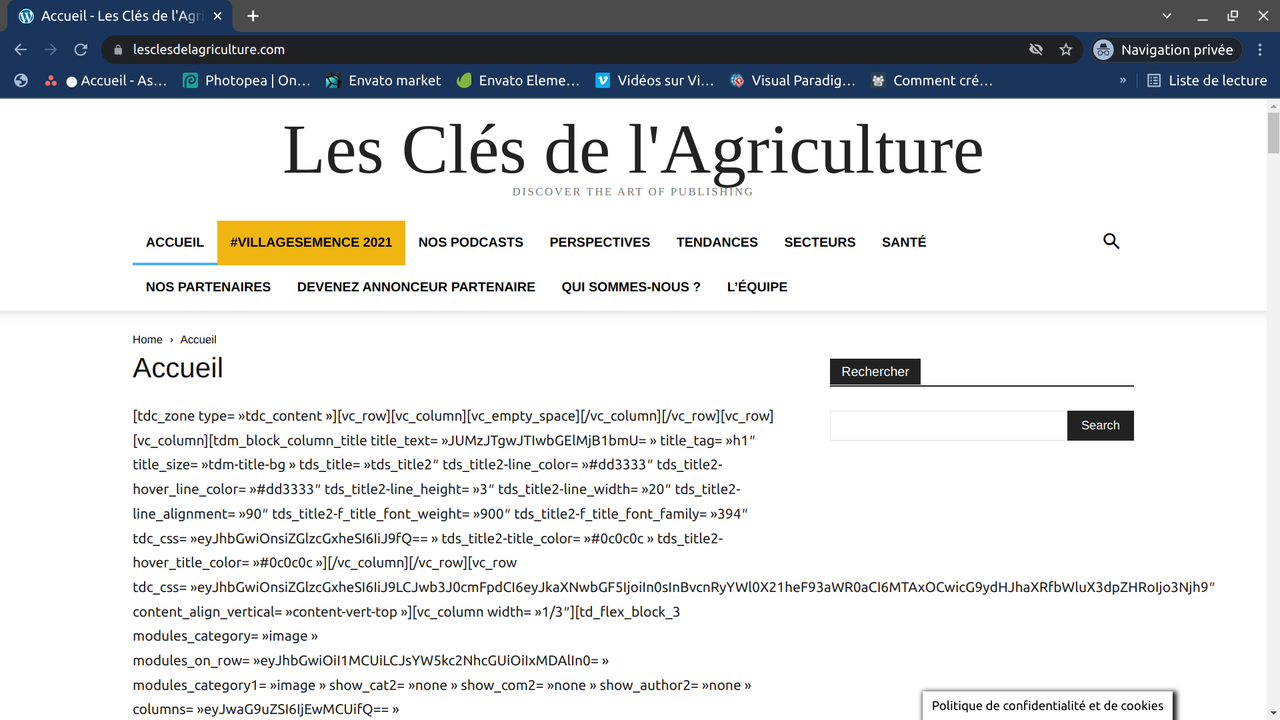
The theme display shortcodes because one of the theme plugins is not installed. In this case it is tagDiv Standard Pack, please install it from Newspaper > plugins and make sure that all the theme plugins that you used before the theme updated are installed.
Let us know the results!
Calin Hi sbkalim,
If you want to update the theme, then the first step will be to make a full backup for your website and database. After that you can update the theme. I recommend to update the theme manually, via FTP/cPanel, upload the zip with the new theme version, then delete the existent theme and extract the theme zip, after that, from WordPress dashboard select the Newsmag > welcome and install/update the plugins from there, also, in case that you are using extra theme plugins and those are not in Newsmag > welcome section, check theme in Newsmag > plugins.
I hope this will help you!
Let me know the results!
kibiribi I’ve read this article and did the same https://tagdiv.com/newspaper-10-3-7-update-brings-customizable-and-fast-mobile-pages/
But transformed Template doesn’t show. Only desktop is visible.
 pepperandplatinum
Updated my Newspaper to the newest version and I cannot get my header image to show up.
Can someone tell me where in the theme panel it is so that I can upload my image back?
Picture of current header: https://ibb.co/QM77zcD
 Sam Trautman
I have updated the newspaper theme and now blocks do not work? What is the problem? Thanks
 sbkalim
https://greekpress.ca/
Newsmag version: 4.5
Php Version: 7.0.33
WordPress: 5.8.2
——————————–
No of post: 5000
Size on disk: 11 GB
Monthly Visitors: 25000+
Hosting: Bluehost, VPS
I have to update the theme without breaking it, losing any post or post link.
Please help me.
 kumarsundaram1964
 Bettina, this error is after the theme update. Last night I had a previous backup uploaded of October month, before the 11.3.2 update and it worked perfectly fine without any outages.
To inform you I am using AWS Lightsail as hosting and all the plugins are paid including security plugins.
Please help me get a fix.
 trispania
Hi!
I’m having the same problem as in the next ticket (https://forum.tagdiv.com/topic/instagram-section-no-image/).
Instagram feed doesn’t show images. WP and theme are updates.
Thanks in advance.
Rgds.
 dimitrisv
 I updated to rev. slider 6.5.10 and sadly the issue re-appears (with my code removed) in spite of the fact that I have specified it to work on a particular page.
They just place the includes in the footer!!!
 Amit
Amit1. Add child theme support for mobile theme.
Many sites alter the layout or add some extra ad codes, widgets to a single post page. So, every time the theme gets an update, the developer needs to redo those customizations. (Single template, header, footer) [/wp-content/plugins/td-composer/mobile/]
2. td Plugin updates
Every time we update the theme it’s doesn’t auto-update all the plugins. Consider fixing this or provide plugin updates in the plugin section directly. Most of the time you just change the updated date of the plugin and not its version which confuses most of the users. Also, make sure it should not install or update the td plugin which is not in use. In our case, we don’t use td social counter plugin but on every update, it is being auto-installed from the welcome screen.
3. Changelogs and Patch files
Provide clear changelogs (you used to provide it earlier before you introduced td standard plugin and td composer) Now even on the minor updates like (Newspaper 11.3.2), we have been asked to update td composer plugin and we lose all the customizations made in the plugin files (especially for mobile). So releasing even minor updates takes a lot of time for each site. Earlier it was really super easy to release minor updates just by overwriting theme files with patch (https://www.screencast.com/t/BXNL8iaX). Now every update has a few changes to the plugin files as well. I will suggest you provide clear changelogs for plugin files as well.
4. AdSense Responsive ad units for AMP (AMP Compatible ad unit)
Google recommends using responsive ad units on the site as they have started auto optimizing ads on the page. The mobile theme supports responsive ad units, but it uses fixed-size for AMP.
AMP should support Responsive AMP-compatible ad units. I am using Responsive AMP-compatible ads and I have seen improvements in earning. The last time I shared a solution for this via mail was on April 2, 2019, with you, but you have not implemented it yet.
 /*

		         * if its a google adsense ad on amp..

		         * we use the 'g_data_ad_client' && 'g_data_ad_slot' to generate a adsense ad type > amp ad component

		         *

		         * <amp-ad width=300 height=250

				 *    type="adsense"

				 *    data-ad-client="ca-pub-2005682797531342"

				 *    data-ad-slot="7046626912">

				 * </amp-ad>

		         *

		         * */
/*
* Modified by Amit Refer: https://support.google.com/adsense/answer/7183212?hl=en
**/
$buffy .= '<amp-ad width="100vw" height="320" ';
$buffy .= 'type="adsense" ';
$buffy .= 'data-ad-client="' . $ad_array['g_data_ad_client'] . '" ';
$buffy .= 'data-ad-slot="' . $ad_array['g_data_ad_slot'] . '" ';
$buffy .= 'data-auto-format="rspv" ';
$buffy .= 'data-full-width> ';
$buffy .= '<div overflow></div> ';
$buffy .= '</amp-ad>';
5. Newsletter
The theme comes with Newsletter plugin, but it does not work with mobile theme and AMP. Now Google has started mobile indexing first. From the sites I am handling, I can see 80-85% of overall traffic is from mobile devices.
Try to make a Newsletter plugin compatible/usable with a mobile theme/AMP version. Having a Newsletter popup will be the cherry on the cake. Currently, we have added Newsletter on Mobile and AMP by modifying the code.
That’s it for now.
Anamaria Hello,
Please check the answer to this topic https://forum.tagdiv.com/topic/newspaper-theme-error-after-latest-update/#post-423648
Thank you!
Anamaria Hello @jmtiongson,
I think this problem is caused because the install was not done correctly, please make sure your theme and plugins are updated correctly, also, you can try to reinstall the theme and plugins
-> https://forum.tagdiv.com/install-via-wordpress/
-> https://forum.tagdiv.com/install-via-ftp/
Also, please make sure you do not have other extra plugins activated during the installation, as this may interfere with the installation process.
This is a video on how to install a prebuilt website https://www.youtube.com/watch?v=ezaaE2VP7V8
Also, please make sure that all the settings are like in our requirements, please follow the guide carefully
– https://forum.tagdiv.com/requirements-for-newspaper/
and please increase all lower requirements, and follow all steps.
Thank you!
Anamaria Hello,
I saw you have an older version of the theme https://i.imgur.com/S0IswAf.png and is possible to cause this issue.
Also, you have the latest WordPress version 5.8.2
Also, for errors please check this topic https://forum.tagdiv.com/topic/error-at-zones-6models-1dom-the-model-does-not-match-the-content-currene/
Many changes have been made over the years, and the latest version of the theme is 11.3.2.
Also, if you want to update the theme I recommend that you update the theme on a staging website and make sure that you have activated the tagDiv Standard pack plugin to keep the look of the website.
Before the update, please make a full backup to all files and the database if something goes wrong. => https://forum.tagdiv.com/how-to-update-the-theme-2/
Here you can find information about the changes that have occurred in each update over time https://tagdiv.com/newspaper/
Also, on our channel https://www.youtube.com/channel/UCOT1RiNysIPCTPSnVZskwtQ, you can find more videos that can help you and documentation https://forum.tagdiv.com/newspaper-theme-documentation/ and you can ask us here on the forum if you have any questions.
Thank you!


