- NewsmagHow to use the Visual Composer plugin
- NewspaperFlex Block Builder and Flex Loop Builder
- NewspaperModules Builder in Newspaper Theme
- NewspapertagDiv Shop
- NewsmagtagDiv Composer Tutorial
- TutorialsFrom WPBakery to tagDiv Composer
- NewspapertagDiv Composer Tutorial
- TutorialsDefault Block Settings Guide
- NewspaperCreate Custom Code with the browser’s Inspector or the Live CSS Box
- NewspaperCompare theme files – Winmerge tutorial
- NewsmagWhat’s included in Newsmag theme package
- NewsmagNewsmag documentation
- NewsmagBlock settings tutorial
- NewsmagHow to update the WPBakery plugin
- NewsmagCustom ad spots
- NewspaperHow to update the WPBakery Page Builder plugin
- NewspaperBlock settings tutorial
- NewspaperPost Formats (for TinyMCE)
- NewspaperFont Customization
- NewspaperBackground Introduction
 davidm06
hi
i recently purchased Newsmag template, for wordpress, and have 2 questions regarding the Ads
I use connected the template to my Google AdSense account.
i can setup the position of the ads via both Template and Adsense. Which one has the priority and which one should i use ?
other question
i created a template for Categoriesusing the CUSTOM SIDEBAR + POSITION (3rd), side bar on the right
The ads are out of this box. to balance the visual on the page, i d like to insert the ads INSIDE this box on the right
https://shine-magazine.com/category/travel/
thanks for support
david
 filippocatania
I use WordPress 6.5.4 with Newsmag theme version 5.4.3
The homepage is visualize correctly, but While each individual article has a bad visualization.
The homepage https://www.pedalognigiorno.it/
An article https://www.pedalognigiorno.it/lanpi-assegna-la-tessera-onoraria-a-fiab-laquila/
What could be the problem?
Thanks
Filippo
 tellesio
 Bettina,
I’m not a technical person. I’m a strong user of systems and platforms but I have limitations. Building businesses through marketing and sales are my strengths.
I’m eager to get this new website ready for launch but the statement about content loss is concerning. Particularly since this website will be a daily newspaper focused on small business news and How-To-Articles and the site will produce a tremendous amount of content. With this said I am still having an issue understanding what you mean…
“install a demo with content, then you will lose the previous content and not your articles”.
What previous content, is this demo articles and the images? I am starting anew with no previous website, a brand new domain, and there’s been no previous content. The demo I’ve installed and intend on using is “Talk Town”.
I don’t intend to use the demo content, other than a reference to begin building my site; a visual aid. I intend to recategorize the menu items, recategorize the catagories e.g. lifestyle, weather, etc., and create new articles with new images. Once I’ve populated the website with my own content my plan was to just delete the articles the came with the demo.
My concern, based on the notice in the instructions and now your quoted comment above, is that by “using the demo” content the changes I would make to the menu, and the new content I create and add to the website could be erased upon an uninstall.
If I make changes to the demo menu, can I make these changes without risk of loss sometime later through an uninstall?
And by creating new content as described in the preceding paragraphs, are the added new content and images going to be at jeopardy of loss?
As previously mentioned the website will be backed up daily.
Please try to be more precise in your reply. I appreciate your assistance with this matter. Thank you
PS – this reply was sent by return reply via email but the message was returned as undeliverable.
 itduck2020
 Hi Calin,
We just tried to update the theme (1-click) but it does not work. https://ibb.co/fpMMGwM
Incidentally, the 1-click update required update to all plugins. After the plugins are updated. The 1st mentioned problem – of not being able to save changes on visual composer disappeared. So we are now able to save.
We are looking to update the theme.
But just saw many potential problems that may appear on the update on the forum. So we are a bit concerned. (We use external IT support to update).
 nodrock
 I used Craft Ideas as my base and face the same issue. Is there no way to copy e.g. Single Post Template 13 and make a copy of that so it will be editable in TD Composer? I want to change only few things (like gallery settings) but recreating whole visual is just waste of time.
 chipbiney
 Dear TagDiv support team,
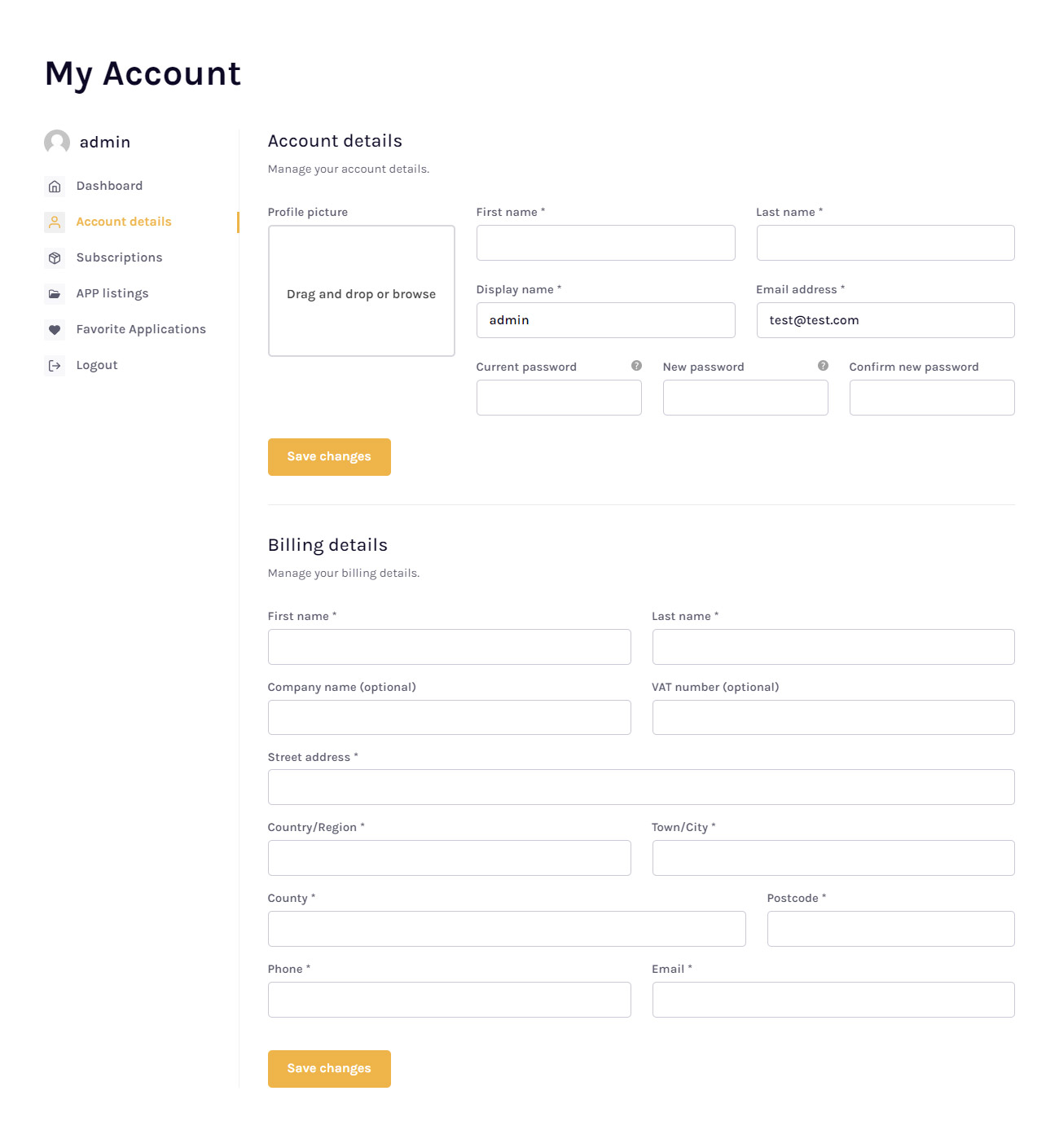
1. Thank you for your previous response. I have temporarily resolved the issue I was having. However, I hope that your team will prioritize fixing this issue in the next update of the theme. The interface needs to be more visually appealing, balanced, and professional. In its current state, it requires too much editing in the “Custom CSS” section, and the customization options are still limited. This makes it quite inconvenient for users. Additionally, the “Woo My Account” section still has some minor interface bugs.
2. I would like to try out some of your pre-made demo themes, but I am unable to create an account to test the buying and selling features. I would appreciate it if you could provide me with a demo account so that I can further explore the theme’s capabilities.
Thank you for your time and consideration.
Sincerely
chipbiney Dear TagDiv Support Team.
Thank you for your time and consideration.
1. Mobile Interface Issues:
The theme does not display well on mobile devices, as shown in the attached screenshots (Image of mobile interface issues: https://i.imgur.com/ugXn1ts.png). The layout is not intuitive, and the buttons are too close together, especially on the password change page. The desktop interface also lacks visual appeal and balance, as shown in this screenshot (Image of desktop interface issues: https://i.imgur.com/zGcT4Id.png).
2. Feature Request:
I would like to request a feature that would allow me to use the same interface as the “Page Account” block (Image of Page Account block: https://cloud.tagdiv.com/wp-content/uploads/2023/08/ap-app-lg.jpg). This block has a very elegant design, and I would love to use it for my website. However, it does not include a “Orders” section, only a “Subscriptions” section. This is a significant limitation for my needs.
3. Attachment Issue:
I was unable to view the image attachment that you sent me in a previous response. Please could you kindly re-send the image or provide a link to where I can view it?
4. Request for Urgent Support:
I would be very grateful if you could provide me with assistance as soon as possible. These issues and limitations are significantly impacting my ability to use the theme effectively and are preventing me from launching my website.
Thank you in advance for your time and support. I look forward to your prompt response.
Sincerely
 nitrofox
 Hi Maria,
Thanks, I’ve seen it but this plugin doesn’t serve the purpose because the editing (action) is in list mode, and this plugin is only in visual mode in squares where you can’t select everything and take the action.
 Tech Lifestyle
Dear All,
we have next situation:
1. Displaying product images in search
In Woo Product Pages we have 3 different templates for 3 different product groups.
All three groups at the top of the visual have:
– Woo Product background Lifestyle image in the header, then
– Woo Product product image on a white background
1. For the 1st group, we want the Lifestyle photo to appear in the search,
1st Product group Template http://new.atv-nautica.com/product/sun-sport-230/
2. and for other groups of products, that a photo of the product on a white background appears in the search
2nd Product group Template http://new.atv-nautica.com/product/900dsx/
Do you have a recommendation for a solution?
2. Displaying product links from a group / series on the product page (a bit complicated)
This product exists in several versions.
http://new.atv-nautica.com/product/df-300-apx/
Each of these products has a separate page. I wouldn’t be able to define them as variations because they don’t just differ in color (Or maybe I’m wrong):
– same photo
– Same initial model designation (DF 300), with different ending (apx, apxx, btx)
– different specification
– different price
Example:
a. DF 300 APX – basic model
b. DF 300 APXX
c. DF 300 BTX
1. We want only the basic model to appear in the search
2. On the page of the basic model (DF 300APX), we want to have the option to “click to see” other versions of the model, e.g.
“See other versions: DF 300 APX / DF 300 APXX / DF 300 BTX”
 Connectats
 Anamaria
 Hello,
It is not recommended to save a page with tagDiv Composer, a page that was made with a visual composer, because it can appear errors.
Please note that the WP Bakery has a conflict with the tagDiv Composer. Please use only one builder and not both. So, I gladly recommend you to shift from WPBakery to Composer, because WPBakery is an old builder plugin. Please check our guide to know how to shift from WPBakery to Composer: https://www.screencast.com/t/6xLVMmlsY ; https://www.screencast.com/t/zWHrRmK1LQC ; https://www.screencast.com/t/vuFdT9Stx ; https://www.screencast.com/t/DWbSf3qj ; https://www.screencast.com/t/QuHyGccTK71v
Thank you!
 kisytech
Hello,
I’m a new user of Newspaper (Town Talk Pro) and I’m happy with it!
On my homepage, I have the latest articles featured at the top with:
– The latest article on the left half
– The next 6 latest on the right side with smaller visuals.
The issue is that my latest article appears on the left (which is normal) but also appears as the top one on the right!
Is it possible to shift the articles on the right by one? I do this on Elementor, but I can’t seem to figure out how to do it here.
Thanks for your help
 kompic
 I was asked by tagdiv team to send an email so they can explore this on my website. I sent an email 2 days ago, got no answer.
No, I don’t have PRO prebuilt website. I had an old version which used visual composer (wp bakery). There was no standard pack or other plugins. Everything was integrated within the theme.
Now, I upgraded the theme and I got bunch of plugins alongside, and adsense ads do not work as advertised. It is like I explained. I add the script to the header, and I add it to places where I want them to show (sidebar, header, footer, after the post etc.), you know, the old way within the Standard pack plugin. It doesn’t work. They only show on the frontpage under the menu. That’s it.
 gobikrishna
 Thanks for reply. When I try to update plugin some more. It will be good for one day. Again next day will come. Again remain plugin if I update it will be good again. This what happened yesterday I guess when you checked. Also it’s only from mobile browsers.
1) Shall I activate Tagdiv official AMP and mobile page plugin and separate home shall I edit?
2) How to re install wordpress again? You mean I should delete and have to do from beginning? After should get back via backup ? I’m confused how to reinstall wordpress.
3) it’s a official plugin? wp-zexit.php where will be located?
4) How to scan malware free plugin and clean it?
Note: non profit website and we try to provide education or fund to visually handicaped people. We don’t have developer too. That’s why we never install out source plugin. We only trust from wordpress plugins. But we are sad how could happen. If anyone please help us. It will be good for many people who get help from it. We are worried a lot. I hope you understand our situation. Thanks.
 topnewsbuzzr
Hello tagDiv Support Team,
I hope this email finds you well. My name is Rishi, and I am a beginner in blogging. I recently created a news website using the Newspaper theme (version: 12.6.3) and am currently attempting to use one of the prebuilt websites. However, I am facing challenges with the customization process.
Specifically, I am encountering difficulties in modifying certain elements and sections on my website. Despite exploring the theme panel and customization options, I am not achieving the desired results.
I would greatly appreciate your assistance in resolving these issues. Could you please provide guidance on how to effectively customize the prebuilt websites in the Newspaper theme? Any step-by-step instructions, best practices, or recommended resources would be immensely helpful.
Additionally, if there are any known issues or updates related to the customization process in version 12.6.3, I would appreciate being informed.
My website URL is https://topnewsbuzzr.com/, and I am eager to create a visually appealing and user-friendly news platform.
Thank you very much for your time and support. I look forward to hearing from you soon.
Thanks Much,
Rishi
Top News Buzzr
Topnewsbuzzr@gmail.com
 midtcnick
Wondering if there’s any solution to lock a block or set of blocks.
We have a client who wants users with a certain user role to not be able to move homepage components, but update elements visually using the Post ID within the filter.
I can’t find any functionality to lock the blocks.
 BatmanUnleashed
hi,
basically i am trying to design my posts page and its being a bit of a nightmare.
i need my posts to include a title, a picture, some descriptive text, and a button, so i designed a nice template using tagdiv and set it as a global template for posts.
the issue i found then is that all my posts are identical and if i change one bit on any of them, using tagdiv (eg replace the text with relevant text), it updates all posts using that template to be identical.
so i tried just designing the sidebars using tagdiv, and then tried using a different page builder for the content of the post as i thought this then wouldnt be global, and only the sidebars would be global.
unfortunately i have tried using divi builder by elegant themes, and even though it says it’s active on a particular post, it doesnt seem to work and the visual page builder doesnt show up when editing.
so then i tried elementor, and this is giving an error of:
“sorry the content area was not found in your page. you must call ‘the_content’ function in the current template, in order for elementor to work on this page’
it’s really frustrating because the theme is generally very good but it feels like there are some really difficult things about it.
surely it cannot be so difficult to use a page builder on a posts page? what i want is very simple and yet i just cannot figure out the issue. each of my posts should follow the same layout, however replace the images to relevant images, replace the links to the relevant links, and replace the texts to relevant text… for each individual post.
i’ve followed instructions in the guide, i know how to use tagdiv, and yet nothing works. tagdiv only seems appropriate for creating site-wide functions, or pages rather than posts.
 wordpressive
 I’m trying to get this working, I made a custom plugin following the documentation (https://forum.tagdiv.com/the-plugin-method/)
I copied the code for flex block 4 from td_config_blocks and put it into the plugin
        //hook used to add or modify items via Api
        add_action( 'tdc_loaded' , function() { //add the api code inside this function

            td_api_block::add( 'td_flex_block_4_custom',
            array(
                'map_in_visual_composer' => false,
                'map_in_td_composer'     => true,
                "name"                   => 'Flex Block 4 Custom',
                "base"                   => 'td_flex_block_4_custom',
                "class"                  => 'td_flex_block_4',
                "controls"               => "full",
                "category"               => 'Blocks',
                'tdc_category'           => 'Blocks',
                'icon'                   => 'icon-pagebuilder-td_flex_block_4',
                'file'                   => TDC_PATH_LEGACY . '/includes/shortcodes/td_flex_block_4.php',
I copied all the ‘tdc_style_params’ ‘tdc_start_values’ ‘params’ as well but don’t want to paste them here as they are very large.
I changed the parameters that seemed to need changing, by adding _custom ad the end of them. But kept all the code the same.
When I activate my plugin and try to load it in TD Composer it doesn’t load.
tdcJobManager.addJob - Error callback - textStatus: error errorThrown:
js_files_for_wp_admin.min.js?ver=e12b81d6cbdf467845997a891495df2cx:42 jobRequest {shortcode: '[td_flex_block_4_custom modules_category="image" m…xcerpt1="" show_excerpt2="none" hide_audio="yes"]', columns: 2, jobId: 1, postId: '40247', replyHtml: ''}
tdcJobManager.addJob - ERROR: 500 server error
I see in the logs this:
Fatal error: Uncaught Error: Class 'td_flex_block_4_custom' not found
in public_html/wp-content/plugins/td-composer/legacy/common/wp_booster/td_global_blocks.php on line 33
Any help getting this working would be appreciated.
-
This reply was modified 2 years by
wordpressive.
 JamesCommsrisk
When using tagdiv composer, the editor associated with the “Edit Content” button, found on such elements as “Column Text”, is broken if the user has checked “Disable the visual editor when writing” in WordPress settings. This setting is found under the user’s profile, at /wp-admin/profile.php
While it is possible to just re-enable the visual editor, it would be preferable to have the option to leave it disabled. The visual editor changes content formatting automatically and sometimes detrimentally, even just by opening it. For this reason, we usually keep it disabled.
Thanks.
 info@simonebarbone.net
 Here from System Status in Theme Option:
php.ini configuration
Server software i Apache
PHP Version i 7.4.33
post_max_size i 256M – You cannot upload images, themes and plugins that have a size bigger than this value. To see how you can change this please check our guide here.
max_execution_time 120
max_input_vars 3000
SUHOSIN installed false
PHP extensions
mbstring available
GD library available
WP version i 6.3.2
WP multisite enabled i No
WP Language i en_US
WP Memory Limit 256 MB/request
WP_DEBUG False
Caching plugin WP Rocket – we recommend WP super cache
Here are the plugins:
Ad Inserter
Settings | Deactivate
Ad management with many advanced advertising features to insert ads at optimal positions
Version 2.7.31 | By Igor Funa | View details | Safe mode
Disable auto-updates
Automatic update overdue by 1 week. There may be a problem with WP-Cron.
There is a new version of Ad Inserter available. View version 2.7.32 details or update now.
Select All In One WP Security
All In One WP Security
Settings | Deactivate
All round best WordPress security plugin!
Version 5.2.5 | By All In One WP Security & Firewall Team | View details
Disable auto-updates
Select Asset CleanUp: Page Speed Booster
Asset CleanUp: Page Speed Booster
Deactivate | Getting Started | Settings | Go Pro
Unload Chosen Scripts & Styles from Posts/Pages to reduce HTTP Requests, Combine/Minify CSS/JS files
Version 1.3.9.3 | By Gabe Livan | View details
Disable auto-updates
Select Better Search Replace
Better Search Replace
Deactivate
A small plugin for running a search/replace on your WordPress database.
Version 1.4.3 | By WP Engine | View details | Upgrade to Pro
Disable auto-updates
Select Broken Link Checker
Broken Link Checker
Cloud | Local | Docs | Deactivate
Checks your blog for broken links and notifies you on the dashboard if any are found.
Version 2.2.3 | By WPMU DEV | View details
Disable auto-updates
Select Classic Editor
Classic Editor
Deactivate | Settings
Enables the WordPress classic editor and the old-style Edit Post screen with TinyMCE, Meta Boxes, etc. Supports the older plugins that extend this screen.
Version 1.6.3 | By WordPress Contributors | View details
Disable auto-updates
Select CookieYes | GDPR Cookie Consent
CookieYes | GDPR Cookie Consent
Deactivate | Settings | Support | Premium Upgrade
A simple way to show your website complies with the EU Cookie Law / GDPR.
Version 3.1.6 | By CookieYes | View details
Disable auto-updates
Select Easy Custom Sidebars
Easy Custom Sidebars
Deactivate
Replace any sidebar/widget area in any WordPress theme (no coding required).
Version 2.0.1 | By Titanium Themes | View details
Disable auto-updates
Select Easy Table of Contents
Easy Table of Contents
Deactivate | Settings | Support | Upgrade | Website
Adds a user friendly and fully automatic way to create and display a table of contents generated from the page content.
Version 2.0.57.1 | By Magazine3 | View details
Disable auto-updates
Select Elementor
Elementor
Activate | Delete
The Elementor Website Builder has it all: drag and drop page builder, pixel perfect design, mobile responsive editing, and more. Get started now!
Version 3.17.1 | By Elementor.com | View details
Disable auto-updates
Automatic update overdue by 1 week. There may be a problem with WP-Cron.
There is a new version of Elementor available. View version 3.17.2 details or update now.
Select Essential Addons for Elementor
Essential Addons for Elementor
Activate | Delete
The Essential plugin you install after Elementor! Packed with 40+ stunning free elements including Advanced Data Table, Event Calendar, Filterable Gallery, WooCommerce, and many more.
Version 5.8.13 | By WPDeveloper | View details
Disable auto-updates
Automatic update overdue by 1 week. There may be a problem with WP-Cron.
There is a new version of Essential Addons for Elementor available. View version 5.8.14 details or update now.
Select Fixed Widget
Fixed Widget
Settings | Deactivate
Use the fixed widget plugin to create sticky widgets that stay in the visible screen area when the page is scrolled up or down and boost your conversions.
Version 6.2.3 | By Thomas Maier, Max Bond | View details
Disable auto-updates
Select Genesis Simple Edits
Genesis Simple Edits
Deactivate
Genesis Simple Edits lets you edit the three most commonly modified areas in any Genesis theme: the post-info, the post-meta, and the footer area.
Version 2.3.1 | By StudioPress | Visit plugin site
Select Header Footer Code Manager
Header Footer Code Manager
Settings | Deactivate
Header Footer Code Manager by 99 Robots is a quick and simple way for you to add tracking code snippets, conversion pixels, or other scripts required by third party services for analytics, tracking, marketing, or chat functions. For detailed documentation, please visit the plugin’s official page.
Version 1.1.36 | By 99robots | View details
Disable auto-updates
Select Hotjar
Hotjar
Deactivate
The fast & visual way to understand your users.
Version 1.0.16 | By Hotjar | View details
Disable auto-updates
Select HTTP2 push content
HTTP2 push content
Settings | SEND SUGGESTIONS TO IMPROVE | Deactivate
Push all CSS and JS file throuhg http2 server, plugin add extra files that you want to push like images font files and other
Version 1.9.71 | By Pi websolution | View details
Disable auto-updates
Automatic update overdue by 1 week. There may be a problem with WP-Cron.
There is a new version of HTTP2 push content available. View version 1.9.72 details or update now.
Select Imagify
Imagify
Settings | Bulk Optimization | Documentation | Deactivate
Dramatically reduce image file sizes without losing quality, make your website load faster, boost your SEO and save money on your bandwidth using Imagify, the new most advanced image optimization tool.
Version 2.1.2 | By Imagify – Optimize Images & Convert WebP | View details
Disable auto-updates
Select Inline Related Posts
Inline Related Posts
Settings | PREMIUM | Deactivate
Inline Related Posts AUTOMATICALLY inserts related posts INSIDE your content, capturing immediately the reader’s attention
Version 3.3.1 | By Data443 | View details
Disable auto-updates
Select Lightweight Social Icons
Lightweight Social Icons
Deactivate
Add simple icon font social media buttons. Choose the order, colors, size and more for 42 different icons!
Version 1.1 | By Thomas Usborne | View details
Disable auto-updates
Select myStickymenu
myStickymenu
Activate | Delete
Simple sticky (fixed on top) menu implementation for navigation menu and Welcome bar for announcements and promotion. After install go to Settings / myStickymenu and change Sticky Class to .your_navbar_class or #your_navbar_id.
Version 2.6.5 | By Premio | View details
Disable auto-updates
Select Post Duplicator
Post Duplicator
Deactivate
Creates functionality to duplicate any and all post types, including taxonomies & custom fields
Version 2.31 | By Metaphor Creations | View details
Disable auto-updates
Select Post Tags and Categories for Pages
Post Tags and Categories for Pages
Deactivate
Simply adds the stock Categories and Post Tags to your Pages.
Version 1.4.1 | By curtismchale | View details
Disable auto-updates
Select Post Type Switcher
Post Type Switcher
Deactivate | Sponsor
A simple way to change a post’s type in WordPress
Version 3.2.1 | By Triple J Software, Inc. | View details
Disable auto-updates
Select Post/Page specific custom CSS
Post/Page specific custom CSS
Deactivate | Settings
Post/Page specific custom CSS will allow you to add cascade stylesheet to specific posts/pages. It will give you special area in the post/page edit field to attach your CSS. It will also let you decide if this CSS has to be added in multi-page/post view (like archive posts) or only in a single view.
Version 0.2.4 | By Łukasz Nowicki | View details
Disable auto-updates
Select Redirection
Redirection
Settings | Deactivate
Manage all your 301 redirects and monitor 404 errors
Version 5.3.10 | By John Godley | View details
Disable auto-updates
Select Sensei LMS
Sensei LMS
Activate | Delete
Share your knowledge, grow your network, and strengthen your brand by launching an online course.
Version 4.18.0 | By Automattic | View details
Disable auto-updates
Automatic update overdue by 1 week. There may be a problem with WP-Cron.
There is a new version of Sensei LMS available. View version 4.19.1 details or update now.
Select Sercanto
Sercanto
Deactivate
Sercanto Widget Plugin
Version 1.0 | By Sercanto | Visit plugin site
Select Shortcodes Ultimate
Shortcodes Ultimate
Deactivate
A comprehensive collection of visual components for WordPress
Version 5.13.2 | By Vova Anokhin | View details
Disable auto-updates
Select Simple Author Box
Simple Author Box
Configure Author Box | Deactivate
Adds a responsive author box with social icons on any post.
Version 2.52 | By WebFactory Ltd | View details
Disable auto-updates
Select Site Kit by Google
Site Kit by Google
Settings | Deactivate
Site Kit is a one-stop solution for WordPress users to use everything Google has to offer to make them successful on the web.
Version 1.111.1 | By Google | View details | Rate Site Kit | Support
Disable auto-updates
Automatic update overdue by 1 week. There may be a problem with WP-Cron.
There is a new version of Site Kit by Google available. View version 1.113.0 details or update now.
Select Sucuri Security – Auditing, Malware Scanner and Hardening
Sucuri Security – Auditing, Malware Scanner and Hardening
Deactivate
The Sucuri plugin provides the website owner the best Activity Auditing, SiteCheck Remote Malware Scanning, Effective Security Hardening and Post-Hack features. SiteCheck will check for malware, spam, blocklisting and other security issues like .htaccess redirects, hidden eval code, etc. The best thing about it is it’s completely free.
Version 1.8.39 | By Sucuri Inc. | View details
Disable auto-updates
Select tagDiv Cloud Library
tagDiv Cloud Library
Deactivate
Access a huge collection of pre-made templates you can import on your website and customize on the frontend using the tagDiv Composer plugin.
Version 3.0 | built on 05.10.2023 12:50 | By tagDiv | Visit plugin site
Select tagDiv Composer
tagDiv Composer
Deactivate
Create everything on your website right on the frontend with this drag and drop builder. Perfect for articles, pages, headers, and footers. No coding skills required.
Version 4.4 | built on 05.10.2023 12:50 | By tagDiv | Visit plugin site
Select tagDiv Opt-In Builder
tagDiv Opt-In Builder
Deactivate
Generate leads and increase conversion rates with opt-in content lockers and subscription lists. tagDiv Opt-In Builder helps you easily create content lockers, subscribing lists (membership) and gives your visitors a compelling reason to enter their email address (opt-in) to unlock your content.
Version 1.5 | built on 06.10.2023 12:11 | By tagDiv | Visit plugin site
Select tagDiv Social Counter
tagDiv Social Counter
Deactivate
Displays your activity on social networks with style. Use it as a cool widget or shortcode.
Version 5.4 | built on 06.10.2023 12:11 | By tagDiv | Visit plugin site
Select tagDiv Standard Pack
tagDiv Standard Pack
Deactivate
Standard Pack Support
Version 2.1 | built on 06.10.2023 12:11 | By tagDiv | Visit plugin site
Select Tawk.to Live Chat
Tawk.to Live Chat
Settings | Deactivate
Embeds Tawk.to live chat widget to your site
Version 0.8.1 | By Tawkto | View details
Disable auto-updates
Select The Moneytizer
The Moneytizer
Settings | Deactivate
Plugin of the ad network The Moneytizer that facilitates the integration of your ad tags
Version 9.5.20 | By The Moneytizer | View details
Disable auto-updates
Select To Top
To Top
Settings | Deactivate
To Top plugin allows the visitor as well as admin to easily scroll back to the top of the page, with fully customizable options and ability to use image.
Version 2.5.2 | By Catch Plugins | View details | Support Forum |
Disable auto-updates
Select UpdraftPlus – Backup/Restore
UpdraftPlus – Backup/Restore
Premium / Pro Support | Settings | Deactivate | Take Tour
Backup and restore: take backups locally, or backup to Amazon S3, Dropbox, Google Drive, Rackspace, (S)FTP, WebDAV & email, on automatic schedules.
Version 1.23.10 | By UpdraftPlus.Com, DavidAnderson | View details
Disable auto-updates
Automatic update overdue by 1 week. There may be a problem with WP-Cron.
There is a new version of UpdraftPlus – Backup/Restore available. View version 1.23.11 details or update now.
Select WP Reset
WP Reset
Open WP Reset Tools | Deactivate
Reset the entire site or just selected parts while reserving the option to undo by using snapshots.
Version 1.98 | By WebFactory Ltd | View details | Support | Plugin Homepage | Rate the plugin ★★★★★
Disable auto-updates
Select WP Rocket
WP Rocket
Settings | FAQ | Docs | Support | Deactivate
The best WordPress performance plugin.
Version 3.9.3 | By WP Media | Visit plugin site
Auto-updates disabled
Select WPForms Lite
WPForms Lite
Get WPForms Pro | Settings | Docs | Deactivate
Beginner friendly WordPress contact form plugin. Use our Drag & Drop form builder to create your WordPress forms.
Version 1.8.4.1 | By WPForms | View details
Disable auto-updates
Select Yoast SEO
Yoast SEO
Get Premium | FAQ | Settings | Deactivate
The first true all-in-one SEO solution for WordPress, including on-page content analysis, XML sitemaps and much more.
Version 21.5 | By Team Yoast | View details
Disable auto-updates
Anamaria Hello,
I don’t recommend using the Visual Composer on the cloud template or posts. It is not longer recommended because the theme has its own page builder tagDiv Composer. If you have more blocks in the category template I recommend using the offset option https://forum.tagdiv.com/offset-feature/
Thank you!
 johnjaylee
 Hi,
We tried to update our website http://www.urbanpitch.com to the latest version of Newspaper, but because our Child Theme with our website customization is working on an older version (6.0), we ran into some issues. Namely, the Child Theme is using Visual Composer which is not supported by the current version of Newspaper, which uses TagDiv Composer. Would you be able to provide guidance on how to best fix this issue? Thanks!
 dubravko
 Hello,
I have two questions:
In accordance with your recommendation, I downloaded the latest version of Newspaper, updated and updated plugins, but my antivirus still warns me about JS/Agent.RAN. I was recommended by ESET NORT 32 to look for the “iz.fromCharCode” string that is associated with a malicious JS script, but I honestly don’t know how to do that, so please help.
Furthermore, you recommended me to use only one builder because of plugin conflicts. WP BAKEY VISUAL COMPOSER is much more friendly to me, but if I turn off TAG DIV COMPOSER, I get a message that it is needed for TAGDIV MOBILE THEME and TAGDIV STANDARD PACK, and my page “falls apart”, becomes unreadable.
Thank you in advance for your help, Dubravko
 EDtimes1234
 Hello Team,
There are lots of issues we are facing –
1) The inbuild Visual Composer – WP BAKERY – is not filtering posts properly – Example – If you check the homepage – There is a Category ED ORIGINALS – it should show post just from this category – but its showing post from Politics, Technology etc – https://snipboard.io/HqIp8j.jpg
2) I tried to create a page from TAG DIV COMPOSER – but unable to import any prebuilt templates – when I click on Import Template – it does nothing.
3) The Most Used Hide Post Plugin – https://wordpress.org/plugins/whp-hide-posts/ – is not working on your theme
4) The slowness on the website still continues randomly
5) We cannot share staging server because I have to create a new clone server which will cost us 300 DOLLARS which we cannot afford now – if you want we can share you a one time ZIP BACKUP of the complete website with database and you can try to solve the issue on your side – once you solve it – you can guide us the steps on live
Please help us on this and solve it – its creating lots of issues
Anamaria Hello,
I’m sorry, but from the very beginning, we recommended WP BAKERY only for pages, not for posts, because from the beginning this functionality has not been tested -> https://i.imgur.com/CpUnFkr.png -> https://forum.tagdiv.com/how-to-use-visual-composer/
I checked the post and the images are displayed -> https://i.imgur.com/aYUHRP7.jpg
Thank you!