Calin
Calin Hello,
I understand, can you make a full backup and contact us via email at contact@tagdiv.com and provide wp-admin access to investigate this situation? Also, include a link to this topic so that we can identify you faster.
Thank you!
Calin Hello wendy fox,
Here are the three available solutions for the mobile version:
1. Responsive Desktop Version – The default responsive layout that adjusts to mobile screens using tagDiv Composer – https://i.imgur.com/apZQZ0o.png
2. Mobile Page/Template – A custom mobile layout that can be created using the tagDiv Composer.
3. tagDiv Mobile Theme Plugin – A separate mobile theme that provides a dedicated mobile experience but is limited in edits and changes.
Note: When the tagDiv Mobile Theme Plugin is activated, it takes priority and will be displayed on mobile devices. If it’s not active, the system will check for a mobile page/template built with tagDiv Composer. If neither of these is in use, the responsive desktop version will be shown by default.
Related to the cache, please check in the cache plugin documentation if this supports mobile cache if you are using the mobile page/template or tagDiv Mobile theme.
Thank you!
Calin Hi,
Usually, the theme panel is used for tagDiv Standard Pack. There are still options that can be used globally from the theme panel, but those will be applied in case there are no individual options set on cloud templates. But, yes, to have access to anything and to be able to make it as you want it is necessary to manually edit the elements to achieve the results you want.
Thank you!
Calin Hi,
Can you provide a link to a page where I can see this situation? Let the options to show the date, and other options that are not displayed.
Thank you!
Calin Hi,
Depending on the block used, if is a post loop or a flex block, you can search for pagination in search options and you’ll see where you can edit the font and color – https://i.imgur.com/kbs4HoY.png https://i.imgur.com/IHf8ejG.png
Thank you!
Calin Hello,
You need to use a good cache plugin, for example WP Rocket is one of the best but is not free. For free cache you can try WP Optimizer, Litespeed cache and you can also use this article https://forum.tagdiv.com/how-to-make-the-site-faster/
Thank you!
Calin Hello,
I checked the mentioned link and in metrics it appears that the CLS is ok – https://i.imgur.com/xrgDp3d.png https://pagespeed.web.dev/analysis/https-www-wyborkierowcow-pl-najlepsze-uzywane-samochody-z-benzynowym-silnikiem-1-4-tsi-ea211/7f2pbkkxzm?form_factor=desktop The rest of them are not. For example, to improve the LCP for that article, you must make some edits on it, select the LCP and check all settings that are recommended – https://i.imgur.com/poO2Beb.png I will suggest checking first and try to resolve the SEO, Best Practices and Accessibility and after that try to improve the results from Diagnostics and Insights.
Thank you!
Calin Hi,
I just checked the situation on Firefox, and for me it’s ok – https://i.imgur.com/wuMVFVS.png. Do you use a Mac?
I also checked it on Brave – https://i.imgur.com/Vls7S4R.png and Microsoft Edge – https://i.imgur.com/1oh2dXw.png and for me, on all of them is the same.
Can you check if you have any updates for your browser?
Thank you!
Calin Hi,
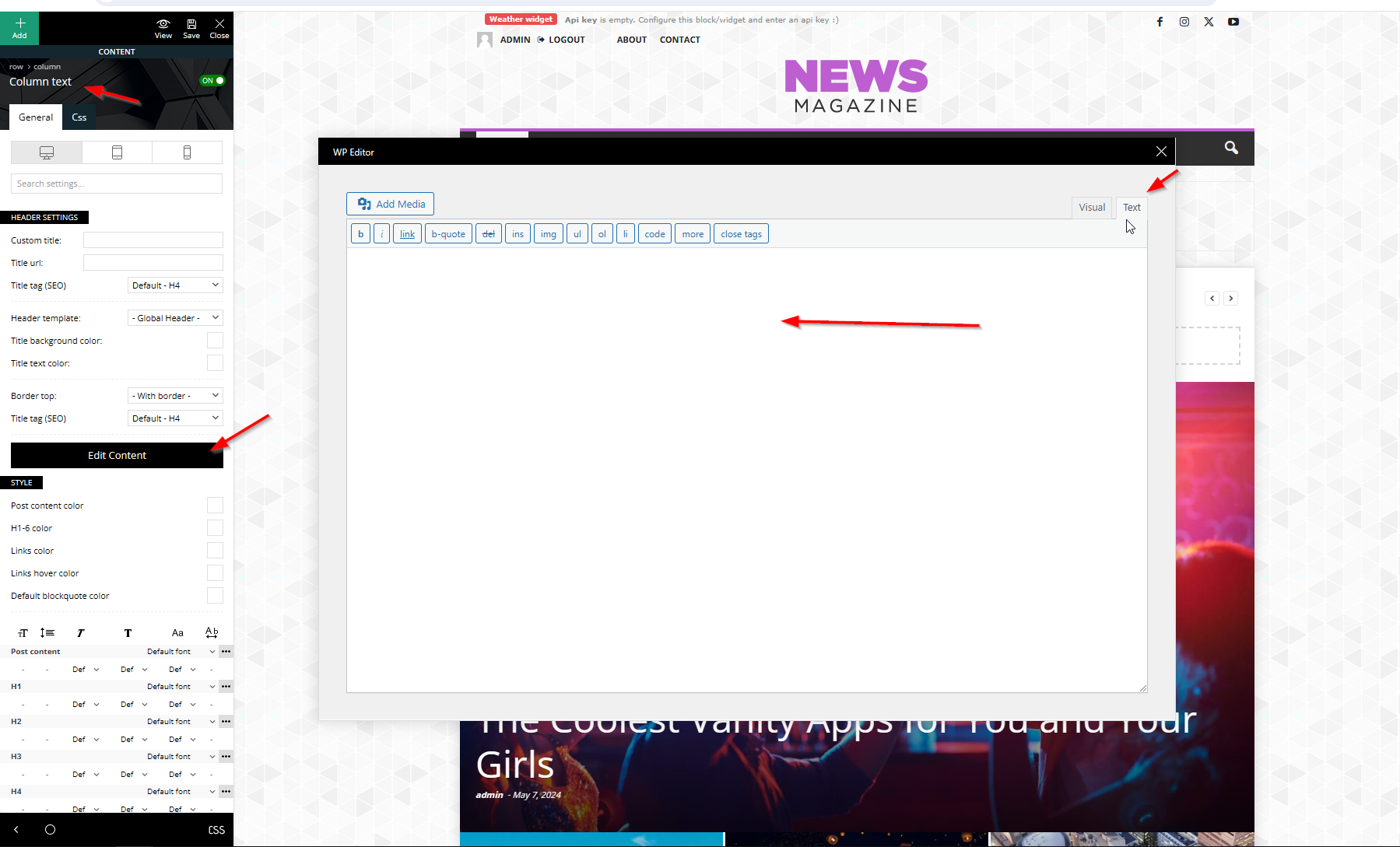
You can see the image using this link – https://cdn.tagdiv.com/wp-content/uploads/2025/10/text-zone.png
Thank you!
Calin Hi,
I recommend using the responsive theme version. With this approach, you don’t need the Mobile Theme plugin. Using the plugin would create separate content for mobile devices, requiring you to recreate your pages using only the mobile editor.
Thank you!
Calin Hi,
Thank you for your message. The WordPress memory limit is indeed one of the key parameters for proper functionality.
Would you be willing to contact us via email at contact@tagdiv.com and provide temporary wp-admin access so we can further investigate the issue?
Thank you!
Calin Hi Bhanu Srivastav, please do not share private license key via form, only in private via email.
Normally, a license key is for 1 website, please check the ThemeForest license specifications here – https://themeforest.net/licenses/standard – https://themeforest.net/licenses/terms/regular -> https://prnt.sc/X0AldIM7e7ni
We allow the key to be used on 2 websites at the same time because we consider that most website owners require a testing website besides the live website, and the theme must be activated there as well.
I made a request for the provided key to be checked, and only domains that are online will now be on the key.
Thank you!
Calin Hello,
Most of the time the problem is from a shortcode that is not compatible with our theme or a plugin conflict, therefore after you set it with tagDiv Composer and save the page/cloud template, the next time when you try to edit it, you’ll get that error.
If is only for one page or a cloud template (it can be on the header or footer, you can change them for tests and see if the problem persists), this is from some settings/shortcodes set on it and it can be fixed using the page revision https://wordpress.com/support/page-post-revisions/
Thank you!
Calin Hello,
High CPU usage from this action is uncommon unless a large number of tasks are being generated. This could be caused by a plugin or theme creating excessive tasks, or by tasks not being properly cleared after execution.
To reduce the queries you can check the fallow.
Check if you are using ajax pagination, mega menu many blocks (the theme is making a query for each block in part and if you are using mega menu each element as mega menu makes queries, also ajax pagination make quires to database), also make sure that you use lazyload for images.
Other type of settings that can reduce the numbers of queries: use a good cache plugin, use object cache (redis), and use flex block cache – https://forum.tagdiv.com/use-flex-blocks-cache-option/
In addition, it’s a good idea to identify what’s consuming your server resources. Tools like Query Monitor and Code Profiler can help you pinpoint high CPU or resource usage caused by plugins, themes, or database queries.
Thank you!
Calin Hello,
I think that you are referring to the auto-loading next article, this option can be enabled/disabled using this guide https://forum.tagdiv.com/infinite-loading-single-posts/
Thank you!
Calin Hi,
I see that there are 2 images that no longer exist and the website stays after them for around 17 seconds – https://i.imgur.com/XWXtUGZ.png edit the homepage using tagDiv Composer https://i.imgur.com/0lqtmry.png select the column of this element – https://i.imgur.com/gMWgwNp.png and in css tab remove the background image after that go to footer and select the row, then in css tab remove the background image – https://i.imgur.com/FKFswXp.png after that, save the schnages and clear the cache, the situation should be resolved.
Let me know the results!
Calin Hi, if you want to use the french , the make sure that your wordpress is set to French, also load in the theme panel https://i.imgur.com/liHKG3b.png the French https://i.imgur.com/vEorQDs.png after that what you need to do is to edit with tagDiv Composer the pages and cloud templates that still display the text in English. Select the element and change the text (this is text that is manually set and can be only manually changed) – https://i.imgur.com/UTb9plX.jpeg https://i.imgur.com/HdmZKjT.png
Thank you!
Calin Hi,
This happens because the first HTML that gets cached (from a mobile visit) is later served to desktop users too. Newspaper can render different header markup for mobile vs. desktop (especially if you enabled the tagDiv Mobile Theme/ Mobile page). With FastCGI cache, if you don’t vary the cache by device (or the theme’s device cookie), you’ll mix the variants, so the “desktop header goes missing”. What to do?
– use the responsive version.
– split the FastCGI cache by device
Thank you!
Calin Hi,
Most of our users use the Redis Object Cache, but I think that Object Cache 4 everyone should be ok too.
Also, if you have the possibility, try the WP Rocket cache plugin, it’s the best with our theme. Also, do not forgot about the flex block cache, using taht option a flex block will no longer make a request to datdbase only after 1, 5 10 minutes (depending on the setted time), doing this the request to datbase will be reduce.
Thank you!
Calin Hi,
Please do not share login access via the forum; only share it in private via email.
What you need to do is to click on the green text “Assign” – https://i.imgur.com/exKPyhm.png
Thank you!
Calin Hi,
Please do not share the license key via the forum, only in private via email. I edited the key from the topic.
If you get a message like this“Sorry, you are not allowed to access this page.” ,then you can solve this problem in this way:
go in Newspaper> System status and replace the url from: -> https://i.imgur.com/WlRnszw.png
admin.php?page=td_system_status
in
admin.php?page=td_system_status&reset_registration=1
And try after that to activate the theme.
If there is still a problem, you can send us an email at contact@tagdiv.com and provide wp-admin login (to can login in WordPress admin zone) and the license. We will take a look at the problem and we’ll fix it. Include a link to this topic in the email.
Let me know the results!
Thank you!
Calin Hello,
Please try this guide for how to achieve multiple authors to your articles – https://forum.tagdiv.com/adding-multiple-authors-articles/
Thank you!
Calin Hi,
Yes, you’ll need more license keys. Normally, a key is for a domain, but we allow the same key to be used on the main domain and the test domain, so if you do not need a test domain, then you can use the key on 2 domains. In this case, you’ll need 3 license keys.
Thank you!
Calin Hi,
A task has been assigned to a developer, and it should be checked in a short time.
Thank you!
Calin Hi,
What you need to do is to use the new key you get from your Themeforest to activate the theme. For this, you need to go to Newspaper > System status, and if there is a key, press the reset key button. After that, use the new license key to activate the theme on that domain.
Thank you!