- NewspaperFlex Block Builder and Flex Loop Builder
- NewspaperHow to use the Flex Blocks cache option
- NewspaperHow to edit modules for Flex Block X
- NewspaperHow to insert a block inside the content of a post
- NewspaperFlex Block Settings Guide
- NewspaperMeta Info on Modules and Blocks
- NewspaperTheme modules and blocks
- NewspaperThumbnails – Fix strange looking images on blocks
- NewspaperBlock settings tutorial
- NewspaperCategory Tag on Modules/blocks
- NewspaperWP Rocket and Newspaper Theme: Optimization Guide
- NewspaperSearch setup for custom post type
- NewspapertagDiv Opt-In Builder – Emails
- NewspaperBookmark – Save For Later
- NewspaperModules Builder in Newspaper Theme
- NewspaperFilters and sorting for taxonomies
- NewspaperUser review system
- NewspaperWooCommerce: Happy “Add to Favorites!”
- NewspaperLockers
- NewspaperLeads
 domien
Greetings,
We created Cloud Templates for Header, Footer, Category, Tag, 404, Search, Author, and Single Posts, and used those templates as default in the theme panel, but after disabling the standard pack plugin, here are some errors we are getting.
Pages
https://screencast.com/t/79OIQpxm
https://screencast.com/t/VK1NPee1zqa
https://www.screencast.com/t/pyMDuTkZ
https://www.screencast.com/t/bUDzkKklNmEX
We noticed that certain types of blocks weren’t working, so we figured out that using “flex blocks” resolves this issues. Is there another or a better way to fix this?
The major problem that we are not able to solve is here: https://screencast.com/t/x8T6y9Na133
This error is coming up on our posts (with standard pack plugin disabled). Can you please explain why this error shows up and how to fix it?
 Blo
BloHello I want to add an adrotate advert to the homepage. I need adrotate because I want to schedule an image to change in the middle of the night.
I added a “raw html” block and then tried to paste the shortcode like this:
[adrotate group="1"]
And then like this:
<?php echo adrotate_group(1); ?>
None of them is working.
How should I add it?
 kibiribi
In Clasic mode of page I’ve changed (old video removed, new video added) new video Ids: “j5oCTg_W5A,3gEU2EzE0To,ic-cuj-bEbU,epf4SOqKpz0,z5uo59Gso88,fEzL55IrzAU,PYJS1GOwYa0,Yv02LINbtuU,9P_PJsOHBB8”
screen – https://www.screencast.com/t/k1bBKpZ3jS
Cache was cleared – https://www.screencast.com/t/ztzhcQhCG1v
By the way, post ids are showed correctly
Screen2 – https://www.screencast.com/t/DYFiOCmF8ZS
 vollwebdesign
Hey there,
I have my website translated into 2 languages that is DE and EN using WPML and the URL’s are .com for German and /en for English.
I use a flex block with the post categories to show my posts that are working correctly on the German page, which means only German posts are showing whatever category is clicked.
But on the EN page it also shows German posts when any category has been clicked. Even more strange is that it actually works correctly when I am logged in as an admin but not for any other normal visitor.
I have correctly translated the categories and the posts.
What am I doing wrong here?
The website is https://www.k-i-e.com/ for German and https://www.k-i-e.com/en for EN.
The section where the posts are shown is the “Content Centre”.
Thanks for your help.
Torsten
 erescultura
Is there a way to embed a youtube channel? I see there is a youtube playlist module, but it´s static and you have to manually enter each video ID (anyways it doesn´t work in my site, just shows a black block)
I would need to dinamically embed a channel so it gets refreshed when the youtuber adds new videos. Any solution for that?
Blo Hello, it works on the block.
For the single page, I made the change in all the files in wp-content/plugins/td-standard-pack/Newspaper/parts/single
If I set the “Style 1” post template, it works, however, if the post has the “From Panel” template, which is the default, it doesn’t work.
How can I make the change for the “from panel” template? Or how can I set the “Style 1” style as a default for all posts?
EDIT: I found how to change the default post template, it’s on Newspaper –> Theme Panel –> Post Settings –> Default Post Template.
Thanks!
-
This reply was modified 6 years by
Blo.
 koranar
 Another question, sorry for that 😉
But I want to finish setting up to go live.
Ho to remove The “Latest Articles” block
And how to change “About Us” and “Follow Us”
to other words

 codeslove
Is there a way to re-use blocks that I already customized ?
Or for example to save a block after customizing it as a new block template to re-use it on other pages ?
Something like we do with Pre-Made Style, once you add a new block, you have your previous customization to choose from..
It will be great if we can do this ? to avoid redoing same customization each time.., if on same page we can do this by cloning the element, if not I redo same style…
With Customization I mean fonts, colors.., Hope I well explained my need here, thanks for the great theme.
 petergiesbers
I try to place a gallery on a category page.
If I add the shortcode in the description field it shows [foogallery id=”2061″] on the page instead of the gallery.
Next I created a custom field in which I put the short code.
With a PHP snippet I call this custom field and I placed the Snippet short-code into the template within a text block. The outcome is the same, it shows [foogallery id=”2061″] but not the gallery itself.
However when I put the gallery short-code directly into the text block it does show the gallery.
Here you see the problem: https://venusstars.com/erotik-influencer/texas-patti/
 Calin
Calin Hi,
1. In order to remove the gap you can edit the page and set to the first row a margin top
-40 https://www.screencast.com/t/XHpfT49oE9U ( in you case 48px is the gap so you can set -48 margin top) or you can use custom css -> https://forum.tagdiv.com/create-custom-code-using-the-browsers-inspector/
If you need help whit this please provide a link were I can inspect the problem, in this way I will be able to provide you the right css.
You can change the gap between the elements using tagDiv Composer -> https://www.screencast.com/t/b5rLIcMBxZK
2. You can create a mega menu using our documentation from here -> https://forum.tagdiv.com/mega-menu/
Main menu -> https://forum.tagdiv.com/main-menu/
3. The mega menu can display only the posts, but this can be achieve bay creating a page using tagDiv Composer, set the blocks in it and set the page as page menu -> https://forum.tagdiv.com/page-menu/
Thank you!
BloHello I am using Block 24 on my home page.
My client writes about 2 different topics in each blog post.
So his titles need to have 2 lines, for example:
Brazil wins the world cup
Federer wins the US Open
I know he could just write:
Brazil wins the world cup – Federer wins the US Open
But he doesn’t want to do it like that, he needs two lines.
I tried using:
Brazil wins the world cup<br/>Federer wins the US Open
But it’s not working.
How can I solve this?
Thanks!
 liamc
liamcHey Guys,
I have been using the ‘newsletter’ block on the pages of my website but I wonder can I use this ‘newletter’ block across all posts and have it be added to new posts as default?
Thanks
Liam
 ruunmedia
 I’ve had the same issue and have had to recreate them so they will save.
I notice the error on the cloud templates when you go into the editor (not the td composer) and appears like WBBakery shortcode is in there rather than a block of encoded text.
Seems like a bug that I can’t get to reproduce so I’ve been just having to recreate them each time
 chucky20
Hi everyone…im new here. i bought your theme and i love it! BUT:
This is my site which i started one week ago: https://eniyibebek.net/
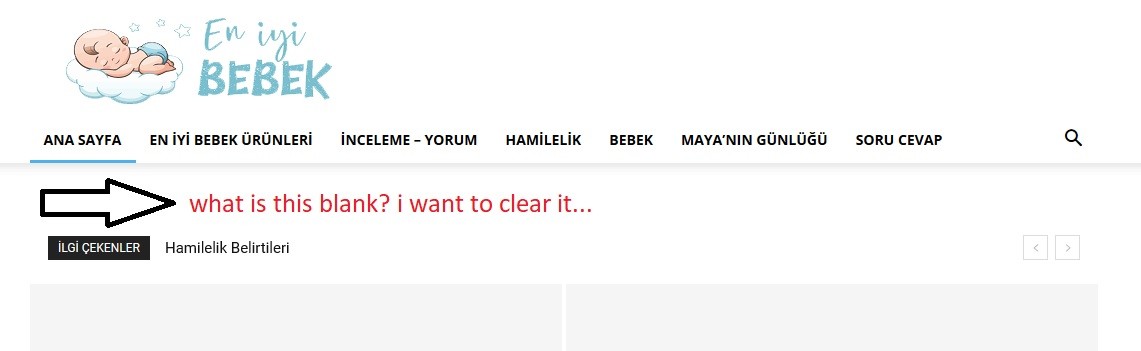
1- https://i.hizliresim.com/k0ZRnr.jpg How can i solve this problem.. i didnt want to use a header template..
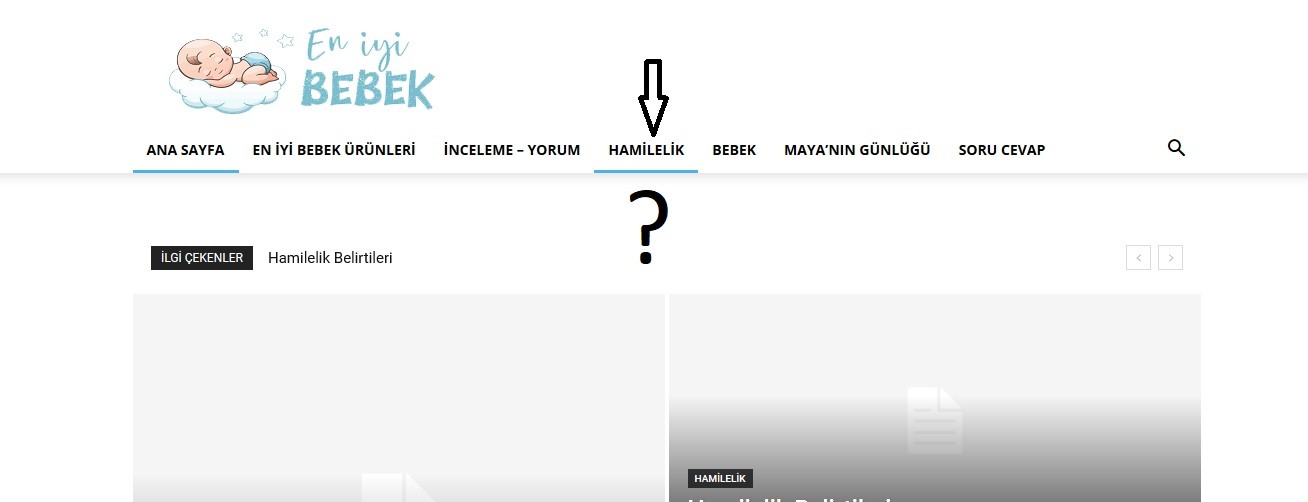
2- https://i.hizliresim.com/NGYJrY.jpg i have a categori which name is “Hamilelik”. and it has got one subcategory which name is “Hafta Hafta Gebelik” . i tried to active preloading or mega menu but it isnt working.. What is the problem?
3- Another and last question with my bad english 🙂 for example i have an A, B, C categories. And only the category A has SUBCATEGORY which names are 1,2.
how can i do this: When i click A. i see only subcategories names’ 1 – 2 (no subcategories’ posts, only two subcategory names blocks)
THANK YOU FOR ALL
 murray
 Reusable elements (created for repeated use in Gutenberg when the client puts up a post) are not saved with post_content in the database therefore the search is not finding any content related to the query. My tech proposes just making each author block separately, but that’s not an ideal solution because it helps us for them to be reusable blocks so if an author’s details change, the block will update throughout the site. Perhaps this an issue with Gutenberg not Newspaper? Do you think we can find a workaround?
See the screenshot so you are clear what I’m talking about.
https://www.dropbox.com/s/8vaf3b2rncdjxzr/Screen%20Shot%202020-02-21%20at%207.26.37%20AM.png?dl=0
 Vlad S
 Hello !
Those are the Ajax Filters which can be set by editing the block with tagDiv Composer as you can see here: https://www.screencast.com/t/R3JyqeCTYee
Thank you !
Calin Hi,
If you want to create a new blocks, please check our documentation from here -> https://forum.tagdiv.com/developer-info/ you’ll find a documentation for how to build a new block. If you have the proper skills you can create new beautiful blocks.
Thank you!
Calin Hi,
Unfortunately I do not quite understand, did you make some custom blocks? and these are not redirect you to the author page when you click on it ? Please provide some more details and some screenshot or a link where I can check this.
Thank you for your understanding!
Calin Hi,
You can use the options from the slide to adjust the Image V alignment -> https://i.imgur.com/BixyCYO.jpg -> https://i.imgur.com/mPd54Ge.jpg
Thumbnails – Fix strange looking images on blocks -> https://forum.tagdiv.com/thumbnails-fix-strange-looking-images-on-blocks/
Hope this will help you!
Thank you!
 trendspot
Hello,
I was wondering how to customize the Amp Layout of the mobile AMP page. In the Theme Panel we have an Option to display a grid. I have a sample of my Amp site here, it’s basically the one grid we can active through Theme Panel followed by the list of new Posts.
https://ibb.co/fdkFc1h
By evaluating the UX of this layout we found out that visitors didnt quite like the “dull layout” even though the amp version is fast and everything, we ended up going to the responsive version of the main Page.
I want to know how i could duplicate the main Grid block to show the first 3 posts of each category followed by the newest posts list. I know the mobile theme might not be intented for this.
Thanks in advance
Calin Hi,
1. Please notice that only the post loop element from tagDiv Composer have the pagination -> https://i.imgur.com/vtChbbr.png also you can set an option in tagDiv Composer that need to be set on the rows to be hidden when you are using the posts loop pagination. So you need to set/enable on each row this option -> https://i.imgur.com/GOygsKx.png but just make sure that the posts loop element will be in a separate row that will not have this option enable, in this way you can control what you want to see on the page when you are using the pagination and you can customize the loop how you want using tagDiv Composer.
2. Unfortunately these options are only on flex and grids, if you are using the posts loop you can set effects from here ->https://i.imgur.com/tOObWqW.png
3. Make sure that you do not have set a thumb from the main image -> https://i.imgur.com/rtG5K41.jpg this should fix the problem.
4. From what I can see the search is working normally, the results are posts and pages that contain that word.This are WordPress functions, if you want to change the search results you can use this guide from here -> https://wpsites.net/wordpress-tips/exclude-pages-posts-categories-from-search-results-in-wordpress/ this should help you to achieve what you need.
5. If you are using the flex block or posts loop you can remove it from layout tab -> https://i.imgur.com/T4IPbkC.png also for standard blocks you can remove it from theme panel -> https://i.imgur.com/z1RTo9K.png
6. I do not quite understand, do you want to sort the post, this can be done with the options from flex blocks and blocks -> https://i.imgur.com/kZLLrdb.png
7. The facebook like button will work as in this documentation -> https://developers.facebook.com/docs/plugins/like-button/ this will count only the likes get on your post on website and you need to be connected to Facebook to can like the article/post.
8. This is not a bug, as I can see, all the 12 articles are displaying, 4 of theme are in the beg grids -> https://i.imgur.com/cpff9zX.jpg and the 8 are under those https://i.imgur.com/ZTaq4ro.png
9. Usually these are just forms in your website and the visitors will submit directly not with there email. You can check more in this article -> https://websitesetup.org/contact-form-wp-website/
10. Sorry, for the moment our website do not have this option
Thank you!
Vlad S Hello !
Unfortunately that option is only possible by using Big Grid blocks.
Thank you for your understanding !
Calin Hi,
If you want to have more control over the featured images from homepage, then you can edit it with tagDiv Composer, and use some flex blocks -> https://i.imgur.com/Riqs5NO.png these blocks are special and can be more easy design ( you can check the documentation for flex blocks from Newspaper) -> https://i.imgur.com/Fkga3eS.jpg
Hope this will help you better!
Thank you!
murrayWe create reusable blocks to make biographies for contributors who write posts for our site several times (they are not posting themselves; we are posting when we have edited their content). When a visitor to the site searches for the name of the author, those blocks are not indexed so nothing comes up. Can you advise how we might get around this?
 JDMF
JDMFHi,
in Block 11 and other blocks the Ajax Categories settings are only showing 2 categories instead of 9 I have. It was showing it correctly before but not it disappeared. Please let me know how show all available categories dropdown.
Last block on the home page:
http://jmfinjapan.com/
Thanks!