- NewspaperWP Rocket and Newspaper Theme: Optimization Guide
- TutorialsWhat is Ajax preloading?
 Bettina
 Hello!
First of all, try to do these steps as quickly as possible, so your visitors do not notice the process:
1. disable TagDiv Composer
2. uninstall(delete) TagDiv Composer
3. clear cache (if cache plugin exists)
4. install TagDiv Composer
5. activate TagDiv Composer
6. clear cache (if cache plugin exists)
After these steps please check which font is used in Composer should be displayed also on your website.
Also, try to deactivate ALL plugins except tagDiv ones, also if you are using child theme or cache plugin, deactivate them, clear all cache and try again.
Hope that helps you!
Thank you!
 Anamaria
 Hello,
If you have installed the last theme version10.4, please do these steps
1. disable all tagDiv plugins
2. uninstall all tagDiv plugins
3. clear cache (if cache plugin exists)
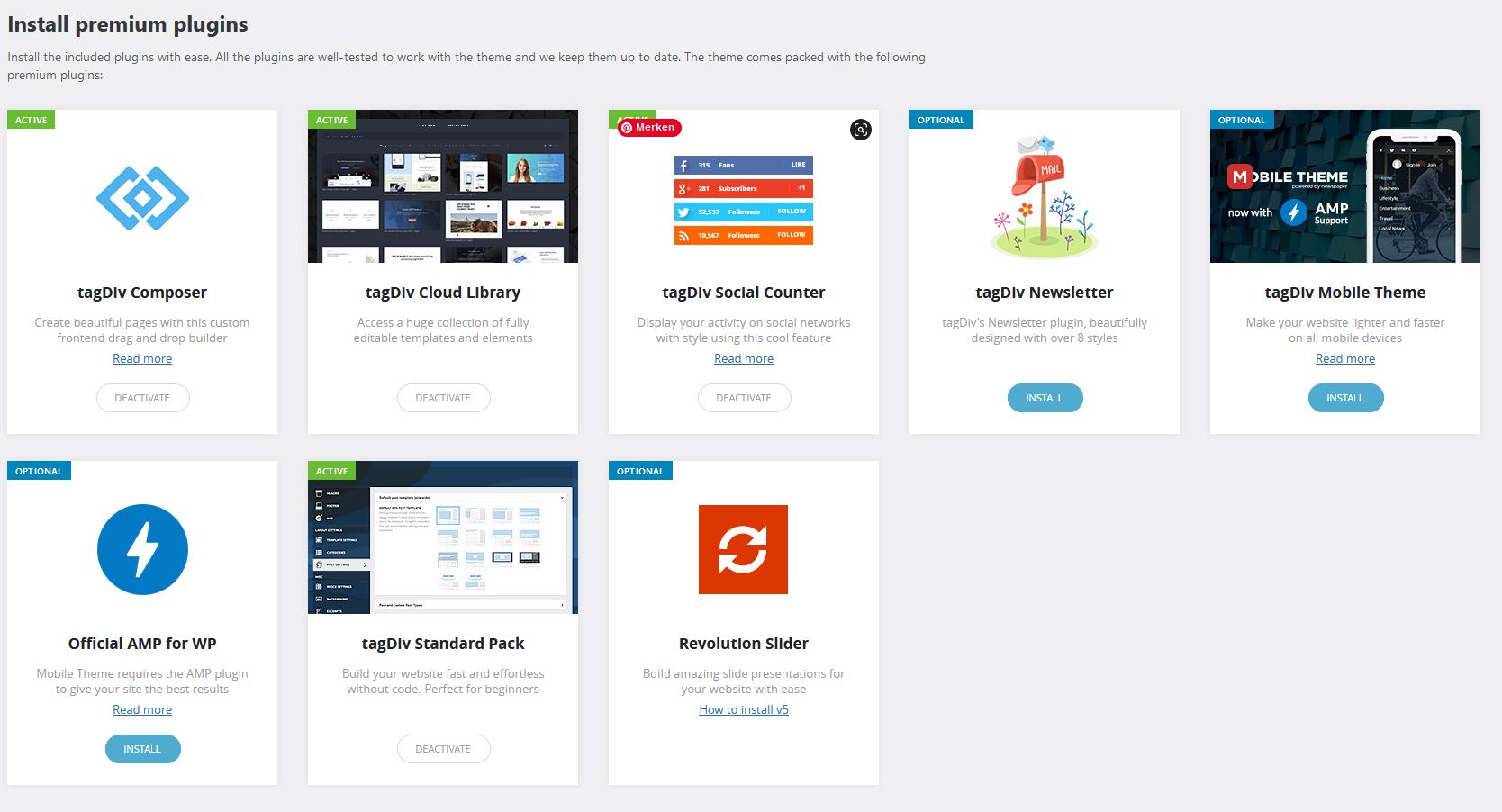
4. re-install all tagDiv plugins again from Newspaper plugins => https://www.screencast.com/t/WLy01lbc
5. activate all tagDiv plugins
6. clear cache (if cache plugin exists)
Please let me know the results.
Thank you!
 Vlad S
 Hello!
Please make sure to activate all the required plugins. When a plugin is disabled that shortcode will appear on your website. Please send us a screenshot of your System Status Tab and make sure that all the requirements are met as you can see here: https://forum.tagdiv.com/requirements-for-newspaper/ ; You will have to first start looking for a plugin conflict. please deactivate ALL plugins except tagDiv ones, also if you are using child theme or cache plugin, deactivate them, clear all cache and try again.
Also you can try and remove and re-install the tagDiv Composer plugin and please send us a link to your website in order to take a look.
Let us know the results.
Thank you !
 The Inner North
Hi,
I’ve just launched and am having two major issues.
1) When I go to post an article on Facebook, via phone or desktop, it only comes up with the link to the website. No metadata, image, or description. When I clear the cache it might work but then it’ll stop working after a while. Something is messing around with it constantly. Twitter seems to work fine.
I’m also using Yoast SEO.
2) I have a few changes I made to the mobile homepage, mainly just the top articles structure, however it seems to be reverting back to desktop settings after a while.
Thanks! I’ve emailed with these issues but still have not had any response.
Bettina Hello!
The offset field should be clear and let it empty with no space, no value.
Please check if there is a plugin conflict, deactivate ALL plugins except tagDiv ones, also if you are using child theme or cache plugin, deactivate them, clear all cache and try again.
Let me know the results!
Thank you!
Bettina Hello!
I checked the links above and it seems to display the same ads in desktop and mobile.
Please clear your cache and try again.
Thank you!
Bettina Hello!
The issue can be from a plugin conflict, that’s why, please deactivate ALL plugins except tagDiv ones, also if you are using child theme or cache plugin, deactivate them, clear all cache and try again.
If this problem is not solved after that, then we need to take a look and see what happened there.
Please contact us via email at contact@tagdiv.com and provide the following:
– admin url and credentials
– a link to this topic in order to identify you
Our team will take a look!
Thank you!
 mcmben
 Hi, I haven’t created any mobile page on the Front page and clear all cache, but still the logo doesn’t appear properly on the mobile responsive. Please see following:
https://finkab.com/img/screen3.png
https://finkab.com/img/screen4.png
Thanks.
 Wild-Wolf
 Hi,
thanks for your answer.
The problem is, the installation is a new and first installation.
I don’t use any cache plugin.
What should the content of the editor actually look like?
Bettina Hello!
Please check again if the plugin is active, please deactivate ALL plugins except tagDiv ones, also if you are using child theme or cache plugin, deactivate them, clear all cache and try again.
We recommend using the WP Super Cache plugin: https://forum.tagdiv.com/cache-plugin-install-and-configure/
Let me know the results!
Thank you!
Vlad S Hello !
This happens due to cache. Please follow our guide and make sure that WP Super Cache has been installed properly: https://forum.tagdiv.com/cache-plugin-install-and-configure/
Let us know the result.
Thank you !
Anamaria Hello,
If you have installed the last theme version10.4, please do these steps
1. disable all tagDiv plugins
2. uninstall all tagDiv plugins
3. clear cache (if cache plugin exists)
4. re-install all tagDiv plugins again from Newspaper plugins => https://www.screencast.com/t/WLy01lbc
5. activate all tagDiv plugins
6. clear cache (if cache plugin exists)
Please let me know the results.
Thank you!
Bettina Hello!
I just checked your website and it seems to work just fine.
Please note that sticky columns will never work on mobile because they are displayed one under the other.
Please clear your cache and try again.
Thank you!
Bettina Hello!
First of all, try to do these steps as quickly as possible, so your visitors do not notice the process:
1. disable TagDiv Composer
2. uninstall(delete) TagDiv Composer
3. clear cache (if cache plugin exists)
4. install TagDiv Composer
5. activate TagDiv Composer
6. clear cache (if cache plugin exists)
For this error you can check our guide from here at point 5: https://forum.tagdiv.com/tagdiv-composer-not-working/
Also, try to deactivate ALL plugins except tagDiv ones, also if you are using child theme or cache plugin, deactivate them, clear all cache and try again.
Please also check the page for special characters and remove them if they exists.
Thank you!
 lulimonteleone
 Hi!
Here is my blog: https://www.lulimonteleone.com/poses-para-fotos/
You can see that the content at blog post is duplicate. I am already using only the tagdiv plugins and already cleared all cache.
tks!
The Inner NorthHi,
I have recently gone live with my newspaper site and have connected Facebook, Instagram and Twitter for the Stay Connected Counter. The Counter only shows in the sidebar of posts, which is what I wanted, however the issues are:
– Instagram does not count. I have an Instagram feed at the bottom of my site that works, however, the Stay Connected Counter is at 0. ( It’s connected, as you can click and access the Instagram account, but no count)
– – – – I have purged cache and do not use cdn at the moment.
– The refresh doesn’t seem to work either on the other two. Facebook is stuck at 1 follower and hasn’t updated.
Thanks!
Anamaria Hello,
I’m not sure I fully understand your issue. Can you provide some more details, screenshots, a link to your website?
Also, please do a test using only tagDiv plugins, clear all cache, and see if the problem persists.
Thank you!
Anamaria Hello,
Usually, this issue is caused by a plugin conflict, that’s why, please deactivate ALL plugins except tagDiv ones, also if you are using a child theme or cache plugin, deactivate them, clear all cache and try again.
Let me know the results!
Thank you!
Anamaria Hello,
Please make sure this code is set in .htaccess => https://www.screencast.com/t/YMLZf32uQ
Have you checked for admin-ajax error? Please verify the console when you try to import the template, usually, it displays a 403 or 404 error.
If you don’t use a security plugin, please ask your host about this, maybe you have a security module that blocks this.
If you use a plugin like Wordfence please set it in learning mode.
Also, make sure that you do not have a plugin conflict, please deactivate ALL plugins except tagDiv plugins, also if you are using a child theme or cache plugin, deactivate them, clear all cache and try again.
Let me know the results!
Thank you!
Anamaria Hello,
Please check if you do not have a plugin conflict, please deactivate ALL plugins except tagDiv plugins, also if you are using a child theme or cache plugin, deactivate them, clear all cache and try again.
Also, if the problem persists please send screenshots with the settings for the featured image, how you set and the link to your website to investigate.
Also, if you have Cloudflare, please make sure is set like in our guide https://forum.tagdiv.com/cloudflare-cdn/
Thank you!
Anamaria Hello,
Did you create a mobile page? If yes, and you don’t want to use it, then please make sure the setting is set on “No mobile page” => https://www.screencast.com/t/GFTcAYgWY clear all cache and see after the result.
Thank you!
Bettina Hello!
The issue can be from a plugin conflict, that’s why, please deactivate ALL plugins except tagDiv ones, also if you are using child theme or cache plugin, deactivate them, clear all cache and try again.
If this problem is not solved after that, then we need to take a look and see what happened there.
Please contact us via email at contact@tagdiv.com and provide the following:
– admin url and credentials
– a link to this topic in order to identify you
Our team will take a look!
Thank you!
Bettina Hello!
First of all, try to do these steps as quickly as possible, so your visitors do not notice the process:
1. disable TagDiv Composer
2. uninstall(delete) TagDiv Composer
3. clear cache (if cache plugin exists)
4. install TagDiv Composer
5. activate TagDiv Composer
6. clear cache (if cache plugin exists)
The issue can be from a plugin conflict, that’s why, please deactivate ALL plugins except tagDiv ones, also if you are using child theme or cache plugin, deactivate them, clear all cache and try again.
If this problem is not solved after that, then we need to take a look and see what happened there.
Please contact us via email at contact@tagdiv.com and provide the following:
– admin url and credentials
– a link to this topic in order to identify you
Our team will take a look!
Thank you!
Bettina Hello!
The issue can be from a plugin conflict, that’s why, please deactivate ALL plugins except tagDiv ones, also if you are using child theme or cache plugin, deactivate them, clear all cache and try again.
If this problem is not solved after that, then we need to take a look and see what happened there.
Please contact us via email at contact@tagdiv.com and provide the following:
– admin url and credentials
– cPanel url and credentials
– a link to this topic in order to identify you
Our team will take a look!
Thank you!
Vlad S Hello!
If you are using AdSense auto ads, you have to insert the code in only 1 place. For example, insert it in Theme Panel – Ads – Header Ads. And that is the only place where this code should be.
If you insert it in more than 1 place, the code will be broken or will not work. Based on your most intense areas where users put their finger (on mobile) and cursor on desktop, Google will autoplace ads so that you will get maximum out of them.
Please make sure that after you are making any changes, clear your cache and test your changes on an incognito page.
You can if you want to switch to standard templates but that would be a shame when there is so much more potential on cloud library templates.
Please let me know the result of the instructions above! If this doesn’t work please contact us via email at contact@tagdiv.com and provide the following:
– admin url and credentials
– A link to this topic in order to identify you
Our team will take a look ! Please note that at the moment the support is a bit crowded. Replying may take up to 24 hours.
Thank you !