
- TutorialstagDiv Social Counter Tutorial
 newtrailmarketing
 Yes, I used Updraft Plus to export the site and uploaded the files via FTP to the proper folder. Used the export theme settings and imported that as well as what you had just explained for the cloud template(appeared to be empty). The header logo is back, but the nav menu is not the same and the heading font is different. Inspecting the element on the old site shows the font used as Satisfy, yet on the imported site it shows a standard font.
I checked the header style and it is style 10 for both, not sure what is missing at this point. I alter my .hosts file so I can change back and forth to see the new site from the old. (not that it matters for transferring files)
 msakande
 Dear,
since this morning the plugin tagDiv Cloud Library AUTO DISABLED
When I try to enable it I get the error Plugin Error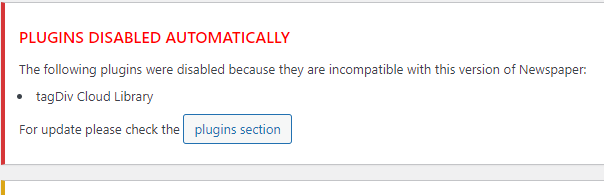 .
.
I delete the plugin and install it again, but I cannot activate it.
The Theme is up to date 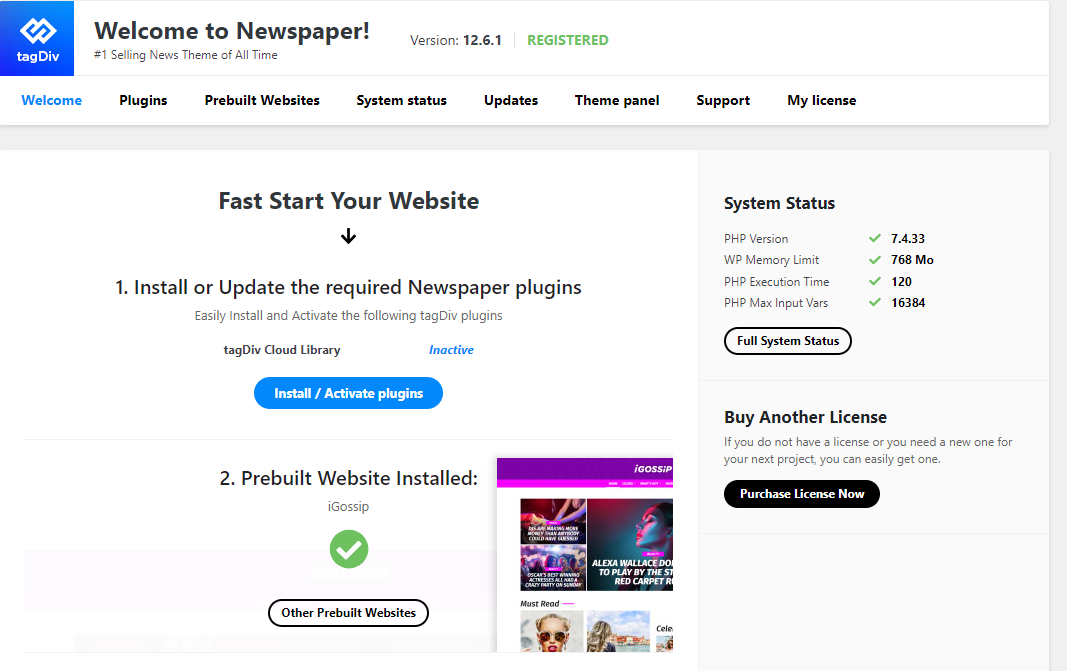
 Bettina
 Hello @novodia!
If you use cloud templates, then you need to change the logo in the tagdiv Composer.
Please check our tutorial here: https://forum.tagdiv.com/tagdiv-composer-tutorial/
More documentation about the cloud templates is here:
– https://forum.tagdiv.com/cloud-library-templates/
– https://forum.tagdiv.com/design-post-pages-using-cloud-library-templates/
– https://forum.tagdiv.com/cloud-library-category-templates/
We have 3 options for mobile versions that you can use:
1. Responsive version: A responsive version of your website looks similar to the desktop version. TagDiv Composer is used to edit the page.Click on the mobile viewport: https://www.screencast.com/t/XDQJedlggSB. There, you can see your mobile version and edit or adjust the elements to look better.
2. Mobile pages: https://tagdiv.com/newspaper-10-3-7-update-brings-customizable-and-fast-mobile-pages
3. Mobile theme plugin: The Mobile Theme is a performance-optimized theme included in the main Newspaper theme that only loads on mobile devices. It comes with its own templates and designs for pages, posts, categories, etc., so your current templates from the desktop theme will get converted to the mobile theme layout. Please see https://forum.tagdiv.com/the-mobile-theme/ and https://forum.tagdiv.com/mobile-theme-introduction/ for more information.
A full explanation is here: https://www.youtube.com/watch?v=SpGkOnJeNZY
If you need to use mobile version 1 or 2, then you need to uninstall the Mobile Theme plugin and AMP.
Thank you!
 Anamaria
 Hi,
You need to disable the mobile theme and amp to have mobile responsive version.
Using our theme you can choose from 3 mobile versions
-> mobile responsive => https://www.screencast.com/t/oJ2ShOp47
-> mobile theme plugin => https://forum.tagdiv.com/the-mobile-theme/
-> mobile page => https://tagdiv.com/newspaper-10-3-7-update-brings-customizable-and-fast-mobile-pages/
If you created the mobile pages with tagDiv Composer, then when you install the Mobile Theme plugin, your pages will be overwritten by the plugin (the mobile theme comes with its templates for page, post, category, etc so your current templates from the desktop theme will get converted to the mobile theme layout, the page content is made without builders in mobile editor => https://www.screencast.com/t/xbgZG8kH also, the options that are provided to edit the mobile theme version are limited (this keeps the things simple)).
This is a video about Responsive Newspaper Theme, AMP & Mobile Theme, Mobile Pages & Templates -> https://www.youtube.com/watch?v=SpGkOnJeNZY
So, the mobile responsive is what you see then that you select the viewport on phone => https://www.screencast.com/t/matV17hH, so some settings may apply for each viewport(where is the border blue), and others are not(where the border is black).
The mobile page has the mobile templates from Cloud Library => https://www.screencast.com/t/YCcZ8rL8
The Mobile responsive version of the theme and the mobile page editor can be edit with tagDiv Composer, the mobile theme plugin cannot.
For example, you can have the mobile theme plugin activated and use the mobile page/mobile responsive version for the homepage/pages, but for the categories pages/404 page, you can’t use the mobile page/mobile responsive version if you have the mobile theme plugin activated.
So, if you want to design the pages with tagDiv Composer, you can use the mobile page or mobile responsive version.
Thank you!
Bettina Hello Joachim!
We also have the 404 templates, which can be modified in the TagDiv Composer: https://forum.tagdiv.com/cloud-library-templates/ (see 404 templates).
If you use the Coaching PRO header, then these are the elements from your header: https://prnt.sc/EnkC-wzg-OBe
Delete the ones you do not want there.
Thank you!
Anamaria Hi,
You don’t have there a footer template; you can check in the trash. Maybe you delete it.
Also, if you use WPML, then maybe you don’t have a footer template for that language, which is why is not displayed in the cloud section.
You should have for each language cloud templates – https://i.imgur.com/4agmUtg.png -> https://forum.tagdiv.com/using-theme-translations-together-wpml/.
A much simpler and faster alternative is to duplicate the cloud template you want to use in another language, edit it and select the desired language – https://i.imgur.com/z1CqgBo.png (edit the name) – https://i.imgur.com/dPX8ROs.png – https://i.imgur.com/Lc81IgP.png This method needs to be used to translate all cloud templates.
Thank you!
Anamaria Hi,
Please check this topic -> https://forum.tagdiv.com/topic/wp-editor-for-text-with-title-and-column-text-not-updating-content/ -> and guide https://www.cloudways.com/blog/wordpress-403-forbidden-error/
Thank you!
Anamaria Hello,
Using the import/export option from the theme will allow you to import only the theme panel settings, the cloud templates go in tool > export – https://i.imgur.com/3Wxk885.png then to import you need to go in tool > import, then install the wordpress importer and clink on run import – https://i.imgur.com/tyxoVvg.png
Also, you have to use a plugin for migrate https://wordpress.org/plugins/duplicator/
Thank you!
 kibiribi
 The final question: Why can’t I edit created before footer in the Cloud library – menu Edit ?
screenshot – https://prnt.sc/ecdy2JrEHgcP
Bettina Hello @ramiz1819 !
Unfortunately, AMP is not working with the cloud templates because the AMP’s layout is not fully customized.
The AMP version works best with default templates and not cloud templates. That’s why we integrated it with the Mobile theme plugin.
The feedback from our clients about AMP was negative and it is not used anymore, that’s why we didn’t add more customization options. From my point of view, if you don’t use the Mobile Theme plugin, then there is no reason or benefit to AMP.
We have 3 options for mobile versions that you can use:
1. Responsive version: A responsive version of your website looks similar to the desktop version. TagDiv Composer is used to edit the page.Click on the mobile viewport: https://www.screencast.com/t/XDQJedlggSB. There, you can see your mobile version and edit or adjust the elements to look better.
2. Mobile pages: https://tagdiv.com/newspaper-10-3-7-update-brings-customizable-and-fast-mobile-pages
3. Mobile theme plugin: The Mobile Theme is a performance-optimized theme included in the main Newspaper theme that only loads on mobile devices. It comes with its own templates and designs for pages, posts, categories, etc., so your current templates from the desktop theme will get converted to the mobile theme layout. Please see https://forum.tagdiv.com/the-mobile-theme/ and https://forum.tagdiv.com/mobile-theme-introduction/ for more information.
A full explanation is here: https://www.youtube.com/watch?v=SpGkOnJeNZY
If you need to use mobile version 1 or 2, then you need to uninstall the Mobile Theme plugin and AMP.
Thank you!
Anamaria Hello,
Please check this topic https://forum.tagdiv.com/topic/low-scores-on-mobile-theme-amp-and-desktop-pagespeed-and-gt-metrics-optimize/ and try this code ->
// Preload Newspaper fonts for responsive theme (main theme) function dns_prefetch_responsive()

{

echo '';

echo '';

}

add_action( 'wp_head', 'dns_prefetch_responsive', 0 );
There are many optimization guides provided by our users here in the forum, some made by us; you could check some of them
– https://www.infophilic.com/get-almost-100-pagespeed-newspaper-theme/
– https://forum.tagdiv.com/cache-plugin-install-and-configure/
– https://forum.tagdiv.com/how-to-make-the-site-faster/
– https://forum.tagdiv.com/topic/high-number-of-ajax-request/
– https://forum.tagdiv.com/topic/score-100100-pagespeed-with-newspaper-wordpress-theme/
– https://www.andraware.com/wp-rocket-for-newspaper-theme/
– https://spraythemes.com/newspaper-theme/how-to-speed-up-the-newspaper-wordpress-theme-using-wp-rocket/
– https://forum.tagdiv.com/topic/page-speed-guide-for-2023-beginners-and-advanced/
– https://forum.tagdiv.com/topic/newspaper-theme-speedify-your-website/
– https://forum.tagdiv.com/topic/tutorial-chriss-custom-optimizations-for-functions-php-etc/
– https://forum.tagdiv.com/cloudflare-cdn/
– https://forum.tagdiv.com/topic/theme-causing-high-cpu-usage-2/
– https://forum.tagdiv.com/topic/sql-querys-high-cpu/
– https://forum.tagdiv.com/topic/newspaper-theme-slow-to-respond/
– https://premium.wpmudev.org/blog/optimizing-your-wordpress-database-a-complete-guide/
– https://underconstructionpage.com/optimize-wordpress-database/
– https://crunchify.com/better-optimize-wordpress-database-all-in-one-guide/
Also, pagespeed is not covered by support -> https://forum.tagdiv.com/newspaper-theme-support/
If you use Wp Rocket, you can try to exclude the following files
/jquery-?[0-9.](.*)(.min|.slim|.slim.min)?.js
/jquery-migrate(.min)?.js
/wp-content/plugins/td-composer/legacy/Newspaper/js/tagdiv_theme.min.js
tdBlocksArray
To be able to optimize and to remove CLS and LCP please check these guide => https://developers.google.com/web/tools/lighthouse/ -> https://www.sqlpac.com/en/documents/google-pagespeeds-lighthouse-6-new-features-lcp-cls.html -> https://web.dev/lighthouse-whats-new-6.0/ -> https://web.dev/lcp/ -> https://web.dev/cls/
Thank you!
Bettina Hello @remuninja!
If you use default templates and some settings disappear after the update, please activate the Standard Pack plugin from Newspaper -> Plugins.
If you use cloud templates, then you should add the elements to the page with the help of the tagdiv Composer plugin.
We recommend using cloud/PRO templates in order to have the possibility to edit them with the TagDiv Composer, which contains a lot of functions and features. Please check our tutorial here: https://forum.tagdiv.com/tagdiv-composer-tutorial/
More documentation about the cloud templates is here:
– https://forum.tagdiv.com/cloud-library-templates/
– https://forum.tagdiv.com/design-post-pages-using-cloud-library-templates/
– https://forum.tagdiv.com/cloud-library-category-templates/
Thank you!
Anamaria Hi,
Please check if this code is missing from your .htaccess: https://www.screencast.com/t/iN0R93dD3p from our requirements https://forum.tagdiv.com/requirements-for-newspaper/ this requirement is not displayed in System Status.
You can import a page template from tagDiv Cloud Library from frontend -> https://i.imgur.com/crxdDEm.png
Please let me know if you have an error.
Thank you!
Bettina Hello!
The tagDiv Cloud Library is only for the Newspaper theme. The Newsmag theme is more limited and has only the templates from the theme panel.
Thank you!
Anamaria Hello,
Using our theme you can choose from 3 mobile versions
-> mobile responsive => https://www.screencast.com/t/oJ2ShOp47
-> mobile theme plugin => https://forum.tagdiv.com/the-mobile-theme/
-> mobile page => https://tagdiv.com/newspaper-10-3-7-update-brings-customizable-and-fast-mobile-pages/
If you created the mobile pages with tagDiv Composer, then when you install the Mobile Theme plugin, your pages will be overwritten by the plugin (the mobile theme comes with its templates for page, post, category, etc so your current templates from the desktop theme will get converted to the mobile theme layout, the page content is made without builders in mobile editor => https://www.screencast.com/t/xbgZG8kH also, the options that are provided to edit the mobile theme version are limited (this keeps the things simple)).
This is a video about Responsive Newspaper Theme, AMP & Mobile Theme, Mobile Pages & Templates -> https://www.youtube.com/watch?v=SpGkOnJeNZY
So, the mobile responsive is what you see then that you select the viewport on phone => https://www.screencast.com/t/matV17hH, so some settings may apply for each viewport(where is the border blue), and others are not(where the border is black).
The mobile page has the mobile templates from Cloud Library => https://www.screencast.com/t/YCcZ8rL8
The Mobile responsive version of the theme and the mobile page editor can be edit with tagDiv Composer, the mobile theme plugin cannot.
For example, you can have the mobile theme plugin activated and use the mobile page/mobile responsive version for the homepage/pages, but for the categories pages/404 page, you can’t use the mobile page/mobile responsive version if you have the mobile theme plugin activated.
So, if you want to design the pages with tagDiv Composer, you can use the mobile page or mobile responsive version.
Thank you!
Anamaria Hello,
The page loading speed can depend on many factors, and each website is unique from this point of view. Let me explain some of these factors and maybe they give you some starting points for optimizing your website. A good choice for the page speed, could be the mobile layout which contains fewer elements because it can improve a bit your page speed.
There are many optimization guides provided by our users here in the forum, some made by us; you could check some of them
– https://www.infophilic.com/get-almost-100-pagespeed-newspaper-theme/
– https://forum.tagdiv.com/cache-plugin-install-and-configure/
– https://forum.tagdiv.com/how-to-make-the-site-faster/
– https://forum.tagdiv.com/topic/high-number-of-ajax-request/
– https://forum.tagdiv.com/topic/score-100100-pagespeed-with-newspaper-wordpress-theme/
– https://www.andraware.com/wp-rocket-for-newspaper-theme/
– https://forum.tagdiv.com/topic/page-speed-guide-for-2023-beginners-and-advanced/
– https://forum.tagdiv.com/topic/newspaper-theme-speedify-your-website/
– https://forum.tagdiv.com/topic/tutorial-chriss-custom-optimizations-for-functions-php-etc/
– https://forum.tagdiv.com/cloudflare-cdn/
– https://forum.tagdiv.com/topic/theme-causing-high-cpu-usage-2/
– https://forum.tagdiv.com/topic/sql-querys-high-cpu/
– https://forum.tagdiv.com/topic/newspaper-theme-slow-to-respond/
– https://premium.wpmudev.org/blog/optimizing-your-wordpress-database-a-complete-guide/
– https://underconstructionpage.com/optimize-wordpress-database/
– https://crunchify.com/better-optimize-wordpress-database-all-in-one-guide/
Also, pagespeed is not covered by support -> https://forum.tagdiv.com/newspaper-theme-support/
If you use Wp Rocket, you can try to exclude the following files
/jquery-?[0-9.](.*)(.min|.slim|.slim.min)?.js
/jquery-migrate(.min)?.js
/wp-content/plugins/td-composer/legacy/Newspaper/js/tagdiv_theme.min.js
tdBlocksArray
To be able to optimize and to remove CLS and LCP please check these guide => https://developers.google.com/web/tools/lighthouse/ -> https://www.sqlpac.com/en/documents/google-pagespeeds-lighthouse-6-new-features-lcp-cls.html -> https://web.dev/lighthouse-whats-new-6.0/ -> https://web.dev/lcp/ -> https://web.dev/cls/
Thank you!
Anamaria Hello,
Using our theme you can choose from 3 mobile versions
-> mobile responsive => https://www.screencast.com/t/oJ2ShOp47
-> mobile theme plugin => https://forum.tagdiv.com/the-mobile-theme/
-> mobile page => https://tagdiv.com/newspaper-10-3-7-update-brings-customizable-and-fast-mobile-pages/
If you created the mobile pages with tagDiv Composer, then when you install the Mobile Theme plugin, your pages will be overwritten by the plugin (the mobile theme comes with its templates for page, post, category, etc so your current templates from the desktop theme will get converted to the mobile theme layout, the page content is made without builders in mobile editor => https://www.screencast.com/t/xbgZG8kH also, the options that are provided to edit the mobile theme version are limited (this keeps the things simple)).
This is a video about Responsive Newspaper Theme, AMP & Mobile Theme, Mobile Pages & Templates -> https://www.youtube.com/watch?v=SpGkOnJeNZY
So, the mobile responsive is what you see then that you select the viewport on phone => https://www.screencast.com/t/matV17hH, so some settings may apply for each viewport(where is the border blue), and others are not(where the border is black).
The mobile page has the mobile templates from Cloud Library => https://www.screencast.com/t/YCcZ8rL8
The Mobile responsive version of the theme and the mobile page editor can be edit with tagDiv Composer, the mobile theme plugin cannot.
For example, you can have the mobile theme plugin activated and use the mobile page/mobile responsive version for the homepage/pages, but for the categories pages/404 page, you can’t use the mobile page/mobile responsive version if you have the mobile theme plugin activated.
So, if you want to design the pages with tagDiv Composer, you can use the mobile page or mobile responsive version.
Thank you!
Anamaria Hello,
Please provide more details, with the link to your website and screenshots.
Using our theme you can choose from 3 mobile versions
-> mobile responsive => https://www.screencast.com/t/oJ2ShOp47
-> mobile theme plugin => https://forum.tagdiv.com/the-mobile-theme/
-> mobile page => https://tagdiv.com/newspaper-10-3-7-update-brings-customizable-and-fast-mobile-pages/
If you created the mobile pages with tagDiv Composer, then when you install the Mobile Theme plugin, your pages will be overwritten by the plugin (the mobile theme comes with its templates for page, post, category, etc so your current templates from the desktop theme will get converted to the mobile theme layout, the page content is made without builders in mobile editor => https://www.screencast.com/t/xbgZG8kH also, the options that are provided to edit the mobile theme version are limited (this keeps the things simple)).
This is a video about Responsive Newspaper Theme, AMP & Mobile Theme, Mobile Pages & Templates -> https://www.youtube.com/watch?v=SpGkOnJeNZY
So, the mobile responsive is what you see then that you select the viewport on phone => https://www.screencast.com/t/matV17hH, so some settings may apply for each viewport(where is the border blue), and others are not(where the border is black).
The mobile page has the mobile templates from Cloud Library => https://www.screencast.com/t/YCcZ8rL8
The Mobile responsive version of the theme and the mobile page editor can be edit with tagDiv Composer, the mobile theme plugin cannot.
For example, you can have the mobile theme plugin activated and use the mobile page/mobile responsive version for the homepage/pages, but for the categories pages/404 page, you can’t use the mobile page/mobile responsive version if you have the mobile theme plugin activated.
So, if you want to design the pages with tagDiv Composer, you can use the mobile page or mobile responsive version.
Thank you!
 newspatron
Hi, I have recently uploaded a cloud header. I have changed the default name from newspaper to newspatron. however on the post page it still is newspaper. is there any where a setting that needs to be updated.
Also one of my previous query have been unanswered.
kibiribiHi colleagues!
I’ve got a custom footer – Gossip Pro (it was modified by me before last year)
Right now I want to modify my footer, but I can’t reach via Cloud Templates.
There is no edit option for this footer.
Sorry for the stupid question, but could you explain step-by-step instruction how to reach edited before Template?
See a screenshot – https://prnt.sc/C2M9Ku1Rbj9D
P.S. I can edit Cloud Template for header without problem, but I can’t see a footer template
Newspaper version – 12.6.1
WP – 6.2.3
newspatronHello TagDiv Team
I have successfully imported some of the cloud page templates, headers, mobile headers and footers from TAGDIV website. They are very useful and easy to use.
However, I have a question about how to create unique pages with different cloud templates. My goal is to have each page on my website look distinct and match the content.
For example, I want to use a different cloud template for the “About Us” page than the one I use for the “Home” page. Similarly, I want to have different category page templates for different topics, such as “Politics”, “Entertainment”, “Sports”, etc. Or even the post templates to look different depending upon the type that is the category type of posts..
Is there a way to do this with your cloud templates? How can I mix and match different elements from different templates to create my own custom pages?
I appreciate your help and guidance on this matter. I hope I have explained my situation clearly.
Sincerely,
Your name
Ameet
 bcee
bceeHi,
I installed Newspaper in http://www.noleggiotuo.it
I installed the Shop Audio demo
When I go to Cloud Template/Shop the product template page to edit it tells me the page is non-existent.
Also, the template gives me a number of problems with product visibility.
I have tried uninstalling and reinstalling but, nothing has changed.
Can you give me YOUR assistance?
—
Ciao,
ho installato Newspaper nel sito http://www.noleggiotuo.it
Ho installato la demo Shop Audio
Quando vado su Cloud Template/Shop la pagina del template prodotto per modificare mi dice che la pagina e inesistente.
Inoltre il template mi da una serie di problemi di visibilità dei prodotti.
Ho provato a disinstallare e reinstallare ma, non è cambiato nulla.
Mi puoi dare la Tua assistenza?
 Doan Thanh Nhut
How can only administrators view Cloud Template?
Link: https://gatebliss.com/tdb_templates/header-template-default-pro-2/
I go to the anonymous tab and can also see tdb_template
Bettina Hello @pricelesspassport !
That demo is using default templates, and there is no way to edit them with the TagDiv Composer. All the settings that are less could be found in the theme panel settings.
We recommend using cloud/PRO templates in order to have the possibility to edit them with the TagDiv Composer, which contains a lot of functions and features, Please check our tutorial here: https://forum.tagdiv.com/tagdiv-composer-tutorial/
More documentation about the cloud templates is here:
– https://forum.tagdiv.com/cloud-library-templates/
– https://forum.tagdiv.com/design-post-pages-using-cloud-library-templates/
– https://forum.tagdiv.com/cloud-library-category-templates/
Thank you!
Anamaria Hi,
You need to go in Cloud Template -> CPT/Taxonomies https://i.imgur.com/lZgrCVA.jpg
Please let me know what theme version you have.
Thank you!



