
No search results were found in Documentation!
 Simion C.
 Hi,
1. Most header styles are designed to use a recommended logo size
– https://forum.tagdiv.com/logo-favicon/
Only header styles 9, 10 and 11 are different. These header styles will display the logo in the any size you create it
– https://forum.tagdiv.com/header-styles/
For example this theme demo uses header style 10 and a large logo
– https://demo.tagdiv.com/newspaper_cars/
When using header style 12 the total height of the header will be limited like this
– https://www.screencast.com/t/xPG0DeYjuR
If you want to use a logo with a 90px height, try to increase the line height of the menu to 90px, that will increase the overall height
– https://www.screencast.com/t/qJDQGUqJ8Kkg
Then set your desired logo, see how it looks.
2. The search can be displayed wither in the top bar or in the main menu
– https://www.screencast.com/t/cIX9JaxZItDP
When in the top bar it will appear before the socials. To place it to the right, after the socials, try this code
– https://www.screencast.com/t/Yt0fVR3RS1bz
.td-header-sp-top-widget .td-search-btns-wrap {

float: right!important;

}
Thanks
Simion C. The flex grids were added in theme update 9.1 – https://www.screencast.com/t/sdIGSqr3m
Changelog can be seen here, at the bottom of the page
– https://themeforest.net/item/newspaper/5489609
If you use an older theme version than 9.1 the flex grids are not available in the tagDiv composer. Here is an update guide
– https://forum.tagdiv.com/how-to-update-the-theme-2/
The suggestion I mentioned doesn’t require code modifications of any kind, that is the page content of that particular demo homepage. I have pasted the page content here for convenience
– https://pastebin.com/DRv6KAys
After you update, copy the code in a new page – https://www.screencast.com/t/4KXNmxUB
Then edit it with the tagDiv composer, that is the homepage from the gossip demo. You can then see how the top flex grid is customized. Most demos contain customized versions of default theme elements.
Simion C. Hi,
Where are those buttons coming from? If they are added by a plugin the theme has no control over them, only if the plugin has options to position them maybe.
The theme has post navigation (next/prev) at the bottom of the post content, for example
– https://demo.tagdiv.com/newspaper/wordpress-news-magazine-charts-the-most-fashionable-new-york-couples-in-2016/
This theme navigation can be moved anywhere possible while using a cloud post template
– https://www.screencast.com/t/P3pzm5AOnIEy
For default templates it could be moved in the code, by editing the post template files
– https://www.screencast.com/t/VrFv4OmAesb
Thanks
Simion C. Hi,
There are two page builders provided with the theme. One is the WPBakery page builder (only backend usage with our theme), the other is the tagDiv composer (frontend builder created by us specifically for this theme).
We recommend that the tagDiv composer is used to build the website. All the theme demos are built with it as well
– https://demo.tagdiv.com/select_demo/select_demo_newspaper
– https://forum.tagdiv.com/installing-demos/
Most of the latest updates have added new features that will be possible to use only with the tagDiv composer.
The cloud library plugin will also work only with the tagDiv composer
– https://forum.tagdiv.com/tagdiv-cloud-library-plugin/
Here is a guide for using it – https://forum.tagdiv.com/tagdiv-composer-tutorial/
Our composer should be installed and activated automatically when the theme is installed. It can be used to edit pages from multiple places, for example in the admin bar (while viewing a page)
– https://www.screencast.com/t/NjfPGNh81
Be sure to only edit pages that have been created with it, not pages that contain content from a different page builder for example.
If the option to edit with the tagDiv composer is missing, please check if it is active
– https://www.screencast.com/t/1R6rU7E4
Most problems that can happen are related to insufficient or limited resources, it is important that this requirements guide is taken into account
– https://forum.tagdiv.com/requirements-for-newspaper/
In case there is a problem let us know.
Thanks
 neakriti
Hi,
I installed newspaper and I am trying to edit the “Dentist Sample” via the TD Composer.
I see that at the “contact page” there is a shortcode on a “column text” component… I tried to replace the shortcode with another one, but there started the problem…
The “Column Text” component that has the “Edit Content” button is dead.
1. I press the “Edit Content” button
2. A window opens with an editor that lets me type html
3. No matter what I type there, when I close the window, nothing goes back to the “column text”.
I tried this with two clean installs (just the template and the dentist demo), with no other plugins installed.
My environment is PHP 7.2 running on nginx on a shared hosting environment.
 Calin
Calin Hi,
Yes you can buy the theme from themeforest , and you can reset the password from system status https://www.screencast.com/t/rdjQDTbokwT
Install the theme will not change your design, only if you install, some demo, or you can make some update -> https://forum.tagdiv.com/how-to-update-the-theme-2/
Thanks.
 Fenix
Fenix The screenshot i provides come from your live demo of single post template 39. You just need to open the preview from cloud templates.
https://cloud.tagdiv.com/forza-horizon-4/
Simion C. Hi,
That demo uses a flex big grid, flex grid 6 to be more exact. Only flex grids have settings to adjust the image size of the modules
– https://www.screencast.com/t/A0ItXN3K0ea
If you want to achieve the same result you could use the flex grid, just like in the demo.
For example copy the homepage code from the gossip demo in a test page
– https://www.screencast.com/t/0sz2Lw1jNvM
Then edit it with the composer, click on the flex grid at the top and see how it is made, what values are used.
We will try to add such designs from demos in the cloud library in the future.
Thanks
 burakk
Hi,
Theme: https://demo.tagdiv.com/newspaper_sound_radar/
I want to change the link color in the post which is red now. How can I change this link color? I want to change only te link color, not the entire theme color. I tried this;
}
.td-post-content a{
color:Blue;
}
But It did not change. Is there any way (live css code or etc.) to do that ?
Thanks
 baranos
 Hello,
My site;
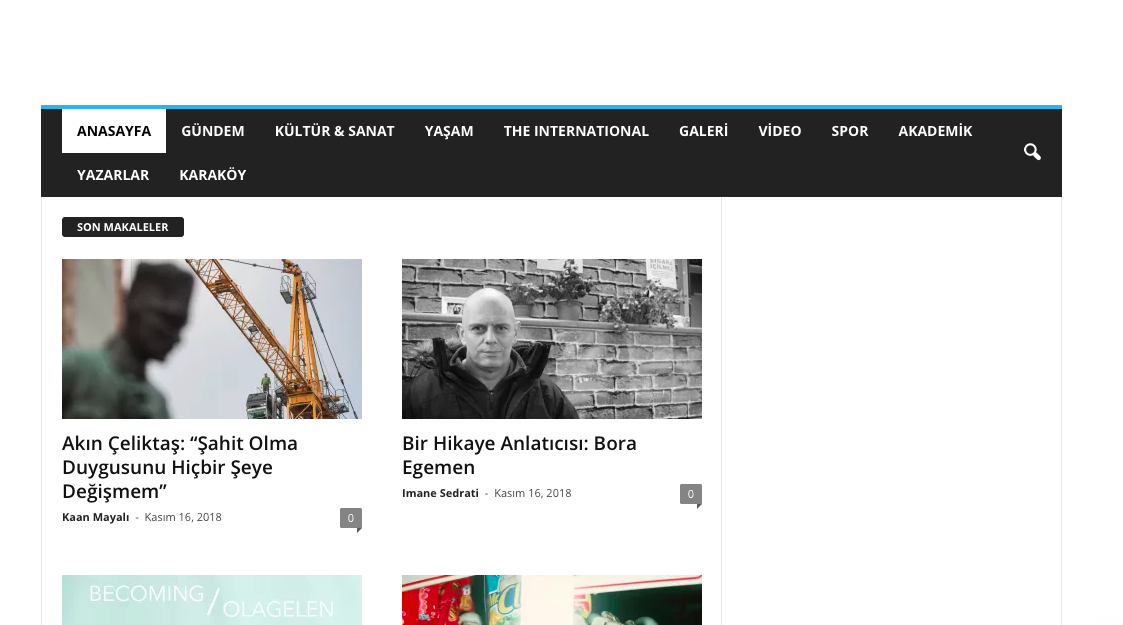
Default demo site,
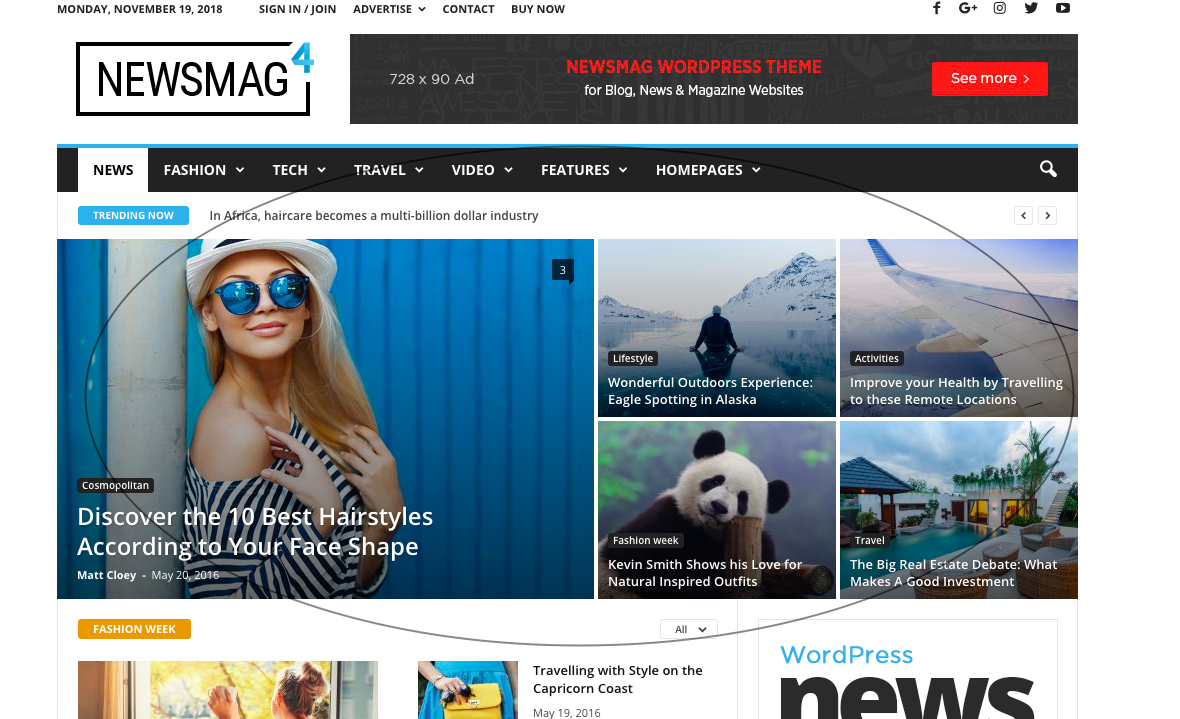
I want to feature contents.
 KokoShanel
I install the demo version gives an error
{“success”:false,”message”:”Wrong request”}
what could be the error
 sw-sheppard29
Hi,
I very recently purchased Newspaper 9, and installed and uninstalled a few of your demo themes (with data). But on the second installation of News Week the font sizes are incorrect. I’ve deleted the caches and re-tried installation via ‘Install Demos’ option a number of times, but still no luck. You can see here: https://www.reformingeducation.org/
Any initial thoughts?
Simion C. Hi,
The zoom effect on hover would already be a zoom in, when hovered the image will zoom in. Example – https://demo.tagdiv.com/newspaper/category/grid-1/
To change this to a zoom out you would need to make them be zoomed in as default, then on hover to zoom out. For the grid in the link a code like this will reverse the zoom
– https://pastebin.com/GtG2g5fY
You can adapt it for the grid you want.
Thanks
Simion C. Hi,
That top space is the padding of the page, default value is 48px, but in the journal demo it’s set to 80px.
I could give you a code to remove it – http://prntscr.com/lk745p
Enter it in Theme panel->Custom CSS section
.td-journal .td-main-page-wrap {

padding-top: 0;

}
Regarding the width, please check the row settings stretch settings
– https://www.screencast.com/t/jVXVNFORbg
As for the ratio, only flex grids have settings to adjust the image in the modules
– https://www.screencast.com/t/mQGx6f2a2
So you can control image alignment, image height and width. Default big grids and full width grids don’t have such settings.
The images in the mega-menu should be of this size, it cannot be changed
– https://www.screencast.com/t/Q0N3opVZYKQy
In your case some of the thumbnails are not created properly. Please regenerate the thumbnails to recreate them
– https://forum.tagdiv.com/thumbnails-fix-strange-looking-images-on-blocks/
Thanks
 Catalin
 Hello pabloohid,
Please provide some useful screenshots with the problem so I can identify it. The post titles should have to be shown up before or after thumbnails. Check our demo preview here -> https://demo.tagdiv.com/newspaper/
Thanks.
 mayer62
Hi all i have some questions:
1) how can i add a copy link button next to share buttons on the top/bottom of each article?
2) i created a main menu as megamenu. Every item is a category (like the newspaper demo default), how can i remove from only one of these categories the “all” section? example: referring newspaper demo default how can i remove from fashion the “all” section without delete the same section under lifestyle?
3) for each category page I’d like to show the pull down filter: i red lots of codes like this [.category .td-pulldown-filter-list li:nth-child(5) {display: none;}] but i didnt understood how it works. Id like to remove random,7 days popular and by score sections.
4) is it possible to change the 300×250 ad section on the right sidebar with a youtube video? like the video on the bottom of this site http://www.angolotesti.it/ ?? thanks for help guys
Calin Hi,
You can import just the settings of the demo https://www.screencast.com/t/5ywXJRia3v this will do exactly you need.
Thanks.
Simion C. Hi,
That may happen when testing with the mobile friendly tool, when the stylesheet loads slower, Google sees the page with the CSS not loaded
– https://www.screencast.com/t/JTLpiXRLz9T
So most of the links will be detected as too close together, which does not happen if you check with an actual mobile phone
– https://www.screencast.com/t/ZQJEIzzhcb5
Repeating the test or testing another post in most cases provides different results
– https://www.screencast.com/t/TG7KEGpwg5X
– https://www.screencast.com/t/kywsHJQFL
I checked the gallery in the post you mention, for me it does not work on desktop as well, clicking on the navigation arrows or thumbnail images at the bottom doesn’t do anything. It should work same as here
– https://demo.tagdiv.com/newspaper/td-post-aston-villa-beat-liverpool-to-join-arsenal-in-the-fa-cup-final/
Could be a plugin conflict, a plugin could be breaking the gallery functionality. Does the same happen if you test with a gallery in a new post? If it does try to deactivate all non-theme plugins as a quick test, check if that solves the problem.
Simion C. Hi,
Some header styles cannot display a larger logo, they have specified logo sizes which should be used for the best results
– https://forum.tagdiv.com/header-styles/
– https://forum.tagdiv.com/logo-favicon/
The exceptions are header styles 9, 10 and 11. These header styles can display the logo you set in it’s full size. For example this theme demo uses header style 10 and quite a large logo image
– https://demo.tagdiv.com/newspaper_cars/
So you could use on of the mentioned header styles, which can display a larger logo size. Let us know if you have more questions.
Thanks
Catalin Hello itkhoj,
Please notice that the speed of your website depends on how well your site is optimized.
Notice that is not a simple task and if you do not have any experience in this regard you will do not bring good results for the theme. Also, notice that we have a speed optimization tutorial but this is addressed only to advanced users. So, if you follow the steps which are presented in this tutorial here -> https://forum.tagdiv.com/how-to-make-the-site-faster/ you can increase the page speed loading and if you are not aware of the steps in this regard, please consider hiring a freelancer/developer to help you because the speed optimization services are not covered by our support policy, as you can read here -> https://forum.tagdiv.com/support-policy-2/ Check our documentation here -> https://forum.tagdiv.com/requirements-for-newspaper/ regarding on dedicated server to fit our requirements.
Unfortunately, our theme does not have such an option to minify the style.css file and we cannot recommend any plugins with this functionality because is not tested with our theme. For minifying this file, we are using CloudFlare for our demo and works fine. If you want to read other views from our users, please check this topic -> https://forum.tagdiv.com/topic/tip-how-to-easily-minify-your-css-without-breaking-your-site/
Also, check all of your Ad Spots and if you have entered any suspicious code through them, remove all of them and check the results without them.
One of our top members here on the forum wrote his own optimization tutorial here:
https://forum.tagdiv.com/topic/tutorial-chriss-custom-optimizations-for-functions-php-etc/ and here -> https://www.infophilic.com/get-almost-100-pagespeed-newspaper-theme/
Basically, these are the theme requirements
– https://forum.tagdiv.com/requirements-for-newspaper/
Another useful guide for increasing the page speed can be found here -> https://kinsta.com/blog/google-pagespeed-insights/
Thanks for your understanding!
Catalin Hello all,
Unfortunately, our theme does not have such an option to minify the style.css file and we cannot recommend any plugins with this functionality because is not tested with our theme. For minifying this file, we are using CloudFlare for our demo and works fine. If you want to read other views from our users, please check this topic -> https://forum.tagdiv.com/topic/tip-how-to-easily-minify-your-css-without-breaking-your-site/
We will take it into account and in the future, we hope to find some ways to reduce that file.
Thanks for your understanding!
Calin Hi,
Please activate the tagDiv Cloud Library, (the temple from post is from this plugin).
Also please read this topic -> https://forum.tagdiv.com/topic/lifestyle-demo-isnt-loading-the-same-template-in-my-posts/
Thank you for your understanding.
 ursabit
 4. Other question: I use as homepage the page from SmartApp demos (imported from cloud library), so main menu is set transparent because I like menu with white color over image, so without background.
The problem is that on posts and category page the main menu have white background and white color, see image: https://ibb.co/m7vvpf.
How to have on posts and category page main menu with black color as background but keep it transparent for homepage and 2 other pages?
-
This reply was modified 7 years by
ursabit.
Catalin Hello PornoPlague,
If you want that your post title to be under your featured images, you should use the Flex Block 1, for example, and use the Meta info alignment to the bottom from here -> https://www.screencast.com/t/NM48fw5c4Al7 Use the Cloud Template library according to our documentation from here -> https://forum.tagdiv.com/tagdiv-cloud-library-plugin/
You can make some demo tests from here -> https://affiliate.tagdiv.com/#/load/Blocks
Thanks for the message!
Calin Hi,
You can use tagDiv Cloud Library , and import pages, templates, section, but you can not combine tow demos, sorry.
Thank you for your understanding.
