- NewspaperModules Builder in Newspaper Theme
- NewspaperIntroduction to CPT and ACF with Newspaper Theme
- NewspaperHow to edit modules for Flex Block X
- NewspaperStripe Setup
- NewspaperPayPal Setup
- NewspaperAdd Cryptocurrency Price Ticker Widget
- NewspapertagDiv Shop
- NewspaperDesign your post pages using the Default Templates
- NewspaperTheme modules and blocks
- NewspaperUsing the Theme Translations with WPML
- NewspaperHow to Set the Image Avatar
- NewspaperNewspaper theme documentation
- NewspaperSmart Sidebar
- NewspaperBreadcrumbs
- NewspaperFooter Builder
- NewspaperMain Menu
- NewspaperInstalling Pre-built Websites
- NewspaperPre-built Websites: Introduction
- NewspaperWhat’s Included in the Newspaper Theme Package
 oliviaperegrino
 Thank you for your tips Chris, but I don´t have an excerpt box in posts of my demo theme (World News). How or where can I active the excerpt box?
 showsarg
 Bogdan B. #213926
Jan 29, 2018 at 4:31 pm
This is how the big grid full 8 displays in the dark demo: https://www.screencast.com/t/EUpVm6ZU6
NO, THIS IS BIG GRID 8, NOT BIG GRID FULL 8 (we talk about big grid full 8 )
REPLY
oliviaperegrino If I share a post on Facebook, that’s how it looks: http://www.radarenlinea.com/wp-content/uploads/2018/01/Post-preview.png
The same goes for all posts. Below the title appear the category, title, author, date and number of comments. I have underlined those words that I don´t want to be seen before the text (category, title, author, date and number of comments).
On the other hand, my demo (World News) does not have the option of excerpts
 Bogdan B.
 This is how the big grid full 8 displays in the dark demo: https://www.screencast.com/t/EUpVm6ZU6
Please provide a link to your site so I can inspect it.
Thank you!
Bogdan B. Hello,
The default position of the article titles is exactly as the gadgets demo.
Please check your custom code.
Thanks.
Bogdan B. Hello,
Sorry but the mobile theme does not have a black version. Only the standard responsive version will keep the demo style. The mobile theme plugin will not grab the style of the desktop theme.
As for the footer, please check the footer section of the theme panel.
Thank you!
 Catalin
 Hello Francisco,
Please notice that the speed of your website depends on how well your site is optimized. Notice that is not a simple task and if you do not have any experience in this regard you will do not bring good results for the theme. Also, notice that we have a speed optimization tutorial but this is addressed only to advanced users. So, if you follow the steps which are presented in this tutorial here -> https://forum.tagdiv.com/how-to-make-the-site-faster/ you can increase the page speed loading and if you are not aware of the steps in this regard, please consider hiring a freelancer/developer to help you because the speed optimization services are not covered by our support policy, as you can read here -> https://forum.tagdiv.com/support-policy-2/ Check our documentation here -> https://forum.tagdiv.com/requirements-for-newspaper/ regarding on dedicated server to fit our requirements.
Unfortunately, our theme does not have such an option to minify the style.css file and we cannot recommend any plugins with this functionality because is not tested with our theme. For minifying this file, we are using CloudFlare for our demo and works fine. If you want to read other views from our users, please check this topic -> https://forum.tagdiv.com/topic/tip-how-to-easily-minify-your-css-without-breaking-your-site/
One of our top members here on the forum wrote his own optimization tutorial here:
https://forum.tagdiv.com/topic/tutorial-chriss-custom-optimizations-for-functions-php-etc/ and here -> https://www.infophilic.com/get-almost-100-pagespeed-newspaper-theme/
Basically, these are the theme requirements
– https://forum.tagdiv.com/requirements-for-newspaper/
Thanks for your understanding!
 Lisborg
I noticed when I installed the Godsmens-demo some images from the Art Creek-demo are also loaded. Every time I delete the images in the media library they appear again the next day. Why is that? I noticed the browser message: …waiting for 192.168.0.208?
In my latest project I use the Art Creek-demo. http://naturvejleder.dk/ Same problem! I delete the demo-images in the library but some of them keep reappearing. 
Also the Art Creek-demo seems slower to load? Waiting for 192.168.0.208??
 Vano-253
 https://demo.tagdiv.com/newspaper/big-grid-1/ – this mesh also has horizontal scrolling and not adjusted to the mobile device. A screenshot is attached.
https://yadi.sk/i/kgd5eRdY3RrUGR
you make fully responsive theme, so why not do adaptive data elements Big Grid?
showsargHello
How do I make the big grid full 8 equal to the “gadgets” demo?
I want it to be like that…
https://www.screencast.com/t/o5mz2x1wEw
This is how it looks on my website
https://www.screencast.com/t/UghdUI4TJw
 alvaroizquierdo
Hello,
I would like to ask you about anchor links with scroll. I am almost finishing my website and I want to add some anchor links with scroll but I don´t know how to do it. I know is like a basic question, also because in the demos I can see these links, but when I try to do it, and after search in the support item, I don´t know how to do it. I want something like the button “learn more” in this demo: https://demo.tagdiv.com/newspaper_dentist/
It would be very kind of you if you can explain me or share a website or something with info about that, or if I need to install some plugin.
Thank you so much in advance
 Dansports
Dear Staff,
I have a problem with the Block-Title Background-Color.
Any changes I made will not affect the background of the rectangle behind the title.
Just the line is changing and the text color.
my website:
This is how it looks:
https://picload.org/view/ddprgiia/title-bg-color.png.html
and this how it should look like:
https://picload.org/view/ddprgiil/should-look-like.png.html
I would like to have any individual color per block-title like in demo:
https://demo.tagdiv.com/newspaper/
Hope you can help me =)
 Sebastian Escobar
Hi
I have active the option for to show author’s name in posts (Newspaper > Theme panel > Posts settings > SHOW AUTHOR NAME) but the names don’t show. The same in the category view. For example in demo the author “John Chao” is visible in most of posts (https://demo.tagdiv.com/newspaper_medicine/). My site is http://chilecientifico.com/la-agencia-cientifica-de-chile/
What can I do?
Thanks!
 real25
Hi!
I’m new to the whole Newspaper template so maybe it’s my fault, but the post template style 7 seems not working for me.
I mean, at first I installed the travel blog demo, and it was great. At a single post, the main picture was fitting from side to side on the screen.
Then i was trying to change some parameters, and after a while it became as narrow as the main content itself. And I can not change it back to fit from side to side. So almost the very same as on style 3.
And I am unable to fix it. Please help!
 Kyne
Kyne Where is the page builder? I want to remove the sidebar from the demo site. Thank you…
 Edward
 > AMP theme and ads
https://tagdiv.com/amp-newspaper-theme/
2 Developers:
Message / Alert boxes, Style quotes, Inline Related Posts (!!!) and etc. – live preview like for example here:
http://demo.betterstudio.com/publisher/shortcodes/advanced-blockquotes-pack/
http://demo.betterstudio.com/publisher/shortcodes/custom-lists/
http://community.betterstudio.com/publisher-doc/inline-related-posts/
http://community.betterstudio.com/publisher-cat/posts-pages/
 Simion C.
 Sorry for the delay, this is the logo file for the Technology hub demo you requested
– http://cdn.tagdiv.com/wp-content/uploads/2018/01/logo-1.zip
Kyne I founded an Animal Demo site. Where can I set the sidebar in the home?
Catalin Hello ipi_login,
Please notice that the speed of your website depends on how well your site is optimized. Notice that is not a simple task and if you do not have any experience in this regard you will do not bring good results for the theme. Also, notice that we have a speed optimization tutorial but this is addressed only to advanced users. So, if you follow the steps which are presented in this tutorial here -> https://forum.tagdiv.com/how-to-make-the-site-faster/ you can increase the page speed loading and if you are not aware of the steps in this regard, please consider hiring a freelancer/developer to help you because the speed optimization services are not covered by our support policy, as you can read here -> https://forum.tagdiv.com/support-policy-2/ Check our documentation here -> https://forum.tagdiv.com/requirements-for-newspaper/ regarding on dedicated server to fit our requirements.
Unfortunately, our theme does not have such an option to minify the style.css file and we cannot recommend any plugins with this functionality because is not tested with our theme. For minifying this file, we are using CloudFlare for our demo and works fine. If you want to read other views from our users, please check this topic -> https://forum.tagdiv.com/topic/tip-how-to-easily-minify-your-css-without-breaking-your-site/
One of our top members here on the forum wrote his own optimization tutorial here:
https://forum.tagdiv.com/topic/tutorial-chriss-custom-optimizations-for-functions-php-etc/ and here -> https://www.infophilic.com/get-almost-100-pagespeed-newspaper-theme/
Basically, these are the theme requirements
– https://forum.tagdiv.com/requirements-for-newspaper/
Thanks for your understanding!
Simion C. That is done by customization indeed. Unfortunately there are no plans to make such modifications to the grid responsiveness, as far as I know. You can check other grids, there are many more, some may be by default as you want
– https://demo.tagdiv.com/newspaper/big-grid-1/
– https://demo.tagdiv.com/newspaper/full-big-grid-1/
 m2sahin
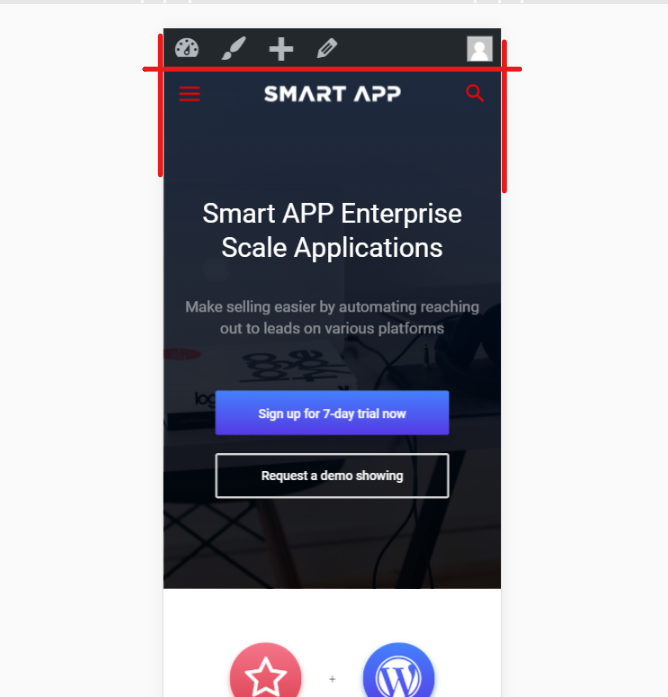
https://i.hizliresim.com/1JrZqp.png – my settings
https://i.hizliresim.com/bBYEz8.png – smart app demo settins
I did all the settings like in the demo but I look different. I didn’t find the right setting. help please.
note: The main slice is not English. If I speak rude, I apologize.
Simion C. Hi,
If you choose page builder + title, then the title will be displayed on top of the page. Use the default page template if you don’t want it to show.
The breadcrumbs can be removed in the theme panel if needed for all the website
– https://forum.tagdiv.com/breadcrumbs/
The breadcrumbs will not be displayed on the homepage, there is no need for that. They are generated here in each template
– https://www.screencast.com/t/PXqU9m23sk
Page builder with latest articles will always show the latest articles section in the bottom of the page. This can be removed by choosing a different page template.
The overlay menu page template will display the menu over the page content, like this
– https://www.screencast.com/t/Tiwv4a9NnH
The year could be displayed with this code
– https://www.accessc.com/articles/copyright-year-update.html
– https://www.screencast.com/t/xqlnRb0fM
– https://www.screencast.com/t/yNSvBKIhWdn
Try changing the colors in the theme panel
– https://www.screencast.com/t/s8Cj92MGRv
The demo has custom design, so if at the moment of creating it there was no theme panel option for that color, it was set with CSS
– https://www.screencast.com/t/38DQ0ZhPSEjG
Remove the design from the demo stylesheet and the theme panel option should apply.
Thanks
Simion C. As I mentioned before this can be achieved through custom modifications of the element. The grid present in that website is modified to display like that.
By default it looks like in the live demo, with a scroll not vertically
– https://demo.tagdiv.com/newspaper/big-grid-6/
You can use the browser inspector to see how the element was modified
– https://forum.tagdiv.com/create-custom-code-using-the-browsers-inspector/
Simion C. Hi,
1. You could add an empty space element below the events grid
– https://www.screencast.com/t/ZOnyCeL4
This element can have a height set by you in it’s settings. Or even set a margin bottom to the grid, in the CSS tab
– https://www.screencast.com/t/gD4bI1qD6eV
2. That is happening because of a condition in the demo
– https://www.screencast.com/t/rrdvxGghPFO
If you were to remove that condition it would appear like this
– https://www.screencast.com/t/ZRZLXVQf9H
3. Check if the modal image is enabled in the theme panel
– https://forum.tagdiv.com/modal-window/
It should apply to all post content images once enabled in the theme panel, now it seems to be disabled.
Thanks
 Filandor
 Third question – I changed black version color of demo. In what css class is thise black part of megamenu – http://dl4.joxi.net/drive/2018/01/25/0000/0020/4116/16/6d5df222a6.png ?