
- TutorialsHow to install Revolution Slider
- TutorialsHow to Install bbPress forum
- TutorialsFrom WPBakery to tagDiv Composer
- TutorialsDefault Block Settings Guide
- TutorialsImport Revolution Sliders
- TutorialsSystem status parameters guide
- TutorialsHow to Update the WPBakery Page Builder plugin
- TutorialsExisting content
 dap4890
I have read many posts about individuals not being able to save their settings in the theme panel of the Newspaper theme. I have read them all – modifying and optimizing the settings for WordPress (everything is green and set to the settings advised by tagDiv), clearing our cache, installing Super Cache, and even reinstalling the theme 6 times with no results.
It should be taken note that we do not have a domain pointed to this website and are using VHost in order to work on it. We were able to have these settings work using a local MAMP install and they did in fact save. But, that is not the point, we want to work on this website while it is on our hosting account as we plan to use this WordPress install with the Newspaper theme as an update version of a website that already has the domain we will use pointed at it.
We also noted that when trying to install the packaged plugins from the Newspaper/Plugins menu items that they would not install and would throw a 403 Forbidden error up on the screen. Our host does not allow temporary URLs. But we were able to simply upload the plugins from the Newspaper download, and everything installed successfully, even Visual Composer
With the above information provided I hope someone can give us a workaround that will allow us to still work on this site without point a domain to it while under construction, and not work on it on a local machine.
Thanks!
 virgilio
Hi Team,
After update my News 7 Paper Theme to 7.7 i have a problem with Block Video Playlist, when i add a Block to my sidebar and add the list of youtube id’s separated by comma the home page only shows the header a footer, the body stay empty.
I disable all the plugins installed and only left the Visual Composer Activated to test if any plugins make that problem but the error stay present whit all plugins off.
this is the list of youtube id what i am use:
DVcZoBcYshY, 5BGoIg88FV8, acIZdnmevuA, 8pK4W06IQgQ, aV7sOAFLbUE, _nqs2wjvGnk, zruY_0Lir7k
Other t
What can i do?
 Bogdan B.
 Hello,
In order to use a child theme you must also have a parent theme. Both themes need to be installed in the themes section. You are missing the parent theme. Please read this guide:
https://codex.wordpress.org/Child_Themes
and our theme child theme tutorial: https://forum.tagdiv.com/the-child-theme-support-tutorial/
Thank you!
 Catalin
 Hello juliusuk,
Please notice that the general cropping system of the theme is center-top. First of all, ensure that you are using the latest version of theme and also, if you are using some untested plugins, try to disable all of them and install only the plugins that come bundled with the theme packet nad rule out any conflicting plugins. If the problem is still there, you should send us an email so we can take a closer look.
Thanks for the message!
Catalin Hello oopy20,
You should re-install the latest version of the theme via FTP way, use only the plugins that come bundled with the theme packet and rule out any conflicting plugins. I suggest you install the theme again via this way because this is the surest method in this regard. A bad theme installing can cause this type of issues and that’s why it is very important to make a new fresh install from scratch and check the results.
Hope this helps and let us know how it goes!
Thanks for the message!
Bogdan B. Hi,
Our theme does not change ads and does not provide any advertising from the theme side. Please make sure you harden your wordpress install: https://codex.wordpress.org/Hardening_WordPress
Thank you!
Catalin Hello Ramrakesh,
Please provide your website URL, provide some useful screenshots so I will be able to inspect it closer and also, so I will be able to provide a more accurate response.
Ensure that you are using the latest version of theme, remove all untested plugins and install only these comes bundled with the theme packet and rule out any conflicting plugins.
Thanks for your understanding!
Bogdan B. Hello,
This seems to be a caching issue. please clear all caching o your site and reset cdn files if you use it. Also only use wp super cache and these settings: https://forum.tagdiv.com/cache-plugin-install-and-configure/ and contact your host to have them disable any hosting side cache.
Thank you!
Catalin Hello kamoe,
First of all, please ensure that you are using the latest version of the theme and then, you should use only the plugins that come bundled with the theme packet and rule out any conflicting plugins. The version of Visual Composer plugin should have to be the version which comes bundled with the theme packet, and it has to be installed via FTP way because this is the surest method in this regard. For more references about how you can update the theme and Visual Composer via FTP, please consult here -> https://forum.tagdiv.com/how-to-update-visual-composer-plugin/ -> https://forum.tagdiv.com/install-via-ftp/
After this, if the problem is still there, please ensure that your system status is set according to our guide here -> https://forum.tagdiv.com/system-status-parameters-guide/
Thanks for the message!
 Arek
ArekHello,
I am having a problem installing a child theme.
I have copied the Newspaper-child folder to the /themes folder however, I am getting this error message:
https://drive.google.com/file/d/0B33pDcHFtPQlUFNQZzZwb093MGM/view?usp=sharing
can you any suggest what I am doing wrong?
thanks
 sanny
sannyHi,
I am using your theme and as suggested I installed the WP SUPER CACHE plugin for better performance and yes it is working fine.
But the issue is whichever plugin I am trying for Captcha mainly for comments is not working even after giving thr correct input it errors incorrect.
Please suggest.
 summa123 summa123
 juliusuk
 Hi,
thanks Chris, i now tried this plugin as it was suggested in many threads. I installed the plugin and regenerated thumbnails, but did not solve this issue. Probably because the images loaded were large enough, but they scale wrongly inside the boxes.
Example: here this behaviour, which in this example only happens at viewport > 1140px. The pictures scale as they should on widths below this.
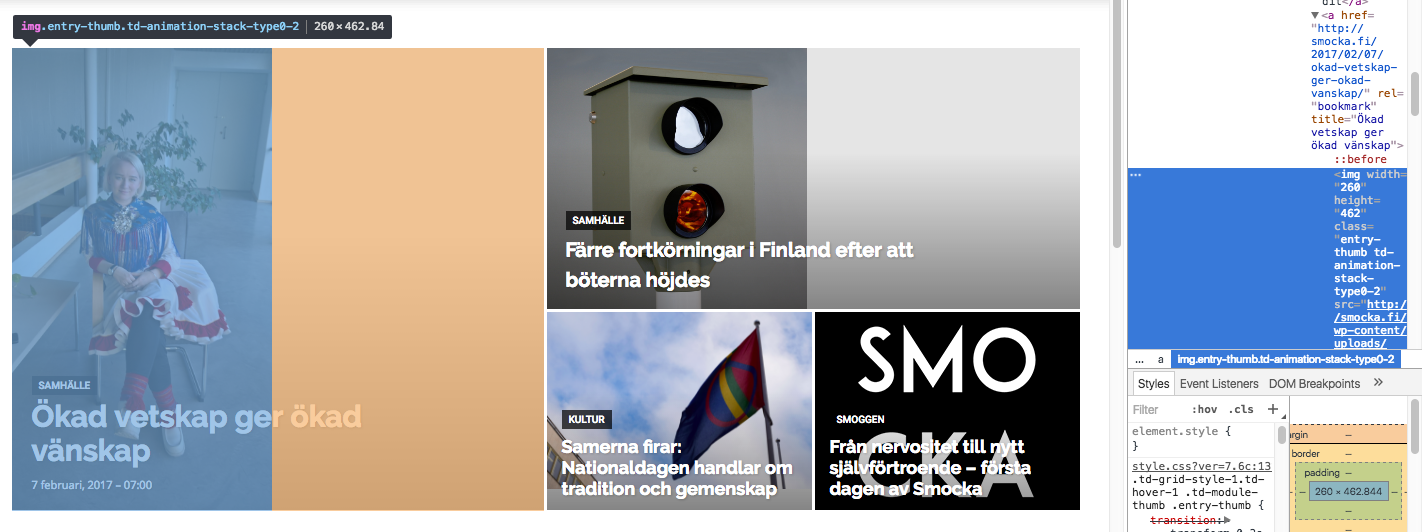
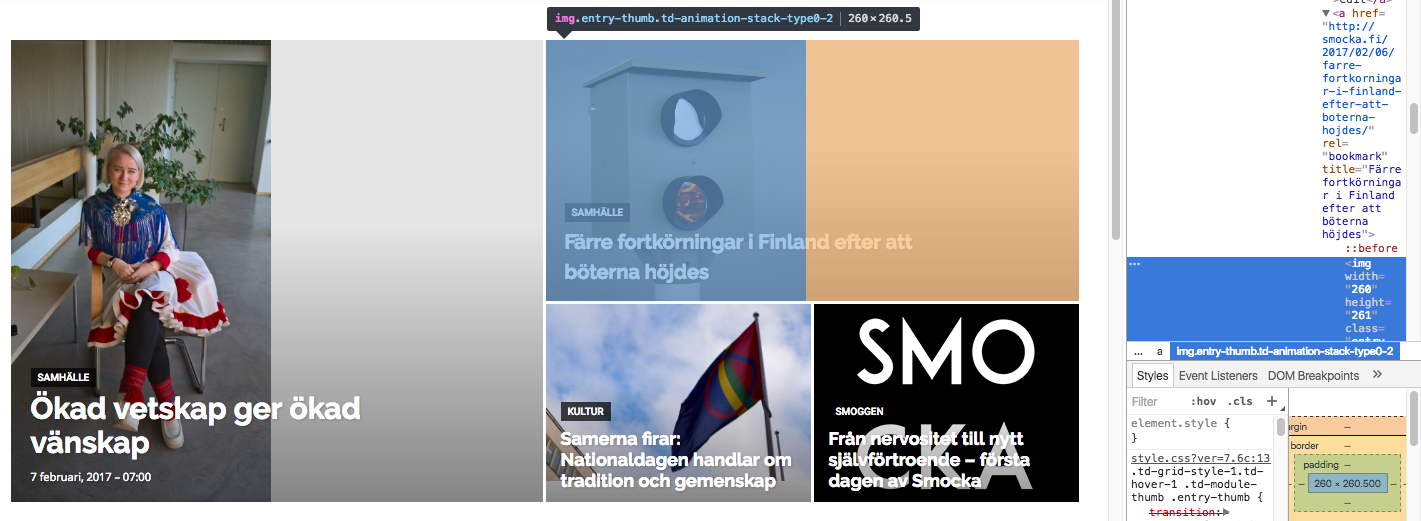
Both images in these boxes get width=”260px” written directly into the img-tag as properties. Don’t know if that is the issue (this also happens at the lower viewports where the layout works). However, the images that actually are loaded into the big grid are of widths 1400px (the one to the left) and 1022 px (the one to top right), i.e. large enough to fill the space if they were cropped to fit.
I’m trying to add “width 100%” or height “100%” at different places in css but this seems only to stretch images rather than crop them so this is not the solution.
I’m really puzzled why the center-top cropping that is described in some earlier threads is not taking place here?
Greetings,
Julius
 mmeida
Hi. I’ve installed the Mobile Theme Plugin, but homepage mobile not shows the ‘predefined mobile’ page but just the same desktop page, like if no mobile plugin were installed. I’m using WP Super Cache following the instructions at https://forum.tagdiv.com/how-to-make-the-site-faster/ and https://forum.tagdiv.com/cache-plugin-install-and-configure/. I’m also using Cloudflare and MaxCDN and, yes, a few plugins.
Thanks.
 acespedes
I install the theme and download the demo content, but the structure on section don’t miss from https://demo.tagdiv.com/newspaper/ do not looks like the section SECCIONES from http://dev.eldecidor.com.mx/, where actually have the same structure applied.
Please help.
 kamoe
kamoeHi I have this theme installed on various sites. In general all works great.
On one of the sites I have this strange problem. The “Visual Editor” is unworkable. It appears as if the text is all white so it blends in with the background (in the visual editor).. if I select all the text.. as in “copy and paste”. I can see that the text is there. So some strange thing that happen with Visual Composer.. I tried removing the plugin and installed the latest version for the theme (5.0.1) I also updated the theme to latest 7.6.1 but I still have this strange thing happen with visual composer.
Any tips?
 TheMediumUTM
 Hmm, fair enough. Though I’ll add that I’ve been “testing” it in the field for about a year now, with great results — preferable to SuperCache. 😉
What about even just detection, but not endorsement. “We have detected that you are using the following caching plugin(s): ______. These have not been tested with our theme, but WP SuperCache has (see here _____).”
Or something like that. One additional benefit would be that when future managers of the website look at this panel, I want them to realize that we have a functional caching plugin, even if not the one tagDiv has tested, so they do /not/ need to install an additional one that could cause broken behaviour.
Please consider it 🙂
 zacharylim17
Hi there. I just bought the newspaper theme and I wanted to clarify a small detail. As the theme allows visitors to sign up and register as contributors, will this automatically create an Author Page for them and will they be able to submit news articles through their account? Or would I have to manually add a new user each time? In addition, should I install any additional plugins to manage these future authors/contributors or is that not necessary?
Last but not least, how do I customize the Ajax Login/Register System?
Catalin Hello Ylli,
Please try to delete it and install it again from the theme packet files. You should install the Visual Composer plugin which comes bundled with the theme packet. Remove the old version of this plugin and install the right one via FTP. For more information about how you can install the Visual Composer, please consult our documentation here -> https://forum.tagdiv.com/update-the-visual-composer-plugin-wpbakery/ Clear all your caches, purge CDN files and check the results. Also, check your system status and also, setup it according to our guide here -> https://forum.tagdiv.com/system-status-parameters-guide/
Thanks for your understanding!
Bogdan B. Hello,
This is a caching issue so please disable any at all caching . contact the host and have them disable any hosting side cache, clear cdn files and temporarily remove the cdn and clear cache from the cache plugin and disable that also. Then only use wp super cache and these settings: https://forum.tagdiv.com/cache-plugin-install-and-configure/ and if you use a cdn server, https://forum.tagdiv.com/cloudflare-cdn/
Let us know hot it goes.
Thank you!
Catalin Hello markangus,
You should re-install the latest version of the theme via FTP way, use only the plugins that come bundled with the theme packet and rule out any conflicting plugins. I suggest you install the theme again via this way because this is the surest method in this regard. A bad theme installing can cause this type of issues and that’s why it is very important to make a new fresh install from scratch and check the results.
Hope this helps and let us know how it goes!
Thanks for the message!
 Simion C.
 Hi,
You could just install the demo you want – https://forum.tagdiv.com/installing-demos/ and take it from there, then further personalize it to your liking by editing and changing the page in Visual composer if you want, or just add your own content to it.
Thanks
 serfarecom
Hello i have problem with the slider on animal template, i tried to install on admin panel and i couldn’t
website: Womanslife.gr
Simion C. Hi,
@LeadingSport Unfortunatelly I can not view your test page – https://www.screencast.com/t/2jtJ5YcomMx If you also have the Newspaper magazine demo installed take a look at the answer below
@brigitte67 That is the transparent block titles style of Newspaper magazine as seen in the demo – https://demo.tagdiv.com/newspaper_magazine/ if you want to cancel the background transparency you will have to edit the demo_style.css found in the theme folder->includes->demos->magazine and comment or remove a line of code – https://www.screencast.com/t/kTBWhN7ISu8 it should look like this if you choose to comment it – https://www.screencast.com/t/tMVupdlmd5
The result is that now you can see the background set in each of the block settings – https://www.screencast.com/t/arzXTAcVKfN
Thanks
